Galaxy A57 5G
● Get a $100 Trade-in bonus or save up to $50 on selected Add-Ons, with selected models
● Plus, bundle & save 10% on selected Tablets, Watches & Buds and 30% on selected accessories.
*Minimum cart value of $500

Buying Tool


Device
Please choose a different combination
Storage
Please choose a different combination

Colour
Please choose a different combination
Colour
Samsung Trade-In
Get a $100 Trade-in bonus when you trade in. Offer ends 2:00pm, 3 November 2026. T&Cs apply.
Please select your trade-in device or "No trade-in"
Please select 'Yes' or 'No' for Trade-in.
*Estimated Trade-in Value is based on the responses provided in relation to the condition of your device. This is subject to change following assessment of the device. See T&Cs for more information


Purchase Option
Gifts and Savings
Enjoy amazing savings on Samsung.com
Buy direct. Get more.
Explore the benefits of buying directly from Samsung.
Gifts and Savings
Enjoy amazing savings on Samsung.com
Reached maximum order quantity for this product.
Frequently Asked Questions
Click to Expand-
A. It's Samsung's official exchange program. You can get an instant discount on a brand new Samsung device by exchanging in your used device. Better for you and the environment.
Click here to see more information on exchange. -
A. Your trade-in device must meet the eligibility requirements mentioned in the Terms and Conditions of Samsung Upgrade Program.
1. Phone screen should not be damaged: Damages may include liquid damage or broken screen glass, cracks, lines or spots on screen, screen coming out of phone body, fake or screen repaired from unauthorised service centre.
2. Mobile phone should switch on and reach home screen without any passwords/locks (pattern, face recognition, PIN, fingerprint etc.)
3. Phone IMEI should match the IMEI provided during request generation and the phone Brand and Model should match the one provided at request generation.
4. Mobile phone should be in working condition, and should be able to connect to mobile network and make calls.
5. MI Account, Google Account, FRB locks, Samsung lock, I-cloud locks should be removed
6. Phone should not be outstation / Cloned (Duplicate)
7. All the buttons should be in good working order.
Click here to see more information on exchange -
A. 1. From the ‘Mobiles’ page on Samsung Shop, select the mobile you wish to buy.
2. On the product page of the device, enter pin code where you wish to avail the exchange offer, and click option called 'Buy with exchange' on the right hand side of the product.
3. Now, you will have to click on the “Exchange Now” button of the type of exchange that you wish to avail.
Instant Exchange:
i. You will find two drop downs from where you will have to select the mobile brand and corresponding model that you are planning to exchange for the new phone.
ii. You will also have to enter the IMEI number on your device in the space provided.
iii. When you enter the required details, you will be displayed the amount that will get deducted from the original price of the new mobile and the amount that you will have to pay.
iv. Now you can click on 'Exchange and Buy' and proceed to buy the new phone at discounted price.
v.Old device will be evaluated and then picked up by our partners at the time of delivery of new device.
Easy Exchange:
i. Provide the details of your old device.
ii. See assured value of your old device basis inputs given by you in the previous step.
iii. Proceed with full payment of the new device. Once delivery of the new device is done, our exchange partner will get in touch with you. Hand over your old device. Post evaluation and acceptance of your old device you will receive the payment. -
A. Samsung Account is a free integrated membership service that enables you to use Samsung service on smartphones, tablets, websites, TVs and other devices. Enjoy various Samsung service through your Samsung account, without having to sign up for each service separately.
If you have Samsung Account, you can also enjoy
• Exclusive offers and perks
• Easy order tracking and product registration
• Apps like, Samsung Pay, and Galaxy Apps
• World-class customer support
-
A. To track your order, please click here.
Enter the details like Order ID, Email ID, Shipping pin code etc. to track your order status.
Alternatively, if you have a Samsung.com account, you can sign in to check your Order Status.
Once your order ships, you will receive a shipping notification that includes tracking information. You can track your shipment through the carrier using this information. -
A. For the full warranty policy, please click here.
-
A. For Cancellations or Returns of items bought from Samsung.com, please click here.
Featured Reviews
Click to ExpandRecommended by 96% of customers.
Customers praise AI camera tools like object eraser, night mode, and Circle to Search as transformative for photos and daily use
Reviewers consistently highlight two-day battery life and fast charging as major advantages over previous models
Many appreciate the 120Hz AMOLED display for brightness, clarity, and comfortable outdoor viewing
Customers value the lightweight, premium design that rivals flagship devices at mid-range pricing
A few note missing SD card expansion and occasional Wi-Fi drops, though satisfaction remains very high
AI-generated from customer ratings & reviews, and may include incentivized reviews.
Supported languages
This summary is AI-generated from ratings and reviews across multiple languages.
- English
- German
- French
- Spanish
- Portuguese
- Italian
- Korean
- Chinese
- Japanese
- Arabic
Relevancy sort places the best reviews at the top, factoring in helpfulness votes, latest reviews, images, and other traits that readres look for in their reviews.
Rewarded for feedback, but gave an honest & objective review.
Excellent display — The 6.7-inch 120Hz Super AMOLED+ screen is consistently praised as the phone’s best feature, with strong brightness and smooth scrolling. Premium design — Thin, light, IP68 water resistance, and a flagship-style glass-and-metal feel. Battery life — The 5,000mAh battery comfortably lasts a full day, with 45W charging helping for quick top-ups. Software support — Samsung promises six years of updates, which is excellent for longevity. Reliable everyday performance — Social media, streaming, messaging, and multitasking feel smooth for most users. Reddit users especially describe it as a “daily driver” phone that “just works.”
I recommended this product.
Thank you for your awesome five-star review of the new spectacular A57, Sai! From the incredible 6.7" Super AMOLED+ display, to the impressive aluminium frame design with a glossy finish, this will look perfect for years to come! Not to forget, with the incredible IP68 rating, you can rest easy knowing you are protected! Along with the 5,000 mAh battery and powerful Exynos 1680 processor, the performance you will get will last for hours! The impressive 120Hz refresh rate, will give you the smooth journey you deserve! With the impressive 6 years of updates, you'll always get the best of the best with us! ^LB at Samsung Support
Rewarded for feedback, but gave an honest & objective review.
I switched from Iphone and did not want to spend too much on a Samsung device just in case I wanted to switch back but also did not want to go for the cheapest either. The A57 seemed to fit perfectly where i needed to be.I have had the phone a few weeks now and yes there has been a learning curve but the A57 has made it easy. From the awesome battery life, the amazing display, awesome cameras and the amazing AI features this phone has it all. I can only image how good the S26 ultra is if this midrange phone is this good !!!!!! I have no desire to go back to Iphone at all ! I forgot to mention the split screen where you can run 2 apps at once ! AWESOME
I recommended this product.
Thank you for sharing your positive experience with the new Galaxy A57, and welcome to Samsung, Scotty! Switching from a different manufacturer can feel like a big step, so it’s great to hear the Galaxy A57 has made that transition easier and smoother for you. We’re really pleased that the long-lasting battery life, display, impressive camera system and range of AI features have all stood out, and that you’re enjoying features such as split screen to boost your productivity even further. It’s great to know the phone strikes the right balance for what you were looking for and has made such a strong impression after just a few weeks of use. We hope you continue to enjoy the Samsung experience and everything your A57 has to offer. ^CL at Samsung Support
This phone Display is built quite Tough as it fell a few times from me and it had No Damage on its Screen and the Battery is Long-Lasting, once fully charged it's good to go all day for the Basics work. Being in that price range the Performance is Really very Impressive and the Camera Quality is good in terms of that Price Range, plus it have 5G connectivity which works like Buttery Smooth and Fast, it's even good for Gaming as I was using a model which had 8GB RAM in it and I love Playing Pubg when I'm alone and the Gaming experience was good but the Sound Quality was Perfect, Summarising up the Phone Over Justifies from its Price, it's a must have product To be Honest
I recommended this product.
Dear Customer, Thank you for sharing your detailed feedback on the Galaxy A57 5G. We are delighted to know that you are enjoying the display durability, battery life, performance, camera quality, smooth 5G connectivity, gaming experience, and sound quality. Your recommendation is greatly appreciated. Best regards, Samsung Gulf Electronics Customer Support (SGE CS)
Rewarded for feedback, but gave an honest & objective review.
I chose the A57 for it's flagship quality build. I was pleasantly surprised by the amount of QOL features packed into this offering by Samsung. Atmos speakers and excellent 4k recording were the icing on the cake. Smooth 120 mhz Amoled screen was the strongest selling point for me. Best offering of 2026 in the mid range category by at least a mile. Don't let it slip under your radar. 👌
Hi there Dadphone, Thank you for your fantastic feedback on the Galaxy A57 5G! We are thrilled to hear that you are enjoying its smooth 120 Hz Super AMOLED+ display, immersive Dolby Atmos audio, and detailed 4K video recording. We’re also happy that the premium design and thoughtful features have exceeded your expectations. We appreciate your enthusiasm and are glad to have you as part of the Samsung family! -Ty Samsung Support smsng.us/Samsung-Support Samsung Community smsng.us/Samsung-Community Facebook smsng.us/Facebook-Messenger X https://smsng.us/X-Messages
I’ve been using the Galaxy A57 and it honestly feels like a huge upgrade in every way. The display is super smooth and bright, which makes scrolling, gaming, and even watching videos outdoors in Dubai feel amazing. The camera has been my favorite part — crisp photos, great colors, and surprisingly good low‑light shots. Battery life easily lasts me the whole day, even with heavy use, and the fast charging is a lifesaver. Sharing my experience because this phone really delivers more than expected. Hoping to be one of the lucky winners of the AED 200 voucher — fingers crossed! #GalaxyA57 #GalaxyA37 #ReviewAndWin
I recommended this product.
Dear Customer, Thank you for sharing your feedback on the Galaxy A57 5G (SM-A576BDBMMEA). We are pleased to know that you are enjoying the device experience. It is great to hear that you are satisfied with the display quality, camera performance, battery life, and fast charging experience. We also appreciate your positive comments regarding overall performance and how the device supports your daily usage. Your feedback and high ratings are highly appreciated and will be shared with the relevant teams. Best regards, Samsung Gulf Electronics Customer Support (SGE CS)
I’ve been using the Samsung Galaxy A series for a while now, and I’m genuinely impressed. The phone offers a great balance of performance, design, and affordability. The display is bright and smooth, making everything from scrolling to watching videos really enjoyable. The camera captures clear and vibrant photos, even in different lighting conditions. Battery life is another big plus — it easily lasts a full day with regular use. Overall, it’s a reliable and stylish smartphone that delivers excellent value for money. Definitely a great choice for anyone looking for a quality phone without spending too much!
Dear Customer, Thank you for sharing your feedback. We are delighted to hear that you are enjoying the Galaxy A57 5G's smooth display, camera quality, battery life, design, and overall value. Your recommendation and support are greatly appreciated. Best regards, Samsung Gulf Electronics Customer Support (SGE CS)
Rewarded for feedback, but gave an honest & objective review.
The Galaxy A57 5G is one of the best phones I've ever had. It's got great build quality, similar to that of a flagship device, Galaxy AI (Awesome Intelligence) which can get the job done, lightweight, and fast performance. The device feels great in the hands because it's light and thin, and it's great for pockets. The device features a 6.7" Super AMOLED+ screen perfect for viewing content from, and it supports HDR10+ for videos. The display is also really easy to see in outdoor conditions. The A57 features an Exynos 1680 chip which handles games and content really well from my experience. Overall, the device is great to use for daily driving and I recommend to use the A57 5G.
Hiya SlippedOnThinAir, Thank you for the fantastic review of the Galaxy A57 5G. The Super AMOLED Plus display, AI features, and smooth everyday performance make it a great choice for work, entertainment, and gaming. It is great to hear that the lightweight design, bright screen, and overall performance have made such a positive impression. We truly appreciate you sharing your experience with the Samsung community. Thank you for being part of the Samsung family. -Ty Samsung Support smsng.us/Samsung-Support Samsung Community smsng.us/Samsung-Community Facebook smsng.us/Facebook-Messenger X https://smsng.us/X-Messages
Rewarded for feedback, but gave an honest & objective review.
I chose this phone to replace an aging Galaxy S20+ 5G. The phone seems to be well built. I like that it has an aluminum frame and glass back. Transferring my old phone data and service was fairly simple, and I was able to transfer my SIM card and follow the startup instructions on the new phone. The software functions of the new phone work well. However, I do not like how notifications work on the new phone. They were much easier to use on my old Galaxy. Charging is quick with a 45w Samsung charger. The screen is bright, but the color seems a bit washed out compared to the older phone. Other than that, the phone seems rock solid and durable as most new Samsung phones usually are.
Rewarded for feedback, but gave an honest & objective review.
The camera quality is very clear and works well for video calls and daily use. Pictures look sharp with good colour balance, even in indoor lighting conditions. The screen light automatic adjustment is very useful because it changes brightness according to surrounding light, making the display comfortable for the eyes during day and night use. The privacy screen feature is also excellent, especially in public places, as it limits side viewing angles and protects personal information from others nearby. Overall, these features improve both comfort and security. The device feels modern, user-friendly, and suitable for office work, online meetings, entertainment, and everyday personal use.
I recommended this product.
Thank you for your awesome five-star review, Satwik! The striking 6.7" Super AMOLED display will bring everything to life, and with Adaptive Brightness, you can always get the best viewing experience no matter the setting! Those pictures and videos taken on the 50MP rear main camera will come to life! The A57 does not come with an in-built Privacy Screen feature, this is exclusively only on the S26 Ultra. If you wish to achieve privacy, you will need to purchase a separate privacy screen protector. However, the phone is secured with Samsung Knox, giving you peace of mind! ^LB at Samsung Support
Rewarded for feedback, but gave an honest & objective review.
I bought this for my wife for her birthday last year and she was really really really grateful there's now an emotional attachment to it that she wouldn't even let it go you allow the children to play with it and it's been a very great toy for her to use. The camera pixel of 50mp and the nightography was great. The storage also has been fascinating and enough foe all her business pictures and posts

I recommended this product.
It is great to see you are loving everything the A57 has to offer, Olayinka. Thanks to the incredible 50MP rear camera with Nightography, you'll be taking epic pictures no matter the time of day! Along with the huge storage space of up to 512GB (depending on your choice) you'll have plenty of room! ^LB at Samsung Support
Upgraded from Galaxy A54 5G to A57 5G and the experience was fantastic. The ease to purchase was extraordinary, the arrival time was quicker than expected, the phone was beautifully designed, exactly as advertised. The AI features are comprehensive and complimentary instead of overpowering which if brilliantly designed. The easy switch completed within an 45 minutes, which was quicker than anticipated and everything i needed was there ready for me. The build quality makes this phone seem like a high quality S series instead of a midrange A series. I highly recommend this phone to anyone looking at upgrading an old A series or switching from another brand. Grear work Samsung!!!
I recommended this product.
Having been a fan of the Galaxy A series phones since their inception, I can say that the A57 is the best yet. I chose the A57 because it is the top tier phone in the A series lineup, and it does not disappoint. Snappy processor and it's usual beautiful and bright super AMOLED screen buoy the wonderful user experience I have come to expect from Samsung phones. It is also slightly slimmer than last year's A56 while still being a powerhouse in and of itself. Solid upgrades to the camera system round out a wonderful option for someone looking for a flagship quality phone for a mid-range price.
I recommended this product.
Hey there KissMyFlapjack, Thank you for choosing the Galaxy A57 5G! With its responsive processor, stunning Super AMOLED display, and upgraded camera system, the Galaxy A57 5G is an excellent addition to the Galaxy A series. Its slimmer design enhances the overall user experience. We appreciate you continuing your journey with Samsung! -Ty Samsung Support smsng.us/Samsung-Support Samsung Community smsng.us/Samsung-Community Facebook smsng.us/Facebook-Messenger X https://smsng.us/X-Messages
Rewarded for feedback, but gave an honest & objective review.
The A57 5G is a great budget phone. I had to buy one due to my old phone acting up, and it had all of the flagship features Samsung provides. I was amazed by the storage and ram it came with, the high quality screen, and especially the notorious 120 hertz display refresh rate. It felt smooth and hasn't caused any issues. I also find the built in AI features of the samsung keyboard great. You can summarize, format, and or rephrase text into a certain tone. Which I find very conveninent and use for my note taking from my dell laptop to my phone via Samsung Notes. If you don't want to drop a lot of money on a new phone, then I feel like this phone is a great alternative to the flagship S series.
Rewarded for feedback, but gave an honest & objective review.
I chose the galaxy a57 because it's the highest in in the a series that has omaximum savings in price for all the features the phone has been. God send
Hello Samsungbeauty, Thank you for sharing your experience with the Galaxy A57 5G! We are excited to hear that its vibrant Super AMOLED+ display, smooth performance, and versatile camera system are positively impacting your daily life. It’s great to know that your Galaxy device provides the features and reliability you were looking for. We appreciate your enthusiasm and thank you for being a part of the Samsung family! -Ty Samsung Support smsng.us/Samsung-Support Samsung Community smsng.us/Samsung-Community Facebook smsng.us/Facebook-Messenger X https://smsng.us/X-Messages
Over price product with no improvement. Same as A56 but 60%more in price
Hi, thank you for taking the time to share your feedback on the Galaxy A57 5G. We’re sorry to hear the device hasn’t met your expectations. We understand how important it is for an upgrade to feel worthwhile, and we appreciate you sharing your perspective. Customer feedback like this is valuable in helping us better understand expectations across the Galaxy A series range. If you have any further questions or would like additional support, you can contact our Samsung Support Team here: https://www.samsung.com/nz/support/contact/
Upgraded from an A34. Pros: good camera, battery is reasonable, slim. Cons. No memory expansion. Camera sticks out so much it won't sit on a flat surface without a case. Phone is very slippery without case. Case isn't included. Any case makes the phone bulky so you loose the thin pro.
Hi, thanks for taking the time to share your detailed feedback on the Galaxy A57 5G. We’re glad to hear you’ve been enjoying the camera quality, battery life, and slim design after upgrading from your previous device. We also appreciate your comments regarding the lack of memory expansion and the experience using the phone without a case. We appreciate hearing your feedback and experience. If you have any further questions or would like additional support, you can contact our Samsung Support Team here: https://www.samsung.com/nz/support/contact/
Was very interested in upgrading to this phone until I researched & found that the phone has been downgraded & has no longer got MicroSD card slots so you are limited to 128 or 256GB internal memory, whichever you choose. No longer interested in what I know consider to be downgrading my phone!
Hello, thank you for sharing your feedback on the Galaxy A57 5G. We understand how important expandable storage can be, especially for customers who store large amounts of photos, videos, and apps on their devices. We’re sorry to hear the removal of the MicroSD card slot has impacted your interest in upgrading. We appreciate you taking the time to share your perspective, as feedback like this helps us better understand what features matter most to our customers. If you have any further questions or would like additional support, you can contact our Samsung Support Team here: https://www.samsung.com/nz/support/contact/
Rewarded for feedback, but gave an honest & objective review.
Looks sleak - nice crisp screen and modern display Long battery life - up to 2 days without charging - with quick charging time this is good for when you are out and about and need to charge your phone in a rush before you leave. A very light thin phone Lots of new features such as circle to search which helps to find new products or dream clothes
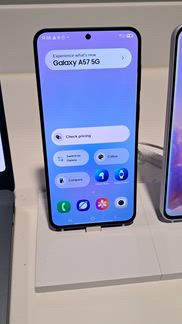
I recommended this product.
Thanks for sharing this review of the Galaxy A57! We’re glad to hear the long-lasting battery has impressed you, giving you the confidence to rely on it throughout the day and beyond, while Super Fast Charging is there whenever you need a quick top-up before heading out. It’s also great to know you’re enjoying the sleek lightweight design and the crisp 6.7" display. Additionally, we love that you find features such as Circle to Search so helpful for discovering products, styles and information much more quickly and seamlessly. The Galaxy A57 truly is an awesome product! ^CL at Samsung Support
The A57 is a midranger that feels like a flagship it has premium build and a high end screens, with bezels that amaze you, it's paired with the exynos 1680 which should genuinely get kudos for the efficeny even though it dosent break any records, it is good enough for day to day smooth usage. The a57s main camera is a different beast with flagship level sensors however the same is not true for the macro, but for the price range it's a solid camera. While it appears it has very less ai features, the reality is it has way more than you think especially in case of photos when the scenario arises that feature popups up like removing screen flicker. It's all in all a well balanced phone for daily use
I recommended this product.
Dear Customer, Thank you for sharing such a detailed review of the Galaxy A57 5G. We are delighted to hear that you appreciate its premium design, display, smooth everyday performance, camera capabilities, and useful AI features. We truly value your detailed feedback and are glad to know that you find the A57 5G a well-balanced choice for daily use. Best regards, Samsung Gulf Electronics Customer Support (SGE CS)
Rewarded for feedback, but gave an honest & objective review.
Quick setup, software transfer easily went through and much faster than expected. Screen performance is brilliant, built very well. Lighter than expected but performance is fantastic great durability. Photos are exceptional quality and fantastically easy with OneUI 8.5. Charge lasts 3 days on standby and 1 and a half when used regularly.


I recommended this product.
Rewarded for feedback, but gave an honest & objective review.
I like the battery life of the A57 phone, very convenient for long working days and busy schedules and reduces charging time and need of powerbank. The camera quality is also great for high quality pictures and videos. I like the display and design of the phone, sleek, easy to use. The performance is great, runs smoothly and no issues.
I recommended this product.
We’re pleased to hear that the battery life of the Galaxy A57 is making such a difference during your long working days and busy schedule, Via! It’s also great to know that the longer usage time and reduced need for charging or carrying a power bank have been so convenient for you. We’re also glad that you’re enjoying the camera quality, sleek design, and smooth overall performance of this awesome device, delivering a reliable and easy-to-use experience every day. We hope the fantastic features of the Galaxy A57 continue to impress you for many years to come! ^CL at Samsung Support
I bought this phone like last month and everything about has been blowing oh I bought this phone like last month and everything about has been Blowing My Mind and I'm like I'm still shocked when it comes to its performance when I'm playing games when it comes to everything camera wise everything the way process the documents it's so perfect. The Battery life last me to a point where i forget where my charger is. The display makes everything on the screen crispy clear and it never Lags. I once dropped it by mistake and i was scared the back is going to crack but the glass seems like it doesn't shutter easily. Am so blown away with this phone for it's price am still shocked that it performs like this
I recommended this product.
Rewarded for feedback, but gave an honest & objective review.
I have had the Samsung Galaxy A54 for about 4 years. I chose this phone because I needed to upgrade from my A36. It was affordable and sounded to my needs. Its a very great phone, I have dropped it multiple times on the screen face with no screen protector on it, and wow nothing not a scratch or a crack. I've dropped it in the the bath tub and kitchen sink, and again nothing no problems what so ever. I have had any problems with me running out if space on it and I have almost 2,000 pictures there and then some. Id recommend this phone to everyone. Got and get a Samsung Galaxy A54
Rewarded for feedback, but gave an honest & objective review.
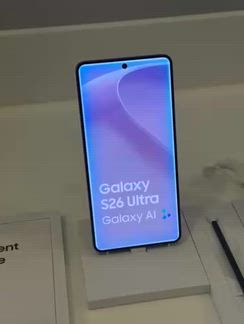
Shown me galaxy A57 the new privacy screen feature and the circle to search feature which allows you to search images natively on your phone. She asked what colours i liked and i opted for the lilac. She also talked about the smart ring which i am interesting in buying.
I recommended this product.
It is amazing to see you are loving the A57, and are interested in the Galaxy Ring as well, Adam! From the spectacular Circle to Search feature, enabling you to find that perfect outfit easier than ever before, to the stunning colours including the Awesome Lilac colour, you'll be sure to wow everyone that you meet! We can confirm that the A57 does not come with the Privacy Screen feature, this is exclusively on the S26 Ultra. The A57 does, however, come with Samsung Knox built in, which will give you the security that you need! ^LB at Samsung Support
Rewarded for feedback, but gave an honest & objective review.
I bought the A57 two weeks ago to replace my A54. The battery so far is lasting 2-3 days longer, bearing in mind you spend the first few days 'playing' around. I am loving the new 'circle and find'. I used to find it frustrating trying to track down a certain top etc The phone feels a lot lighter than the A54 however, it will depend on what case you choose. It is extremely easy to transfer from Samsung to Samsung. I've never had any problems with Smart Switch. I choose Samsung everytime I upgrade my phone, as the brand is reliable and delivers everything I need from a phone.
I recommended this product.
Thank you for your awesome five-star review of your new A57! Your loyalty means the world to us, and we'll continue to bring the wow factor for years to come! From the huge 5,000 mAh battery, which will give you hours of fun, to the exceptional Galaxy AI features such as Circle to Search, the possibilities are endless! The A57 is slimmer and lighter than previous models, and the sleek design will wow everyone that sees it! Not to forget, with the exceptional Smart Switch, transferring data has never been easier! Enjoy! ^LB at Samsung Support
Happy with a mid range Phone bought as a gift and was priced so rightly by SAMSUNG Online NZ.
I recommended this product.
Rewarded for feedback, but gave an honest & objective review.
I chose Samsung Galaxy A57 5G for various reasons. First of all, this is a great device with lots of cool features. Second, the price for this phone is affordable for a typical midranger. Third, physical design of this device is the top notch at this price. It has an excellent camera lenses that captures vivid moments from my life. The internal design and functionality of Samsung icons, apps, and other features is very appealing to an eye. The screen size helps with watching movies and YouTube content comfortably. Video games on this phone are not a problem because the software and hardware support hours of intensive gaming. Overall, Samsung offers a great option for a great price without cheap cuts of corners.
Rewarded for feedback, but gave an honest & objective review.
Bought this just over a week ago and absolutely loving it. The transfer from my old phone to this was so easy. I have all my old apps etc just on a much more efficient phone! The camera is fantastic comes with in built features like filters and the ability to cut things out of pics. The most noticeable is the battery length! Depending on what I've used it for tht day it can last for 2 days! Amazing 👏 I like the feature of updates and maximising the phones performance without me having to do it manually. The display is clear and the phone is very durable. 10/10 so far!
I recommended this product.
Thank you for taking the time to share this fantastic review of your Galaxy A57, Tee! We’re pleased to hear you’re loving the device so far, especially how easy it was to transfer all your data and apps from your old phone. It’s great that everything feels more efficient right from the start. We’re also glad the camera features are standing out, particularly the built-in filters and impressive editing tools such as Object Eraser. It’s brilliant to hear the 5000mAh battery is lasting up to two days, giving you the power to do what you love for longer. It’s also great that you’re enjoying the automatic updates and performance optimisation, along with the vibrant 6.7-inch display and solid design, now featuring an IP68 rating for added peace of mind. We hope your feature-packed A57, which you’ve proudly given a 10/10, continues to impress you! ^CL at Samsung Support
Rewarded for feedback, but gave an honest & objective review.
I have had a older Samsung Galaxy S model for years. I was hesitant to get a new phone as I was so satisfied with it. I am so happy that I chose the Galaxy A57 as my new mobile device. Getting it set up was extremely simple and fast using Smart Switch. While I am still exploring all the features, browsing is fast even with multiple tabs open, and video and audio quality is excellent. Charging is fast, and battery life is excellent. I love the option to create alarm groups. The phone is also just the right size and weight, and I love the silicone case I purchased with it.
Rewarded for feedback, but gave an honest & objective review.
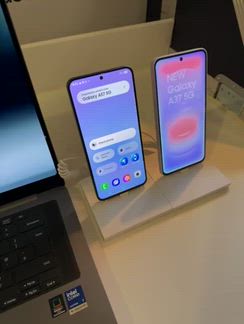
I liked that it's integrated with artificial intelligence. Being able to identify products with the model A57, directly by taking a photo of them is interesting.
I recommended this product.
We’re glad to hear that the Galaxy A57 has left such a positive impression on you! As you mentioned, this AI-powered device boasts a range of impressive features, including Circle to Search, offering one of the quickest and easiest ways to search for anything online using just an image. The Galaxy A57 brings a new level of smart technology to the A series, combining powerful features with excellent value for money. ^CL at Samsung Support
Rewarded for feedback, but gave an honest & objective review.
Looks good, eligant. The camera is really good. The circle to search is cool it helps to find products. Overall A57 is a nice device.

I recommended this product.
We're thrilled to hear that you like the stunning design, excellent Camera, and the clever Circle to Search feature on the awesome A57. Thank you for taking the time to share your five-star feedback, Morshed! ^EW at Samsung Support
Rewarded for feedback, but gave an honest & objective review.
To my surprise, A57 5G Samsung Galaxy is a great phone. I've never had a problem or issue with it. Day 575G Samsung as many games. You can choose from from Play Store. I've had this phone for about 6 years now. The features on it are very easy to use into understands. Different ringtones sound great. They sure wake you up in the morning when you need to be woken up.. AI tool, it's easy to use. Oh, so did I mention it takes wonderful photos? I have taken so many photos. I can't keep up with. I have always liked. Samsung products They definitely have my Vote out of a hundred. So if you're interested in a good phone Then I definitely suggest the 8575G. Samsung galaxy is the way to go I promise you you'll love me for it..
Rewarded for feedback, but gave an honest & objective review.
I really like the circle it function where you can circle and find and option in a photo like a watch or a product.
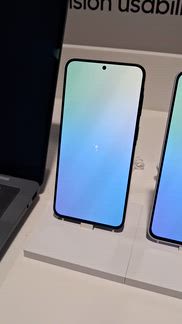
I recommended this product.
We're so pleased to hear that you love the Circle to Search feature on the awesome A57, Riley! Thank you for sharing your feedback, and keep enjoying! ^EW at Samsung Support
Rewarded for feedback, but gave an honest & objective review.
Ai feature on a57 called circle to search Price point pretty affordable Privacy display amazing
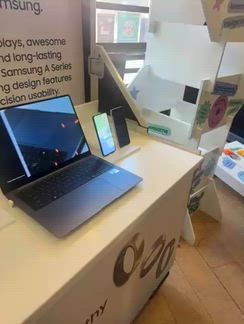
We’re delighted to hear that the brilliant features of the Galaxy A57, especially Circle to Search, together with its affordable price and amazing display, earned it a five-star review from you! This fantastic phone is designed to make everyday mobile experiences smarter, easier, and more enjoyable than ever, Leola! ^CL at Samsung Support
Rewarded for feedback, but gave an honest & objective review.
The Galaxy phone is great. No issues with it locking up, or booting me off apps. I have several games downloaded and I still have a lot of memory left after all the apps I downloaded and what it came with. I played with Galaxy AI for hours one night when I couldn't sleep and I was amazed with it. I gave it a picture and told it just to amaze me with it and OMG! It did just that. Reason I gave it a 4 star was because when there's any updates. It's almost the last phone to get the updates. So if an update comes out then 2-3 days later is when the phone updates.
Hey there Sassy2Frass, Thank you for sharing your thoughts on the Galaxy A57 5G. It's wonderful to hear how well the phone has managed gaming, multitasking, and storage requirements. The Smart AI features offers fun and creative experiences for users, and it's great to know that you enjoyed exploring it so much. -Ty Samsung Support smsng.us/Samsung-Support Samsung Community smsng.us/Samsung-Community Facebook smsng.us/Facebook-Messenger X https://smsng.us/X-Messages
Ich hasse das Automatisch Werbung schon drauf Installiert ist. Hört auf damit. Braucht niemand


I recommended this product.
Hallo Chrigelb! Vielen Dank für deine Bewertung. Schade, dass die vorinstallierten bzw. automatisch vorgeschlagenen Inhalte auf deinem Galaxy A57 5G deinen Gesamteindruck trüben. Wir können nachvollziehen, dass du dir hier eine aufgeräumte Einrichtung ohne erwünschte Inhalte wünscht. Dein Feedback dazu nehmen wir gerne auf. Liebe Grüsse
Rewarded for feedback, but gave an honest & objective review.
This phone has so many great features for example the Galaxy AI feature is one of the best AIs ive ever used the camera is awesome the speakers are some of the clearest loudest speakers ive ever experienced on a phone I could continue to list feature after feature like how the phones screen is so responsive the camera is always on point I could go on and on I can honestly say this phone truly is one of the best phones ive ever had hands down thank you for continuing to make such phenomenal phones I hope to continue to be able to amazed by every new galaxy i get.
Hi there Iwant2haveGa1axy4lif3, We are thrilled to hear your enthusiastic feedback about the Galaxy A57 5G! It’s fantastic to know how much you are enjoying this device. Features like Awesome Intelligence, the responsive display, powerful speakers, and an impressive camera experience can truly enhance your everyday use. Thank you for sharing your thoughts and for being a loyal member of the Galaxy family. We look forward to continuing to impress you with our future devices! -Ty Samsung Support smsng.us/Samsung-Support Samsung Community smsng.us/Samsung-Community Facebook smsng.us/Facebook-Messenger X https://smsng.us/X-Messages
Rewarded for feedback, but gave an honest & objective review.
The face change on the A57 is so useful and the erase effects is really cool.
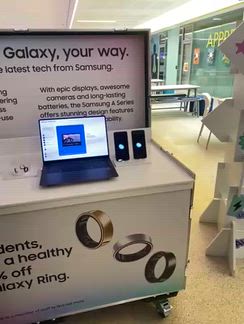
I recommended this product.
We’re delighted to hear that the impressive AI photo editing tools on the Galaxy A57 have stood out to you, especially Object Eraser and Best Face, Paa! This fantastic device unlocks a new level of creativity, allowing you to personalise your favourite moments exactly how you like them. ^CL at Samsung Support
Rewarded for feedback, but gave an honest & objective review.
Top quality phone with really good image quality. Battery life impressive.
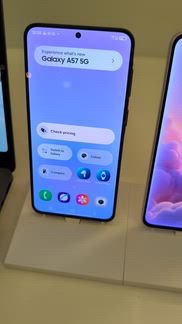
I recommended this product.
Thank you for your awesome five-star review of the new incredible A57, Craig! From the striking 50MP rear camera, giving you stellar pictures, to the massive 5,000 mAh battery, you'll be sure to get hours of fun out of this phone! ^LB at Samsung Support
Rewarded for feedback, but gave an honest & objective review.
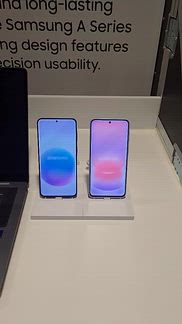
I quite liked the battery life feature and enjoyed it since I go out a lot
I recommended this product.
We're thrilled to see that you're impressed with the super long lasting battery of the awesome A57. Thank you for sharing your five star feedback! ^EW at Samsung Support
Rewarded for feedback, but gave an honest & objective review.
Nightography is best circle to search and great zoom very good display they have all the best features Samsung Galaxy A57 5G’s best feature is its outstanding long-term reliability and software support. It offers up to six Android OS upgrades and six years of security updates, which means the phone will stay fast, secure, and up to date for many years—something that is rare in this price range.large 5,000mAh battery that can last up to two days, the Galaxy A57 is an excellent choice for anyone who wants a phone that will remain dependable and modern for a long
I recommended this product.
Thank you for your awesome five-star review of the new incredible A57! Thanks to the huge 5,000 mAh battery, you'll get hours of fun out of this phone, and with Super Fast 2.0 charging, you'll be up to 60% in just 30 minutes! This will enable you to use everything this phone has to offer, including the exceptional 50MP rear camera with Nightography and up to 10x digital zoom, to the outstanding Circle to Search function! With up to 6 years of updates, you can guarantee that you'll always get the best of the best, and can have peace of mind knowing you are in safe hands! Enjoy! ^LB at Samsung Support
Rewarded for feedback, but gave an honest & objective review.
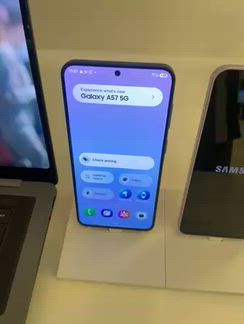
Battery life for two days is impressive also the titanium back.
I recommended this product.
It is great to see you are loving the incredible A57, Adan! Thanks to the massive 5,000 mAh battery, you'll get hours of fun out of this phone! This phone comes with a sleek aluminium frame which will give you the ultimate comfort. ^LB at Samsung Support
Rewarded for feedback, but gave an honest & objective review.
It's light weight and slick.. plus has a good camera.

I recommended this product.
We are over the moon to see you are loving the spectacular A57, Anthony! Thanks to the slim 6.9mm glossy finish design, this will feel and look perfect for years! Along with the impressive 50MP rear camera, you'll be taking epic pictures to last a lifetime! ^LB at Samsung Support
I've been using this phone for a little while now and my overall experience has been really great. The first thing that stands out is the display; the screen is incredibly sharp and bright, and everything feels super smooth when scrolling or jumping between apps. It handles heavy daily multitasking and gaming without any stuttering or slowing down, and the overall build feels both premium and durable in the hand. Camera quality is excellent too, picking up sharp details and vibrant colors even in tricky lighting. On top of that, the battery life is massive—it easily gets me through a full day of heavy use with plenty of charge left over. It’s just a really reliable, high-performing device and I'm honestly super happy with it.
I recommended this product.
Rewarded for feedback, but gave an honest & objective review.
I chose this phone because of the price. I had a Samsung Galaxy S9 plus which I loved but after so many years it finally gave up the ghost. However my A 57 seems to have a hard time connecting to any router (I've tried many different ones) I try to put it on it. It will randomly just drop Wi-Fi. And it's a pain to reset it to try to get it to connect again. Sometimes it also seems that the phone will not connect to any cell phone tower. This is dangerous because what if I need to make an emergency phone call? Overall I give this phone a three stars.
Greetings LordVelos, The Galaxy A57 5G offers 5G connectivity, Wi-Fi support, and a vibrant display to help you stay connected throughout the day. Coming from a Galaxy S9+, we understand how frustrating repeated Wi-Fi drops and inconsistent cellular reception can be, especially when reliable service is crucial for emergency calls. Thank you for sharing your reasons for choosing the Galaxy A57 5G. There could be several reasons why you are experiencing difficulties connecting to your Wi-Fi network. For instance, the router might not be functioning properly, or there may be an issue with your phone's network settings. To reset the network settings and reconnect to Wi-Fi, please follow these steps: Step 1: Go to Settings, then select General Management. Step 2: Find and select Reset. Step 3: Choose "Reset Wi-Fi, mobile networks, and Bluetooth." Step 4: Tap the Reset Settings button. Step 5: You will then see a message confirming that the Wi-Fi and Bluetooth settings have been reset. Note: Resetting the network settings will clear your Wi-Fi information, mobile data, and Bluetooth connections. If you need further assistance, please reach out to our Samsung Support Team for additional troubleshooting steps. We appreciate your detailed feedback on connectivity issues, and thank you for choosing Samsung. Issues with mobile network connection on Samsung phone or tablet https://www.samsung.com/us/support/troubleshooting/TSG01212956/ -Ty Samsung Support smsng.us/Samsung-Support Samsung Community smsng.us/Samsung-Community Facebook smsng.us/Facebook-Messenger X https://smsng.us/X-Messages
Rewarded for feedback, but gave an honest & objective review.
I chose the Samsung A57 because it’s stylish, reliable, and completely affordable. It feels like getting a flagship experience at a practical, mid-range price. The build quality feels surprisingly premium in hand, and the color options look fantastic in person. My main reasons for upgrading were wanting a noticeably better camera and needing eSIM support, but without dropping flagship-level money. The A57 landed right in that sweet spot. It caught my eye immediately, and after using it daily, I love every minute with it. Easily worth every penny I spent!
Premium glass + metal design, very slim and light—feels close to flagship quality. SamMobile 6.7" AMOLED 120Hz display is bright, smooth, and great for media use. Tom's Guide Performance is decent for daily use but weaker than some rivals in this price range. TechRadar Camera is good in daylight but mostly unchanged and average overall. SamMobile Strong battery + 45W charging and 6 years updates, but price feels a bit high. Strong connectivity with 5G support, Wi-Fi 6/6E, Bluetooth 5.3/6.0, NFC, and dual SIM + eSIM—covers all modern network needs.
I recommended this product.
Dear Customer, Thank you for your feedback. We are delighted to hear that you are enjoying the design, display, battery life, and connectivity features of your Galaxy A57 5G. Best regards, Samsung Gulf Electronics Customer Support (SGE CS)
Rewarded for feedback, but gave an honest & objective review.
I recently used the new Samsung A Series smartphone, and honestly, I liked it a lot. The phone looks very premium and stylish, and the display quality is amazing for watching videos and using social media. Its camera performance impressed me the most because the pictures come out very clear and colorful, even at night. The battery backup is also really good, so I can use the phone for a long time without charging it again and again. Another thing I loved is that the phone works very smoothly while gaming and multitasking. Overall, I feel that the new Samsung A Series gives a great experience at a reasonable price, and I would definitely recommend it to anyone looking for a good smartphone with modern features and reliable performance.
I recommended this product.
We're delighted to see how much the A57 5G has impressed you, Drishti! The sleek design is only the beginning, as this device brings you style and substance. The Super AMOLED Plus display is your gateway to the intuitive software, and the crystal clear resolution makes it perfect for immersing yourself in your favourite videos or scrolling to your hearts content. The 50 MP main camera lens allows you to capture your memories in rich detail, even in low light settings. With the 5000 mAh battery, you can relax knowing that your phone will have your back all day long, allowing you to continuously enjoy the smooth and speedy performance of the Octa-Core processor, even when gaming. The value this phone gives is truly incredible, and it will be wowing you for years to come! ^SK at Samsung Support
Rewarded for feedback, but gave an honest & objective review.
The Samsung Galaxy A57 5G honestly feels like one of those phones that quietly grows on you the more you use it. The display is bright and super smooth, which makes scrolling through apps, feel really enjoyable. What I personally liked most were the AI features that come with it they genuinely make daily use easier, from smarter photo editing and better camera processing to useful productivity tools that actually feel practical instead of gimmicky. I really liked the best face feature as it meant I could take the best picture with all my friends are
I recommended this product.
Thank you for your lovely review of the new A57, Shanky. The possibilities are endless on this phone from the striking 6.7" Super AMOLED display with 120Hz refresh rate, to the outstanding features including Best Face and Object Eraser, using the incredible 50MP rear camera has never been easier! ^LB at Samsung Support
Rewarded for feedback, but gave an honest & objective review.
I pretty much use my Samsung A57 for everything. I chose it mainly because I needed something reliable for my online university classes, but it's also become my go-to for watching sports and snapping photos for school projects. The battery life is honestly amazing—it easily gets me through a whole day of Zoom lectures without me having to panic about charging it. The camera takes great pictures for my assignments, and the document scan feature is a total lifesaver when I need to turn something in quickly. I also love that it's super light, so it doesn't feel like a brick in my pocket when I'm out playing sports. Plus, I can customize it however I want, and I really like how sleek it looks. It just makes my everyday routine so much easier.
I've been using this Samsung phone for a while and I'm very happy with it. The battery easily lasts a full day, even with heavy use. The display is bright, sharp, and great for watching videos and browsing. The camera takes clear and detailed photos, especially in good lighting conditions. Performance is smooth, with apps opening quickly and multitasking working without issues. The phone also feels durable and well-built, giving confidence that it can handle everyday use. Overall, it's an excellent device that offers great value for money.
I recommended this product.
Dear Customer, Thank you for sharing your detailed feedback on the Galaxy A57 5G (SM-A576BZAWMEA). We are pleased to hear that you are satisfied with the device performance, battery life, display quality, and camera experience. It is great to know that the device is delivering smooth multitasking and reliable everyday performance, while also offering good durability and value for money. Your positive experience is highly appreciated and will be shared with the relevant teams for review. Best regards, Samsung Gulf Electronics Customer Support (SGE CS)
I bought it a week ago and it's awesome and super nice i wish i have bought it before The thing that i liked the most is the camera, the display look and the battery The camera focus is sooo good actually and the display looks nice and it looks better than many phones display also the battery stays for a longggg time you can actually charge your phone once a day and it won't die Also the phone performance is incredibly nice and the connectivity is awesome as well It will take me daysss to talk about who good the phone is THANK YOU SAMSUNG
I recommended this product.
Dear Customer, Thank you for sharing your wonderful feedback on the Galaxy A57 5G. We are delighted to know that you are enjoying the camera performance, display quality, strong battery life, smooth performance, and overall connectivity experience. Your recommendation and appreciation mean a lot to us. Best regards, Samsung Gulf Electronics Customer Support (SGE CS)
I’ve been using my Galaxy Watch daily, and it has seamlessly integrated into my workflow and fitness routine. Design & Comfort: The build quality is top-notch—premium materials that look sharp with business attire while remaining lightweight and comfortable all day. Performance & Display: The screen is crystal clear even under harsh sunlight. Navigating menus and switching apps is smooth and responsive. Health & Smart Features: Accurate heart rate and activity tracking, plus the convenience of checking notifications, controlling tasks, and tracking daily metrics right from my wrist. Battery life easily carries me through busy days. A must-have device for anyone looking to stay connected and keep health tracking effortless. #ReviewAndWin #Samsung
I recommended this product.
Dear Customer, Thank you for sharing your detailed feedback. We are delighted to know that you are enjoying your Galaxy Watch, especially its design, display, health tracking features, and battery life. We truly appreciate your recommendation. Best regards, Samsung Gulf Electronics Customer Support (SGE CS)
I’ve been using this phone for a while now and overall I’m very satisfied. The battery life easily lasts a full day even with heavy usage. The display is bright, sharp, and great for watching videos. Camera quality is impressive for this price range, especially in daylight. Performance is smooth for daily tasks, apps, and multitasking without noticeable lag. Connectivity is stable with strong 5G and Wi-Fi performance. The design feels premium and comfortable to hold. Overall, it offers great value for money and is a reliable choice.
I recommended this product.
Dear Customer, Thank you for your feedback and recommendation. We are delighted to hear that you are enjoying the battery life, display, camera, and overall performance of your Galaxy A57 5G. Best regards, Samsung Gulf Electronics Customer Support (SGE CS)
Rewarded for feedback, but gave an honest & objective review.
I enjoyed the ease of moving from one icon to another so easily. Getting on the Internet is fast and easy. Sending text messages back and forth is a breeze on this phone. The storage space is adequate for me to store music so I know I can have great hits to listen to throughout the day. The camera on this phone is amazing can take awesome pictures and store them. The ease of sending a picture through a text message to some of my friends it's all so a great feature. Anyone looking for a new phone I would highly recommend this model.
Rewarded for feedback, but gave an honest & objective review.
the Samsung Galaxy A57 5G and am thoroughly impressed by its premium feel. The ultra-slim design looks incredibly sleek and fits comfortably in my hand. Its 120Hz display is stunningly bright and remains perfectly clear even in direct sunlight.The software experience is smooth, and the 6-year update guarantee gives me great peace of mind. Battery life easily lasts a full day of scrolling, messaging, and streaming without any range anxiety. The 50MP main camera captures beautiful, sharp, and vibrant photos during daytime use.
I recommended this product.
It is great to see you are loving your spectacular A57, Kajal! Thanks to the sleek aluminium glossy finish design and stunning colour choices, we know you'll love the look of this phone for years to come! Along with the striking 6.7" Super AMOLED+ display with 120Hz refresh rate, your viewing experience will be out of this world! This will enhance those pictures taken on the stunning 50MP rear main camera, which will come to life! Thanks to the huge 5,000 mAh battery, you'll get hours of fun out of this phone, and with the incredible One UI 8.5, the possibilities are endless! You will get peace of mind knowing you will always get the best of the best thanks to up to 6 years of software updates! Enjoy! ^LB at Samsung Support
Rewarded for feedback, but gave an honest & objective review.
Great dual sim mobile at a great price and with an exceptional level of quality. The screen is fast and responsive with good colour and contrast. Audio quality of calls is crisp and the media player is good through the internal speaker or via bluetooth to an external speaker or ear buds. A solid metal case should mean it is long lasting, and the tough screen is resistant to scratches and damage. Processing speed is good and the 256MB memory should be perfect for most users. The large battery lasts for up to 2 days and is quick to charge. Camera quality is as good as I have used with a range of features for still and video images. Built in security is good and provides a number of options for securing the mobile and user data. Overall a very pleasing purchase.
I recommended this product.
Wonderful to see how much you are enjoying your A57 5G! This model brings premium features to our A Series range, and we couldn't be happier with the result. The Super AMOLED Plus display is crisp and clear, making your gateway to the incredibly responsive software a joy to use. An advanced Octa-core processor runs this model beautifully, ensuring that you receive speedy operation. It also works with the 5000 mAh battery to give you as much life from each charge, which takes no time at all to complete with Super Fast charging. Audio is crystal clear, and exceptional Bluetooth connectivity means that you can easily connect to external devices to enhance your experience. The 50 MP main camera lens ensures that you can capture your memories in rich detail, through high quality photos and videos. It's time to unleash your inner photographer, especially with the vast amount of memory available to store all of your content! All of your data remains secure thanks to the built-in Samsung Knox software. We work hard to make our devices last, with high standard casings and IP68-rated protection. This model will be impressing you for years to come! ^SK at Samsung Support
Rewarded for feedback, but gave an honest & objective review.
I chose the Samsung Galaxy A57 after weeks of research, and it has completely exceeded my expectations. The display is incredibly bright and smooth, making streaming videos an absolute joy. It also features an outstanding all-day battery that consistently lasts through heavy use without needing a top-up. Despite its friendlier price point, the phone looks and feels like a top-tier flagship device in your hand. The camera quality is crisp and clear, even when taking pictures in low-light settings. Apps launch instantly and multi-tasking is completely seamless with no noticeable lag. It delivers the perfect balance of premium features and everyday reliability. I highly recommend it to anyone looking for a high-quality smartphone that hits the sweet spot for value.
Very good storage as you can't use the SD card anymore storage has always been a problem with phones for years and years so I was glad to see you finally got it it right. I was a bit disappointed with the cameras it's no better than the A52 that I had I know you have given the 50mp setting a zom but it just means it's very pixelated on the 5 x zom very disappointing I've gone from a cannon 5mp camera 10 years ago to this 50mp with not any real improvement it's still not good enough to zom in on small object 3m away 🙁
We're pleased to see that you're having a five-star experience with your A57 5G, John! The generous base memory means you will never have to worry about storing your files, especially when used in combination with cloud storage. While the A52 had a fantastic camera, and this model has similar hardware specifications, we have continued to develop our image processing software to ensure that you can take fantastic photos. Though zoomed in photos can naturally be more pixilated, it's still possible to take brilliant photos when you are far away from your subject. Please check out the following link, which will help you get the most out of your phone's camera: https://www.samsung.com/uk/mobile-phone-buying-guide/photography-tips-for-smartphone/ With further usage, we're sure that this phone will continue to wow you! ^SK at Samsung Support
At $929 NZD, the Samsung A57 is a total rip-off. It’s priced like a flagship but performs like a budget brick. That chunky, uneven bottom bezel is an eyesore in 2026. Calling this a "mid-ranger" is a joke—save your money for something that isn't overpriced mediocre.
Hi George, we’re sorry to hear that your experience with the Galaxy A57 5G has been disappointing. We understand that value for money and device design are important factors when choosing a smartphone, and we appreciate you sharing your thoughts on the performance and overall appearance of the device. Feedback like yours is valuable and helps us better understand customer expectations and experiences. If you have any further questions or would like additional support, you can contact our Samsung Support Team here: https://www.samsung.com/nz/support/contact/
Rewarded for feedback, but gave an honest & objective review.
The A5756 Samsung phone I really liked the circle to search feature on the home button where you can also take a picture of any item and the the picture will come up on google with alternative of the picture you just took. I think this feature will be beneficial for students especially fashion students who need to look for particular items for thier project. Additionally the 2 day battery is also beneficial for students who are busy with projects this would take the worry that your phone is running out of battery.
I recommended this product.
Excellent to see how much the A57 5G impressed you, Bria! Circle to Search makes looking up anything you see on your screen a breeze, so you will never miss another fashion gem again. The 5000 mAh battery has your back through long study sessions, so you don't need to think about anything other than your assignment. This model has it all and more! ^SK at Samsung Support
Rewarded for feedback, but gave an honest & objective review.
The S57 has great features. AI on the phone can enhance photo, eg: if eyes are closed, it can open. Add or remove objects to photos. night/day photos or video are clearly visible, it doesn’t make a difference with the time of day The battery life is 48 hrs, don’t need to charge it daily. The privacy screen is ideal to keep eyes away from snooping on your phone It’s made from titanium, perfect material that’s ideal for our skin Over all, the phone performance is great, good size, high camera resolution
I recommended this product.
Thank you for your awesome five-star review of the A57, Verna! Thanks to Galaxy AI, the possibilities are endless on this phone, and you'll be taking stellar photos for years to come! The huge 5,000 mAh battery will give you hours to enjoy everything your phone has to offer! This phone does not come with a Privacy Screen feature, if you require this, you will need to purchase a privacy screen protector to achieve this. This also comes with an Aluminium frame, and the glossy finish will wow you for years to come! Enjoy! ^LB at Samsung Support
Rewarded for feedback, but gave an honest & objective review.
I am in love with the A Series - I own 3 and all of them are in use. Of course each phones comes with upgrades- some that we could do without! The A17 is lighter in weight than the A15 but not the A14. However, it is easier to navigate and as usual the camera clarity is great. I'm thrilled that the recording of conversations is now a feature that you can opt to activate and accidentally repeatedly turning it on with your ear is no longer an issue. I also like the security options that Samsung offers.
Rewarded for feedback, but gave an honest & objective review.
Love the new features. I’ve been really impressed with the Samsung Galaxy A57, especially the display quality. The screen is bright, smooth, and very clear, which makes watching videos and using apps feel premium. The 120Hz refresh rate makes scrolling super fluid, and the colors look vibrant without being too exaggerated. Even outdoors, the brightness holds up well. Overall, it feels like a much more expensive phone when using it daily, and the display is definitely the standout feature for me.
I recommended this product.
We’re delighted to hear that the Galaxy A57 has left such a positive impression on you, Max! We’re pleased to know that you’ve been impressed with the bright and clear display, featuring a 120Hz refresh rate for ultra-smooth scrolling and a more premium experience when browsing, watching videos, and using the device every day. It’s also fantastic to hear that the colour balance, outdoor visibility, and overall clarity have stood out to you, providing a comfortable and vibrant viewing experience in different conditions. We’re thrilled that the Galaxy A57 and its brilliant features feel like such a premium device in day-to-day use. ^CL at Samsung Support
Rewarded for feedback, but gave an honest & objective review.
Setup was very easy, my old phone was unusable but even so I could still transfer all my old data and settings making it a quick and easy process. So far the battery life seems to be great, lasting a couple of days between charges without draining the battery too low. The overall performance of the phone seems to be fast and the screen seems to be good quality even watching HD videos, etc. The camera quality is also much much better especially in low light compared to my previous galaxy A51
I recommended this product.
Rewarded for feedback, but gave an honest & objective review.
I bought this a month ago and i havent had any issues. The battery lasts me over a day once fully charged and the display is one of the best that ive had yet. The camera has a good lense with a zoom up to 10x with good resolution, and the performance has loading times short and quick as well as it takes me seconds to install new apps. Also, im clumsy and i drop my devices all the time and after multiple drops, it hasnt got a single scratch on it aswell as no cracks due to its metal casing.
We are delighted to see you are loving your spectacular A57, Ethan! From the huge 5,000 mAh battery, striking 6.7" Super AMOLED display to the impressive 50MP rear camera with up to 10x digital zoom, the possibilities are endless! Along with the powerful Exynos 1680 processor, the performance you'll get will wow you for years to come! Finally, thanks to the sleek design, you can rest easy knowing you are in safe hands! ^LB at Samsung Support
I was quite happy with my seven-year-old Galaxy A8, but the battery was dying and I couldn't get a replacement, so I decided it was time to replace it. I am delighted with the Galaxy A57 - the sound seems to be better, the screen is sharp and clear. Plus there were several apps that didn't work on the old phone, that are comfortably installed on the new one. I only have one working hand, and I find that the camera is a little easier to use.
Rewarded for feedback, but gave an honest & objective review.
High quality build, great battery life, perfect performance for everyday use, good quality display, all round top tier phone.
I recommended this product.
Rewarded for feedback, but gave an honest & objective review.
I had the A51 for 6 years with no issues and decided it was time for an upgrade. The transfer to the A57 5G went smoothly and was soon up and running. The fast charging battery is great and the screen clarity is nice. The speed of the phone opening apps is much better, particularly noticeable is when using the Wallet to pay. I also purchased the case with the credit card slot which makes for a great backup. Overall, I am very happy with this phone and it's performance.
I recommended this product.
Thank you for your awesome five-star review of your new A57, Simon! Firstly, your loyalty means the world to us, and your kind words helps us continue to bring the wow factor to our customers! Thanks to Smart Switch, transferring data to your new phone will always be a breeze, helping you get up and running in no time! From the huge 5,000 mAh battery and powerful Exynos 1680 processor, you'll get the best performance, and with the striking 6.7" Super AMOLED display, the possibilities are endless! Enjoy! ^LB at Samsung Support
I purchased the A57 5g in awesome gray and was immediately impressed with the seamless and compact design. The A57 delivers a camera quality that punches above its mid-range class. The 5000 mAh battery easily powers me through a whole day of gaming, scrolling and streaming without hunting for a charger. The Display is great, with bright colours that pop with Samsungs signature vibrancy, blacks are deep and contrast is excellent for movies, photos and games. The phones durability is no question, it feels solid and premium in the hand and the design is clearly made for everyday wear and tear. The A57 has top class performance, handling daily tasks with ease, apps open fast, multitasking feels fluid and scrolling through social media, browsing and scrolling through social media all stay smooth thanks to the 120Hz display
I recommended this product.
Rewarded for feedback, but gave an honest & objective review.
The Samsung Galaxy A57 5G is as good as my previous A50 series. All the same but improved. It's user-friendly and easy to get around the features and settings. The night mode in camera is also great! It adjusts the lighting and gives more brightness in dark rooms or evenings! The video or sound recording audio is crisp and clear. I can't wait to discover more on this handy, amazing, lightweight phone that I have. Absolutely the best thing I ever bought from Samsung.
Rewarded for feedback, but gave an honest & objective review.
The Samsung Galaxy A57 5G is as good as my previous A50 series. All the same but improved. It's user-friendly and easy to get around the features and settings. The night mode in camera is also great! It adjusts the lighting and gives more brightness in dark rooms or evenings! The video or sound recording audio is crisp and clear. I can't wait to discover more on this handy, amazing, lightweight phone that I have. Absolutely the best thing I ever bought from Samsung.
I didn’t expect a phone to change how I experience my day but my Samsung Galaxy A57 did exactly that. From the very first moment, my Samsung Galaxy A57 redefined what luxury feels like in everyday life. It’s not just a phone, it’s an experience. The flawless performance, breathtaking design, and exceptional camera come together in perfect harmony. Every detail feels intentional, refined, and effortlessly premium. This isn’t just technology, it’s elegance in motion.
I recommended this product.
Dear Customer, Thank you for your feedback. We are delighted to hear that you are enjoying the Galaxy A57 5G's premium design, smooth performance, and camera experience. Your support is greatly appreciated. Best regards, Samsung Gulf Electronics Customer Support (SGE CS)
I have the s24 ultra and I love this phone! Samsung has a really great product. So I was at a store and was looking at the phones and was playing with the A57. I must say that is a really nice phone! I would recommend it to any of my friends and family. I was actually in there looking for a phone for my son. Though I'm sad to say I did not get it 😟 wasn't in the budget. Things are tight...but again, I must say samsung! You make great products all round! Thank you
I recommended this product.
Rewarded for feedback, but gave an honest & objective review.
When my Z flip 7 broke, I was devastated and just needed a phone to replace it but I did not know I would get a phone that performed not just as well as my flip but that I actually enjoy more! Originally, I chose the A57 out of necessity for a cellular device but i do everything on this phone now! I can play high res games on it, I can easily navigate mobile shopping, I stream most of my content on my phone.....this phone has become my all-in-one media center!
Rewarded for feedback, but gave an honest & objective review.
I love this phone. I chose it because of picture quality and its lightweight features.. it was affordable.. i have always loved the samsung quality and features that samsung represent. It feels good in my hand and has crystal clear audio . So it plays my music as i expected it would.. My experience with samsung phones over the years they seem to last longer and function without issues.. Would love to try the z phones in the near future.. Thanks samsung
Rewarded for feedback, but gave an honest & objective review.
overall I’m very impressed with it. The phone has a premium look and feel, with a bright and smooth display that makes watching videos and everyday use enjoyable. The camera quality is excellent for a phone in this price range, especially in good lighting. Photos are sharp, colors look natural, and the camera performs well for everyday family and travel pictures. Battery life has also been very good, easily getting me through a full day with regular use.
Rewarded for feedback, but gave an honest & objective review.
But the phone does get hot pretty quick, and the multi widow closes when it does, so I try not to do too much when I'm on FaceTime with someone, it was never like that honestly, but now it does. Still a great phone, but that's just the issue I have with it. I love Samsung, always have always will. I just wanna save up for a new phone. Think I could use a upgrade. But I love your devices. Always such a different feeling when I have Samsung. THANK YOU
Hi there D0mthajeweller, Thank you for sharing your thoughts on your Galaxy A57 5G. It's great to hear that you find its features stand out. It seems like you're getting acquainted with your device! You're right; your phone may get a little warmer during processor-intensive tasks, such as video calls and running certain apps. However, we have some tips to help prevent your device from overheating and to understand its capabilities better. Certain apps or environmental factors can cause your phone or tablet to overheat. Here are some suggestions to manage this: 1. Keep your device's software and apps updated to the latest versions. 2. Turn off Wi-Fi, GPS, and Bluetooth when you are not using them. 3. Lower the screen brightness. 4. Delete unused or unnecessary files and apps. 5. When charging, try using a different Samsung-approved charger and USB cable. 6. If you are using a wireless charger, ensure there’s no metal or magnetic material between the device and the charger. 7. Charge your device on a hard, flat surface. We have more information available, and we would appreciate it if you could review it at your convenience. Please see the link provided below. Thank you for taking the time to share your experience, and for choosing Samsung! Keep your Galaxy device at its normal operating temperature https://www.samsung.com/us/support/answer/ANS10002887/ -Ty Samsung Support smsng.us/Samsung-Support Samsung Community smsng.us/Samsung-Community Facebook smsng.us/Facebook-Messenger X https://smsng.us/X-Messages
Rewarded for feedback, but gave an honest & objective review.
Battery life is insane, stayed with me from 3am wake up, 4 hours on a plane, 5 hours giving me dorections around another city, 2 hours on a coach and atill had battery life all afternoon and evening to chill by the pool and give great reccomendationz for dinner! Great connectivity, able to get good signal even in the spottiest of areas, even if the google maps could use updating! Not worked out how to use the camera yet, but overall a great find!
I recommended this product.
Thank you for taking the time to share this stellar review with us about your experience with the Galaxy A57 so far, Liesi! It's fantastic to know that the incredibly long-lasting 5000mAh battery of your new device kept up with such a busy travel day, from early flights and navigation to staying connected throughout the evening as well. Additionally, we are delighted to hear that you enjoyed excellent connectivity and signal performance, even in the spottiest areas. Your feedback about using Google Maps is also appreciated, as we understand how important reliable navigation is while travelling. We certainly wouldn't want to spoil any surprises when it comes to exploring the powerful camera system of this phone, but here is a useful and comprehensive guide on how to take brilliant photos while making the most of its features, settings and modes: https://www.samsung.com/uk/mobile-phone-buying-guide/photography-tips-for-smartphone/ The Galaxy A57 has already become a reliable travel companion, helping make your journeys easier and more enjoyable. ^CL at Samsung Support
I bought this in late June as the price had dropped as part of EOFYS. I had a Galaxy A33 & was looking to upgrade as the updates for Android had reached its limit. The phone is easy to use (as with most Samsungs) and the transfer of files/data was seamless with Smart Switch. The phone is easy to use and intuitive. If you have owned a Samsung previously the changeover is effortless. It runs a lot faster than the A33 (as to be expected). Picture quality is brilliant & I'm loving the feature to erase unwanted images from a picture. I've managed to transfer all of my music onto the phone without the need of a SD card. Also love the fact that being 'dual' sim with a physical sim & eSim. If you're looking for a practical phone with great features, clear display & great battery life at an affordable price then look no further than the Galaxy A57.
I recommended this product.
Thank you for your review! We're pleased to hear the upgrade process was smooth and that Smart Switch made transferring your data easy. We hope you continue enjoying your new device and everything it has to offer.
The Galaxy A57 5G delivers a premium experience without the premium cost. Its sleek design, smooth and vibrant display, and reliable everyday performance make it a standout in the mid‑range category. With 5G connectivity, strong battery life, and a camera that captures clear, natural photos, it’s built for both today and the future. Simple, powerful, and dependable—the Galaxy A57 5G is a smart choice that punches well above its class.
I recommended this product.
Dear Customer, Thank you for your feedback and recommendation. We are delighted to hear that you are enjoying the design, performance, battery life, camera, and 5G connectivity of your Galaxy A57 5G. Best regards, Samsung Gulf Electronics Customer Support (SGE CS)
Rewarded for feedback, but gave an honest & objective review.
I’m so pleased with the updates Samsung have displayed in this new phone I particularly like the efficiency of the phone when photo editing I.e. where you can easily highlight a picture and search it quickly and the best space feature which is extremely useful for social media and getting the best version of every picture. Following that, the night mode feature is great especially for when you still want to get that low exposure vibe.
I recommended this product.
It is great to see you are loving the spectacular new A57, Lanna! With the incredible Circle to Search feature, you'll be able to find that perfect outfit easier than ever before by simply circling the item on the screen! Nightography will enable you to take that perfect picture no matter the time of day, and with the 50MP rear camera, the possibilities are endless! ^LB at Samsung Support
Rewarded for feedback, but gave an honest & objective review.
I chose this phone not only because it was affordable but it is easy to use and the camera is absolutely amazing to me. I've edited so many pictures of my daughter in choir concerts, during cheering at games, band concerts and this year she made it on the high-school marching band so I'm pretty excited to get them pics and videos. Many unique pictures I have of my grandsons too. The fact that I can make the text bigger is also a plus.
Rewarded for feedback, but gave an honest & objective review.
The Samsung Galaxy A54 5G is a reliable and well-rounded phone with a bright display, long-lasting battery, solid performance, and good cameras for everyday use. It handles daily tasks smoothly, feels premium in hand, and offers excellent value for the price. While it can slow down slightly during demanding activities and low-light photos aren't always perfect, it's still a dependable mid-range 5G smartphone that I would recommend.
Hi there Japan422, We greatly appreciate hearing from you. The Galaxy A57 5G delivers an excellent combination of performance, battery life, display quality, and reliability for everyday use. Thank you for your thoughtful feedback and for acknowledging the value this device provides. We also appreciate you taking the time to share your experience with the phone. Thank you for being a valued member of the Samsung ecosystem. -Ty Samsung Support smsng.us/Samsung-Support Samsung Community smsng.us/Samsung-Community Facebook smsng.us/Facebook-Messenger X https://smsng.us/X-Messages
Rewarded for feedback, but gave an honest & objective review.
Great phone. Plenty of storage at 256gb. Large crystal clear 6.7” screen. Very quick when using apps & when moving around between other apps & options. The camera is high quality. Very good quality sound also. Slim & lightweight too. Lots of positives. I have bought two extra A57 5g’s for my older Children (20yrs & 23yrs), who are both also as impressed as myself with this phone. Overall, great quality at a very reasonable price.
I recommended this product.
We’re thrilled to hear that you’re enjoying the large 6.7-inch display of the Galaxy A57, along with its fast performance, brilliant sound quality, and camera experience. We’re also glad that the 256GB storage option and smooth app performance are making everyday use quick and convenient. It’s wonderful to know that you’ve been so impressed with the device that you decided to purchase two more Galaxy A57 phones for your older children, and that they’re enjoying them just as much. Thank you again for your continued support. We hope the Galaxy experience continues to impress both you and your family for a long time to come, Scott! ^CL at Samsung Support
Rewarded for feedback, but gave an honest & objective review.
When I received the phone ..I opened the box I saw this beautifully crafted device. Once getting everything out of the box and turned the phone on....I had to sit back cause the clarity was unreal, the sound crisp and clear, the navigation was very user friendly ...I will always use this phone. It literally has everything there isn't a day that goes by that I dont discover a new feature. Thanks for making the best phone on earth.
Rewarded for feedback, but gave an honest & objective review.
When I received the phone ..I opened the box I saw this beautifully crafted device. Once getting everything out of the box and turned the phone on....I had to sit back cause the clarity was unreal, the sound crisp and clear, the navigation was very user friendly ...I will always use this phone. It literally has everything there isn't a day that goes by that I dont discover a new feature. Thanks for making the best phone on earth.
Rewarded for feedback, but gave an honest & objective review.
Battery is long lasting, ideal for everyday use. Display is easy to navigate. Camera could be better. Photos are nice, but could use more resolution and clarity, especially when zooming in. Performance of phone is fast with decent ram, but not exactly ideal for certain fast performing games. Phone is durable, slim and have withstood many occasions where is has fallen over and had contact with water, with no visible damage to it.
We're delighted to see how much you are loving your A57 5G, Danny! The 5000 mAh battery has your back, ensuring that you can enjoy the incredible features all day long without worrying about charge. The crystal clear Super AMOLED Plus display is your gateway to the intuitive software and features this model boasts. It really has it all! The 50 MP main lens is at the helm of the camera, allowing you to take richly detailed shots with ease. With up to 10x Zoom, we believe that this phone offers a great opportunity to take good quality shots from far away. We will continue to work hard to ensure our cameras wow all of our users. Powering this epic phone is the capable Octa-Core processor, which benefits from 8 GB of RAM. This gives it room to work its magic and provide you with smooth and speedy processing, no matter what you throw its way. While heavy gaming may take some extra power, this phone can certainly get the job done. With the sleek design, the level of durability this device offers is astounding. Using the highest quality materials and securing an IP68 water and dust resistance rating has really taken this phone to the next level. Thank you for sharing your thoughts on this awesome model, we're sure that you will be enjoying it for years to come! ^SK at Samsung Support
Rewarded for feedback, but gave an honest & objective review.
I came to the Coventry campus today and visited the Hub, where I saw the new A57, and I was super impressed with the camera quality. I also really liked the way the phone looked and felt. The phone is surprisingly affordable considering it has almost everything that the S series offers, so I think it’s a very good purchase for the price. I would definitely recommend this phone to others, and overall, I absolutely love it.
We are over the moon to see how much you are loving the awesome A57! Thanks to the impressive 50MP rear camera, you'll be taking epic pictures to last a lifetime, and will have comfort whilst doing this thanks to the sleek aluminium glossy frame! ^LB at Samsung Support
Rewarded for feedback, but gave an honest & objective review.
Been with Samsung for some years and so far these phones have been extremely reliable. Battery last a day with my normal use, it was easy to setup and it's easy to use. Could be a tiny smaller as this doesn't fit Easington pockets. Camera is brilliant and so is video. This has been well tested on our kitten. All the Galaxy phones have lasted the three year contracts we've had . Oh the Display is well organised and clear.
I recommended this product.
Thanks for taking the time to share this positive review of your experience with the Galaxy A57, and for your continued loyalty to our brand, Jan! We’re delighted to hear that you’re finding the Galaxy A57 easy to set up and use, and that it continues to be a great fit thanks to the reliability, ease of use, and intuitive interface you’ve come to expect from our products. It’s also fantastic to know that the battery life, camera, and screen quality have impressed you. Your feedback on the size is also appreciated, and we're grateful for this wonderful picture you have decided to share with us. We hope you continue to enjoy every moment with your new Galaxy A57. ^CL at Samsung Support
The Galaxy A57 5G has exceeded my expectations! The 50MP triple lens camera captures incredibly vibrant photos, and the new AI Best Face feature is a game-changer for group shots. I also love the Super HDR video support on the front camera my vlogs look much more professional now. Plus, the battery life easily lasts me through a full day of heavy use. Highly recommended for anyone wanting premium features at a great value
Dear Customer, Thank you for your feedback. We are delighted to hear that the Galaxy A57 5G exceeded your expectations with its camera quality, AI features, Super HDR video capabilities, and long-lasting battery life. Your recommendation is greatly appreciated. Best regards, Samsung Gulf Electronics Customer Support (SGE CS)
Rewarded for feedback, but gave an honest & objective review.
I love how smooth everything runs and how my daily life has simplified due the diverse functions this new model brings with it. AI can guess my mood and swiftly suggest games and/or media time to suit my animic state. I am really in love with the physical product and even more pleased with the amazing and accurate AI assist I am getting on my dailies. Samsung did their big one with this devices and cut edge softwares!
Rewarded for feedback, but gave an honest & objective review.
I chose this phone, Samsung Galaxy A57, because it offers a great combination of performance, style, and value. It has a beautiful 120Hz AMOLED display, a strong 5,000mAh battery, quality cameras, 5G, and useful AI features. It’s also water- and dust-resistant and is designed to receive software and security updates for years, making it a reliable phone that I can keep for a long time without paying flagship prices.
Rewarded for feedback, but gave an honest & objective review.
Great replacement for my previous Galaxy phone. Very easy to share everything to the new phone, from my old phone. Performance is great. Camera is good so far, though yet to put it through it's paces. Display is lovely and clear and battery is very good. Really pleased with it. I'm no youngster, and still managed to set it up all by myself. Very easy and straightforward to use, and I feel future-proofed for now.
I recommended this product.
We are elated to see that you are loving your new A57! Thank you for your loyalty to us, and we'll continue to wow you for years to come! With Smart Switch, transferring data to your new phone will always be a breeze! Thanks to the striking 6.7" Super AMOLED display, the pictures you'll take on the 50MP rear main camera will blow you away, and will last a lifetime! Along with the huge 5,000 mAh battery, you'll get years of fun out of this phone! ^LB at Samsung Support
Rewarded for feedback, but gave an honest & objective review.
Great upgrade from my prvious Samsung galaxy A56 5g with improvements to size, weight and battery life. The screen and cameras continue to enhance it's overall use and performance. Simple conectivity enables easy set up and data transfer from my old phone to the new one. It is perfect for my needs as I don't need the many extras od the Samsung 'S' series. Does exactly what I need in terms of form and funtionality!
I recommended this product.
Fantastic to see how much you are enjoying your upgrade to the epic A57 5G, Yanto! This model is sleek and lightweight, even though it houses heavyweight features such as the powerful 5000 mAh battery, which will keep you powered all day long. The 50 MP main camera lens allows you to take richly detailed photos, while the crystal clear Super AMOLED Plus display means you can see even the smallest detail with ease. SmartSwitch gets you up and running in no time, with all of your data seamlessly transferred over to your new device. We don't want you to have to waste any time before getting to know your awesome new model! Thank you for sharing your thoughts with us, we're delighted that you have stuck with us for your new phone. ^SK at Samsung Support
Rewarded for feedback, but gave an honest & objective review.
Camera, AI features are cool to use, the camera quality is amazing compared to other phones I’ve looked at, it’s a smooth phone to use and the battery life is amazing compared to other brands. The al features on camera removing background (object eraser) objects is easy to use and great for instagram. The display and Durability of the phone is is easy to use, it’s a very sleek design with great performance overall
I recommended this product.
Thanks for your five-star review of the Galaxy A57! It's great to hear you’re enjoying the brilliant AI features and camera experience, especially tools like Object Eraser for quick photo edits and personalising your social media content. It’s also great to know the camera quality has stood out compared with other phones you’ve looked at. We’re also pleased that you’re enjoying the smooth performance, strong battery life, sleek design and overall durability of this awesome device. It’s fantastic to know the display and everyday usability are making such a positive impression too. We hope you continue enjoying this brilliant device for a long time to come, and here is also a link to the official product page to help you make the most of everything it offers: https://www.samsung.com/uk/smartphones/galaxy-a/galaxy-a57-5g-awesome-navy-256gb-sm-a576bdbdeub/ ^CL at Samsung Support
Rewarded for feedback, but gave an honest & objective review.
This product is a great product but it's also a product you have to do your research and take your time getting to know how to use it Galaxy AI is included in this product and is also a big help when getting to know how to use it. Also gemini is included in messaging ans in photos to help with finding what you need or creating new videos and collaborative projects. I would recommend this and rate it a 8 out of 10.
Hey there Penelope92, Thank you for sharing your thoughtful perspective on the Galaxy A57. It is great to hear that features like Galaxy AI and Gemini have helped enhance your experience and make everyday tasks more convenient. We appreciate your advice for other users and your recognition that taking time to explore the device can unlock even more of its possibilities. Thank you for choosing Samsung. -Ty Samsung Support smsng.us/Samsung-Support Samsung Community smsng.us/Samsung-Community Facebook smsng.us/Facebook-Messenger X https://smsng.us/X-Messages
Rewarded for feedback, but gave an honest & objective review.
I’ve had a look at this phone and its specs, it’s clear to see Samsung have made major improvements with their new release and the AI features are extremely impressive. They have improved their phone by improving the slim build and robustness and you won’t be upset by the fast and long lasting battery. The camera has received major improvement and the AI features compliment it immensely. I would highly recommend.
I recommended this product.
Great to see how much the A57 5G has impressed you! Galaxy AI takes this phone to the next level, with a whole host of features that make your daily tasks a breeze. This model is sleek yet sturdy, and the 5000 mAh battery keeps you going all day long. With the 50 MP main camera lens, you can unleash your inner photographer with richly detailed shots. Thank you for sharing your thoughts, Dyl! ^SK at Samsung Support
I'm still frustrated with the chat delete functionality. My other Samsung galaxy a51 had an easy chat delete tool which this a57 doesn't! Even my Gemini AI couldn't help and was as frustrated. I couldn't understand that the A57 which is much more versatile wouldn't have the same perfectly functional tool of deleting individual chats from contacts without removing all the chats including the contact information.
Whoever designed these things with 128GB internal storage and NO SD CARD SLOT should be ridiculed relentlessly. I have an SD card with 200+ GB of Music, Audiobooks, and Important Photos and Files. How am I supposed to access them now, Samsung?? And don't tell me to start paying for Cloud Storage, a Type-C MicroSD port, or whatever. DESIGN BETTER! Stop trying to modernize by reducing the amount of stuff WE GET.
Hello John Smith, Thank you for sharing your thoughts on the Galaxy A57 5G. This device features a vibrant display, versatile camera capabilities, and convenient connectivity options. We understand how important expandable storage can be for those with extensive collections of music, audiobooks, photos, and important files. While the Galaxy A57 5G does not include a microSD card slot, there are alternatives available. You can use an external SD card reader, and it's worth mentioning that our Galaxy A17 5G model does come with a microSD slot, making it one of the few modern phones that still offer this feature. Your feedback regarding the absence of a microSD card slot is valuable to us as Samsung continues to develop its Galaxy devices. Thank you for sharing your thoughts with us! -Ty Samsung Support smsng.us/Samsung-Support Samsung Community smsng.us/Samsung-Community Facebook smsng.us/Facebook-Messenger X https://smsng.us/X-Messages
These reviews are managed by Bazaarvoice and comply with the Bazaarvoice Authenticity Policy, which is supported by anti-fraud technology and human analysis. Details at https://www.bazaarvoice.com/trustmark/
Review Gallery popup
I have got the s25 ultra, its absolutely amazing, honestly I was considering the 17pro max, pixel 10 pro xl, and the s25 ultra for over 3 months, and did lots of comparisons, all were good products, but by far the s25 ultra blows everything out of the water, its the king of all phones. Looks amazing, super snappy and powerful with the smpdragon 8 elite Gen 4, the best camera in smartphones, absolutely polished samsung one ui, honestly I am amazed for days, superb AI …functionality, I have been gaming all day it barely gets warm, superb display and battery performance is better because of the more efficient cpu, honestly glad I made the right decision and would do it again.smartphones, absolutely polished samsung one ui, honestly I am amazed for days, superb AI … functionality, I have been gaming all day it barely gets warm, superb display and battery performance is better because of the more efficient cpu, honestly glad I made the right decision and would do it again.
I recommended this product.
We’re thrilled to see how much you are enjoying your S25 Ultra, Rajjdeep! It’s great that after deep research, the incredible capabilities of this model blew you away. The sleek design is perfectly complimented by the rich display and the speedy processor, which works in harmony with the battery to give you life all day. The 200 MP main camera lens captures true to life images, which can be edited easily with Galaxy AI. It’s the ideal device for gaming, work, and play - this model really has your back! ^SK at Samsung Support
-
**Samsung Week Promotion is valid only on selected products starting from 2:00pm, 20 October – 2:00pm, 3 November 2026. Offer valid until the promotion duration or stock lasts. Not stackable with any other promotion. T&Cs apply.
*eVoucher Code valid until 02:00pm, 3 November 2026 and for a minimum cart value of $500. T&Cs apply.