Odyssey Gaming


Filters
Filters



All about Gaming Monitors
-
What is a gaming monitor? Can it be used for other usages?A gaming monitor is specifically designed to enhance the gaming experience through specialized features that improve performance, but it can also be versatile enough for other uses, such as graphic design, photo/video editing, or general office work. These features include high refresh rates (typically 144Hz or above), low response times (1ms, 0.1ms, 0.03ms response times) to reduce motion blur, and adaptive sync technologies (G-Sync or FreeSync) that help eliminate screen tearing. Gaming monitors also often come with features like adjustable stands, customizable RGB lighting, and various gaming presets to improve gameplay visuals. For non-gaming tasks, a gaming monitor can function similarly to the classic monitor, providing high-resolution displays that enhance productivity and creative work.
-
What is the best gaming monitor?The best gaming monitor should offer a combination of features like high refresh rates (144Hz or higher), fast response times (1ms or lower), and high-resolution displays (such as 1440p WQHD, or 4K). These features impact the performance of the display, creating a better gaming experience by improving smoothness, reducing input lag, and enhancing visual clarity. Higher resolutions, such as 2560x1440 (often seen in 27 inches monitors) or 3840x2160 (32 inches), provide greater pixel density and clearer images, although 1920x1080 (24 inches) displays may offer less image sharpness but still provide a good experience for gamers on a budget. Samsung's Odyssey series provides these features, making it a solid choice for gamers seeking low input lag, HDR support, and advanced display technology. This series balances responsiveness and display quality, ensuring an optimal experience for both competitive gaming and immersive play.
-
What should I look for in a gaming monitor?When choosing a gaming monitor, consider the refresh rate (at least 144Hz for smooth gameplay), response time (ideally below 1ms to reduce ghosting), and resolution (1080p, 1440p, 4K, or ultrawide WQHD, Dual QHD, etc.) based on your system's capabilities. Graphics cards and frames per second (FPS) play a crucial role in ensuring smooth gameplay. If the graphics card delivers more FPS than the monitor can handle, the phenomenon of tearing and image distortion can occur. To avoid this, adaptive technologies like G-Sync or FreeSync help synchronize the monitor's refresh rate with the actual FPS, reducing delays and avoiding image distortion, ultimately enhancing the overall gaming experience.
-
What is the best screen size for a gaming monitor?The best screen size for a gaming monitor depends on your preferences and setup. For most gamers, a monitor between 24 to 32 inches offers an ideal balance of screen size and immersive experience. A 27-inch gaming monitor is a commonly preferred size due to its combination of viewing comfort and gaming performance, especially when paired with a 1440p resolution. Larger monitors (32 inches or more) and ultrawide gaming monitors can provide a more cinematic experience, which can be preferred by gamers who need more peripheral vision.
-
What is refresh rate of gaming monitor, and what is considered a good refresh rate for gaming?Refresh rates, measured in Hertz (Hz), determine how many times a monitor refreshes the image per second, directly affecting the gaming experience.
Refresh rates can vary across the specific game and the gamer's preferences. Some casual games can be enjoyed with a refresh rate as low as least 60Hz, but 144Hz or higher is recommended for a smoother experience, especially in fast-paced games. A 144Hz gaming monitor tends to usually be a more accepted middle ground that provides a significant improvement in responsiveness and visual fluidity compared to 60Hz monitors. Many competitive gamers prefer 144Hz or higher for its reduced input lag and smoother graphics, which help in maintaining an edge during intense gameplay. However, there is also 240Hz and 360Hz options for the highest performance, making them better for first-person shooters (FPS) and racing games. -
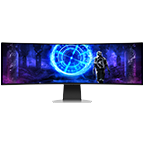
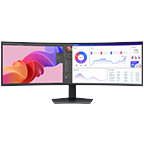
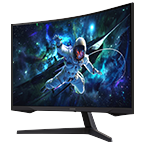
What are the differences and benefits between a curved gaming monitor vs flat monitor? Is a curved monitor better for gaming?Curved gaming monitors are designed to wrap the display around your field of vision, making for a more immersive gaming experience. These monitors are built to match the natural shape of the human eye, which reduces edge distortion and creates a more realistic gaming experience. Gameplay built to entrench the gamer in their surroundings, such as open-world and racing simulator games, are often more enjoyable on larger and ultra-wide monitors that make the immersion effect more pronounced. Flat monitors fit easier in any setup and provide a clean and simple design with consistent image quality making them them perfect for split-screen and co-op gaming. The flat screens are a practical choice for those who prioritize simplicity and versaility in their gaming environment, and may not need the full immersive effects of a curved screen.
-
How to set up dual monitors for gaming?To set up dual monitors for gaming, ensure that your graphics card supports multiple displays. If it does, connect both monitors using compatible cables (HDMI, DisplayPort) and configure them through your operating system’s display settings to extend or duplicate your screen. While dual monitors can be helpful for multitasking during gaming such as one monitor showing a game while the other capturing other chats or media, ultrawide monitors can perform the same functionality while creating a neater and less cluttered gaming environment.
-
Can I buy a Samsung gaming monitor with a 0% monthly installment plan?Yes. Interest-free installment plans are available for up to 12 months using select credit cards. You can select an available installment option at the payment stage during checkout.
-
Are there any offers available on Samsung gaming monitors?Offers may vary by monitor and current Samsung Philippines promotion. Eligible monitor trade-ins can receive up to ₱5,000 off, and any additional savings are shown on the relevant product page.
-
What payment options are available when buying a Samsung gaming monitor in the Philippines?The Samsung Online Store supports available card payment options, including 0% installment plans for up to 12 months using select credit cards. The applicable options are shown during checkout.
-
What benefits do I get when buying a Samsung gaming monitor online?Buying direct includes Samsung Rewards points on Online Store purchases, eligible Appliance Trade-Up savings, 0% installment plans for up to 12 months using select credit cards and official Samsung warranty. Samsung Care+ is available separately for eligible products.
-
What are the key features of Samsung Odyssey gaming monitors?Samsung Odyssey gaming monitors include high-resolution options, refresh rates from 144Hz to 360Hz on selected models, response times as low as 0.03ms, adaptive-sync support and HDR features. Available specifications vary by model.
-
How do I register my Samsung gaming monitor?Product registration and support options are available through Samsung Support. Registration requirements may vary by monitor.
-
What details are required to register a Samsung gaming monitor?You will need the serial number and model code. Enter the serial number printed on the monitor itself rather than the one on the packaging, and check characters carefully, since 'O' and '0' are easily confused.
-
Which gaming monitor specifications should I consider for everyday use?Consider screen size, resolution, refresh rate, response time, connectivity and intended use. Higher refresh rates and faster response times can help provide smoother and more responsive gaming visuals.
-
Can Samsung gaming monitors also be used for photo and video editing?Gaming monitors can also support creative tasks, but suitability depends on the resolution, color performance and other specifications required for your workflow.
-
What is the difference between Samsung QLED and curved gaming monitors?QLED refers to display technology, while curved refers to the physical shape of the screen. These are different characteristics and can exist together in some monitor designs.
-
Which Samsung Odyssey monitors are suitable for PC gaming?Samsung Odyssey monitors are designed for gaming. The right choice depends on your PC hardware, preferred games, desired resolution, refresh rate and screen size.
-
What should I consider when choosing a Samsung gaming monitor for long-term use?Consider resolution, refresh rate, screen size, connectivity and compatibility with your current and future PC setup.
All specifications and descriptions provided herein may be different from the actual specifications and descriptions for the product. Samsung reserves the right to make changes to this document and the product described herein, at anytime, without obligation on Samsung to provide notification of such change. All functionality, features, specifications, GUI and other product information provided in this document including, but not limited to, the benefits, design, pricing, components, performance, availability, and capabilities of the product are subject to change without notice or obligation. The contents seen on or with the product are oftentimes simulated and are for demonstration purposes only.