Galaxy Tab S11
• Enjoy more value with every purchase of Galaxy Tab S11 Series/ Tab S10 FE Series/ Tab S10 Lite.
• Your tablet comes with a complimentary 1-year Microsoft 365 subscription.
• Promo valid until December 31, 2026.
• Redeem up to 2x points for savings of up to ₱3,000 during our exclusive Samsung Week from October 8 to November 14, 2026.
• Use voucher code AI-PHGALAXYTABS11 to get 10% OFF – maximum of ₱5,000 – exclusively for non trade-in purchase.
• Promo runs until December 31, 2026. T&Cs apply.
Buying Tool


Device
Not available in this combination
Storage
Choose the storage option that fits your needs best
Not available in this combination
Color
Not available in this combination
Color
Connectivity
Not available in this combination
Keyboard
Adaptor
Samsung Trade-in
Choose Between
Payment Plan Options
Samsung Upgrade Program
Purchase Option
Samsung Care+
Please select Samsung Care+ or no coverage
Trade-in, Samsung Care+, Tariff, Offer are not compatible with Rental option.
Samsung
Finance+ EMI
Offers
Samsung.com Advantage
Samsung.com Advantage
Delivery
Offers
Reached maximum order quantity for this product.
FAQ
Click to Expand-
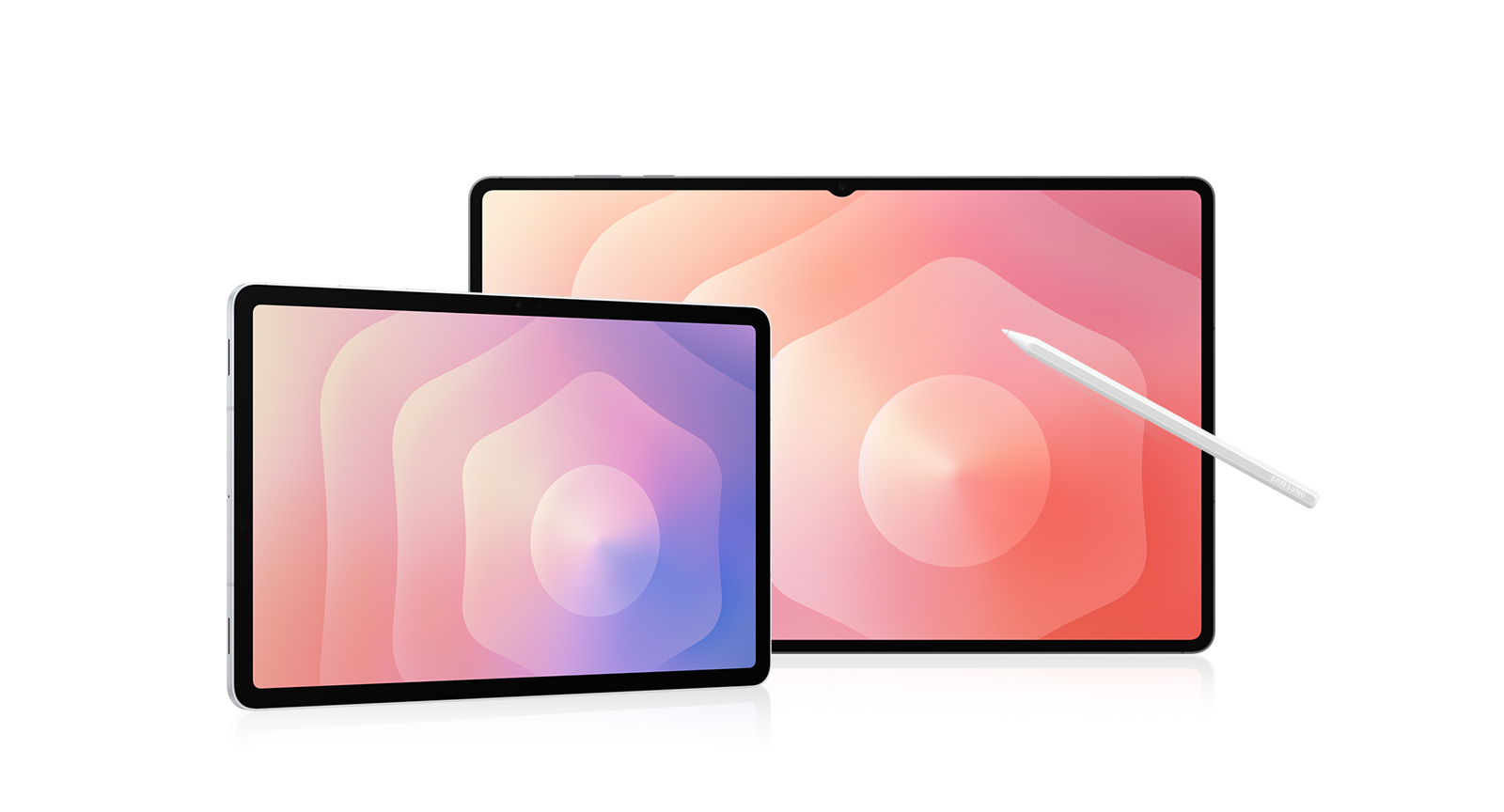
A. When you unbox your new Galaxy Tab S11 or Tab S11 Ultra, you’ll find an S Pen for precise note-taking and creative tasks, a quick start guide to get you set up, an ejection pin for the SIM/microSD tray, and a USB Type-C data cable for charging and connecting.
*In-box items may vary by country, region, or service provider.
*The data cable is available in white only.
*Travel Adapter is NOT included. -
A. Yes, Galaxy Tab S11 and Tab S11 Ultra are versatile tablets designed to handle work, study, and entertainment. Both models come with an S Pen to take notes, sketch, or solve math problems easily. Galaxy Tab S11 features a compact 11.0-inch display, measures 253.8 × 165.3 × 5.5 mm, and weighs around 469 g, while Galaxy Tab S11 Ultra offers an expansive 14.6-inch display, measures 326.3 × 208.5 × 5.1 mm, and weighs around 692 g. Both are great for reading, attending online classes, or streaming content. With long battery life and smooth performance, both are great choices for everyday tasks and relaxation.
-
A. Yes, Galaxy Tab S11 supports both S Pen and Book Cover Keyboard Slim. S Pen is included in the box and allows for precise writing, sketching, and note-taking.
Pair your Galaxy Tab with Book Cover Keyboard Slim that turns it into a work-ready setup. For added versatility and protection, you can use Book Cover which offers flexible viewing angles, and Anti-Reflecting Screen Protector which helps reduce glare.
*Accessories sold separately.
*Availability and sales of accessories may vary by country or region.
*Features and keyboard layout may vary by model or type of language. -
A. Galaxy Tab S11 Series is eligible for up to 7 generations of Android OS upgrades, along with 7 years of security updates from the date of global launch. This long-term software support helps keep your tablet secure, up to date, and compatible with the latest features over time.
*Availability and timing of Android OS upgrades and security updates may vary by device model and market. -
A. Yes, you can quickly and easily transfer your iOS data to Galaxy Tab S11 Series using Smart Switch.
Smart Switch is a tool that simplifies transferring data from one device to another by allowing you to seamlessly move contacts, photos, videos, notes, calendar events and more. You can connect your new Galaxy Tab S11 Series to your old device using a cable or wirelessly using the Smart Switch app.
*Wired transfers from iOS require the receiving device to have Android™ 5.0 or later and the sending device to have iOS 5 or later. Transfers can be completed without a cable through a wireless connection or iCloud. For wireless connections, the receiving device must have Android™ 5.0 or later and the sending device must have iOS 12 or later. iCloud transfers require the receiving device to have Android™ 5.0 or later and the sending device to have iOS 5 or later. Open Smart Switch Mobile in “Settings” on the receiving Galaxy device or download the Smart Switch Mobile app from the Galaxy Store. For wireless transfers, download Smart Switch for iOS from the App Store on your iPhone or iPad. Data, content and apps available for transfer may vary by transmission method. Contacts, gallery, videos, calendars and reminders can be transferred wirelessly from an iOS device. -
A. Galaxy Tab S11 Series offers a range of memory and storage combinations to suit your needs. Galaxy Tab S11 Ultra is available in 16 GB + 1 TB, 12 GB + 512 GB, or 12 GB + 256 GB. Galaxy Tab S11 is available in 12 GB + 512 GB, 12 GB + 256 GB, or 12 GB + 128 GB. If you need more space, both models support microSD card (sold separately), so you can easily expand your storage for apps, class notes, creative projects, or media.
*Storage options and availability may vary by country, region or carrier.
*Actual storage availability may vary depending on pre-installed software.
*MicroSD card sold separately. All models support microSD cards with up to 2 TB storage. External memory can be used to store media (photos, video and music files). Availability may vary by country and manufacturer. -
A. If you want Galaxy's most powerful tablet experience with AI built for real productivity, Galaxy Tab S11 Series is the one to choose. Its ultra-slim design packs next-level performance and a massive display that's still easy to carry. Galaxy AI supports your day with multi-modal intelligence, helping you undestand content, stay organized, and create faster across apps. Plus, the new DeX offers a more intuitive experience for multitasking, so you can work smarter anytime, anywhere.
-
A. When you buy from Samsung.com, you get access to exclusive benefits including Trade In and Samsung Care+.
If you purchase your Galaxy Tab S11 Series from us, you can receive discounts towards your new smartphone when you trade in almost any device including smartphones, wearables and tablets.
Samsung Care+ is coverage for your new device that extends beyond the standard warranty, offering protection against accidental damage and providing more peace of mind to our customers.
*To be eligible for trade in, your qualifying device must meet all trade in Program eligibility requirements. For detailed information, please refer to www.samsung.com/my/trade-in/.
*Terms and conditions apply. Samsung Care+ coverage, service type and promotion details may vary by country/region and deductible (service fee) may apply. To be eligible for Samsung Care+ promotion benefit, registration may be required. For detailed Samsung Care+ information, please visit https://www.samsung.com/my/samsung-care-plus/.
Featured Reviews
Click to ExpandRecommended by 77% of customers.
Customers praise the stunning display for exceptional clarity, vibrancy, HDR performance, and immersive viewing experience
Reviewers consistently describe super fast, responsive performance handling multitasking and demanding apps without lag
Many find Galaxy AI features like photo editing, translation, and summarization significantly enhance productivity
Users appreciate versatility as an all-in-one device for work, creativity, entertainment, and studying
A few mention keyboard accessory disappointment, though overwhelmingly positive feedback dominates overall satisfaction
AI-generated from customer ratings & reviews, and may include incentivized reviews.
Supported languages
This summary is AI-generated from ratings and reviews across multiple languages.
- English
- German
- French
- Spanish
- Portuguese
- Italian
- Korean
- Chinese
- Japanese
- Arabic
Relevancy sort puts the best reviews at the top. We look at things like helpfulness votes, latest review, pictures and other traits that readers look for in their reviews.
Wow it's huge very bright and vivid. Definitely recommend if your an editor to video editor or photographer.


I recommended this product.
[This review was collected as part of a promotion.] I had the samsung Tab since the S8 and I totally love that I could do a lot of my normal activities in my tab : Journal, finances, chat, play games and more more. I thing the size is amazing for movie time and it's super light and thin that makes it easier for me to carry from my work to my daily activities. I used it even to display my exercise routine daily with samsung health. Galaxy IA makes it amazing I can edit my photos, videos and more now that I'm starting with my camera and I love to take pictures 📸 Bad thing: Since I used it for my work I really miss Samsung Dex :( it used to make my life easier now it's impractical


[This review was collected as part of a promotion.] I chose this tablet after many years of being an i-Pad user. I'm so glad I made the switch. I use my tablet for watching movies when i travel for work and for working when I travel. It is a life saver for my due to my vision issues, my company issued laptop doesn't allow me to zoom in the way this tablet does. The split screen in gmail is amazing. The large hard drive and ability to expand memory with an SD card is awesome, although I still have not had to use the SD card as the HD is massive. I have stored a week's worth of movies on my Ultra 11 tablet and still have plenty of room. The processor gifts me plenty of speed to both work and play with no lag.


[This review was collected as part of a promotion.] This tablet is so big its like a laptop screening couldn't hold it my hands are so small so I got a keyboard that it sticks magnetically to it looks like a laptop and it has a spot for the pen and can close. The charge on it last days its amazing. It lasted me 4 days before it flashes low battery at me I was amazed. It's perfect for reading my kindle 2 pages at a time like a real book, and I love using Canva and Capcut on it instead of my phone more editing tools and much much larger screen. I javent used the Ai on my tablet unless its to ask a question I dont know the answer to or to translate something from my book.


[This review was collected as part of a promotion.] I've been wanting a tablet for years. The last one I bought was an iPad 2. My friends said I wouldn't use it much and it'd sit beside my bed. I'm a person who loves very bright displays. Let me tell you, this is super bright. It's just like a Note Ultra phone but blown up! Bigger is better. Battery life is great. I have a laptop that I mainly use for work, but this is so much more convenient. I work with marine animals, and some stuff is hard to identify. With the Galaxy AI, I can circle the animals I'm looking for and identify them easily. My customers and friends are always amazed at how well it works.


[This review was collected as part of a promotion.] Just got my new Samsung Galaxy Tab S11 Ultra and wow… this thing does it all. 🤯 It’s basically my movie theater with that giant AMOLED screen (seriously, Netflix never looked this good). It’s my sketchbook & notebook thanks to the S Pen—I can doodle, take notes, and even edit pics like a pro. It’s my mini office on the go. With Samsung DeX + keyboard, it legit feels like a laptop. Oh, and the battery? It just keeps going. Whether I’m working, watching, or creating, this tablet keeps up with me every step of the way. I don’t think I can ever go back—my laptop is starting to collect dust. 😂


[This review was collected as part of a promotion.] After my laptop battery started to die, I needed to find a replacement. With my daily computing needs in mind, I decided to go with a tablet (S11 Ultra) instead. Despite its large size, the tablet is lightweight and easy to bring on the go (although be mindful the S-Pen can detach from the tablet easily). It's perfect for watching YouTube and other streaming content, and with the new and improved Dex mode, I can multitask just as easily as I could on my old laptop. The dedicated AI button (which can open Bixby or Gemini) is exceptionally useful if you interact w/ AI regularly. The S-Pen comes in handy if you need precision control. I'm hoping Samsung comes out w/ a trackpad case for it in the near future.


[This review was collected as part of a promotion.] The Samsung Galaxy Tab S11 Ultra impresses with its sleek design, stunning 12.9" AMOLED display, and top-tier performance. Powered by Galaxy AI, it adapts intelligently to your usage—optimizing multitasking, battery life, and camera enhancements in real time. The AI also improves productivity with smarter S Pen responsiveness and seamless app transitions. With a Snapdragon 8 Gen 2 chip, long-lasting battery, and immersive Dolby Atmos sound, it's built for work and entertainment alike. The Tab S11 Ultra isn’t just powerful—it’s smart, making it one of the most advanced Android tablets available today. A true flagship experience from Samsung.
No Wi-Fi 7, no Bluetooth S-Pen, optical fingerprint sensor, exact camera like on the s8u, removed one selfie camera How is this an upgrade? We're just losing features each year. Its nice to see that Samsung is still trying to improve DeX but since its still Android you won't be able to actually replace a laptop with it. If you can, you didn't need a laptop in the first place. Feels like another Al launch. Samsung is making the Tab s9 and Tab s10 series a better value for your money.
[This review was collected as part of a promotion.] The tablet features and exclusive extra large amold led screen which combats not only stunning cellular devices but also the lightweight notebook laptops Samsung has to offer. Considering they make the best TV display for the last three decades it's not a coincidence that their tables spec some of the most gorgeously captivating diliberatly mesmerizing graphic image displays in the current market. Samsung has pushed the bench mark of ultra high definition to its highest pinical in current society. Paired with the new Google Ai the interaction between man and machine is just as crisp as the integration between hardware and software to these devices.
[This review was collected as part of a promotion.] I love my Samsung Galaxy tablet. I had one previously and it was amazing. I used it for everything for work and home. And now that I have my new one I can do even more with Galaxy AI! What a massive overhaul on all the features for my tablet as well as being able to use AI to assist in everyday life as well as being a critical tool for my work has meant the world to me. It's not often I get excited at about work but my lineup of Galaxy products makes everything seamless, easy and smart! Galaxy AI has a revolutionized and will continue to change everyday life and work for all of us. Get your Galaxy tablet now because I'm going to get another one lol!
[This review was collected as part of a promotion.] A couple months ago, I upgraded from a Samsung Galaxy Tab S8 to my current Tab S11 Ultra. I never looked back. This tablet can run and do practically everything I've thrown at it. The screen size is phenomenal for anything and watching movies is one of them. In terms of proccessing power, it games at top-tier speed and graphics. However, some people may find the large screen size a bit of a chore to get used to especially for mobile fps games where coordinating fingers across the screen is vital. However, I have large hands so the screen worked perfectly for me. I am very glad I chose this device as my next tablet, it is my favorite device yet.
This is my third flagship galaxy tab and I absolutely love it. The extra power of the dimensity 9400+ was worth the upgrade; some games are actually allowing higher graphics settings than they did on the previous generations and that has made mobile gaming even better than it already was. I've run 3dmark benchmarks on the s11 ultra vs devices with the snapdragon 8 elite and a19pro chips and it is on par to slightly beating them in wildlife extreme and steel nomad light, though trailing in raytracing (solar bay extreme). So far there is not a single game that the s11 ultra can't handle smoothly at maxed out graphics settings. I will say that the new s-pen is worse but not horrible. The old one felt a little smoother, and of course bluetooth functions in the s-pen are gone. Putting the s-pen spot on the edge of the tablet instead of the back is also a questionable choice because if you have the tablet in a clamp style holder (that clamps at the top and bottom of the screen), you now have nowhere to put the pen at all. The s11's don't have a haptic motor either, which is kind of inexcusable for a flagship device. It's not the end of the world, but it has me scratching my head a bit. If it wasn't for the stripped down s-pen and lack of haptics feeling like cost cutting measures, I would have easily given this 5 stars because I absolutely love this tablet, and the extra power brings it closer to its competitors. I would still highly recommend upgrading to the s11 series if you like to play the latest and greatest mobile games, or do any kind of work that can benefit from the extra power. For day to day use, youtube, web browsing, you're not going to notice much of a difference.


I recommended this product.
[This review was collected as part of a promotion.] I have kind of thought it would be a different product. but it's actually entirely been pretty good. I mean it's still not a Samsung phone like I would probably more likely to choose (I would truly love a state of the art camera like any Galaxy Ultra phones. I chose this Samsung product primarily because of the large screen, for use at school, and relatively that like ease of just carrying around as opposed to be a laptop: and the larger screen than I would have for a phone. I generally if you like the s-pen, far more than I had the Microsoft surface pro pen. and the surface pro held in comparison to everything about this tablet.
[This review was collected as part of a promotion.] I recently upgraded to the Galaxy Tab S11 ultra from the Galaxy tab S8 ultra. I can undoubtedly say that it was a great choice. The AI features are more intuitive and provide more information on related searches which makes it easier to find what I need on the web or for my day to day routine. It has a sharper resolution display, vibrant colors and the software feels substantially faster and more fluid than on the tab S8 ultra. I did take some pictures on the Galaxy Tab S11 ultra and they are sharper and with the assist of AI can edit from a professional look to getting creative and draw on them with the Spen which feels better on the hand due to being pencil shaped. Overall I am pleased with my purchase and will update as I continue to use it.


[This review was collected as part of a promotion.] I absolutely love my Samsung Galaxy 11 Ultra. I am 58 years old and I love technology. I have bought or traded every tablet Samsung has made. I use it for art and gaming. I have learned a lot about AI and how to use it to make short stories with pictures. I also use it for movies on long trips with my family. I always purchase the Ultra version because it is the best. All of the devices from Samsung are great, of course you know I have the Galaxy Fold 7 and the Classic Galaxy watch 8. You're the best Samsung. #Samsung decices4Life.


[This review was collected as part of a promotion.] I am a 5th grade teacher and this tablet has been a life saver. It's ability to stream to compatible devices has been invaluable. I am able to move around my classroom helping students while doing the lesson "on the go". Our district uses a web application called Kami and combined with the stylus (which is extremely accurate- although not the best battery life), allows me to write math problems, highlight and annotate information in texts as well as run classroom management apps to all while I am moving around the room. This is a must for any teacher of any grade level. There are some features that do not work with the stylus such as swiping up or sideways, but this is a small inconvenience compared to the benefits of using this device in the classroom.


[This review was collected as part of a promotion.] This tablet surpassed my expectations, as far as Galaxy AI, battery life so far, and the great features it comes with. Intended for streaming and notes taking, I have come to enjoy how smooth gaming is on the S11 Ultra. The sound quality is also good, and the screen brightness makes everything so vivid and alive! Taking notes, and drawing is good, but the best yet is the Dex feature, and how light the tablet is, given its size. Overall, this is a great product that I am looking forward to keep enjoying! Gotta love all Samsung!


[This review was collected as part of a promotion.] I mostly consume media on my tablet, so moving the on/off button to a position below the volume controls on the stack makes it harder to control. Also, I had to cut away part of my old S10 Ultra cover to access the new control setup. Formerly, the S-Pen button could start/stop videos, but the new "pencil-shaped" S-Pen is less comfortable in the hand and seems to be only a stylus, with no other functions. All Galaxy phones and tablets should put the on/off button back where it belongs, at the top of the stack. S-Pens should be fully functional, right out of the box. Great trade-in, vivid screen and battery life save the day.
[This review was collected as part of a promotion.] I chose the Samsung Galaxy Tab S11 Ultra and it has been an absolute game-changer, quickly becoming my go-to device over my Windows laptop—especially for travel. Pairing it with the Pro Keyboard elevates the experience to true laptop-grade productivity, allowing me to effortlessly handle daily tasks and manage my home NAS, while the class-leading, anti-reflective display provides an incredible experience whether I'm watching movies or streaming games from my PC via Moonlight when relaxing outside my office. Beyond its ultra-thin, lightweight, and incredibly packable design, the S Pen has proven to be a standout feature, making it a wonderful tool for working with my son on his handwriting as he traces in Samsung Notes. If you choose to purchase this you will not be disappointed.


Haven't had a Samsung tablet since I was young. I love it. The tablet is huge. Very vibrant screen, so satisfying to look at. Super smooth and fast, runs every game I play flawlessly. Performance is identical to my S25 Ultra. Anything you throw at it, it can handle. Love the expandable storage slot. The S pen is really smooth and responsive when writing or drawing. It might not have Bluetooth and that may be a bummer to some, but I'm alright with that. In conclusion, this tablet is really really good.


I recommended this product.
[This review was collected as part of a promotion.] I've been using the new Galaxy Tab S11 Ultra for a few days now, and honestly, it feels like something straight out of the future. The screen is insanely sharp, the S Pen feels smoother than ever, and Galaxy AI just takes everything to another level. I can translate notes instantly, summarize documents in seconds, and even get AI editing suggestions for my drawings. It’s not just a tablet — it’s like having a personal assistant that actually understands what I need. Absolute game changer!


[This review was collected as part of a promotion.] Not quite sure what I expected from an android table. While the S11 Ultra hardware is top notch the experience is not so much. I am finding most I want to use so not work in landscape mode. That is my biggest beef. Back to the hardware. It's fast and snappy. Screen is incredible. The S pen is decent even though it has been dumbed down just like on the Galaxy phones. Audio is decent, but have it paired with Galaxy buds and that rocks. I have the keyboard case, but I wish there was a track pad. Seems like a miss or another selling opportunity for later. It's cool that it has the Galaxy AI button front and center. I just need to find how to get it into my workflow. I've used it a second monitor for my laptop while traveling and that was cool. All in all happy with the S11 Ultra just not over the moon.


[This review was collected as part of a promotion.] I chose this Samsung device because I wanted something that could keep up with both my work and personal life and it has honestly exceeded my expectations. I use it every single day for work, multitasking, streaming, planning, browsing, and staying organized. The large beautiful display makes everything so much more enjoyable. One of my favorite things is how easliy I can move between tasks. I can have multiple apps open, take notes, research something online, answer messages, and then switch over to watching a movie or relaxing without feeling like I need to grab another device. This really has become the command center of my life I have fully customized it to my needs and liking. I have ended up with a device that is part of my daily routine. I'm extremely happy I chose Samsung and would absolutely chose it again.


[This review was collected as part of a promotion.] I decided to upgrade my Samsung Galaxy S9+ and what an upgrade. It is fast, the s-pen is amazing. I didn't think the S-pen shaped like a pencil would be a difference, but I love it. It is precise, writing with a pencil, looks like a pencil. Drawing is so much more fun with it and comfortable. The s11 ultra has the micro SD card and that is a plus...which means more pics and drawings. The Galaxy AI is amazing and I bet it will get better and better. I have been using Galaxy AI for my daily brief and that is so cool. I thought it would be a waste, but I find it useful, straight to the point with all my activities. So far, loving the S11 ultra and itnis my daily computer.
[This review was collected as part of a promotion.] I love everything about this tablet except for one minor issue. There are no cases available except a few which are just bland. Im sure in time there will be many. I bought the 1 tb model as I plan to start an on line business so there will be plenty of storage room and RAM. I really like the AI feature of turning sketches into pictures. I see these tablets as being able to replace laptops real soon. Samsung is and will always be my favorite device.


[This review was collected as part of a promotion.] I wanted a tablet to use alongside my full computer setup. My Hope was that this would be an ultralight laptop replacement. I chose the Samsung s11 ultra for its expandable memory and it's powerful processor. Between Samsung flow and the powerful s11 ultra I have been very pleased. I can actually manage to do all of my work very seamlessly using the laptop and only need to boot on my primary computer for heavy duty processing. This definitely fills the gap between my phone and more powerful computational projects and adding in the keyboard really has made it exceptional. Moreover the fact that you can easily expand the memory means that those of us that use our Android devices to manage files have plenty of flexibility. Finally dexos is fantastic and does a great job allowing me to expand my workflow using a second monitor and external mouse.


[This review was collected as part of a promotion.] I chose the Galaxy Tab S11 Ultra because I wanted a tablet that could handle everything I need in one device. I absolutely love it! The large display is beautiful and makes taking notes, completing homework, multitasking, and watching content so enjoyable. It has so many useful features, runs smoothly, and makes it easy to stay productive and organized. It has quickly become one of my favorite devices and I’m extremely happy with my choice.


[This review was collected as part of a promotion.] I chose the Galaxy Tab S11 Ultra because I wanted a tablet that could handle everything I need in one device. I absolutely love it! The large display is beautiful and makes taking notes, completing homework, multitasking, and watching content so enjoyable. It has so many useful features, runs smoothly, and makes it easy to stay productive and organized. It has quickly become one of my favorite devices and I’m extremely happy with my choice.


[This review was collected as part of a promotion.] Galaxy IA has excellent features, and the technology that the device has is of great help to both children and adults, its diversity of options make this device desired by many people, the device helps me a lot, for example, I like to take photos and the camera is one of the best there is in all mobile devices and with the help of Galaxy IA it is better, and that is why I recommend it to everyone who buys a Samsung device, it is too cool.


[This review was collected as part of a promotion.] The Samsung Tab S11 Ultra truly sets a new standard for what a tablet can do. The display is absolutely stunning—bright, sharp, and perfect for both creative work and entertainment. The S Pen feels incredibly responsive, making note-taking and drawing feel natural. Performance is smooth even with heavy multitasking or demanding apps, and the battery life easily lasts through a full day of use. DeX mode adds great flexibility for productivity, especially when paired with a keyboard. Overall, it’s an outstanding device that bridges the gap between a laptop and a tablet better than anything I’ve used before.
[This review was collected as part of a promotion.] I just got the Tab 11 Ultra and I love it. The screen is big and clear which makes watching movies and reading super enjoyable. It runs fast and smooth with no lag even when I have a bunch of apps open. The battery lasts all day for me and charges quickly when I need it. It feels light to hold but still has a solid premium build. Honestly this has been one of my best tech purchases and I keep finding more reasons to use it every day.


[This review was collected as part of a promotion.] I chose the Galaxy S11 Ultra Tab because I needed an upgrade and I wanted to get the best. This tablet has so many capabilities it's crazy. The display is amazing and has sharp, vibrant cklors and details. The picture quality of the photos it takes are outstanding. This tablet is extremely user friendly and intuitive. It works perfectly with and completely compliments the Samsung Universe products. Everything about it keeps me connected to all of my smart devices. I honestly don't have a single negative thing to say about it. I am so glad I chose the Galaxy S11 Ultra. It really makes life a lot more fun.
[This review was collected as part of a promotion.] I absolutely love my S11 Ultra tablet as it easily works as a laptop. With Galaxy AI included, I can really schedule my day out and stick to it. It's lighter than the S10 Ultra, and it feels like with Galaxy AI, it's a whole new experience. You can be as creative as you want or just be a more organized professional. Picture and video quality is superb. I can create so much amazing high quality content on the fly and edit easily.


[This review was collected as part of a promotion.] I love my Tab 11 Ultra!! The Galaxy AI provides me superior productivity...the Note Assist, Circle to Search, and Drawing Assist are very useful. It's been an excellent transition product from my PC! If I had one minor place for improvement, it would be the data transfer rate from external devices. The next generation should aim for a bus that transfer at a speed closer the current speeds available like Thunderbolt 4 and 5.


[This review was collected as part of a promotion.] I love my Tab 11 Ultra!! The Galaxy AI provides me superior productivity...the Note Assist, Circle to Search, and Drawing Assist are very useful. It's been an excellent transition product from my PC! If I had one minor place for improvement, it would be the data transfer rate from external devices. The next generation should aim for a bus that transfer at a speed closer the current speeds available like Thunderbolt 4 and 5.


[This review was collected as part of a promotion.] I chose the Galaxy Tab S11 Ultra because of the storage/memory, camera and it works like a laptop and the screen is just as big. It's huge. I love reading my kindle on it. Using canva or capcut on it is amazing compared to my phone. The storage space on it is perfect too. And the camera is better than any other tablet I've owned. I love that I can just share my pictures from my phone (Galaxy S26 Ultra) straight to my tablet.


[This review was collected as part of a promotion.] I use this tablet S11 Ultra with Galaxy AI mainly for school, and it is the best tablet I've had and the first tablet I had was a 7.0 Galaxy Tab 2 and since then I've just stuck with the Note series to have a tablet like feel for a cell phone. I use this tablet for my math classes and mainly in tri window mode with my notes app taking the majority of the screen with the review in the top corner and the lectures In the bottom, the 14.6 screen sizes is amazing for multitasking when I don't want to pull out my laptop. All in All this is a great tablet for what i use it for, my partner is going for a Doctorates degree and said that they were jealous of the tablet and now has to get one.
[This review was collected as part of a promotion.] I bought my Samsung Galaxy tab S12 ultra to study and make virtual posters. I love the device. The screen is huge, exactly how I needed it. The feature are too many that I am still exploring them. But of course AI features are my favorite. They are so helpful, specifically when I need to remove something from my photos to make my posters. I am so glad I chose Galaxy tab S12 as my study and editing friend.


1. From Tab S7, no issues and I loved it. I use it as my second screen whenever I need it when connecting to my work laptop at Win10. Now with Tab S11 ultra (which is supposed to be an upgrade), this second screen feature does not work when trying to connect a Win11 laptop to tablet. It is disappointing that 3 days after buying, all features, software updates, are all updated since it is new and then you test this feature, it does not work. Works fine if I use Samsung Fold 5 to connect to tablet second screen though. 2. S pen and keyboard case comes with the package. But.....the case does not have holder for S pen! May Tab S7 default case has a holder for the S pen at the back that is used for connecting and charging to tablet. Now with Tab S11 ultra, its a downgrade for both practicality and feature (#1 above).
[This review was collected as part of a promotion.] The Samsung Galaxy Tab S11 Ultra is all about its incredible display. The 14.6-inch Dynamic AMOLED 2X screen is super vibrant and sharp, and with a 120Hz refresh rate, everything from movies to games looks stunningly smooth. It's a powerhouse that handles any task with ease, all in a thin, premium design that feels great to hold. If you want the best screen and top-tier performance in a tablet, this is it.


[This review was collected as part of a promotion.] The Samsung Galaxy Tab S11 Ultra is a powerful, high-end Android tablet featuring a large 14.6-inch AMOLED display and a fast processor, offering strong performance, long battery life, and productivity tools like DeX and Galaxy AI. While praised for its excellent display and bundled S Pen, the device is noted for being very large, heavy, expensive, and having removed features compared to previous models.


[This review was collected as part of a promotion.] I love how easy these product make my life. I never have to remember a password or email. I can log in with my face! How incredible is that! I love the AI despite what other people may say, it makes looking things up easy. Going things for me too, like setting alarms, reminders, scheduling stuff. I love how they all communicate with each other so seamlessly, from watch to tablet to phone. Its amazing.


[This review was collected as part of a promotion.] I don't know alot about the current electronic tablet basic features. I know this thing blows iPad away like a 5 dollar street walker on Friday not on the vegas strip. I mean I use mine for viewing mature content off the web, and it makes pornhub that much better, the sound quality is fabu, and I don't mess with Ai features but I know it does have alot of Ai options. I don't use bixby or any of that Ai stuff I don't want to have Ai eliminate me for teaching it bad things. I recommend buying one of these bad boys and giving it a spin on the interweb and check out some adult friendly content with it
[This review was collected as part of a promotion.] The entire tablet itself is great. The apps move smoothly on it and the video display is great. However, the S Pen has been off when I us the Samsung Note app to write. I've noticed it to be on the bottom half of the tablet or the right side of the tablet in landscape mode. The AI features on the Samsung note app on the tablet is fun. The drawing assistant helps me with my anatomy notes.


I replaced my Tab S9 Ultra with the new Tab S11 Ultra and really like the new tablet. However, the keyboard that came with my new tablet is complete junk. I thought there would be an option for a pro keyboard with trackpad and found out that there's no other options are avaiable. Really considering to send the new tablet back and stick with my S9 Ultra because of the pro keyboard.


[This review was collected as part of a promotion.] I am a student and the Samsung Galaxy S11 Ultra has been of great help in my daily life. Using the stylus on the screen is extremely smooth and helpful while taking notes (plus it saves paper). Additionally, its bigger screen has basically replaced my personal computer. As a matter of fact its even better because it's also portable. I am really glad that I chose this device.


[This review was collected as part of a promotion.] I was looking for a large tablet because my eye sight isn't that good and love to see everything on the big screen, that's why I chose the s11 Ultra tablet, This tablet works just as good as my s24 plus phone , And I chose Samsung as my TV and cell phone and tablet maker ,oh yeah my watch maker also .I have owned samsung products for 30 plus years and wanted to give this company an excellent rating for everything they come out with, What would I buy if samsung weren't Around , I really don't know , Samsung Thanks for being there with the latest and greatest technology, we can ever ask for.
[This review was collected as part of a promotion.] I bought this tablet to replace my laptop. So far it has done everything I need it to and more. Pairing it with my phone and laptop have made life much easier when traveling. I'm able to do everything I need work wise and still have my personal stuff in a different space thanks to the desktops. If using for work purposes, I recommend buying the Samsung keyboard attachment.


[This review was collected as part of a promotion.] I absolutely love my Galaxy Tab S11 Ultra. The screen size is perfect — big enough to feel immersive, whether I’m writing, reading, or streaming, but still comfortable to handle. The display is fluid and responsive, and paired with the Galaxy AI features, it really makes my writing process smoother and more efficient. AI assistance feels like having an extra tool in my creative kit, always ready when I need it. That said, I really dislike the Samsung keyboard case. For such a premium tablet, the case feels unsteady and awkward, especially when I try to use it on my lap or in less-than-ideal setups. It takes away from the otherwise seamless experience of the tablet, which is frustrating because everything else about the S11 Ultra feels top-tier. Overall, the Tab S11 Ultra itself is fantastic and one of the best devices I’ve owned — but I’d strongly recommend looking into third-party keyboard cases instead of sticking with Samsung’s.


[This review was collected as part of a promotion.] This tablet offers a truly impressive visual experience. Its performance is remarkably smooth, handling various tasks with ease. The battery life is quite substantial, allowing for extended use throughout the day. Navigating the interface is intuitive and user-friendly. Overall, it presents a compelling option for those seeking a high-quality device.


[This review was collected as part of a promotion.] This tablet offers a truly impressive visual experience. Its performance is remarkably smooth, handling various tasks with ease. The battery life is quite substantial, allowing for extended use throughout the day. Navigating the interface is intuitive and user-friendly. Overall, it presents a compelling option for those seeking a high-quality device.


[This review was collected as part of a promotion.] Is an amazing tablet. Galaxy AI is always perfect. No complaints on the Galaxy AI. The only thing I don't like is that Samsung took away the S Pen and the dock for the S Pen. I had the Tab S9 Ultra; it feels the same. The S9 had a better design. Hopefully, the Tab S12 Ultra will bring back the S Pen and the dock. The S11 pen doesn't feel secure.


[This review was collected as part of a promotion.] I chose the Galaxy Tab S11 Ultra because I wanted a large screen and a device that could handle entertainment, productivity, and everyday tasks in one place. The display is excellent for watching movies and videos, and the large screen makes multitasking very comfortable. I also like how smoothly it works with other Samsung Galaxy devices and apps. Despite its large size, the tablet feels thin and well designed. The S Pen is another feature I really enjoy for taking notes and navigating the tablet. So far, I am very happy with its performance and overall experience. I chose the Galaxy Tab S11 Ultra because it gives me the combination of screen size, performance, and versatility I was looking for.
[This review was collected as part of a promotion.] Samsung never disappoints! The integration of Galaxy AI to device and been able to use it with more flexibility is amazing. I use the device for daily basis, such as movies and some time for school, homework and all that stuff but it does a really great job maintaining the system all smoth with handling more than one task.


[This review was collected as part of a promotion.] This is a fantastic device. I’ve been renting one from a friend and using it across my whole life: for personal use, work, and school—specifically for my MSc in Physics. I just watched Swapped on it, and the display is incredible; the colors really pop. But my favorite part of the device has to be the S Pen. The amount of work I can get done with it is amazing. Being able to sketch and scribble directly onto my notes makes it so much easier to organize my 'knowledge hub.' It’s simply lovely. I would love to own one myself eventually, but until then, I’m going to keep enjoying this one!
[This review was collected as part of a promotion.] I had the oldest version and I always loved the futures and the properties, but with this one my mind blows, have and fast processor everything work fast, the quality of the screen is so vivid that everything looks real, the memory never is going to run out with the capability of and extend it memory. I really loved it


[This review was collected as part of a promotion.] I used the Galaxy tab S9 Plus for a couple years Loved it amazing tablet and recently updated to the s11 ultra because I wanted the terabyte hard drive with the 16 GB of RAM plus the bigger screen. It has been amazing so far and was everything I was hoping for as per usual Samsung products always rise to the occasion!


[This review was collected as part of a promotion.] I use Galaxy AI for just about everything now from when I'm driving for when I'm at work. I love the convenience of having hand free AI. I use this tablet as my main audio interface in my truck.Always turn the heads, love.The sound and the qualityThe glare free on the screen.Don't think about it, just pick one up.


[This review was collected as part of a promotion.] This tablet has an amazing display and ease of use. I use this tablet for my everyday life, from playing games/apps to paying bills, taking notes, etc. The Galaxy AI makes creating pictures for work posts simple and fun. My Galaxy s11 Ultra has been such a blessing to have and travel with, It is so lightweight !


[This review was collected as part of a promotion.] I chose the Galaxy Tab S11 Ultra 1TB originally for it's screen size & fell in love with the superior HD quality! The picture quality is unbelievable & with having this much memory, storage space & cpu power, there's no need to look for a replacement for at least 5-7 years. Highly recommend this tablet!


[This review was collected as part of a promotion.] This model has been updated to a perfect degree (in comparison with the S10); better battery life, better sound, and way better integration woth Galaxy AI. Yes, we are going tl miss the Bluetooth pen functionality, but on the other hand, the updated shape on the pen os pretty good actually.


[This review was collected as part of a promotion.] I take my tablet with me everywhere. It's literally the size of a small TV, a computer, and a gaming system all in one on top of being very bright and vivid. The speakers are amazing and I can't imagine living without it. The battery is amazing and the speakers blew me away! I'm a big fan!


[This review was collected as part of a promotion.] Samsung Galaxy Tab S11 Ultra is a powerful tablet with a beautiful large display, fast performance, and a sleek premium design. Samsung’s Galaxy AI adds smart features like AI note summaries and translations, making it great for productivity, creativity, and everyday use.


[This review was collected as part of a promotion.] I started with a galaxy s 9 moving all the way up from 10 to 11 galaxy tablets are perfect for gaming from the the Play Store. The color is vivid. The sound is great and the response time is amazing. There's never any lag, and I feel I have an advantage compared to a phone.


[This review was collected as part of a promotion.] Samsung Galaxy Tab S11 Ultra is a powerful tablet with a beautiful large display, fast performance, and a sleek premium design. Samsung’s Galaxy AI adds smart features like AI note summaries and translations, making it great for productivity, creativity, and everyday use.


[This review was collected as part of a promotion.] Galaxy AI is very helpful to my daily routine specially school. I use it primarily when transcribing lectures through samsung voice recorder. I can use it to summarize the transcript and the recording itself. The gaming experience is also fantastic. I can play light to heavy games smoothly and without issues. It can handle and shows great graphics. I play everyday so having a 12 gb RAM and 512 gb storage is awesome. Aside from gaming, I used my Galaxy Tab S11 ultra for school purposes. I use it to manage, edit, and read documents. When needed, I used Galaxy AI to help me ease my tasks. This device is also great in note-taking using Samsung notes and it's features. Overall, probably the best Tab I used.
[This review was collected as part of a promotion.] I chose this tablet for my son because I love the size and Samsung products I would rather samsung over anything else the tablet itself is perfect for him as he is able to game watch movies and all of the above he can also call on video to talk to me or his family


[This review was collected as part of a promotion.] I have had no issues when using my tab s11 ultra. The notes are smooth and accurate. Multitasking is persistent and doesnt overheat. Definitely recommend buying! Gaming is fun as well. I love using the Galaxy AI for editing photos and the circle to search feature.


[This review was collected as part of a promotion.] As an active amateur radio operator, I’ve found the Galaxy Tab S10+ to be an absolute game-changer for my portable setup. The 12.4-inch AMOLED screen is bright enough for outdoor field use, making it easy to monitor waterfall displays or log contacts in sunlight. I use this tablet primarily for digital modes, and it handles apps like APRSdroid, WoAD (Winlink), and various FT8 tools without breaking a sweat. The multitasking capabilities are impressive; I can keep a live frequency guide open on one half of the screen while running my logbook on the other. I’ve also been experimenting with the Galaxy AI Note Assist features to transcribe and summarize voice notes during nets, which is a huge help for staying organized without fumbling for a pen. The IP68 water resistance gives me peace of mind when I'm operating POTA (Parks on the Air) and the weather turns. Battery life has been solid, easily lasting through a full afternoon of radio activity. If you’re looking for a rugged, high-performance tablet for emcomm or hobbyist radio work, this is it.


[This review was collected as part of a promotion.] I chose this tablet because of the screen size. I use it to stream videos or movies while doing crafts or just reading books on Kindle. Everything you watch or stream is HD quality. The tablet performs as expected from a premium device.


[This review was collected as part of a promotion.] Ive been using my s11 since the minute I got it. Started using it for work as well and its tackled everything it been asked to do. I do wish I could put cellular on it but other than that its been amazing. I will recommend to anyone!


[This review was collected as part of a promotion.] The S11 Ultra is easy to use. The battery life is excellent, display is sharp and great for streaming. It's paired with the keyboard and is a valued and powerful work device. I highly recommend the Samsung Galaxy S11 Ultra.


[This review was collected as part of a promotion.] This tablet is powerful and fast. I use it for work. I have show videos and graphics and it has no problem handling it. The circle and search AI is also an amazing feature. Can't go wrong with this tablet.


[This review was collected as part of a promotion.] I chose this tablet over others due to its new features and technology. It’s really fast, reliable and just great overall. I have no complaints. If you are looking for a good quality product, this is it.


[This review was collected as part of a promotion.] Going from the S7 Plus to the S11 Ultra was a major upgrade for me. With the much larger screen and the faster processor, everything has really improved. The pictures and videos taken are astounding.


[This review was collected as part of a promotion.] Ive been with samsung since 2020 as far as I can remember. Samsung indeed has great products and I look forward to what they release every year. Ive been with no other brand since I found Samsung. The Galaxy AI features are very useful for getting tasks done and the Google "circle to search" feature helps out a lot when you want to find out about a product on the spot. I feel like Galaxy AI could indeed get better in the future years to come. I use my Galaxy tab S11 ultra to help primarily with college work and the note apps really help keep my lecture material organized.
[This review was collected as part of a promotion.] A fantastic upgrade even from the 10 Ultra, the brightness is the most significant difference. If you do buy it get yourself the screen protector that makes viewing in bright areas a snap.


[This review was collected as part of a promotion.] I recently bought this device and, in my case, I use it for gaming, and if it has good fluidity in games and artificial intelligence, it makes its performance wonderful when it used it.


[This review was collected as part of a promotion.] I chose this tablet since I can use it for work while on the go. I've had previous experiences with later models but this is by far the best. I love it and dont regret my purchase.


[This review was collected as part of a promotion.] The Galaxy S11 ultra tablet is sleek ,thin and transitions are smooth. The Galaxy pen comes with the tablet and is easy to use. Pictures taken with tablet ate great too . Love it!


This is an upgrade from the Samsung 8 Ultra. I loved the S8 however the battery was terrible out of the box. After a year it was a plug in only situation when using it. Being assured the battery was better on the S11 Ultra I took advantage of the opportunity to purchase the S11 ultra with a great promotion. The display is great with many options depending on your needs. I have no problems with wifi connection. The performance is good but it can have a mind of Its own especially when using the S Pen. There's plenty of storage and I have inserted a 1tb SD card. I keep a lot of apps in the storage although its not necessary. The biggest complaint is again the battery. Its not great. Better than the S8 but not by much.
I recommended this product.
[This review was collected as part of a promotion.] Samsung AI products are the best. I love their fluidity and the way they fit into my daily routines—listening to music, editing, or watching a movie. I love Samsung products.


[This review was collected as part of a promotion.] I did enjoy it but it just completely stopped working on me and then boom now when you charge it the screen flickers on and off fast but won't turn on all the way


[This review was collected as part of a promotion.] I use the Samsung Galaxy Tab S11 Ultra every day for school, and it has made my studying and organization much easier. The large display is perfect for reading textbooks, watching lectures, and working on assignments. I also use it for note-taking during class, and the S Pen makes writing smooth and accurate. It feels very similar to writing on paper, which helps me stay focused when reviewing material. One of my favorite features is Galaxy AI. It helps with organizing notes, summarizing information, and improving productivity when I am working on school projects or studying for exams. The performance is fast and reliable, so I can run multiple apps at the same time, such as my notes, research pages, and documents. I also use the tablet for streaming educational videos and reviewing study materials after class. The screen quality is clear and vibrant, which makes reading and watching content comfortable for long periods. Overall, the Galaxy Tab S11 Ultra fits perfectly into my daily routine as a student. It combines powerful performance, useful features like Galaxy AI, and a large display that makes studying, note-taking, and multitasking much easier.


[This review was collected as part of a promotion.] I use the Samsung Galaxy Tab S11 Ultra every day for school, and it has made my studying and organization much easier. The large display is perfect for reading textbooks, watching lectures, and working on assignments. I also use it for note-taking during class, and the S Pen makes writing smooth and accurate. It feels very similar to writing on paper, which helps me stay focused when reviewing material. One of my favorite features is Galaxy AI. It helps with organizing notes, summarizing information, and improving productivity when I am working on school projects or studying for exams. The performance is fast and reliable, so I can run multiple apps at the same time, such as my notes, research pages, and documents. I also use the tablet for streaming educational videos and reviewing study materials after class. The screen quality is clear and vibrant, which makes reading and watching content comfortable for long periods. Overall, the Galaxy Tab S11 Ultra fits perfectly into my daily routine as a student. It combines powerful performance, useful features like Galaxy AI, and a large display that makes studying, note-taking, and multitasking much easier.


[This review was collected as part of a promotion.] This tablet is very sleek and easy on the eyes to use. Paired with the keyboard case, it makes it easy for most day to day tasks.


[This review was collected as part of a promotion.] I love the fact that Galaxy AI is able to make movie watching experience so much better than a normal viewing. A+ Experience!!


[This review was collected as part of a promotion.] Great picture quality. Great display especially for games and media consumption. Refresh rate is stunning for gaming .


[This review was collected as part of a promotion.] I love using my S11 ultra tablet watching videos and series also playing games with my kids specifically roblox.


[This review was collected as part of a promotion.] Great for photography editing. Removing things with Ai is so much easier for a screen this big. Worth every penny!!


[This review was collected as part of a promotion.] The screen is soooo clear and huge ! Great for photography editing and removing small things in the images with Ai!


[This review was collected as part of a promotion.] Using this tablet make my life easier especially with Galaxy AI. Upgrading to this is very well worth it.


[This review was collected as part of a promotion.] Using this tablet make my life easier especially with Galaxy AI. Upgrading to this is very well worth it.


[This review was collected as part of a promotion.] What i love about my tablet has great features like AI i never thought that I would enjoy the AI future


[This review was collected as part of a promotion.] I have tried all kinds of Samsung phones so far. I currently have an S24 Plus.


[This review was collected as part of a promotion.] Galaxy ai on the tablet is fast and reliable . And the s pen is perfect


[This review was collected as part of a promotion.] This is by far my favorite tablet to date. I love the Galaxy A.I.


[This review was collected as part of a promotion.] I love to watch movies and do some games ,work on my tablet


[This review was collected as part of a promotion.] I been loving my tablet and been using it for my art.


These reviews are managed by Bazaarvoice and comply with the Bazaarvoice Authenticity Policy, which is supported by anti-fraud technology and human analysis. Details at https://www.bazaarvoice.com/trustmark/
Review Gallery popup
I have got the s25 ultra, its absolutely amazing, honestly I was considering the 17pro max, pixel 10 pro xl, and the s25 ultra for over 3 months, and did lots of comparisons, all were good products, but by far the s25 ultra blows everything out of the water, its the king of all phones. Looks amazing, super snappy and powerful with the smpdragon 8 elite Gen 4, the best camera in smartphones, absolutely polished samsung one ui, honestly I am amazed for days, superb AI …functionality, I have been gaming all day it barely gets warm, superb display and battery performance is better because of the more efficient cpu, honestly glad I made the right decision and would do it again.smartphones, absolutely polished samsung one ui, honestly I am amazed for days, superb AI … functionality, I have been gaming all day it barely gets warm, superb display and battery performance is better because of the more efficient cpu, honestly glad I made the right decision and would do it again.
I recommended this product.
We’re thrilled to see how much you are enjoying your S25 Ultra, Rajjdeep! It’s great that after deep research, the incredible capabilities of this model blew you away. The sleek design is perfectly complimented by the rich display and the speedy processor, which works in harmony with the battery to give you life all day. The 200 MP main camera lens captures true to life images, which can be edited easily with Galaxy AI. It’s the ideal device for gaming, work, and play - this model really has your back! ^SK at Samsung Support