What are the new features in Samsung One UI 4.0
One UI 4.0 (Android 12) brings improved privacy controls, customization, and usability features. You can monitor app access, personalize colors, and enjoy updated apps and widgets.
Privacy protection
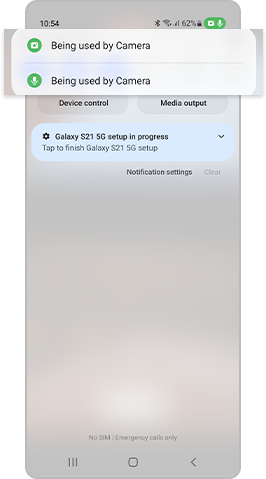
ONE UI 4.0 comes with a highly strengthened Privacy feature. If you activate the Privacy setting, you can check which apps are using the Camera and Microphone in real time. Additionally, you can conveniently see detailed usage logs from the last 24 hours. From Settings, select Privacy, then enable Camera access and Microphone access.

If you swipe down with two fingers, you can navigate to Quick Settings. If you tap the green icon located above Quick Settings, you can conveniently see all apps that are currently using the Camera and Microphone.


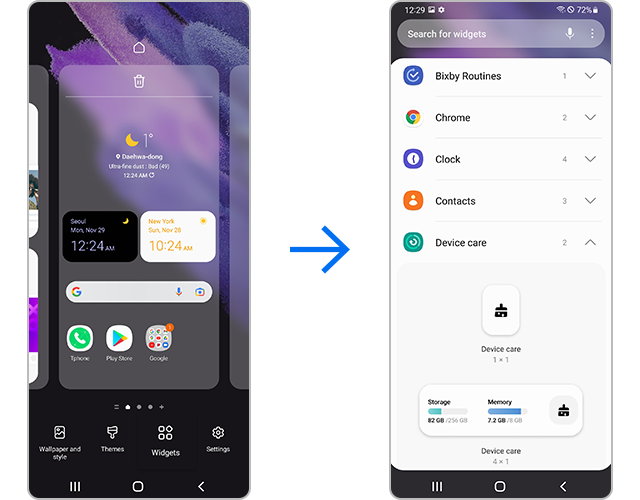
Step 1. You can access the Home screen settings by pressing and holding anywhere on the Home screen.
Step 2. You can customize widgets by tapping the Widgets button on the bottom of the screen. Select or drag the widgets you would like to use to enable the feature.
Notes:
Widgets are redesigned for easier access and better usability.
On ONE UI 4.0, you can use a variety of emojis, GIFs and stickers for free. Try using cute emojis and GIFs when chatting with a friend.
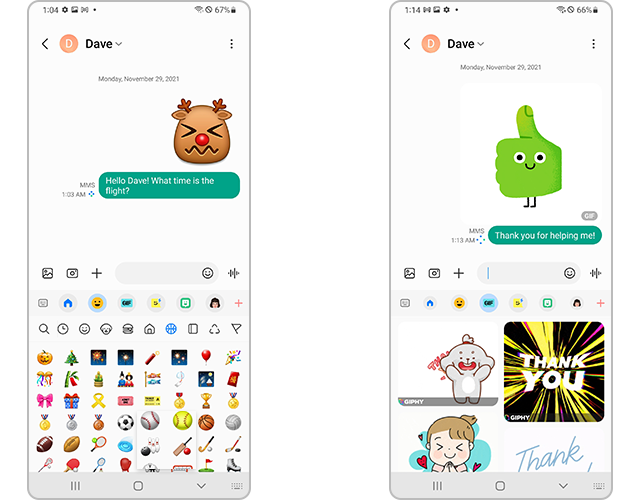
New emojis and GIFs available on ONE UI 4.0
Notes:
More expressive options are available directly from the keyboard.
You can use the updated Camera app to quickly take high-quality pictures and videos. The user-friendly menu layout increases the user’s convenience and ease of use. The Zoom setting display has been changed from icons to numbers for easier understanding of the zoom magnification level.


The PIP (Picture in Picture) feature is extremely useful when you want to watch videos while doing something else. From the Home screen, you can easily change the size and location of the PIP (Picture in Picture) screen.
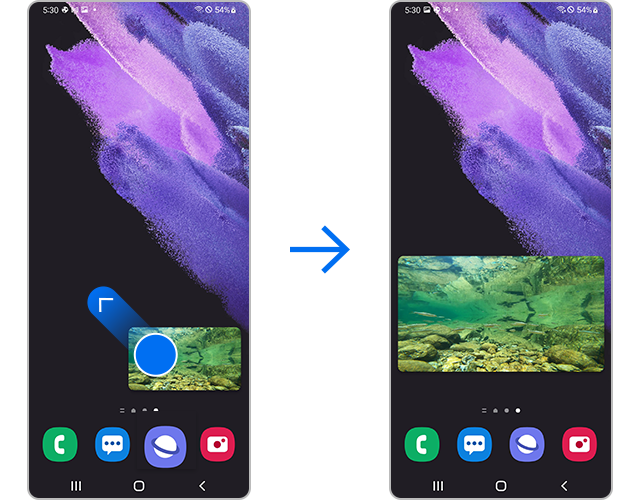
Set the size or location of the video by dragging any of its four corners outward to your desired settings.
Note: Device screenshots and menus may vary depending on the device model and software version.

Thank you for your feedback!
Please answer all questions.