Samsung washing machine drum spins without water
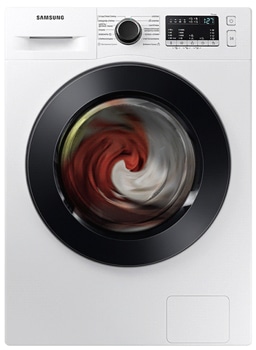
Why does my Samsung washing machine drum spin without water?
Yes, it is normal for your Samsung washing machine drum to spin without water at the beginning of a wash cycle. This behavior is part of the automatic sensing function designed to optimize water usage and wash performance.
1. Why does the drum spin without water?
The drum spins without water during the initial phase of a wash cycle to measure the amount of laundry loaded. This process helps the washing machine determine the appropriate water level, wash time, rinse cycle, and spinning speed for your specific load.
2. How does the automatic sensing function work?
- After selecting a wash program and pressing the Start/Pause button, the drum begins to spin without water.
- This spinning motion allows the washing machine to detect the weight and volume of the laundry inside the drum.
- Once the sensing process is complete, water is automatically added to the drum based on the detected load size.
3. Additional things to check
- Ensure the washing machine is level and properly installed to avoid errors in the sensing process.
- Verify that the water supply valves are open and functioning correctly.
- Check for any error codes displayed on the control panel, as they may indicate underlying issues.
4. Supported Samsung washing machine models
This feature is available on most Samsung washing machines, including models from the Galaxy A series, Galaxy S series, and other modern Samsung appliances. Refer to your user manual for specific details related to your model.
5. When might the drum not spin without water?
- If the washing machine detects an imbalance or overload, it may skip the spinning phase.
- A malfunctioning motor or control board could prevent the drum from spinning during the sensing phase.
6. Related Samsung support topics
Thank you for your feedback!
Please answer all questions.