How can I change game optimization settings?
Important Note: The information on this page is for Hong Kong products only. Models, sequences or settings will vary depending on location and/or where the product had been purchased. To be redirected to your local support page please click here.
One of the highlights of Gaming Hub is the Game Booster feature. It optimises gameplay by letting you decide which of your settings get the most power, so you get the most out of every gaming experience.
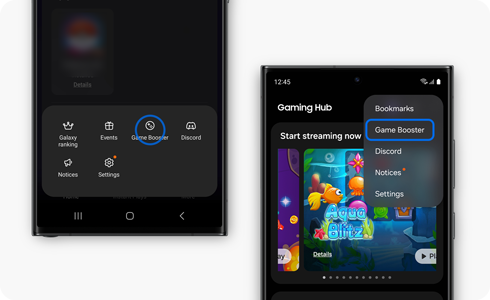
Game optimization settings
- Performance: Select this option if you want the most optimised gaming experience possible but keep in mind that this option may use battery power faster than other modes.
- Standard: Select this option for an excellent balance between game performance and battery usage.
- Battery saver: Select this option to limit performance on some functions while maximising battery usage during game play.
Please note: If you want to give your gaming experience a boost, we recommend that you select ‘Performance’ mode.
Change the optimization settings from Gaming Hub
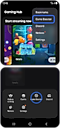

Step 1. Tap the “More” menu at the bottom right corner of the “Game Launcher” home screen.
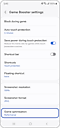

Step 2. Tap ¨Game optimisation¨.
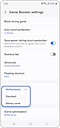

Step 3. Select the game optimisation that you want to use.
Please note:
- If your Gaming Hub version is lower than 7.0, the “More” menu is located at the bottom right corner of Gaming Hub home screen.
- This feature may not be supported on some models.
If the above information does not match what your product is showing, you may check the User Manual for your product. If you are unable to solve the problem, please contact us for further assistance.
Thank you for your feedback!
Please answer all questions.
RC01_Static Content : This text is only displayed on the editor page