Galaxy S8: How do I Register my Iris for Iris Recognition on Lock Screen?
Important Note: The information on this page is for Hong Kong products only. Models, sequences or settings will vary depending on location and/or where the product had been purchased. To be redirected to your local support page please click here.
On the Apps screen, tap Settings


Keep your eyes open fully and look at the top of the screen.
For best results, avoid direct sunlight and perform this process indoors.
Keep the camera clean as dirt and debris on the iris camera, LED sensor, or proximity sensor may cause difficulty in recognizing your irises.
Position your eyes inside the circles on the screen and open your eyes wide. The iris recognition camera will scan your irises.

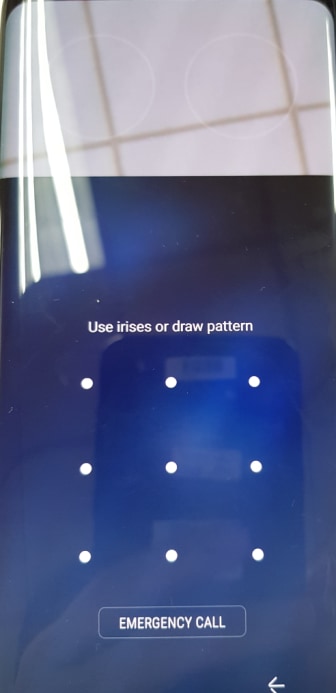
Look at the screen to scan your irises. If your iris is not recognized within 10 seconds or you are too close to the phone, the device will automatically stop iris recognition to protect your eyes.
If your irises are not recognized, please unlock the device using the pattern, PIN, or password you set when registering the irises, and register your irises again.
If you have forgotten your pattern, PIN, or password, then you will not be able to use the device unless you reset it.
Samsung is not responsible for any data loss or inconvenience caused by forgotten unlock codes.
If the above information does not match what your product is showing, you may check the User Manual for your product. If you are unable to solve the problem, please contact us for further assistance.
Thank you for your feedback!
Please answer all questions.
RC01_Static Content : This text is only displayed on the editor page