Third-party products causing paint to peel off Galaxy devices
Important Note: The information on this page is for Hong Kong products only. Models, sequences or settings will vary depending on location and/or where the product had been purchased. To be redirected to your local support page please click here.
Before being released to the public, Samsung devices and accessories undergo rigorous testing to ensure they are safe and function properly. However, if a user attempts to use an incompatible third-party product with their Samsung device, there is a risk of inadvertently causing damage, such as paint peeling, to the device.
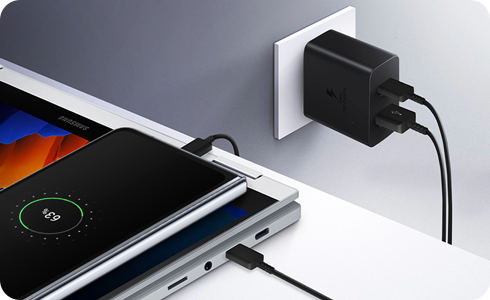
Paint peeling caused by improperly grounded third-party chargers
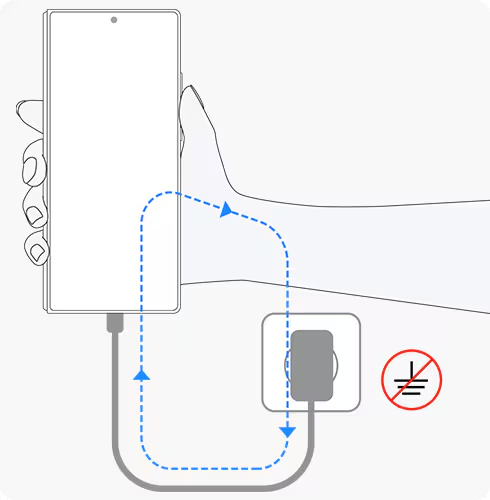
When you are holding a phone that is being charged with a high-speed third-party charger that is not properly grounded, the leakage current can affect the anodisation (the process that gives a metal surface a decorative, durable, corrosion-resistant finish), which may slightly delaminate the paint. Please make sure to use official Samsung chargers to prevent these issues.
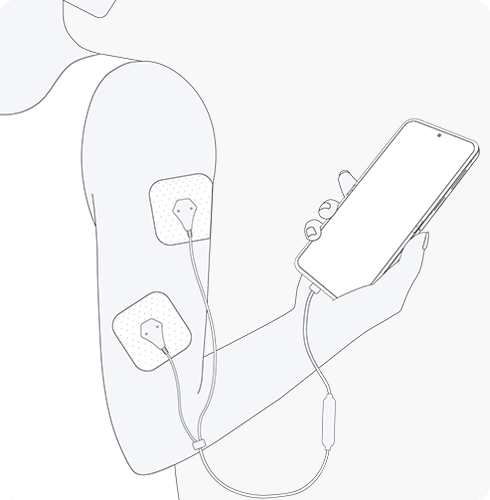
Using EMS (Electrical Muscle Stimulation) massagers that are powered by mobile devices
Using an EMS massager that is powered through your Galaxy device while holding your Galaxy device can also cause the paint to peel because the leakage current affects the anodisation on your phone. While using these EMS products, we recommend that you place the Galaxy device away from you so that it doesn't touch any part of your body.
Precautions when using third-party chargers
Generally, if a third-party charger comes from a reputable company, is of high quality, using it with your Galaxy device should not be a problem. However, there are third-party and counterfeit chargers on the market that do not meet those requirements and can corrode the metal of your device. This type of damage can be caused by a leak in the electrical current. The best advice is to use an authentic Samsung charger that is designed to work with your specific device.
Note: If you require further assistance, please contact your nearest Samsung Service Centre.
If the above information does not match what your product is showing, you may check the User Manual for your product. If you are unable to solve the problem, please contact us for further assistance.
Thank you for your feedback!
Please answer all questions.
RC01_Static Content : This text is only displayed on the editor page