What to do if Callers receive 'unable to take your call' message when I'm not on a call?
Important Note: The information on this page is for Hong Kong products only. Models, sequences or settings will vary depending on location and/or where the product had been purchased. To be redirected to your local support page please click here.
If people trying to reach you are told that you're on a call even when you're not you should first contact your mobile network operator to see if there is a problem on their end. If they then confirm that there is not your phone may be at fault.
Please follow the steps below to perform a factory reset to hopefully fix this problem. Note: these steps are for Samsung Galaxy smartphones. The exact steps to perform a factory reset on your phone may vary slightly.
1. Back up all the media, text messages, etc that you wish to save. This can be done through Kies on your PC. A factory reset will wipe your phone clean, restoring the software to how it was when the device left the factory.
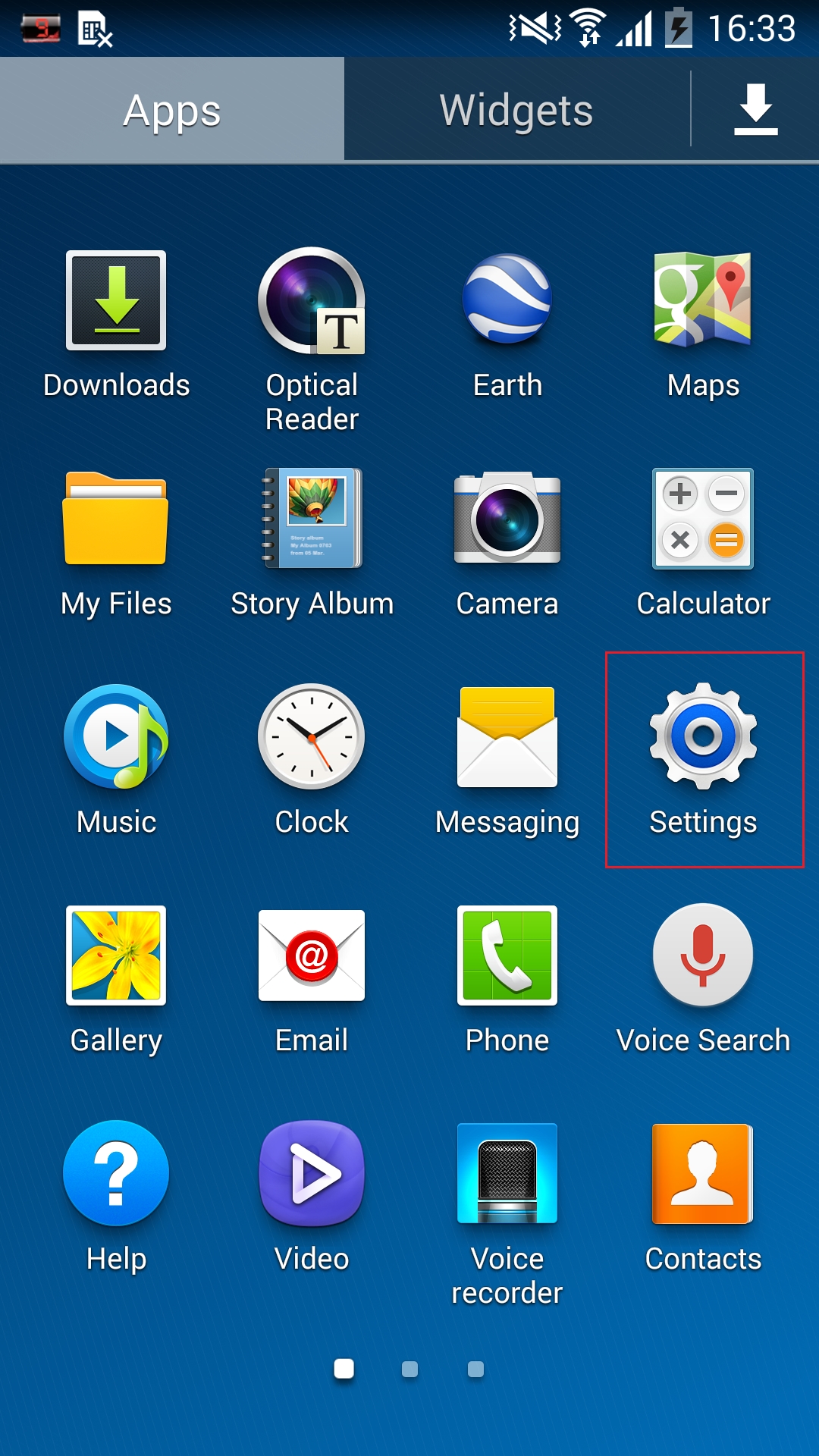
2. From the Home screen touch Settings.
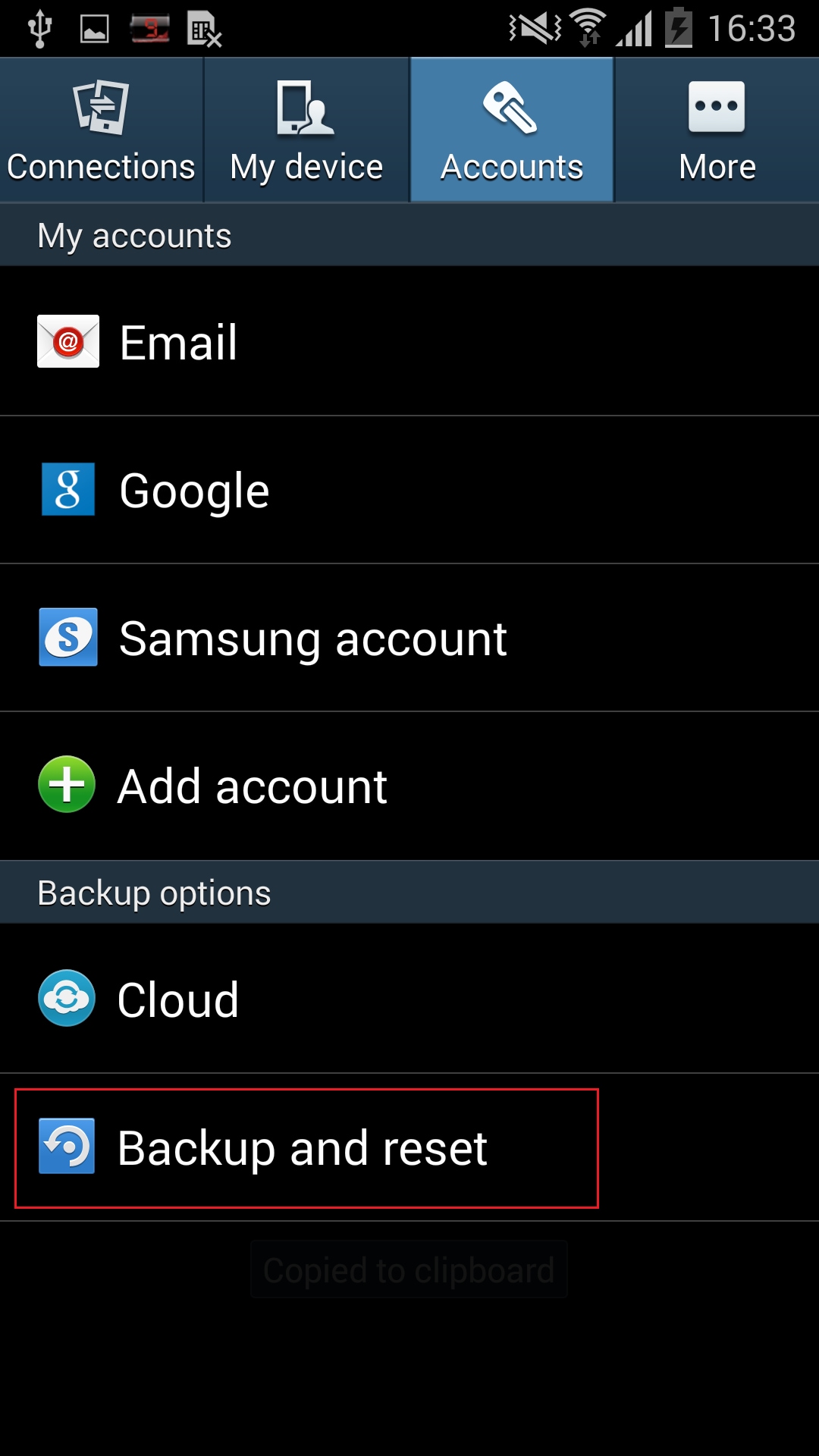
3. Touch Accounts > Back up and reset.
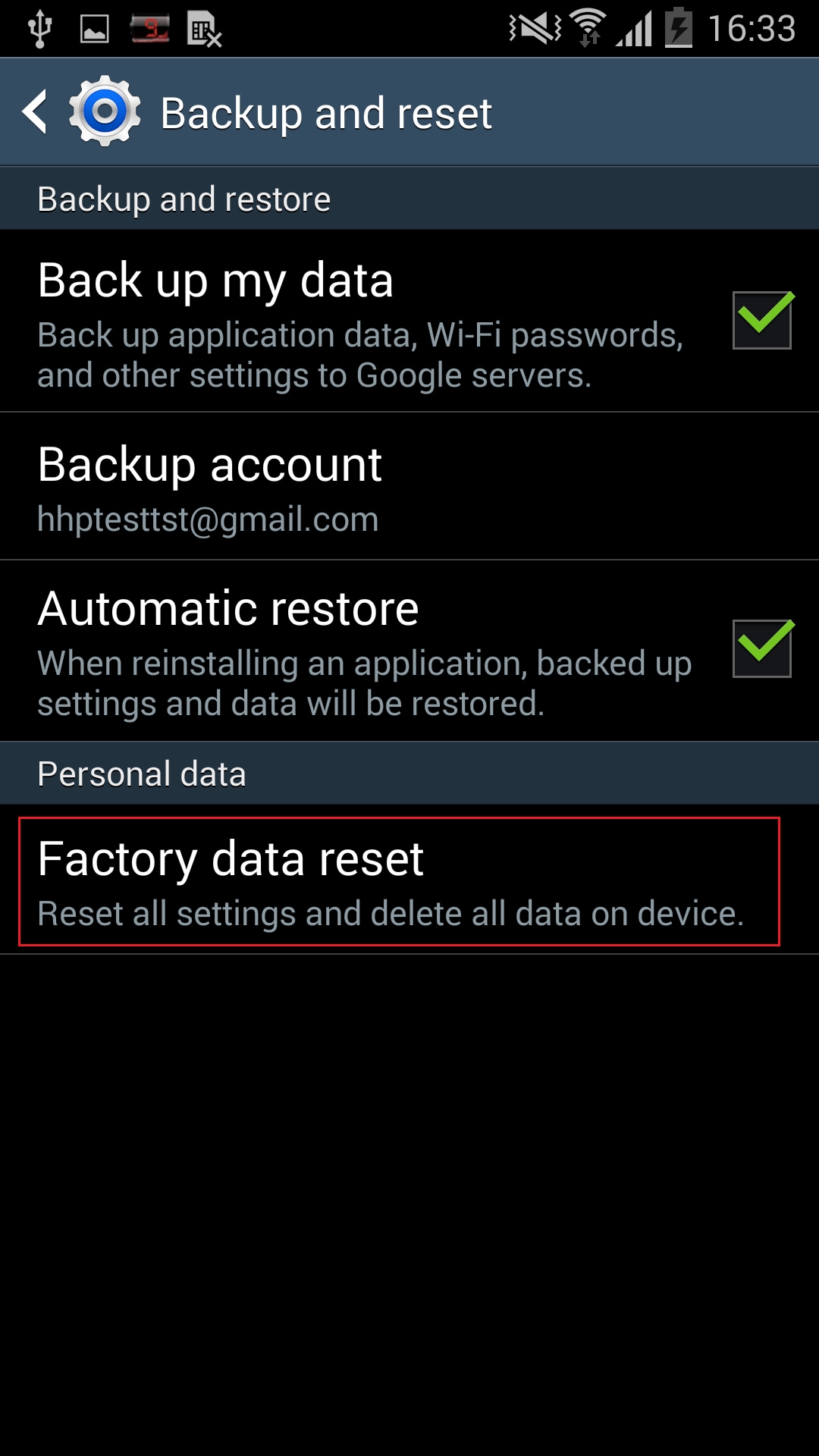
4. Touch Factory data reset.
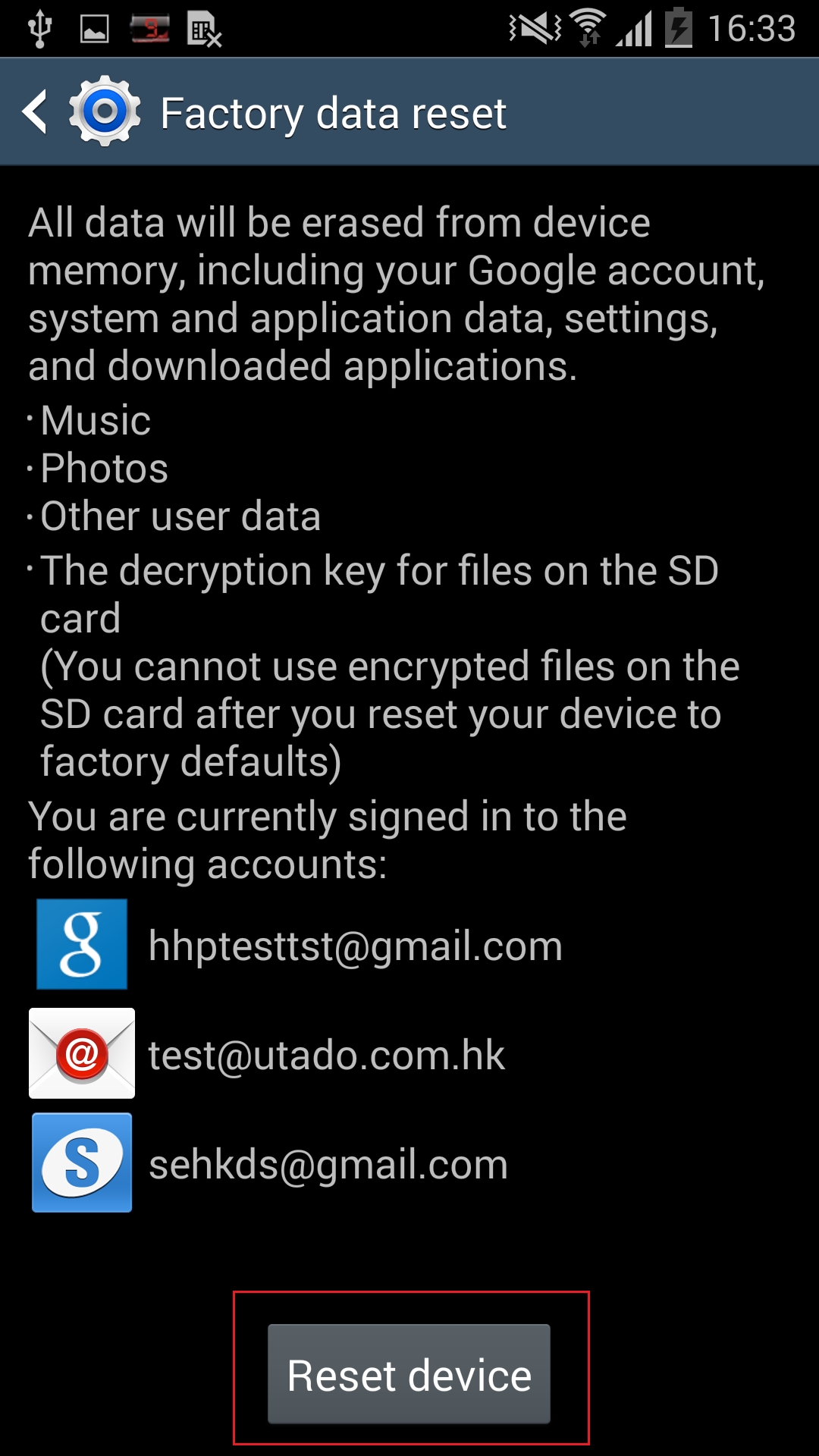
5. Touch Reset device.
If after performing a factory reset you still miss calls from contacts when you shouldn't there may be a hardware fault and an engineer may need to inspect your device. Please click here to find the location and contact details of your nearest Samsung service center.
You may also click here to try our online prebooking service before visiting our service center.
If the above information does not match what your product is showing, you may check the User Manual for your product. If you are unable to solve the problem, please contact us for further assistance.
Thank you for your feedback!
Please answer all questions.
RC01_Static Content : This text is only displayed on the editor page