Differences between the polarizing film and protective film on Samsung TVs
Important Note: The information on this page is for Hong Kong products only. Models, sequences or settings will vary depending on location and/or where the product had been purchased. To be redirected to your local support page please click here.
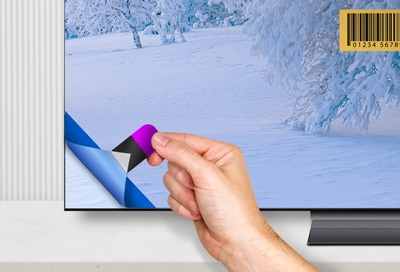
Some Samsung TVs come with a polarizing film on the screen that is part of the actual TV. Other TVs and Smart Monitors come with a scratch-resistant protective film to keep the screen from getting scratched during the shipping process. Protective film should be removed after unpacking the TV; however, the polarizing film should not be removed, as this may damage the screen. You can review our guide to learn the differences between the two types of film.
Note:Actual protective film and polarizing film may vary by models and regions. For enquiry, please contact us.
Polarizing film
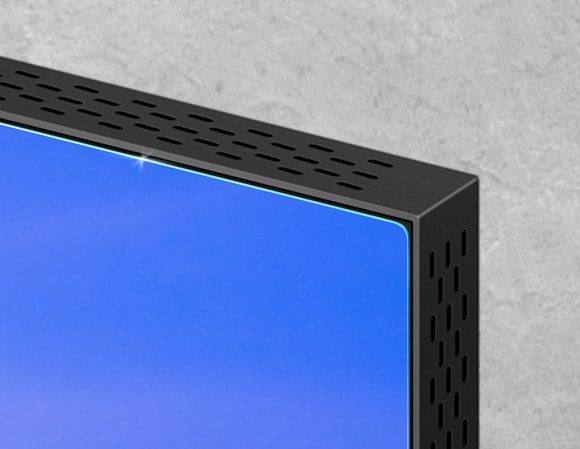
Unlike protective film, polarizing film will not have stickers or indicators telling you to remove it. The second difference is that there is a very small dot in the top left corner of the TV, which will not be visible when the TV is on. If you see this dot, do not try to peel anything off, as doing so will damage the screen.
Protective film
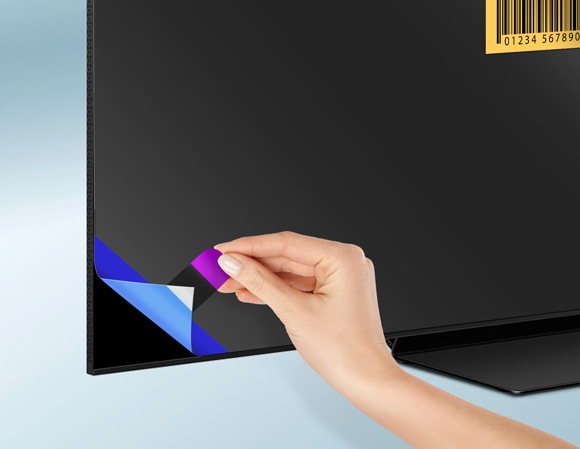
The protective film will have a pull tab in the top left corner (in most cases) or in another corner indicating the direction you should pull to remove the film. This film should be removed. You may need to hold the TV steady with one hand while removing the film with your other hand.
Protective film with no removal tag
In a few rare cases, your Samsung TV may have a removable film that does not include a tag in the corner. In this case, there will be a barcode sticker on the screen instead. You can try using a piece of tape to remove the film. Stick the tape to the film and then pull it up from the corner to remove the film.
If the above information does not match what your product is showing, you may check the User Manual for your product. If you are unable to solve the problem, please contact us for further assistance.
Thank you for your feedback!
Please answer all questions.
RC01_Static Content : This text is only displayed on the editor page