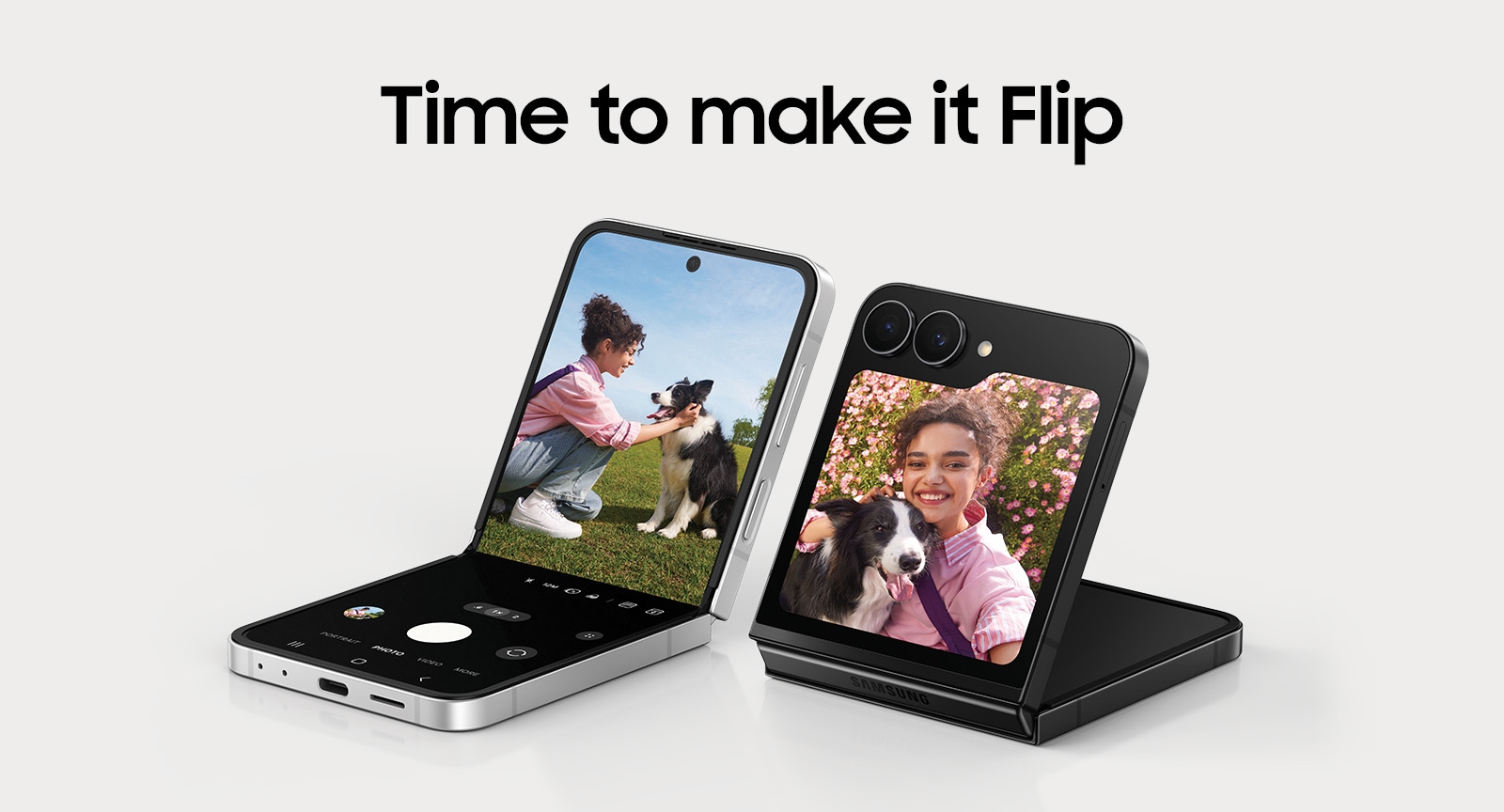
Galaxy Z Flip7 FE
• ₹10000 instant bank discount on all leading banks
• Earn up to ₹ 1800 worth reward points for your next purchase
• Each claim up-to invoice value during insurance period
• Samsung Certified Repair | Hassle free claim
Buying Tool
Galaxy Forever
Exchange
Choose Between
Tariff Options
Galaxy Forever
Samsung
Galaxy Forever
Purchase Option
Samsung Care+
Please select Samsung Care+ or no coverage
Trade-in, Samsung Care+, Tariff, Offer are not compatible with Rental option.
Samsung Assured Buyback
Get up to 70% resale value with Assured Buyback
Please select Samsung Assured Buyback or no coverage
Samsung Assured Buyback is not compatible with Galaxy Forever
Samsung
Finance+ EMI
Offers & Benefits
Buy direct. Get more.
Offers & Benefits
Reached maximum order quantity for this product.
Compare the models
Click to ExpandModel
Frequently Asked Questions
Click to Expand-
A. Buying directly from Samsung.com gives you the peace of mind that you're getting an authentic Samsung product, and you get other benefits like access to Samsung's support and services and special rewards.<br> <br> Samsung.com provides an online support team ready to answer your questions and guide you through every step of the process, from item selection to checkout — giving you a smooth, worry-free purchase experience. You can also check out our special deals and events, some of which are available only online, and find ways to get your device at a better value.<br> <br> *Subject to applicable terms and conditions.<br> *Delivery and customer service may vary depending on country or carrier.
-
A. Samsung Galaxy Z Flip7 FE comes with two storage options of 128 GB and 256 GB.<br> <br> If you're unsure of which storage option to get, consider your lifestyle and how much storage you typically use on your phone. You can get an idea of your usage by checking the storage capacity on your current device, which is typically found in the settings. Here, you can see how much space is being taken up and even get a breakdown of the different categories, like photos, videos, apps, music, documents and more.<br> <br> If you don't think you'll be creating or downloading much content, then you can stick to a similar storage size to what you already have, or just choose the lower available option of 128 GB.<br> <br> However, if you take a lot of pictures and videos or download a lot of games and apps, then consider choosing the larger storage variant of 256 GB on Galaxy Z Flip7 FE. This should ideally give you the space to add new content to your phone while keeping the photos, videos, music and other files you already have.<br> <br> You can check out available storage options and deals here.<br> <br> *Availability of storage options may vary depending on country, region or carrier.
-
A. Got an old device you want to Trade-In? Samsung makes it easy. Just answer a few questions online and you can find out what your device is worth, immediately. You'll get instant discount for the Trade-In value of your device. Samsung.com will take it off your hands, even if your screen is cracked or it's not a Samsung device.<br> <br> *Promotion details may vary by region/country/carrier. Terms and conditions may apply.
-
A. Samsung Care+ is an extended protection plan for your Galaxy device, providing coverage for when the unexpected happens so you can enjoy peace of mind with your new phone.<br> <br> With Samsung Care+, you get access to a wide range of services, including repairs for water damage, cracked screens, hardware issues and more. We also provide replacements for certain parts like batteries and allow you to get Samsung Care+ benefits at home or abroad. All these services are done by Samsung-certified technicians, so you can be assured that your device is in good hands.<br> <br> You can get Samsung Care+ for your new Galaxy Z Flip7 FE by selecting that option when buying from Samsung.com, or by requesting it when purchasing from a certified Samsung Experience store.<br> You can also sign up for Samsung Care+ coverage even if you’ve already bought your device, as long as it's still within the eligible time period, either online at Samsung.com, in-person at a Samsung Experience store or directly through the settings menu of your new Galaxy device.<br> <br> For detailed Samsung Care+ information, please visit <a href="/in/offer/samsung-care-plus/">https://www.samsung.com/in/offer/samsung-care-plus/.</a><br> <br> *Terms and conditions apply.<br> *Samsung Care+ coverage, service type and promotion details may vary by country/region and deductible (service fee) may apply. To be eligible for Samsung Care+ promotion benefit, registration may be required.
-
A. You can enjoy the benefits of a seamless ecosystem when you use Samsung products together, as they’re designed to work with each other for an enhanced user experience. Your Galaxy smartphone can pair with other Samsung products like Galaxy Buds, Galaxy Watch, Galaxy Tab and Galaxy Book for smooth cross-device functionality.<br> <br> Samsung Galaxy devices can detect each other to effortlessly connect and interact in various ways. They can sync notes and data, shares files, mirror screens and much more. Plus, being part of the Galaxy ecosystem also makes your phone better for work and productivity, as it enables more functions for multitasking and communication between devices. For example, you can copy something from your Galaxy phone, then paste it directly onto your compatible Galaxy Book or Tab. Or you can drag and drop items between different devices, almost like it’s one big extended workspace.<br> <br> Special discounts may be available when you buy eligible Galaxy products together, so you can save when you build your multi-device ecosystem. Bundle your phone purchase with Galaxy Buds, Galaxy Watch and more to unlock the full potential of what you can do with Samsung Galaxy.<br> <br> For detailed information, please check <a href="/in/mobile/connected-experience/">www.samsung.com/in/mobile/connected-experience</a><br> <br> *Promotion details may vary by region/country/carrier.
-
A. No, Samsung Galaxy Z Flip7 FE does not come with a charger, though it does come with an ejection pin and data cable included in the box.<br> <br> The ejection pin can be used for SIM card removal, while the data cable can be used to connect your phone to other devices for various tasks, including an adapter for charging. However, the actual adapter or charger has to be purchased separately.<br> <br> We recommend using a Samsung charger with your Galaxy Z Flip7 FE, as our chargers are designed for safe and optimal use with Samsung Galaxy devices. You can check out the available options at Samsung.com.
-
A. Yes, the same accessories that are compatible with Galaxy Z Flip6 should be generally compatible with Galaxy Z Flip7 FE. This includes protective cases, anti-reflecting films and more.<br> <br> You can also generally buy accessories that were created for Galaxy Z Flip6 and use them on your Galaxy Z Flip7 FE instead. So if you do want a new case for your new phone, that’s also an option for you.
-
A. It's Samsung's official exchange program. You can get an instant discount on a brand new Samsung device by exchanging in your used device. Better for you and the environment.<br> <br> <a href="https://www.samsung.com/in/offer/exchange/" target="_blank">Click here</a> to see more information on exchange.
-
A. Your Trade-In device must meet the eligibility requirements mentioned in the Terms and Conditions of Samsung Upgrade Program.<br> <br> 1. Phone screen should not be damaged: Damages may include liquid damage or broken screen glass, cracks, lines or spots on screen, screen coming out of phone body, fake or screen repaired from unauthorized service centre.<br> 2. Mobile phone should switch on and reach home screen without any passwords/locks (pattern, face recognition, PIN, fingerprint etc.)<br> 3. Phone IMEI should match the IMEI provided during request generation and the phone Brand and Model should match the one provided at request generation.<br> 4. Mobile phone should be in working condition, and should be able to connect to mobile network and make calls.<br> 5. MI Account, Google Account, FRB locks, Samsung lock, I-cloud locks should be removed<br> 6. Phone should not be outstation / Cloned (Duplicate)<br> 7. All the buttons should be in good working order.<br> <br> <a href="https://www.samsung.com/in/offer/exchange/" target="_blank">Click here</a> to see more information on exchange.
-
A. 1. From the ‘Mobiles’ page on Samsung Shop, select the mobile you wish to buy.<br> 2. On the product page of the device, enter pin code where you wish to avail the exchange offer, and click option called 'Buy with exchange' on the right hand side of the product.<br> 3. Now, you will have to click on the “Exchange Now” button of the type of exchange that you wish to avail.<br> <br> Instant Exchange:<br> i. You will find two drop downs from where you will have to select the mobile brand and corresponding model that you are planning to exchange for the new phone.<br> ii. You will also have to enter the IMEI number on your device in the space provided.<br> Iii. When you enter the required details, you will be displayed the amount that will get deducted from the original price of the new mobile and the amount that you will have to pay.<br> Iv. Now you can click on 'Exchange and Buy' and proceed to buy the new phone at discounted price.<br> v.Old device will be evaluated and then picked up by our partners at the time of delivery of new device.<br> <br> Easy Exchange:<br> I. Provide the details of your old device.<br> ii. See assured value of your old device basis inputs given by you in the previous step.<br> iii. Proceed with full payment of the new device. Once delivery of the new device is done, our exchange partner will get in touch with you. Hand over your old device. Post evaluation and acceptance of your old device you will receive the payment.
-
A. Samsung Account is a free integrated membership service that enables you to use Samsung service on smartphones, tablets, websites, TVs and other devices. Enjoy various Samsung service through your Samsung account, without having to sign up for each service separately.<br> If you have Samsung Account, you can also enjoy<br> • Exclusive offers and perks<br> • Easy order tracking and product registration<br> • Apps like, Samsung Pay, and Galaxy Apps<br> • World-class customer support
-
A. To track your order, please <a href="https://www.samsung.com/in/web/search-orders/" target="_blank">click here</a>.<br> Enter the details like Order ID, Email ID, Shipping pin code etc. to track your order status.<br> <br> Alternatively, if you have a Samsung.com account, you can sign in to check your Order Status.<br> Once your order ships, you will receive a shipping notification that includes tracking information. You can track your shipment through the carrier using this information.
-
A. For the full warranty policy, please <a href="https://www.samsung.com/in/support/warranty/" target="_blank">click here</a>.
-
A. For Cancellations or Returns of items bought from Samsung.com, please <a href="https://www.samsung.com/in/shop-faq/cancellations-and-replacements/" target="_blank">click here</a>.
-
A. Manufactured by<br> Samsung India Electronics Pvt. Ltd. having its Registered Office at: 6th Floor, DLF Centre, Sansad Marg, New Delhi-110001<br> <br> Country of origin:<br> India<br> <br> Contact us<br> For All Product Related Complaints/assistance, please contact<br> Manager, Customer Care<br> Samsung India Electronics Pvt. Ltd.,<br> 6th Floor, DLF Centre, Sansad Marg, New Delhi – 110001<br> Email us at: support.india@samsung.com<br> Tel (Toll Free): 1800 40 7267864 (1800 40 SAMSUNG)<br> <br> Launch date<br> July 9<sup>th</sup>, 2025
Featured Reviews
Click to Expand- *Images shown here are for representational purpose only, actual may vary. All features, specifications and prices are subject to change without prior notice. Model availability may vary from location to location.