What should I do if I dropped my Samsung phone in water
Last Update date : Apr 27. 2026
If your Samsung phone falls into water, turn it off immediately and dry it properly. Using it while wet can cause internal damage or corrosion.
Check 1. Turn off your device
- Power off your device immediately
- If possible, remove the case, SIM card, and memory card
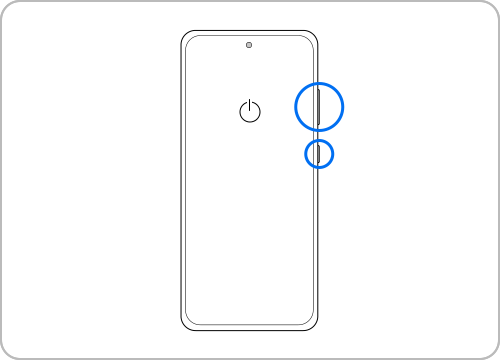
Note:
To turn off Galaxy devices with non-removable batteries, press and hold the Volume down and Side key simultaneously for 3-4 seconds.
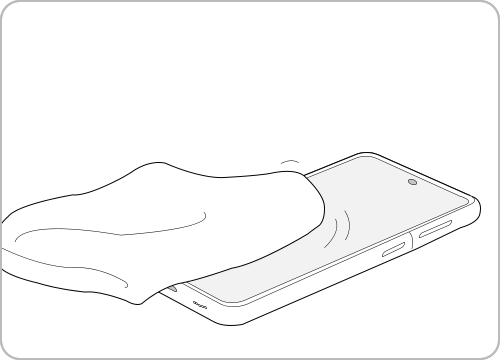
Check 2. Remove moisture
- Wipe the device with a dry cloth or towel
- Dry areas like the charging port and speaker carefully
- Use a cotton bud to remove moisture from small openings
Check 3. Remove foreign debris
- If exposed to salt water or liquids, rinse parts with clean water
- Remove any impurities that may cause corrosion
- Dry the device again thoroughly


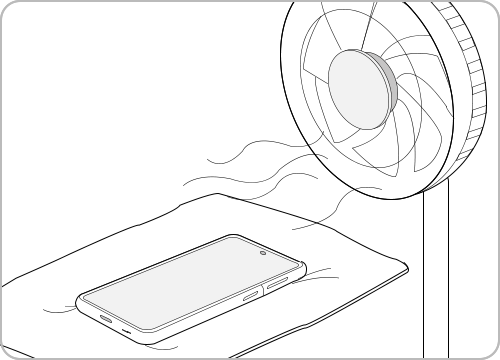
Check 4. Air dry
- Place the device in a well-ventilated area
- Let it dry naturally using cool air or a fan
Check 5. Check the waterproof rating
- Confirm if your device supports water resistance (e.g. IP68)
- Avoid deep water or long exposure even if supported
Note:
- Dustproof and waterproof support may differ based on the device model, so be sure to check the device’s User Manual.
- An IP (Identification code for Protection) rating refers to the protection code of solids and liquids, and is a grade established by the International Electrotechnical Commission (IEC) regarding the durability of electronic devices against external impact and foreign debris. The first digit represents the dustproof grade (0~6) and the second digit represents the waterproof grade (0~8). In general, a waterproof rating of 4 or higher is classified as water-resistant.
- Device screenshots and menus may vary depending on the device model and software version.

Thank you for your feedback!
Please answer all questions.