Why is wireless charging not working on my Samsung phone
Wireless charging issues are usually caused by incorrect placement, accessories, or incompatible chargers. Checking positioning, charger type, and settings can restore charging.
Check 1. Is your device properly placed on the charging pad?
Step 1: Place your phone in the center of the charging pad
Step 2: Make sure there are no obstructions between the device and charger
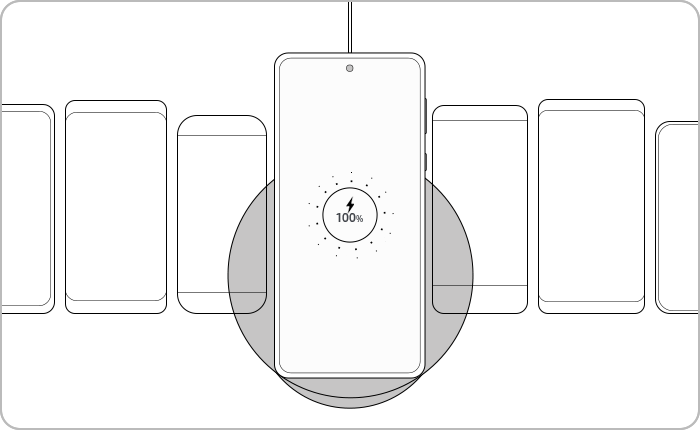
Notes:
Foldable devices should be closed and placed with the back facing the charger.
Check 2. Try removing any device accessories before charging
Step 1: Remove your phone case or cover
Step 2: Remove any cards, holders, or metal objects attached
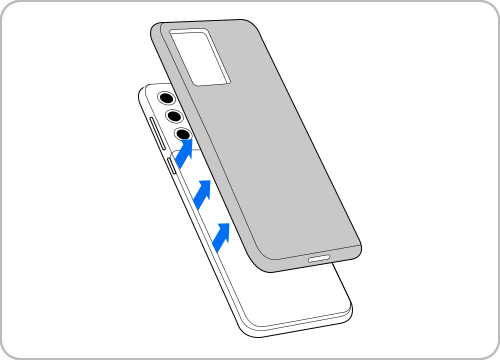
Try removing your case before charging.
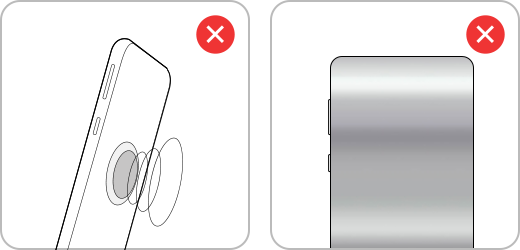
Magnetic stickers or metal cases may interfere with wireless charging.
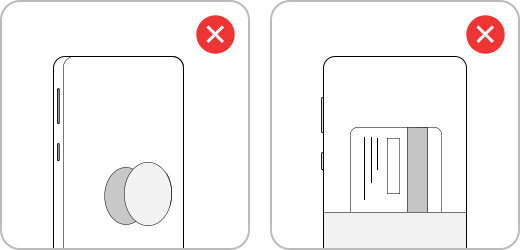
Before charging, remove any holders, credit cards or objects that are attached to your device.
Notes:
Accessories like metal plates or magnets can block wireless charging.
Check 3. Make sure you are using a Samsung Authorized wireless charger or cable
Step 1: Use a Samsung authorized wireless charger
Step 2: Check that the charger supports WPC (Qi) certification
Step 3: Use the original cable and adapter
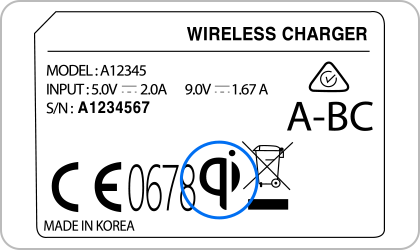
‘WPC(Qi)’ certification mark on Samsung Authorized wireless chargers.
Note:
- Some fast wireless chargers without WPC(Qi) certification have been tested to potentially overload the smartphone charging circuit. As such, the Fast Wireless Charging function may be limited and may not work properly on fast wireless chargers without this certification. Specifically, your charger should be Samsung Fast Wireless Charging certified in the WPC certification category and fast charging may be limited on non-verified chargers.
- This is a safety measure to prevent damage to your device. If you would like to use the Fast Wireless Charging feature on a non-Samsung Authorized wireless charger, confirm that your charger has WPC(Qi) certification and Samsung Wireless Fast Certification before use. You can find this by looking for the WPC(Qi) certification mark or reading the product information.
Check 4. Fast wireless charging option
If your device supports fast charging, AFC (Adaptive Fast Charging) is recommended. If your device is charging slowly, make sure that your device supports the fast charging feature.


Note:
- You cannot enable or disable this feature while charging.
- Fast charging will not be enabled when connected to a PC or USB device that does not support fast charging.
Check 5. Verify that your device is not overheating
Step 1: Stop using heavy apps or games
Step 2: Let the device cool down
Step 3: Try charging again
Notes:
High temperature can reduce or stop charging performance.
Check 6. View wireless charger performance with Samsung Members


Note: Device screenshots and menus may vary depending on the device model and software version.

Thank you for your feedback!
Please answer all questions.