How to enable swipe gestures (Swipe from bottom, Gesture hints) on Galaxy devices
Important Note: The information on this page is for Hong Kong products only. Models, sequences or settings will vary depending on location and/or where the product had been purchased. To be redirected to your local support page please click here.
With the new update to the navigation bar settings on Galaxy devices, the Swipe from bottom and Gesture hints options have been simplified but can still be enabled via Good Lock's NavStar app.
Notes:
- Effective for NavStar app version v6.1.05.33 and later.
- The Good Lock app supports English, Korean, Japanese, and Simplified Chinese.
By installing Good Lock’s NavStar app, you can further customise your Galaxy device to suit your preferences.
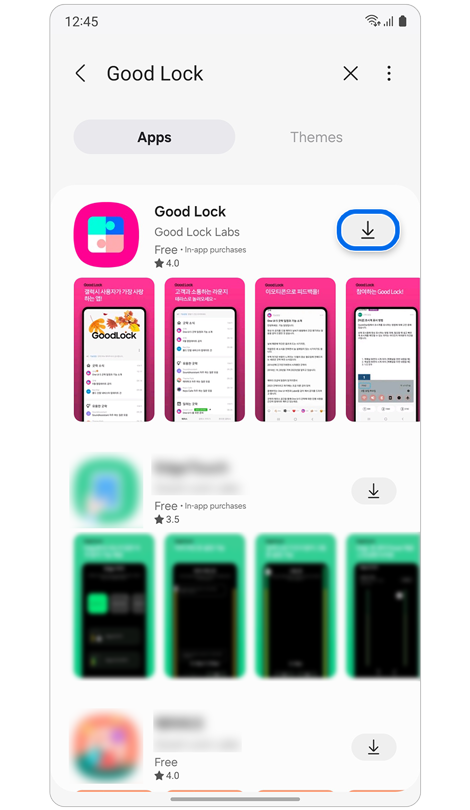
Step 1. Download the Good Lock app from Galaxy Store.


Step 2. Open the Good Lock app > Download NavStar in the Make up tab.
When you activate the Enable extra gesture settings option in the NavStar app, you can see the added options in the navigation bar settings in Display.
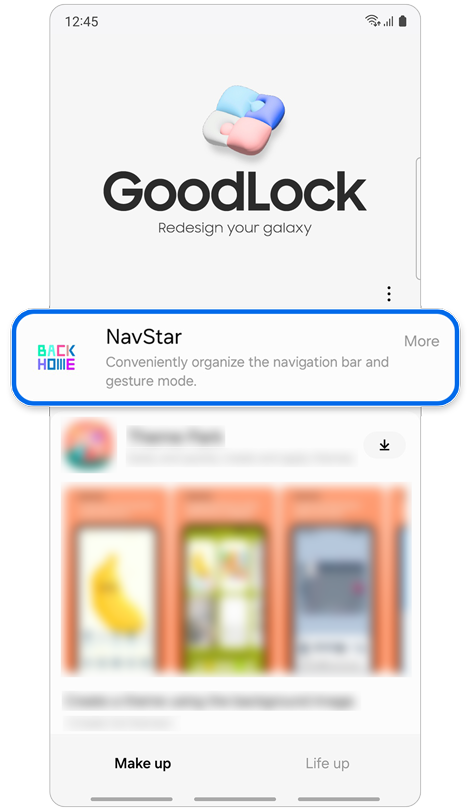
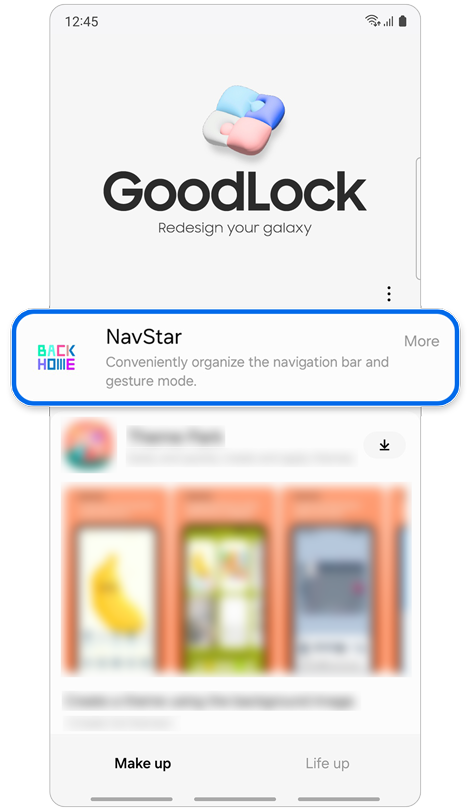
Step 1. Open Good Lock app > Tap NavStar in the Make up tab.


Step 2. Tap the switch On to enable extra gesture settings in the Swipe gestures tab.
After enabling Enable extra gesture settings, additional options appear, such as Button order and Gesture hints.
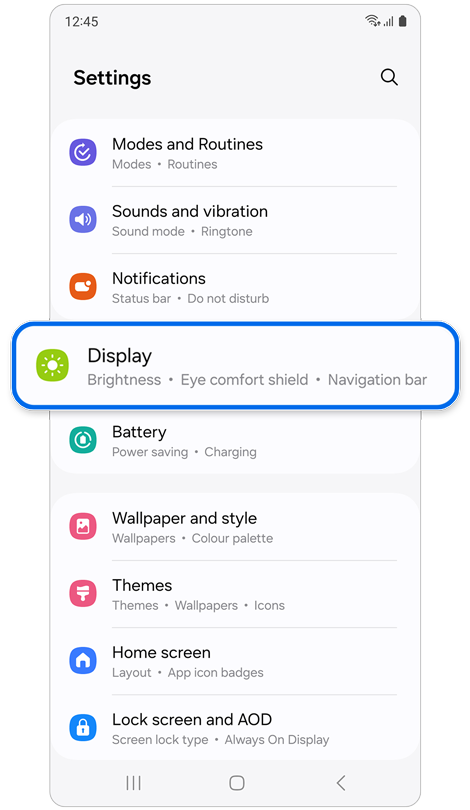
Step 1. Open Settings > Display.
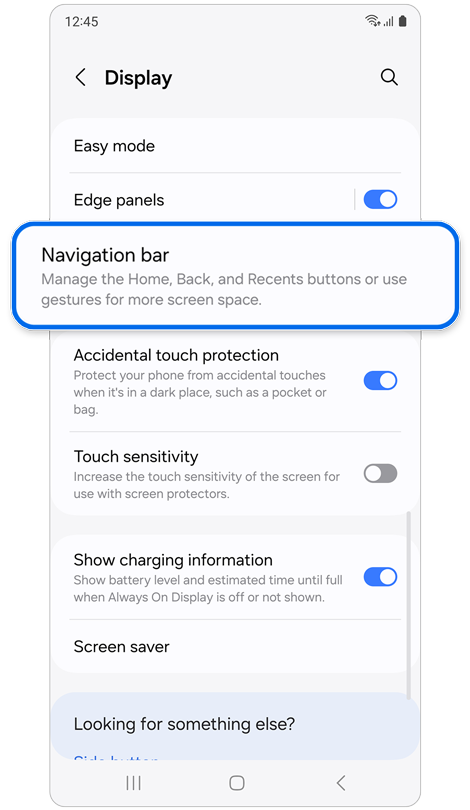
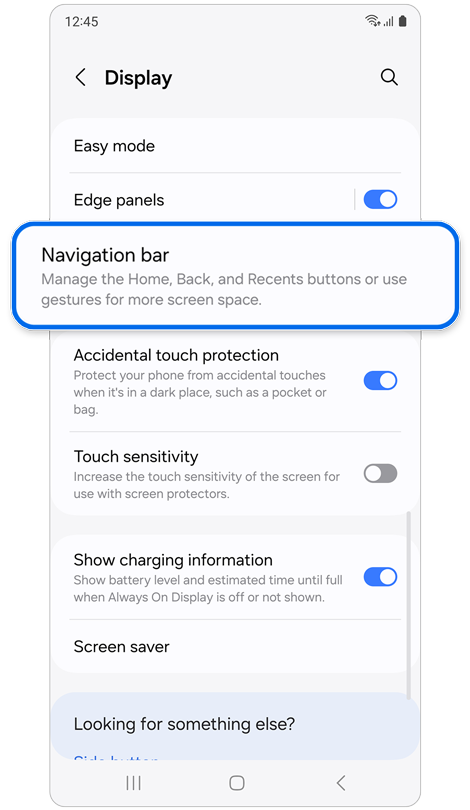
Step 2. Tap Navigation bar.
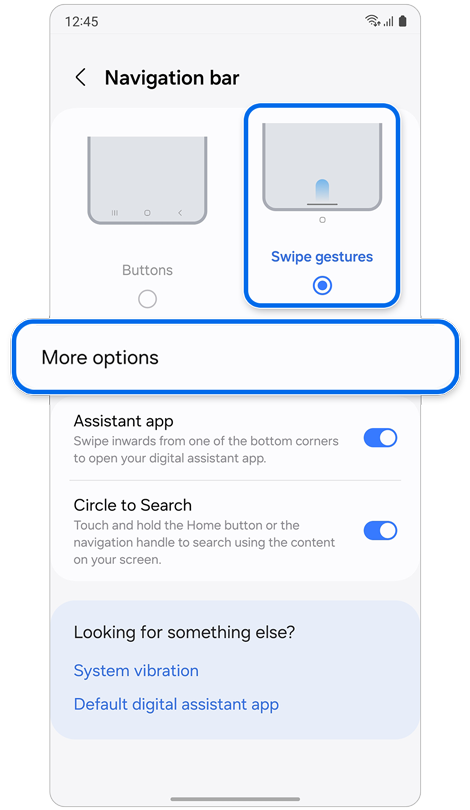
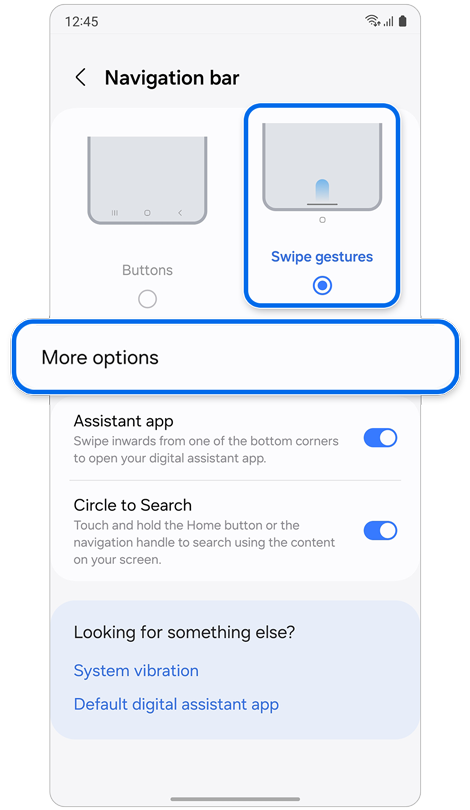
Step 3. Select Swipe gestures > Tap More options.


Step 4. Select the desired swipe gesture and button order.
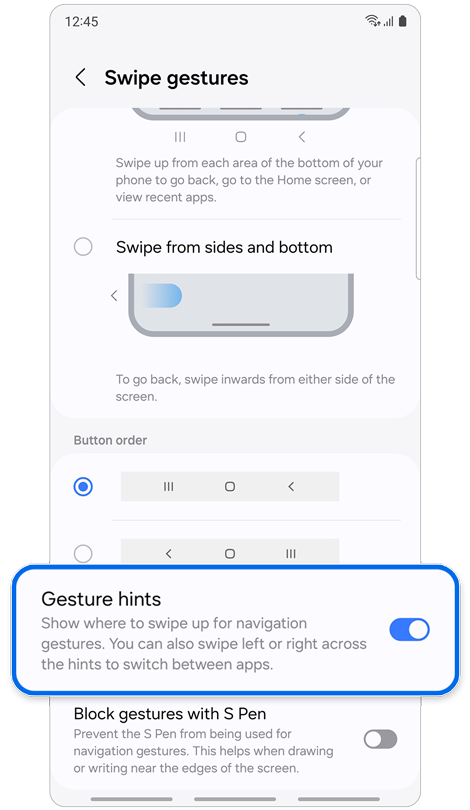
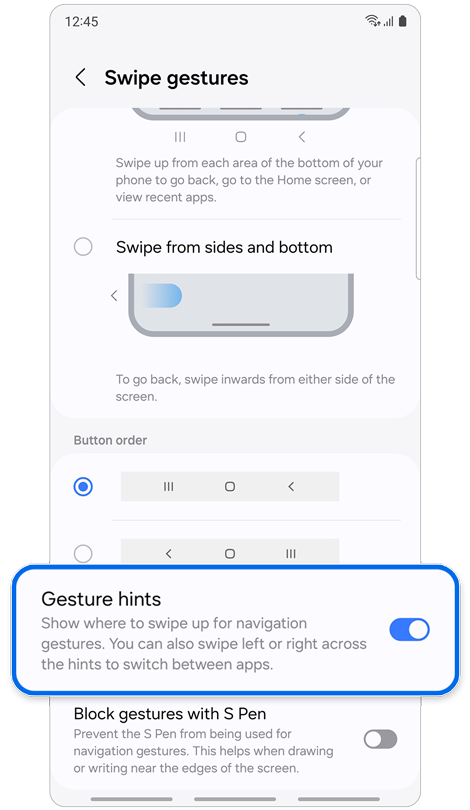
Step 5. Tap the Gesture hints switch to enable the feature.
If the above information does not match what your product is showing, you may check the User Manual for your product. If you are unable to solve the problem, please contact us for further assistance.
Thank you for your feedback!
Please answer all questions.
RC01_Static Content : This text is only displayed on the editor page