How to insert a USIM card into the Galaxy Z Flip5 / Fold5 and Galaxy Z Flip6 / Fold6
Important Note: The information on this page is for Hong Kong products only. Models, sequences or settings will vary depending on location and/or where the product had been purchased. To be redirected to your local support page please click here.
A USIM card contains subscriber information and connects your device to a cellular network. In cases where the USIM card needs to be installed or removed, such as when configuring a new mobile device, it is important to do so correctly to prevent damaging the SIM card tray. Please refer to the following instructions for how to insert a USIM card into your Galaxy Z Flip5 / Fold5 and Galaxy Z Flip6 / Fold6.
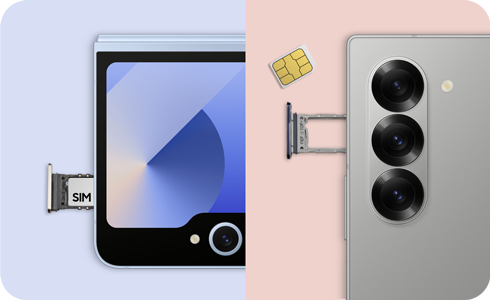
Note: If the USIM card is inserted into your Galaxy Z series device backwards, or if the SIM card tray is forced into the phone when it is not positioned properly, the tray may bend or break.
To insert a USIM card in your Galaxy Z Fold5 / Fold6 device correctly, please follow these steps:
Note: The Galaxy Z Fold device should be placed on a flat surface with the screen face down and the camera side facing up.
Galaxy Z Fold6


Step 1. Insert and firmly press the ejector tool into the hole in the SIM card tray.


Step 2. Remove the SIM card tray once it pops out of the phone.
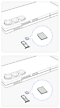

Step 3. Place the USIM (Nano-SIM) card into the SIM card tray with the metal chip facing down. Ensure that the card is accurately aligned with the shape of the tray and that the card is level with the tray.
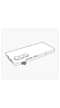

Step 4. Insert and press the SIM card tray completely into the SIM card slot on your device.
* Insert the SIM card as shown in the top image in step 3 for a single SIM slot or as shown in the bottom image in step 3 for a dual SIM slot.
Galaxy Z Fold5


Step 1. Insert and firmly press the ejector tool into the hole in the SIM card tray.


Step 2. Remove the SIM card tray once it pops out of the phone.
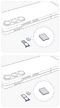

Step 3. Place the USIM (Nano-SIM) card into the SIM card tray with the metal chip facing down. Ensure that the card is accurately aligned with the shape of the tray and that the card is level with the tray.
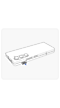

Step 4. Insert and press the SIM card tray completely into the SIM card slot on your device.
* Insert the SIM card as shown in the top image in step 3 for a single SIM slot or as shown in the bottom image in step 3 for a dual SIM slot.
To install a USIM card in your Galaxy Z Flip device correctly, please follow these steps:
Galaxy Z Flip6
The Galaxy Z Flip6 device should be closed for this process.


Step 1. Insert and firmly press the ejector tool into the hole in the SIM card tray.


Step 2. Remove the SIM card tray once it pops out of the phone.
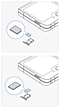

Step 3. Place the USIM (Nano-SIM) card into the SIM card tray with the metal chip facing down. Ensure that the card is accurately aligned with the shape of the tray and that the card is level with the tray.
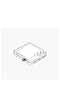

Step 4. Insert and press the SIM card tray completely into the SIM card slot on your device.
* Insert the SIM card as shown in the bottom image in step 3 for a single SIM slot or as shown in the top image in step 3 for a dual SIM slot.
Galaxy Z Flip5
The Galaxy Z Flip5 device should be fully open for this process.


Step 1. Insert and firmly press the ejector tool into the hole in the SIM card tray.


Step 2. Remove the SIM card tray once it pops out of the phone.


Step 3. Place the USIM (Nano-SIM) card into the SIM card tray with the metal chip facing down. Ensure that the card is accurately aligned with the shape of the tray and that the card is level with the tray.


Step 4. Insert and press the SIM card tray completely into the SIM card slot on your device.
If the above information does not match what your product is showing, you may check the User Manual for your product. If you are unable to solve the problem, please contact us for further assistance.
Thank you for your feedback!
Please answer all questions.
RC01_Static Content : This text is only displayed on the editor page