Solutions for when your Galaxy phone won’t vibrate when receiving calls or notifications
Important Note: The information on this page is for Hong Kong products only. Models, sequences or settings will vary depending on location and/or where the product had been purchased. To be redirected to your local support page please click here.
If your Galaxy phone is not vibrating when you receive calls or notifications but it is supposed to, there may be a straightforward solution. In this article, we will guide you through various troubleshooting steps to help you restore your phone’s vibration function.
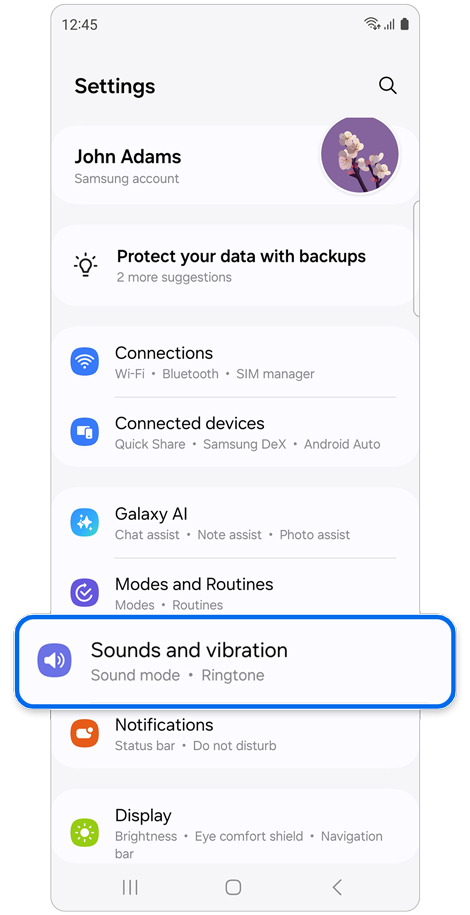
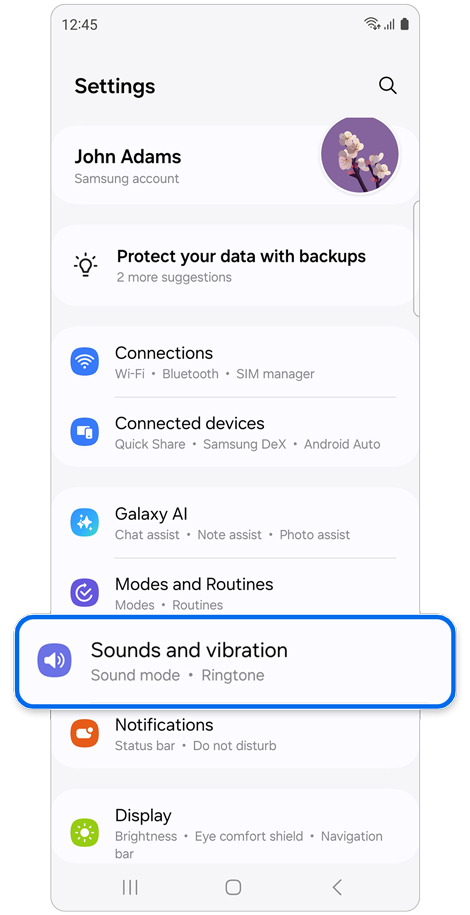
Step 1. Open Settings > Select Sounds and vibration.
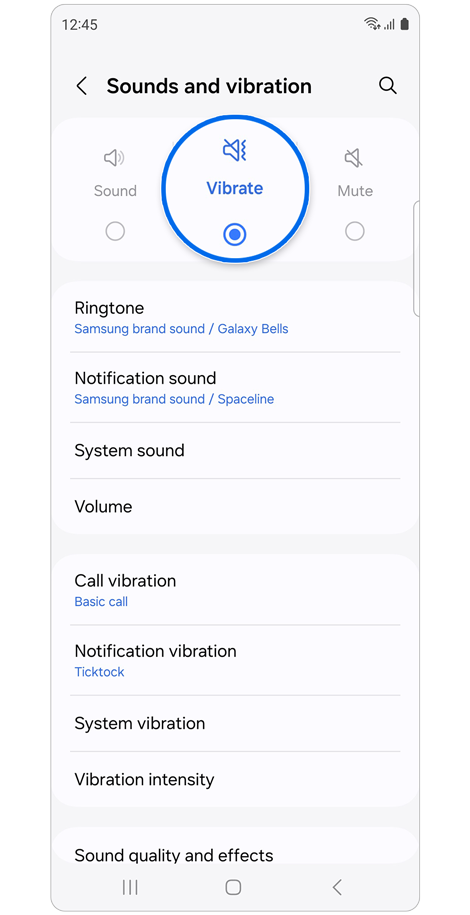
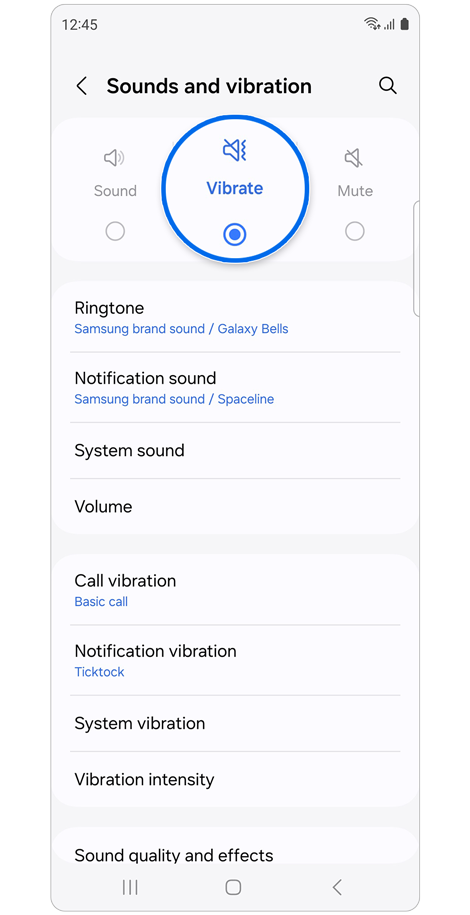
Step 2. If the setting is on Mute, set it to Sound or Vibrate.
Check the call vibration settings
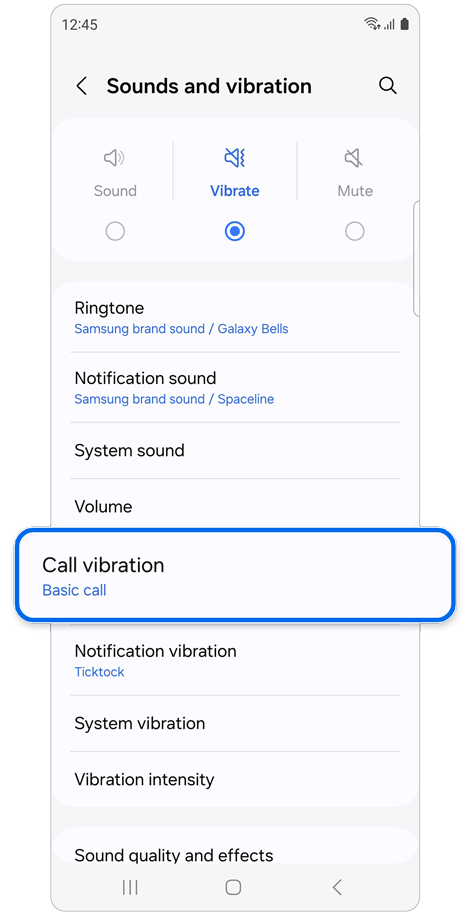
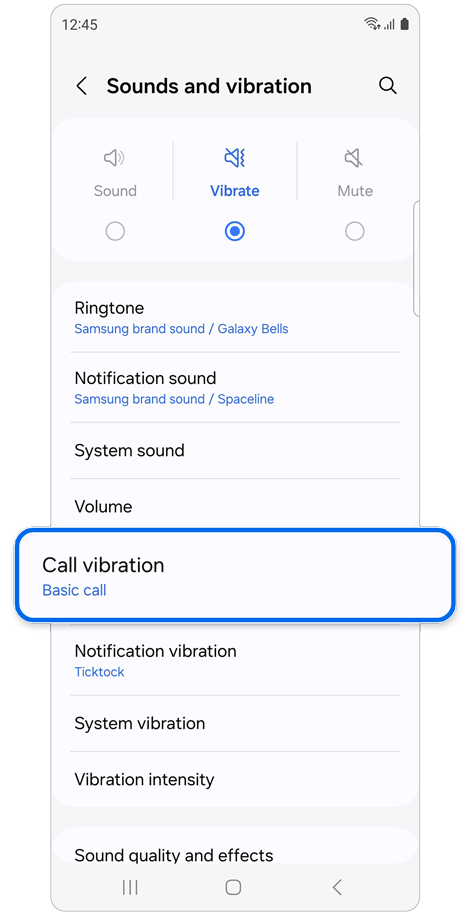
Step 1. Select Call vibration.
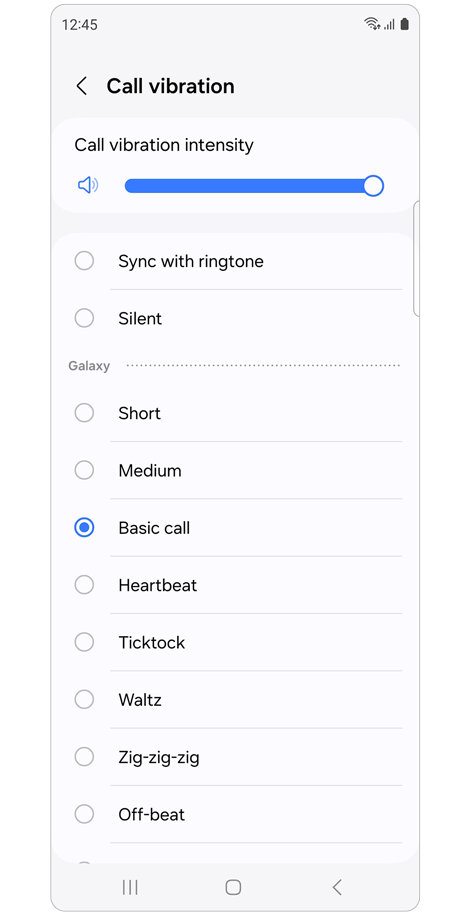
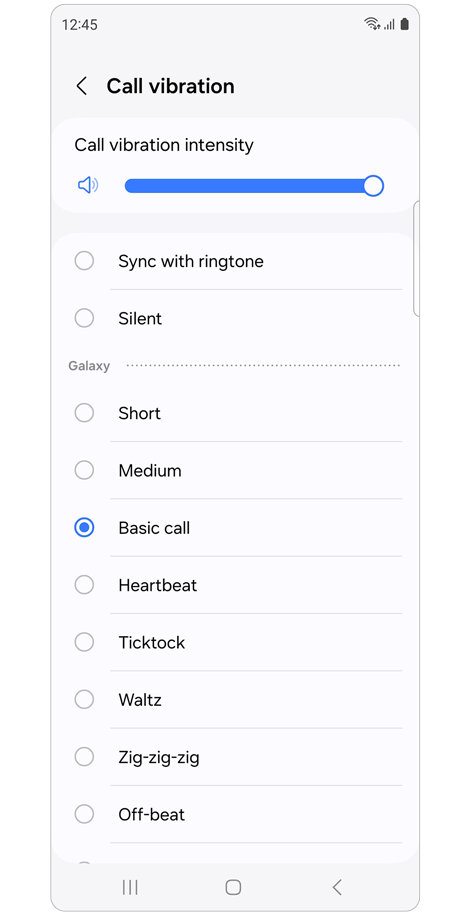
Step 2. Ensure that the Call vibration intensity is set high enough and Silent is not selected.
Check the notification vibration settings
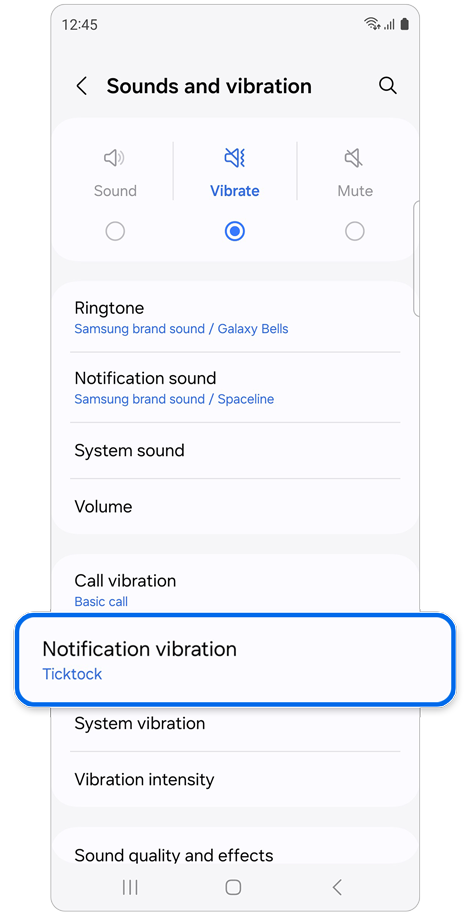
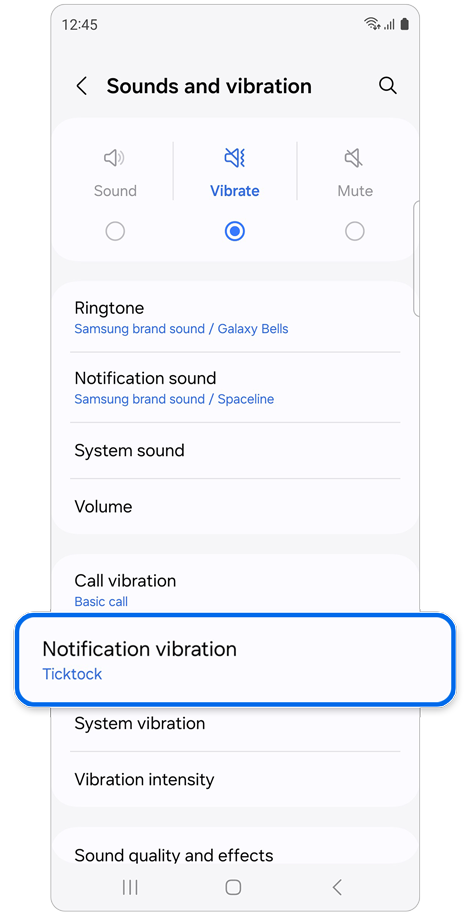
Step 1. Select Notification vibration.
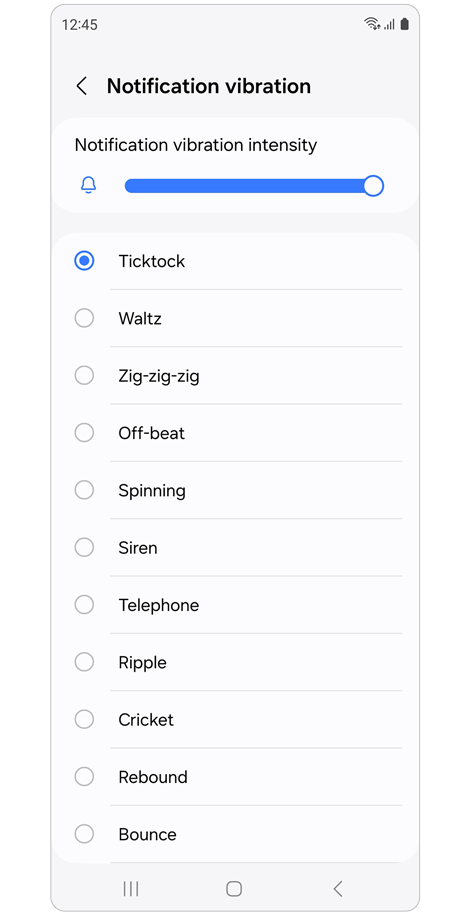
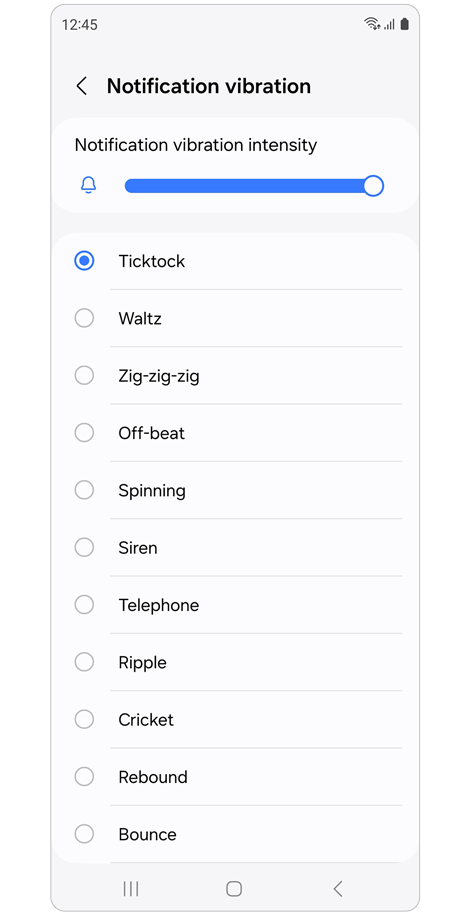
Step 2. Ensure that the Notification vibration intensity is set high enough and Silent is not selected.
Check the vibration intensity settings
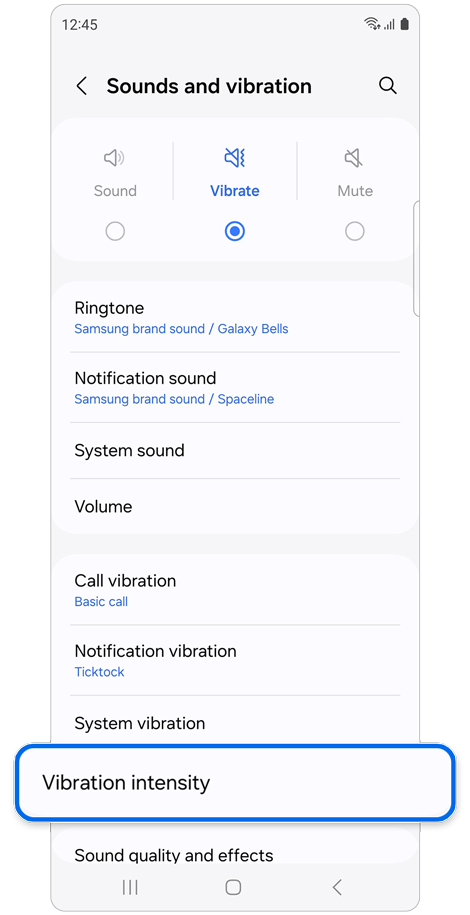
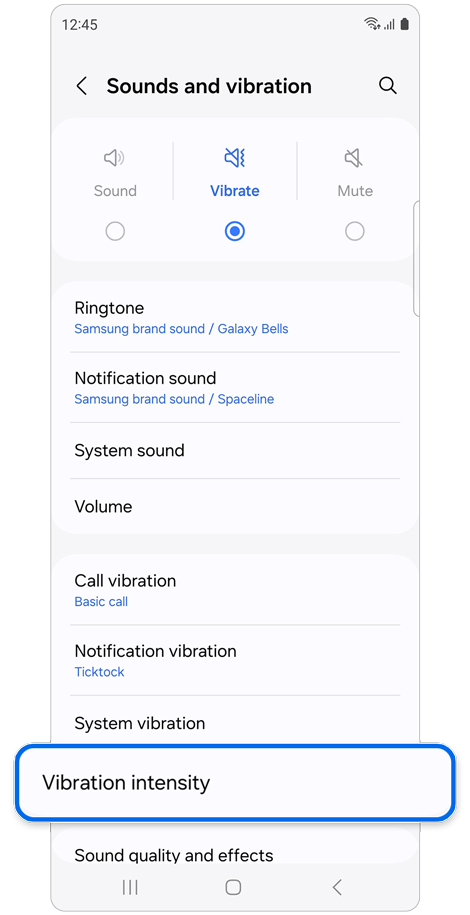
Step 1. Select Vibration intensity.
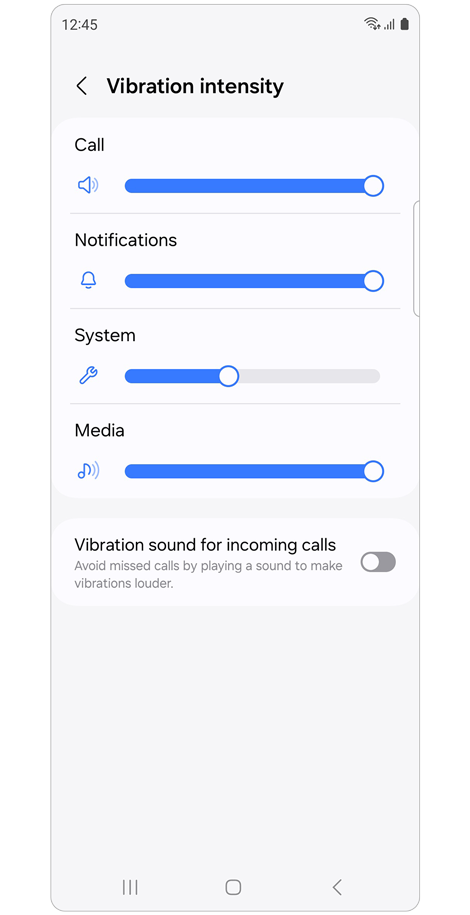
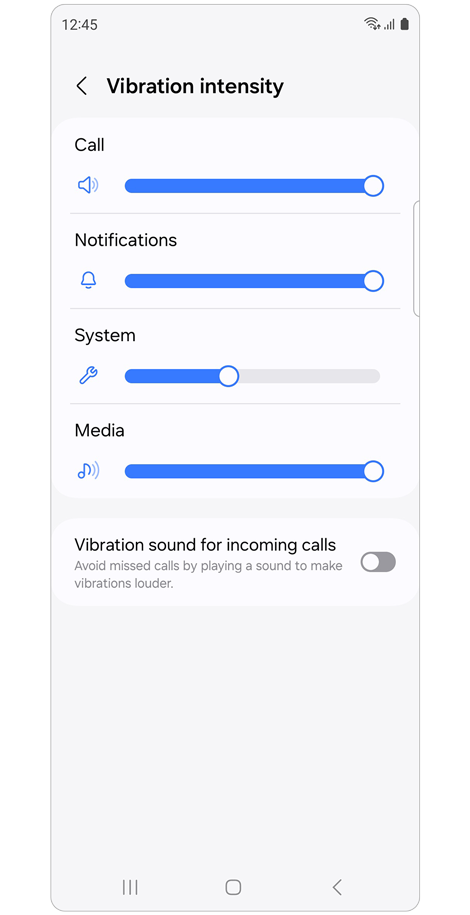
Step 2. Ensure that Call, Notifications, System, and Media settings are set high enough.
Check the Do not disturb mode settings
If Do not disturb mode is enabled, vibrations and notifications may not work.
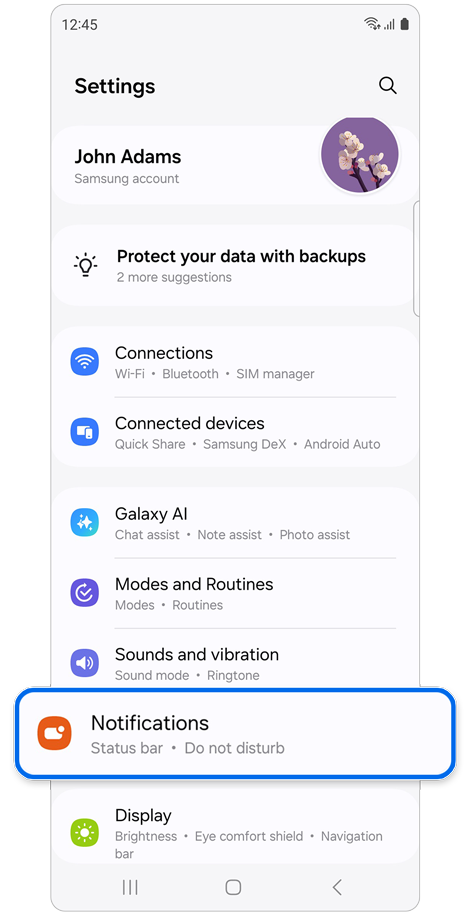
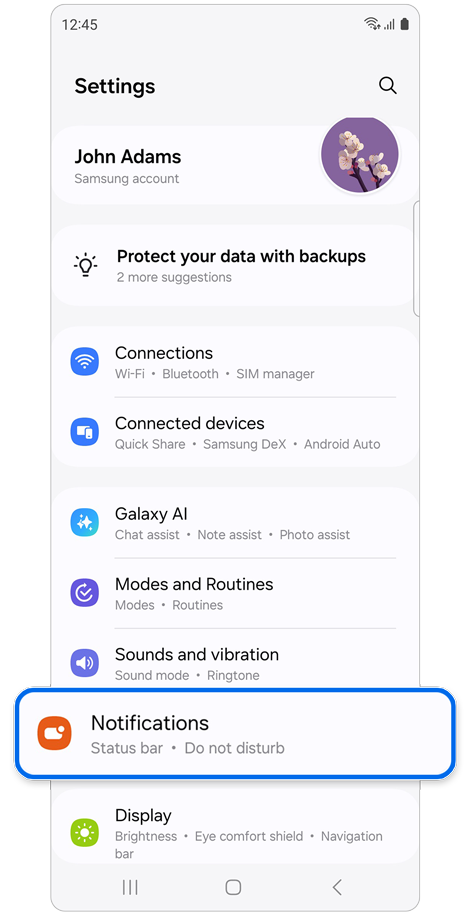
Step 1. Open Settings > Select Notifications.
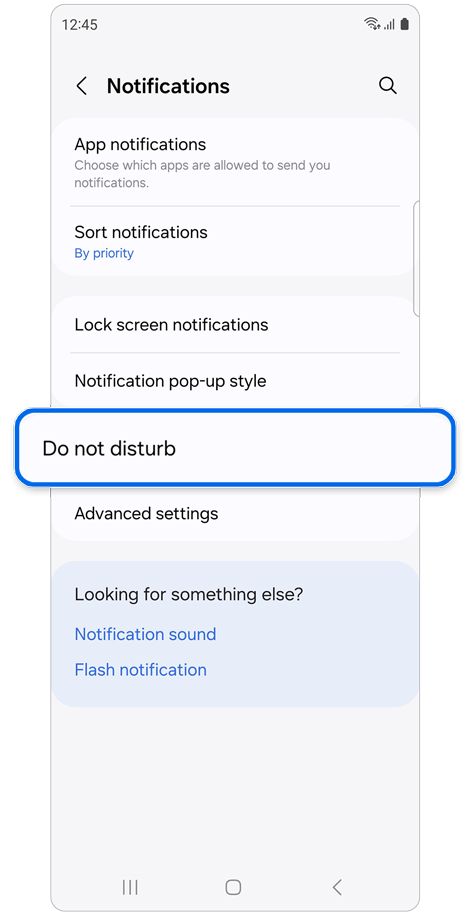
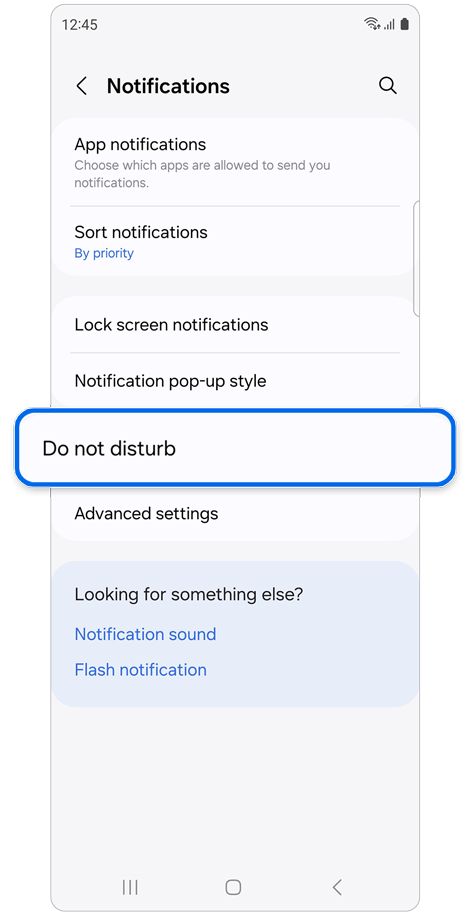
Step 2. Select Do not disturb.
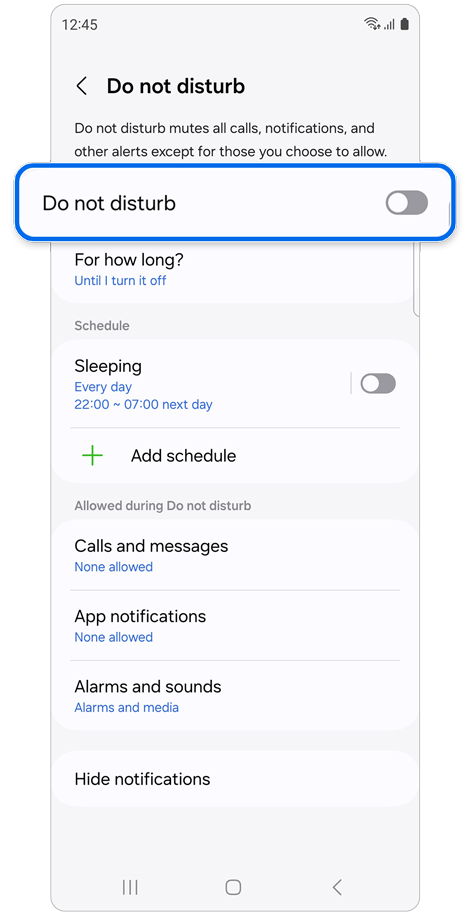
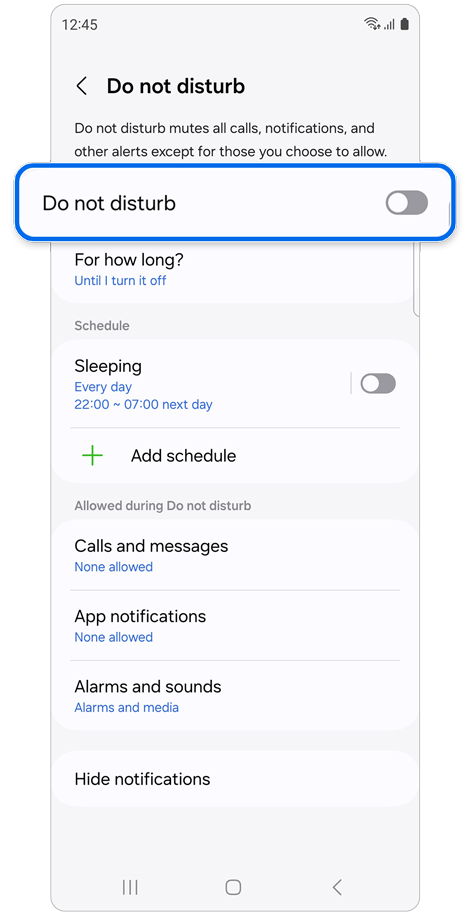
Step 3. Tap the Do not disturb switch if it is in the “On” position to disable it.
Check the app notification settings
If notifications for specific apps are turned off, you may not receive notifications from those apps.
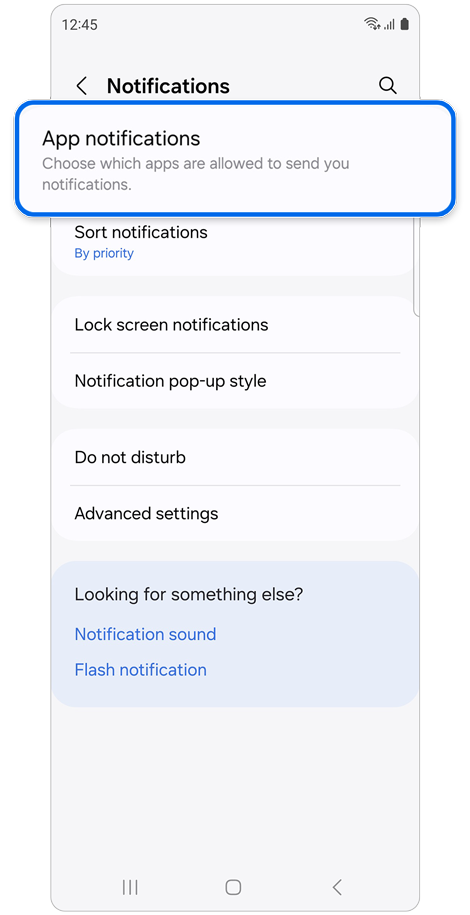
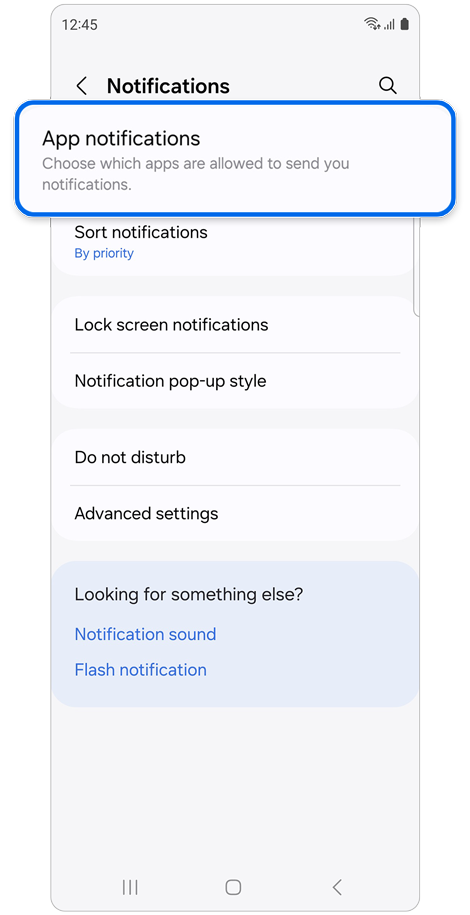
Step 1. Select App Notifications.
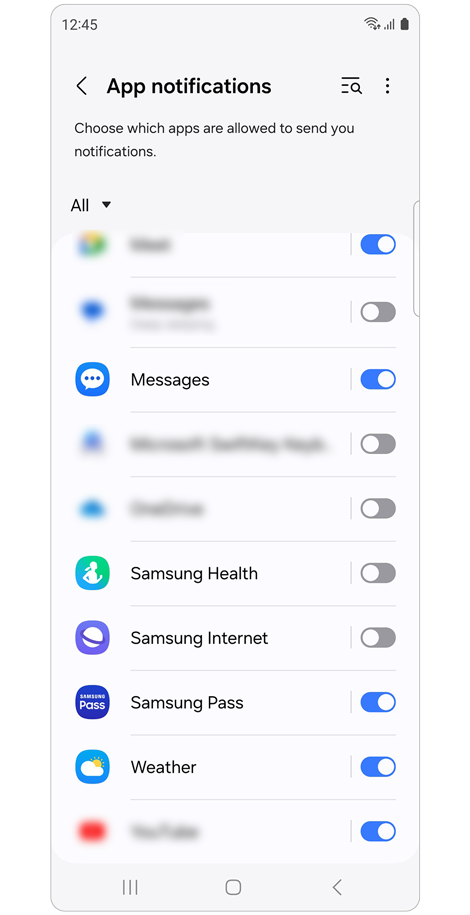
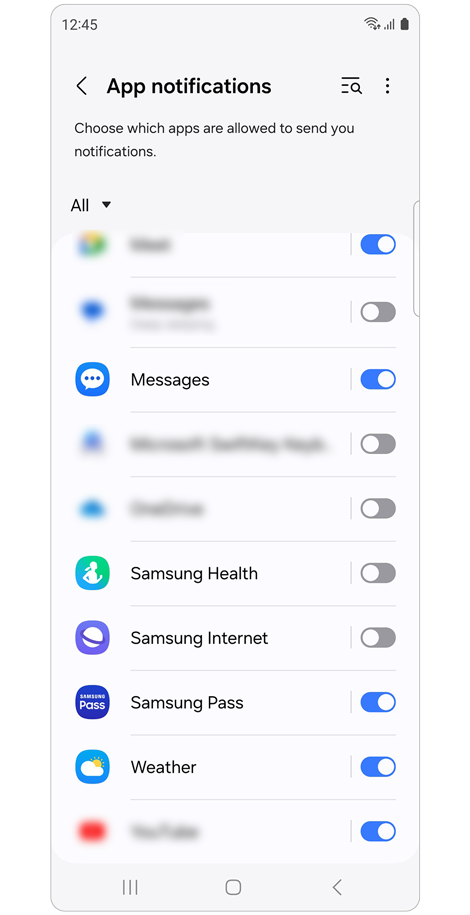
Step 2. Swipe to the apps you wish to receive notifications from. Tap the switch if it is in the “Off” position.
Depending on the mode, such as Sleep, Theater, or Relax, notifications may not work if the settings are incorrect.
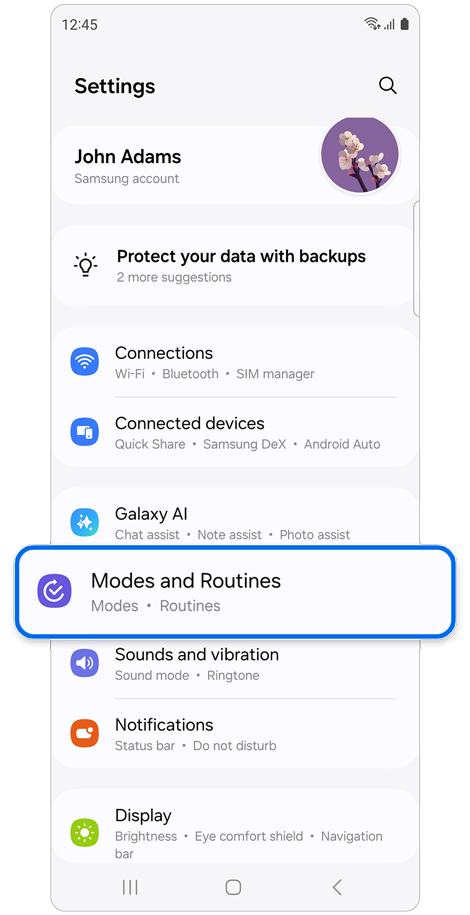
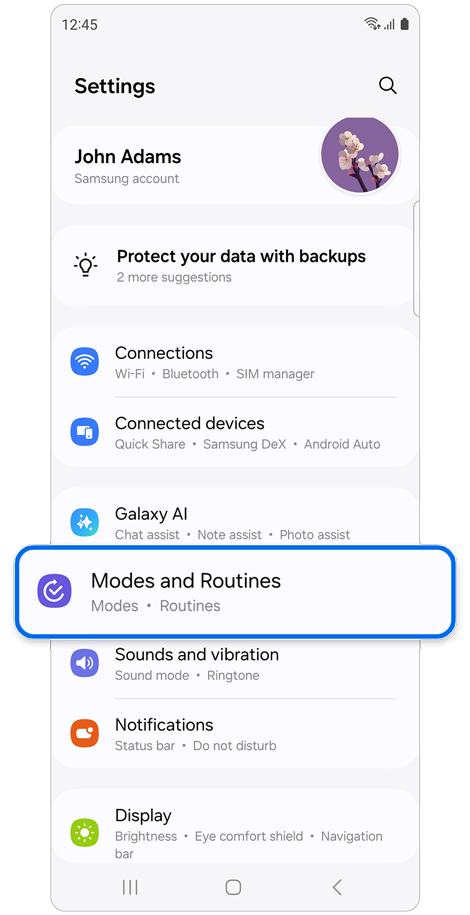
Step 1. Open Settings > Select Modes and Routines.
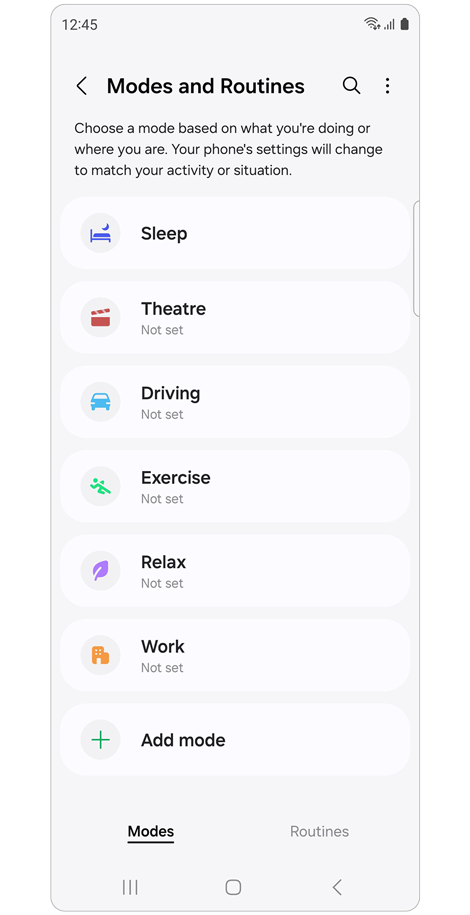
Step 2. Tap on the modes that have been set and make sure that the Do not disturb times are correct.
If the above information does not match what your product is showing, you may check the User Manual for your product. If you are unable to solve the problem, please contact us for further assistance.
Thank you for your feedback!
Please answer all questions.
RC01_Static Content : This text is only displayed on the editor page