Bixby वॉइस को कैसे सक्रिय करें
Last Update date : Jun 19. 2026
To read this article in English, click here
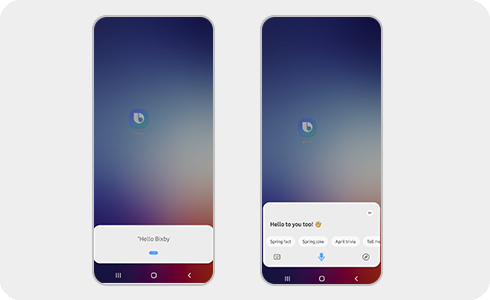
Bixby आपके Galaxy उपकरणों पर आपकी कई कार्यों को पूरा कर सकता है। शुरू करने का पहला कदम यह जानना है कि अपने फोन पर Bixby वॉइस को कैसे सक्रिय किया जाए।
कृपया ध्यान :
- Bixby Voice को सक्रिय करने से पहले आपको अपने Samsung अकाउंट में लॉग इन करना होगा।
- स्क्रीन, आइकन और छवियां One UI/Software संस्करण के अनुसार भिन्न हो सकती हैं।
Bixby वॉइस को आपके डिवाइस के साइड बटन को लंबे समय तक दबाकर सक्रिय किया जा सकता है। आप निम्नलिखित चरणों का पालन करके भी Bixby वॉइस को सक्रिय कर सकते हैं:
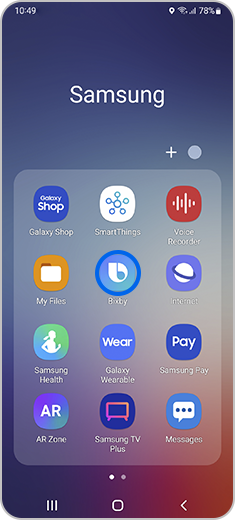
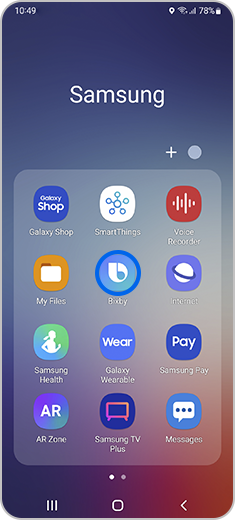
स्टेप 1. Bixby ऐप आइकॉन पर क्लिक करें।


स्टेप 2. Start बटन क्लिक करें।
Thank you for your feedback!
Please answer all questions.
Contact Info
Digital Service Center
![DSC icon image]()
![DSC icon image]()


Get customized support, access to DIY videos and FAQs, or schedule a callback request to connect with an expert.

Scan to access
Scan to access
WhatsApp
![WhatsApp image icon]()
![WhatsApp image icon]()


WhatsApp us for services-related interaction.
Available 24 Hours / 7 days
WhatsApp@ 1-800-5-726-7864

Scan to access
Available 24 Hours / 7 days
WhatsApp@ 1-800-5-726-7864
Scan to access
Chat
![Samsung India Support WebChat icon]()
![Samsung India Support WebChat icon]()


Chat with us for assistance with product technical support, service center information, spare part cost, and additional services.
Languages offered: English/ हिन्दी/ Indian Regional Languages
Languages offered: English/ हिन्दी/ Indian Regional Languages


Remote Service
![Image of RM icon]()
![Image of RM icon]()


Remote diagnostics by our specially trained technicians for your Galaxy device and Samsung TV
CEO Office
![Image of CEO icon]()
![Image of CEO icon]()


Share feedback to CEO office & relevant team will get in touch with you promptly.
Phone Support (India)
![image of phone dialer]()
![image of phone dialer]()


Available: 9 AM to 7 PM | Monday to Saturday
Phone Support (Bangladesh, Sri Lanka, Nepal)
![Image of caller icon]()
![Image of caller icon]()
RC01_Static Content : This text is only displayed on the editor page