85" Neo QLED QN85F 4K Samsung Vision AI Smart TV (2025)


Gallery popup


Escanea el código QR con tu Smartphone y coloca la imagen del producto en donde quieras
{{upgradeResult.displayModelName}}
{{upgradeResult.discountText1}}
{{upgradeResult.description1}}
{{upgradeResult.description2}}
{{offerFinance.title}}
{{offerFinance.learnMoreCta.text}}{{offerFinance.description}}
{{galaxyForeverResult.displayModelName}}
{{galaxyForeverResult.discountText1}}
{{galaxyForeverResult.description1}}
{{galaxyForeverResult.description2}}
Bezel_Choose your color
Customizable bezels sold separately
Choose your skin color
Customizable skin sold separately
-
{{item.name}}
Sin existencias
Modern Type
-
{{item.name}}
Sin existencias
Beveled Type
-
{{item.name}}
Sin existencias
Skin color
-
{{item.name}}
Sin existencias
Bezel type

- Modern Type
The Frame's custom bezels magnetically click into place. Now, you can switch between styles in a snap.
Bezel type

- Beveled Type
The new Beveled type bezel design offers an elegant 45-degree angled inner edge bezel.
{{tradeIn.title}}
{{tradeIn.learnMoreCta.text}}{{tradeIn.description}}
{{tradeInResult.displayModelName}}
{{tradeInResult.discountText1}}
{{tradeInResult.discountText2}}
{{tradeInResult.discountText3}}
{{tradeInResult.discountText4}}
{{tradeInResult.discountText5}}
{{tradeInResult.discountText6}}
{{tradeInResult.specialDiscountText}}
{{tradeInResult.description}}
{{tradeInResult.contentText}}
BorrarDealer stock quantity
You can check the stock quantity for each region
Please select city
{{assuredBuyBack.title}}
{{newAssuredBuyBack.title}}
{{newAssuredBuyBack.learnMoreCta.text}}{{newAssuredBuyBack.description}}
Please select Samsung Assured Buyback or no coverage
{{care.title}}
{{care.learnMoreCta.text}}{{care.description}}
Selecciona Samsung Care+ o No para continuar
-
-
{{item.specialText}}
{{warrantyResult.displayModelName}}
{{warrantyResult.discountText1}}
{{warrantyResult.description1}}
{{warrantyVdResult.title}}
{{warrantyVdResult.priceDisplay}}
{{delivery.headline}}
{{delivery.errorMessage}}
{{deliveryResult.priorityText}}
{{deliveryResult.mainText}}
{{deliveryResult.subText}}
Standard installation charges may apply.Click here for more details.
{{deliveryResult.decText}}
{{item.disclaimer}}
{{tariffOptionResult.displayModelName}}
{{tariffOptionResult.discountText1}}
{{tariffOptionResult.description1}}
{{tariffOptionResult.description2}}
{{tariffOptionResult.description}}
{{tariffOptionResult.price}}
{{tariffOptionResult.disclaimer}}
{{embedAddon.title}}
{{embedAddon.description}}
-
{{item.name}}
{{item.modelCode}}
{{item.description}}
{{item.finalPrice}}
{{item.originalPrice}}{{item.savePrice}} Sin existencias
-
{{item.name}}
{{item.modelCode}}
{{item.description}}
- {{item.dotList1}}
- {{item.dotList2}}
- {{item.dotList3}}
{{item.finalPrice}}
{{item.originalPrice}}{{item.savePrice}} Sin existencias
{{message.item.tcCTAText}}
{{message.item.periodText}}
Destacados

Procesador NQ4 AI Gen2
Siente toda la potencia de la AI en 4K

Neo Quantum HDR+
Mejora el visionado en 4K con brillo y colores extraordinarios

Dolby Atmos®
Sonido envolvente con altavoces de canal superior

[TUV] Pantalla Real Quantum Dot
Certificado como pantalla Real Quantum Dot con hoja Quantum Dot y LED azul aplicado de acuerdo con los estándares IEC.

[SGS] Sin cadmio
La hoja Quantum Dot que se utiliza en QLED TV ha recibido certificación por el cumplimiento de la directiva RoHS y se ha verificado que no contiene cadmio por el instituto de certificación global, SGS. *Este logotipo es una variación del logotipo original de SGS para fines de mercadotecnia.
Características
Escala tu experiencia con Samsung Vision AI


Características principales


Pregúntale lo que quieras a tu acompañante. Samsung Vision AI ya está aquí.
Samsung Vision AI Companion
La TV se convierte en una compañera inteligente con Vision AI Companion, que redefine la interacción con la pantalla. Respaldado por más de 20 años de experiencia en TV, Vision AI Companion ofrece respuestas dinámicas, enriquecidas y adaptadas al contexto, potenciadas por agentes de IA líderes como Gemini y Perplexity, todo sin interrumpir lo que se está viendo en pantalla. Se adapta perfectamente a las rutinas diarias, ya sea para ponerse al día con las novedades de la mañana, seguir momentos deportivos en vivo, encontrar excelentes lugares cercanos o descubrir más sobre el contenido que aparece en pantalla. Con IA, las funciones de imagen, sonido y generación de contenido están perfectamente conectadas y evolucionan continuamente.


El compañero que mejora tu vida


Un asistente de voz más inteligente
Bixby
Con inteligencia actualizada, Bixby sera el centro de tu hogar. Puede procesar varios comandos a la vez captando mejor el contexto. Disfruta de conversaciones más fluidas, búsquedas más sencillas, reacciones más intuitivas y un control perfecto de los dispositivos.
* Se admiten comandos de voz y multigiro para 10 idiomas (US/UK/IN(en)/DE/FR/IT/ES/BR/MX/KR).* No se reconocen todos los acentos, dialectos y expresiones.* Q8F y superiores admiten micrófonos de campo lejano. Q7F y superiores admiten mandos a distancia de TV. U8000F necesita un mando a distancia móvil SmartThings.

Optimiza de forma inteligente la imagen y el sonido
Modo AI
El modo AI ofrece un menú de acceso rápido para ajustar la configuración adaptable de imagen y sonido, optimizando de forma inteligente tu experiencia, de acuerdo a tu entorno y el contenido que estás viendo.


Sonido optimizado y remasterizado
Adaptive Sound Pro
Escucha el sonido tal y como fue concebido, con voces claras y tonos equilibrados. El procesador de AI reconoce diferentes sonidos, como diálogos y música de fondo, y los optimiza según la acústica de tu habitación, antes de perfeccionarlos con la tecnología de remasterización de audio.
La experiencia puede variar en función del contenido y el entorno.

Crea tus propios fondos de pantalla que combinen con tu estado de ánimo
Generador de Fondos de pantalla
Elige las palabras clave del ambiente que desees y deja que la AI haga su magia. Tu pantalla generará imágenes únicas y bellas que pueden cambiar la atmósfera de tu hogar.
*El número de intentos de generación permitidos por día puede estar limitado.

Mantente en contacto con tus mascotas
Pet Care
Tu pantalla puede detectar ruidos como ladridos a través de su micrófono y encender automáticamente el contenido favorito de tu mascota para calmarla. Tu Pantalla sera el mejor amigo de tu mascota.
*La transmisión en tiempo real en dispositivos móviles es compatible con Android OS 11.0 y versiones superiores o iOS 16.0 y versiones superiores, y está disponible en pantallas Samsung Modelos 2025 y modelos posteriores. Solo funciona cuando la pantalla del televisor está apagada. *La pantalla debe estar conectada a una fuente de alimentación para utilizar esta función.* La pantalla y el dispositivo móvil deben estar conectados a SmartThings para enviar y recibir notificaciones.Siente toda la potencia de la AI en 4K
Procesador NQ4 AI Gen2
Nuestro procesador NQ4 AI Gen 2 utiliza la potencia de 20 redes neuronales de AI para optimizar la calidad de imagen y sonido. El resultado es un rendimiento extraordinario, ya sea con aplicaciones OTT, jugando tus videojuegos favoritos o viendo deportes.


Pasa programas y películas a resolución 4K
Conversión 4K AI
Vea sus contenidos favoritos con más detalle. Nuestro procesador de IA puede tomar contenidos y mejorarlos hasta una resolución 4K con 20 redes neuronales de IA, todo ello manteniendo una calidad de imagen nítida y fluida.
* La experiencia de visualización puede variar según el tipo de contenido y el formato.* Es posible que el escalado 4K AI no se aplique a la conexión al PC ni al modo Juego.

Calidad de imagen


Nuestra tecnología Mini LED más avanzada
Quantum Mini LED Pro
Experimente nuestra tecnología Quantum Mini LED Pro más avanzada, controlada con precisión por Quantum Matrix Technology Plus. Con solo 1/50 del tamaño de los LED convencionales, Quantum Mini LED Pro en los televisores Neo QLED permite un control preciso de la luz para disfrutar de un gran detalle tanto en escenas oscuras como brillantes.


Mejora el visionado en 4K con un brillo y unos colores extraordinarios
Neo Quantum HDR+
Aumente su placer visual con un brillo soberbio y escenas dinámicamente adaptables en resolución 4K. Neo Quantum HDR+ es hasta 2 veces más brillante que Neo Quantum HDR y ofrece una experiencia de color más vívida en un rango dinámico superior sin igual.
* La gama de luminancia Quantum HDR se basa en normas de pruebas internas y está sujeta a cambios según las condiciones de visualización o las especificaciones.

Más información Calidad de imagen


Expresión cromática mejorada de forma inteligente
Color Booster Pro
La IA reconoce cada escena y mejora la expresión del color en consecuencia, para que tu experiencia visual sea más vívida y dinámica.


Mejora los contenidos para obtener una calidad de imagen similar a HDR
Auto HDR Remastering
Disfruta de luces brillantes, detalles nítidos y colores vibrantes. Nuestro televisor utiliza algoritmos de aprendizaje profundo para analizar el contenido SDR estándar y optimizarlo para obtener una calidad similar a HDR.


Profundidad percibida como lo harían los ojos de una persona
Real Depth Enhancer
Observa cómo las figuras en pantalla se destacan con más realismo. El Potenciador de profundidad real aumenta el contraste entre los objetos en primer plano desde el fondo, al replicar cómo el ojo humano procesa la profundidad. Así, cuando miras un documental de la naturaleza, parecerá que los rinocerontes marchan hacia ti.


Disfruta de una gama completa de colores auténticos
Validado por PANTONE
Como símbolo de fidelidad cromática en el que confían los expertos del sector, «PANTONE Validated» certifica la expresión precisa de 2.140 colores PANTONE y 110 tonos de piel de reciente incorporación. Puede estar seguro de que disfrutará de una experiencia visual rica y realista.
* Validación PANTONE recibida basada en la pantalla HDR.Colores reales, QLED real. No te mereces menos.
Colores vibrantes y precisos amplificados por la lámina Quantum Dot de Samsung sin cadmio.


Experiencia de juego


Más sobre Experiencia de juego


Movimiento fluido para juegos de hasta 144 Hz
Motion Xcelerator 144Hz
Disfruta de imágenes fluidas a velocidades increíblemente rápidas. La exclusiva tecnología de refresco dinámico de Samsung proporciona un rendimiento de movimiento fluido para juegos VRR de hasta 4K 144 Hz.
* 4K 144Hz sólo está disponible con juegos conectados a PC que admitan dichas especificaciones (se requiere tarjeta gráfica de PC).* El rendimiento puede variar.

Optimización del juego basada en la inteligencia artificial
Modo de juego AI Auto
Deja que tu televisor detecte el tipo de juego al que estás jugando y optimice los ajustes. Puedes liberarte de las molestias habituales de la configuración y limitarte a jugar.
* El modo de juego automático AI está disponible para determinados juegos de consola y PC.

Ajusta la configuración del juego mientras juegas
Game Bar
Optimiza aún más tu juego con Game Bar. Los televisores Samsung te ofrecen un práctico menú en el juego para ajustes como FPS, input lag, zoom del minimapa y mucho más. También te permite aplicar relaciones de aspecto ultraamplias de 21:9 y 32:9 para ampliar la vista en pantallas más grandes.
* Super Ultrawide GameView (21:9, 32:9) está disponible para determinados juegos de PC y consola compatibles con pantallas ultrapanorámicas.* Es posible que algunos juegos no admitan esta función.* El modo de acercamiento de la barra de juegos no es compatible con determinadas frecuencias de actualización.* La interfaz de usuario de la barra de juegos está sujeta a cambios sin previo aviso.

Juegos HDR sin lágrimas, sin tirones y con baja latencia
FreeSync Premium Pro
Basado en la tecnología central AMD FreeSync™ para reducir el parpadeo y el tearing de la pantalla, FreeSync Premium Pro proporciona una auténtica experiencia de juego HDR. Produce imágenes excepcionales de alto rango dinámico al tiempo que mantiene una baja latencia para disfrutar de un juego fluido sin esfuerzo.
* La experiencia de visualización puede variar según los tipos de contenido y la unidad de procesamiento gráfico, así como las velocidades de conexión a la red y los niveles de ping cuando se juega en la nube.Sonido


La mejor experiencia Dolby Atmos®
Dolby Atmos®
Disfruta de una experiencia de sonido envolvente de nivel superior que te sumerge de lleno en la acción. Con Dolby Atmos®, ofrece audio multidimensional para un sonido increíblemente realista.


Más información Sonido


Pantalla y Barra de Sonido orquestados en perfecta armonia
Q-Symphony
La tecnología Q-Symphony sincroniza el audio de la pantalla y de la barra de sonido para que se reproduzcan simultáneamente, sin silenciar los altavoces de ninguno de los dos dispositivos, logrando un sonido mas armonioso.
*Comprueba la compatibilidad con Q-Symphony en las especificaciones del producto de la barra de sonido.* La barra de sonido se vende por separado.* La ubicación y el número de altavoces pueden variar según el modelo.

Tus oidos siguen el sonido Sonido; tus ojos siguen la acción
OTS Lite
Experimenta un sonido 3D de gran realismo con altavoces integrados que te ubican en el centro de la acción.


La mejora de voz con AI que permite captar el dialogo sin distracciones
Active Voice Amplifier Pro
Mejora el audio con AI, haciendo que los dialogos sean nitidos medianta el analisis de los sonidos de fondo, la claridad de la voz y el ruido ambiente para aislar las voces de otros sonidos. Disfruta de una experiencia de audio inigualable con dialogos nitidos incluso en entornos con distracciones.
One UI Tizen


Personaliza tu experiencia
One UI Tizen
One UI Tizen proporciona una experiencia de pantalla personalizada. Con Samsung Tizen OS, ofrece todas las últimas funciones innovadoras de Samsung. Tu experiencia también está protegida por Samsung Knox en todos los dispositivos SmartThings. Además, One UI Tizen será compatible con las actualizaciones de Tizen OS durante los próximos 7 años.


Disfruta de una nueva experiencia de pantalla durante 7 años


Lleva las Galerias de Fama Mundial a tu sala
Art Store
Acceda a más de 2.500 obras de arte y fotografía de instituciones de renombre mundial en la Tienda de Arte. Desde clásicos preciados a obras maestras modernas. Descubre nuevas obras de arte con selecciones relevantes y oportunas que complementan cada estación, festividad y estado de ánimo.
*Se requiere suscripción a Art Store para acceder a toda la selección. Las obras de arte de la Tienda de Arte están sujetas a cambios sin previo aviso

Más sobre One UI Tizen


Tu privacidad. Protegida.
Samsung Knox Security
Tu privacidad está segura en las pantallas Samsung. Tus datos confidenciales, como contraseñas y numeros PIN, están protegidas por multiples capas de Software y Hardware. Los dispositivos IoT conectados se supervisan y las aplicaciones y sitios maliciosos se bloquean automáticamente.
* Samsung Knox Security se aplica a las pantallas Samsung con tecnología Tizen®, lanzados desde 2015.* La actualización del software de seguridad se proporciona durante tres años desde el lanzamiento del producto.* Se requiere la última actualización de software.

Mejora tu día con experiencias exclusivas que se adaptan a tu estilo de vida.
Samsung Daily+
Encuentra aplicaciones y servicios para la salud, el trabajo y el estilo de vida en Samsung Daily+. Puedes acceder a SmartThings, Workout Tracker, karaoke y mucho más, todo en un mismo lugar.
*Samsung no es responsable de los servicios de terceros ni de los daños o pérdidas causados por los mismos.

Accede a información útil incluso con la pantalla apagada
Daily Board
Obtén información durante todo el día en tu pantalla, incluso cuando está apagada. Puedes personalizar tu Daily Board con widgets como El Clima, Notas, Música y mucho más. Daily Board también puede activarse mediante comandos de voz o detectando tu presencia cuando te acerques.
*Los widgets compatibles varían según la región y están sujetos a cambios sin previo aviso.SmartThings


Conecta y gestiona tus dispositivos inteligentes, todo desde tu pantalla
SmartThings
Con SmartThings tienes un Hub integrado en tu pantalla que te ayuda a conectar y controlar dispositivos inteligentes, incluso los que requieren compatibilidad con Matter y HCA.


Más sobre SmartThings


Control mediante gestos con tu Watch
Universal Gestures
Controla fácilmente tu pantalla con tu Smartwatch. Solo tienes que llevar tu Galaxy Watch y usar gestos con las manos, como pellizcar para seleccionar una opción o mover la muñeca de un lado a otro para pausar y reproducir.
* Las aplicaciones y servicios disponibles pueden variar y están sujetos a cambios sin previo aviso.* Solo compatible con Galaxy Watch4 y modelos posteriores, y Wear OS 5 y versiones superiores.

Ahorra energía con análisis inteligentes
AI Energy Mode
Ahorro de energía más fácil con SmartThings. Al activar el Modo de Energía AI, detecta automáticamente los niveles de luz ambiental y analiza los hábitos de uso para ajustar el brillo. Además, analiza cada escena del contenido para ajustar sutilmente el brillo cuando es posible, optimizando así el consumo de energía.
* La tasa de ahorro de energía puede variar según la región, el modelo, el tamaño, las condiciones de visualización y el tipo de contenido. * Los productos enviados en modo Eco tienen algunas funciones del modo AI Energy activadas por defecto, por lo que los niveles de ahorro de energía cuando el modo AI Energy está activado pueden parecer inferiores en comparación con el modo estándar.* El modo AI Energy no funciona con el modo Juego.* El ahorro de energía se basa en resultados de pruebas internas y puede variar en función del contenido que se visualice y de los niveles de brillo del entorno.

Controla tu pantalla desde tu smartphone
Quick Remote
A través de tu dispositivo móvil, puedes acceder a las principales funciones de Samsung Tizen TV, como medios, funciones, modo ambiente y menú. Quick Remote también puede actuar como control remoto de tu pantalla, permitiéndote cambiar de canal, ajustar el volumen y mucho más desde tu smartphone.
* Las notificaciones push para controles remotos móviles para pantallas están disponibles en (Mobile) Android OS 10.0 y versiones posteriores con (TV) 2020 pantallas Samsung y modelos posteriores, y funciona cuando el dispositivo móvil está cerca de la pantalla.* El acceso a funciones de Samsung Smart TV está disponible en (TV) 2024 pantallas Samsung y modelos posteriores con (Mobile) Android OS 10.0 y versiones posteriores o iOS 15.0 y versiones posteriores.

Sonido 3D espacial con los Galaxy Buds
360 Audio Mode
Sumérgete en la escena con un sonido fluido desde todos los ángulos. Las pantallas Samsung se vinculan a la perfección con los audífonos Galaxy Buds para ofrecer audio 3D multidireccional. Con el seguimiento de cabeza mejorado, incluso sincroniza la dirección del sonido con los movimientos de tu cabeza.
* El modo de audio Galaxy Buds 360 está disponible con Galaxy Buds2 Pro, Galaxy Buds2, Galaxy Buds Pro y Galaxy Live.

Transforma tu pantalla en un escenario de karaoke
Karaoke
Diviértete con tus amigos y familiares con la función de karaoke de Samsung Daily+. Incluso puedes conectar tu smartphone para usarlo como micrófono. No necesitas ningún equipo aparte: tu configuración para cantar ya está aquí.
* Requiere que la app SmartThings esté instalada en el dispositivo móvil y conectada a través de la misma red Wi-Fi que el televisor.* El micrófono móvil está optimizado solo para Galaxy S23 o modelos posteriores y iPhone 15 y superiores.* Debes descargar la app Karaoke de Tizen para utilizar la función Karaoke.* Se requiere una suscripción de pago adicional para este servicio después de 6 meses de uso gratuito. (Los usuarios pueden acceder a 5 canciones al día de forma gratuita sin suscripción).Sustentabilidad


Recárgalo con Luz Solar
Control remoto SolarCell
Con un panel solar en la parte posterior, nuestro control remoto SolarCell se carga con luz solar y con luz ambiental, sin necesidad de pilas desechables. Y con funciones inteligentes como un micrófono integrado y un asistente de voz, este control remoto es innovador en más de un sentido.
*Para cargar el mando a distancia con energía solar, colócalo con el panel solar hacia arriba. Colócalo en el cuarto de estar con las luces encendidas o cerca de una ventana para que le dé la luz natural.* Si se agota la batería del mando a distancia, puedes cargarlo con un cable USB-C. Para comprobar el nivel de batería restante del mando a distancia, consulta el menú de la pantalla (Ajustes > General y privacidad > Ahorro de energía y alimentación > Batería disponible del control remoto).


Comparar modelos
Comparar características
-
85" Neo QLED QN85F 4K Samsung Vision AI Smart ...
-
85" Neo QLED QN80F 4K Samsung Vision AI Smart ...
-
QN85QN85FAPXPA85" Neo QLED QN85F 4K Samsung Vision AI Smart ...
-
QN85QN80FAPXPA85" Neo QLED QN80F 4K Samsung Vision AI Smart ...


Especificaciones clave
-
Tipo de producto
NeoQLED
-
Tipo de producto
NeoQLED
-
![Screen size]()
Tamaño de pantalla
85"
-
![Screen size]()
Tamaño de pantalla
85"

-
Resolución
4K (3,840 x 2,160)
-
Resolución
4K (3,840 x 2,160)
-
Tecnología de movimiento
Motion Xcelerator 144Hz
-
Tecnología de movimiento
Motion Xcelerator 144Hz
-
![Picture Engine]()
Motor de imágenes
NQ4 AI Gen2 Processor
-
![Picture Engine]()
Motor de imágenes
NQ4 AI Gen2 Processor

-
Mejora de IA
4K AI Upscaling
-
Mejora de IA
4K AI Upscaling
-
Diseño
Simple Chamfer
-
Diseño
Simple Chamfer
-
![Dolby Atmos Support]()
Dolby Atmos
Sí
-
![Dolby Atmos Support]()
Dolby Atmos
Sí

-
Object Tracking Sound
OTS Lite
-
Object Tracking Sound
OTS Lite
Especificaciones
-
Pantalla
85"
-
Tipo de producto
NeoQLED
-
NeoQLED
-
Tamaño de pantalla
85"
-
Frecuencia de actualización
120Hz (Up to 144Hz)
-
Resolución
4K (3,840 x 2,160)
-
Motor de imágenes
NQ4 AI Gen2 Processor
-
HDR (Alto rango dinámico)
Neo Quantum HDR +
-
HDR 10+
Sí (ADAPTIVE/ GAMING)
-
Mejora de IA
4K AI Upscaling
-
Contraste
Quantum Matrix Technology Plus
-
Ángulo de visión
Wide Viewing Angle
-
Microatenuación
Supreme UHD Dimming
-
Potenciador de contraste
Real Depth Enhancer
-
Tecnología de movimiento
Motion Xcelerator 144Hz
-
Calibración inteligente
Basic
-
Modo Cineasta (FMM)
Sí
-
Supersize Picture Enhancer
Sí
-
HDR Brightness Optimizer
Sí
-
Color Booster
Color Booster Pro
-
AI HDR Remastering
Auto HDR Remastering
-
EyeComfort Mode
Sí
-
Dolby Atmos
Sí
-
Object Tracking Sound
OTS Lite
-
Q-Symphony
Sí
-
Salida de sonido (RMS)
40W
-
Tipo de altavoz
2.2CH
-
Active Voice Amplifier
Sí (Active Voice Amplifier Pro)
-
Sonido adaptable
Sí (Adaptive Sound Pro)
-
360 Audio
Sí
-
Sistema operativo
Tizen™ Smart TV
-
Bixby
Sí
-
Interacción de voz de campo lejano
Sí
-
Navegador web
Sí
-
SmartThings Hub / Matter Hub / IoT-Sensor Functionality / Quick Remote
Sí
-
Multi Device Experience
TV to Mobile, Mobile to TV, TV initiate mirroring, Sound Mirroring, Wireless TV On, Tap View
-
Visión múltiple
upto 2 videos
-
Apple AirPlay
Sí (w/o Cuba)
-
Storage Share
Sí
-
Generative Wallpaper
Sí
-
Karaoke Mic
Sí
-
Modo de juego automático (ALLM)
Sí
-
Game Motion Plus
Sí
-
Ecualizador negro dinámico
Sí
-
VRR
Sí
-
Sonido envolvente
Sí
-
Vista súper ultraamplia para juegos
Sí
-
Zoom de minimapa
Sí
-
FreeSync
FreeSync Premium Pro
-
HGiG
Sí
-
AI Auto Game Mode
Sí
-
Transmisión digital
ISDB-T/DVB-T/ATSC
-
Sintonizador análogo
Sí (Trinorma)
-
Soporte principal para televisor
Sí
-
HDMI
4
-
USB
2 x USB-A
-
HDMI (alta velocidad de fotogramas)
4K 144Hz (for HDMI 1/2/3/4)
-
Ethernet (LAN)
1
-
Salida para audio digital (Óptico)
1
-
Entrada para RF (Entrada terrestre y de cable)
1/1(Common Use for Terrestrial)/0
-
Wi-Fi
Sí (Wi-Fi 5)
-
Bluetooth
Sí (5.3)
-
Anynet+ (HDMI-CEC)
Sí
-
HDMI Audio Return Channel
eARC
-
Diseño
Simple Chamfer
-
Tipo de bisel
3 Bezel-less
-
Color delantero
TITAN BLACK
-
Tipo de soporte
METAL AERO CENTER
-
Color del soporte
TITAN BLACK
-
Art Store
Sí
-
POP integrado
Sí
-
EPG
Sí
-
PVR extendido
Sí
-
IP Control
Sí
-
Idioma en pantalla
Local Languages
-
Accesibilidad-Guía de voz
US English, Mexico Spanish, Canada French
-
Low Vision Support
Relumino, Magnification, Zoom Menu and Text, High Contrast, SeeColors, Color Inversion, Grayscale, Auto Picture Off
-
Hearing Impaired Support
Closed Caption (Subtitle), Multi-output Audio, Sign Language Zoom
-
Motor Impaired Support
Slow Button Repeat, Remote Control App. for All
-
Sensor ecológico
Sí
-
Fuente de alimentación
AC100-240V~ 50/60Hz
-
Consumo de energía (máx.)
350 W
-
Apagado automático
Sí
-
Ahorro automático de energía
Sí
-
Tamaño del paquete (ancho x alto x prof.)
2056 x 1200 x 178 mm
-
Ajustar medida con soporte (anch. x alt. x prof.)
1892.4 x 1137.4 x 366.5 mm
-
Ajustar medida sin soporte (anch. x alt. x prof.)
1892.4 x 1082.9 x 47.0 mm
-
Soporte (básico) (anch. x prof.)
375.4 x 366.5 mm
-
Especificaciones de VESA
600 x 400 mm
-
Peso del paquete
54.2 kg
-
Peso del equipo con soporte
43.6 kg
-
Peso del equipo sin soporte
41.6 kg
-
Modelo de control remoto
TM2360E
-
Soporte de montaje en pared de ajuste delgado
Sí
-
Manual para usuarios
Sí
-
Montaje en pared delgado Full Motion (Y22)
Sí
-
Soporte de cámara web
Sí
-
Zigbee / Thread Module
Built-In
-
Cable de alimentación
Sí
Reseñas
85" Neo QLED QN85F 4K Samsung Vision AI Smart TV (2025)
- Los clientes destacan la calidad de imagen excepcional con colores vibrantes, negros profundos y claridad nítida en 4K y HDR.
- Muchos elogian el rendimiento fluido en videojuegos con bajo retraso de entrada y la interfaz inteligente intuitiva y rápida.
- La mayoría aprecia la calidad de sonido integrada impresionante y el diseño elegante con modo ambiente y control remoto solar.
- Varios mencionan que las aplicaciones de transmisión están preinstaladas y se integran sin problemas en sus vidas digitales.
- Algunos reportan problemas ocasionales de software como artefactos de pantalla, aunque la satisfacción general sigue siendo muy positiva.
Reseñas con imágenes y videos
Filtros
El orden por relevancia coloca las mejores reseñas en la parte superior. Consideramos aspectos como los votos útiles, la reseña más reciente, imágenes y otros rasgos que los lectores buscan en sus reseñas.
Filtros
1,229 Reseñas
2026-10-02
Panama city


Soporte Samsung
Hola, Jose13. Permítenos brindarte el soporte necesario. Por favor, ingresa al enlace: https://www.samsung.com/latin/support/contact y selecciona el canal de tu preferencia para que podamos atenderte. De esta forma, podremos comprender mejor tu situación y ofrecerte la mejor solución posible. Estamos atentos a cualquier consulta adicional que puedas tener.
2026-01-22


2026-11-17
Perú


2026-01-03


2025-11-25
Lima, Peru


Performance Team
Hola, lamentamos que el producto no haya cumplido tus expectativas. Estamos trabajando continuamente para mejorar nuestros productos y servicios. Tus comentarios son muy importantes para nosotros. Si necesitas ayuda con alguna situación, puedes comunicarte con nosotros a través de los canales de atención disponibles en este enlace: https://www.samsung.com/pe/support/
2026-05-25
Hortolândia SP


2026-06-10
Campinas SP


samsung
Olá Pedro. Obrigada por compartilhar a sua opinião. Gostaríamos de saber mais sobre sua experiência e entender melhor a situação. Acesse o link e fale conosco através dos nossos canais digitais: https://www.samsung.com/br/support/contact/
2026-08-05
NY

2025-11-21


2021-04-20
Kennesaw


2025-07-13
Popayán Colombia


Samsung
Muchas gracias por tu atención. Tus comentarios son muy importantes para nosotros. ¡Esperamos que tengas una experiencia maravillosa con tu nuevo Samsung! ¡Estamos a tu disposición!
2026-11-02
Colombia


Social Media.
¡Hola, jimmyjsf! 👋 Queremos ganar todas las estrellas. Cuéntanos si tienes alguna situación relacionada con tu Televisor Smart 65” Neo QLED QN80H 4K a través de WhatsApp, ingresando al siguiente enlace: 👉 https://api.whatsapp.com/send/?phone=573138698800 Tus comentarios son muy importantes para nosotros. ¡Te esperamos!
2021-07-12
Stevenson Ranch


2024-05-16
México


Samsung
Muchas gracias por tu atención. Tus comentarios son muy importantes para nosotros. ¡Aprovecha al máximo tu nuevo equipo Samsung! Consulta tips de uso para tus productos o contáctanos para conocer más sobre tus nuevos productos en [https://www.samsung.com/mx/support/]
2021-11-02


2026-06-12
Diadema, SP


2025-07-16
PERÚ- LIMA


Lima
Hola Gracias por compartir tu opinión. Queremos asegurarnos de que recibas la asistencia que necesitas. Por favor, ingresa al siguiente enlace https://www.samsung.com/pe/support/#contact y selecciona el canal de tu preferencia. De esta manera, podremos entender mejor tu situación y ofrecerte la mejor solución posible. Estamos aquí para apoyarte y resolver todas tus dudas. ¡Esperamos tu contacto!
2021-06-29
2021-05-18


Samsung Brand Ambassador
Apvandeman: Thank you for your review of the 65” QN85A Neo QLED 4K TV. I’m glad to hear that the Quantum HDR 32x is bringing the details to life with ultra-rich color, deep contrast, and HDR10+ dynamic tone mapping that shifts the color and contrast scene by scene for spectacular clarity. Our Ambient Mode allows you to add a splash of color, personality, style and pizzazz to your living space. Customize your TV to showcase gorgeous wallpapers or bits of information when it is not in use. Should you ever have questions or need help, you can reach us at 1-800-SAMSUNG (ask for TVs), available 8AM -12AM EST, 7 days a week. Or text HELP to 62913. For additional support resources, visit us on the Samsung website and click on the ‘Support’ link in the upper right corner of the homepage for: 1) More ‘Contact Us’ options – LiveChat, Facebook, Twitter, Samsung Community, Samsung Members app 2) Manuals & Software 3) Warranty Info 4) Product Registration: For access to easy warranty support, convenient opt-in to special promos and offers, faster troubleshooting and service, and quick notification of system updates. ~ Samsung Solutions
2026-05-20
México CDMX


2022-07-15


2021-05-13
VICTORVILLE

Samsung Brand Ambassador
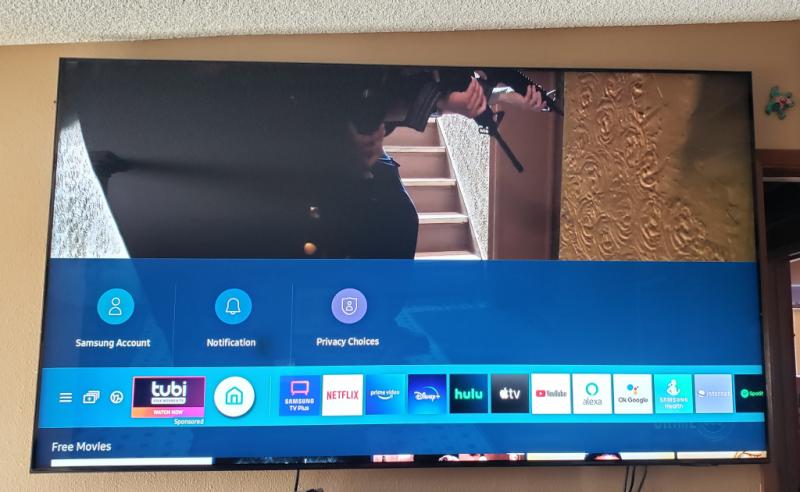
Residentstalker1: It’s great to hear that you are happy with the picture of your new 2021 QN85A Neo QLED 4K Smart TV. The incredible image is powered by our new Quantum Mini LED technology which provides ultra-fine light control and deep black levels. Quantum Matrix Technology provides you with a bright picture with excellent contrast and color accuracy. Please know that your TV actually has 4 HDMI ports all of which support Auto Low Latency Mode (ALLM), Dynamic Metadata (HDR10+), and Variable Refresh Rate (VRR). High Frame Rate (HFR) 4K@120Hz is supported in “HDMI In 4”. The “HDMI In 3” port further supports eARC. Should you ever have questions or need help, you can reach us at 1-800-SAMSUNG (ask for TVs), available 8AM -12AM EST, 7 days a week. Or text HELP to 62913. For additional support resources, visit us on the Samsung website and click on the ‘Support’ link in the upper right corner of the homepage for: 1) More ‘Contact Us’ options – LiveChat, Facebook, Twitter, Samsung Community, Samsung Members app 2) Manuals & Software 3) Warranty Info 4) Product Registration: For access to easy warranty support, convenient opt-in to special promos and offers, faster troubleshooting and service, and quick notification of system updates. ~ Samsung Solutions
2026-07-05
Bogotá


2026-08-12
Trujillo perú


2023-07-31


Samsung Support Team
Hello, thank you for your 5 star review and feedback. We will pass your comments along to our store staff and hope you visit us again someday soon.
2026-05-22
Santo André, São Paulo


2026-11-17
Cancún


2021-09-10
2024-11-23
Mexico


Samsung
Hola, Lamentamos que el producto no haya cumplido con tus expectativas. Trabajamos continuamente para mejorar nuestros productos y servicios, y tus comentarios son muy importantes para nosotros. Si necesitas ayuda con alguna situación, por favor comunícate con nosotros a través de los canales de atención disponibles en el siguiente enlace: [https://www.samsung.com/mx/support/#contact]. Estamos aquí para asistirte y resolver cualquier inconveniente.
2021-07-14
2021-11-23
Samsung Brand Ambassador
critter4511, Thank you for purchasing Samsung’s QN85A TV and for your review. We appreciate your feedback regarding the issues you are experiencing with your remote control. You may first want to reset your remote by pressing and holding Return and Enter (the center of the navigation pad) for more than 10 seconds. After performing this reset, you will need to pair the remote to the TV again. To pair, press the Return and Play/Pause buttons simultaneously for at least 5 seconds or until a message appears on your TV indicating that the remote is now connected. Please also check to see if your remote is charged. You can check remaining battery by going to: Settings > General > Power and Energy Saving > Available Remote Battery. Check if the remote is sending an IR signal. If it is sending an IR signal, you will see a red colored light coming from the remote control. If the remote still will not work, it may be faulty. Please ensure Anynet+ (HDMI-CEC) is enabled on your TV. With Anynet+, you can control external devices that are connected to your TV with HDMI using your TV remote. To turn on Anynet+ (HDMI-CEC), go to: Settings > General > External Device Manager > Anynet+ (HDMI-CEC). If your soundbar does not support HDMI-CEC, you will not be able to use Anynet+. If that is the case, you will simply need to enable the Universal Remote feature on your TV’s remote with these set-up steps: 1) Connect an external device to the HDMI port of the TV, and then power on the external device. Your TV will automatically recognize the device when connected through HDMI and will switch the output. If it doesn't automatically detect it, then keep following the steps to set up Universal Remote. 2) Press the Home button on your TV remote to access the Home Screen. Using the directional pad on the remote, navigate to Source. When the selector is placed over Source, the Source menu will appear. Press UP on the directional pad to access Universal Remote. 3) Select Universal Remote on the Source screen. Next, select Start and make sure the device you want to connect is turned on. When your desired device displays, select it. Follow the on-screen instructions to complete the setup and register the device. The instructions may vary, depending on the device type selected. 4) Your TV and the remote will memorize the external device and its connection port (HDMI 1, HDMI 2, etc.) to make controlling everything even easier. Occasionally, the device may not respond after it's registered. To make sure the connection is made, you need to re-register the device. I hope this helps. For further assistance, please contact Samsung Customer Support at 1-800-SAMSUNG (ask for TVs), available 8AM - 12AM EST, 7 days a week. For additional support resources, visit us on the Samsung website and click on the ‘Support’ link in the upper right corner of the homepage for: 1) Chat with Us/Product Help: To begin a chat or find solutions, choose ‘TVs & Home Theater’ and select your model & topic. 2) Manuals, Software, & Warranty Info ~ Samsung Specialist
2021-12-16
2021-03-16
Samsung Brand Ambassador
Boomerang bill: I am happy to hear that we were able to assist you in finding the right settings to suit your viewing preferences. Picture Modes and Expert Settings do make a big difference depending on your personal tastes and viewing environment. Should you change the lighting in your room, move your TV to a different location, or would like to change the Mode based on the content you are watching, go to: Home > Settings > Picture > Picture Mode 1) Standard: Is the default mode suitable for general viewing environments. 2) Natural: Reduces eye strain for a comfortable viewing experience. 3) Movie: Is suitable for watching TV or movies in a dark room. 4) Dynamic: Makes the picture brighter and clearer in bright viewing environments. 5) Filmmaker Mode: You can watch the source content (e.g., movie) as it is. If the image is defined as Filmmaker Mode, it will automatically switch to Filmmaker Mode while watching. Filmmaker Mode™ is a trademark of UHD Alliance, Inc. Intelligent Mode also enables the TV to recognize and analyze the surroundings, noise, content, and your usage patterns to provide the best viewing experience. You may want to enable Intelligent Mode by going to Home > Settings > General > Intelligent Mode Settings. Adaptive Picture, which is among the options, optimizes brightness and provides the best picture quality in real time, based on the lighting condition and the content you're viewing. To optimize your picture quality, please be sure your firmware is up to date with version 1066.2 which includes picture quality updates. You can check this by going to: Settings > Support > Software Update. You may want to enable Auto Update for convenience. If you should ever need assistance with your TV again, Samsung Customer Support is here to help. 1-800-SAMSUNG (ask for TVs), available 8AM -12AM EST, 7 days a week Or visit us on the Samsung website and click on the ‘Support’ link in the upper right corner of the homepage for: 1) Contact Us Options (LiveChat, Remote Support, Facebook, Twitter) 2) Product Support 3) Manuals and Downloads 4) Warranty Info 5) Product Registration: Registering your product gives you access to easy warranty support, convenient opt-in to special promos and offers, faster troubleshooting and service, and quick notification of system updates 6) Samsung Community: A great resource for getting help from Samsung moderators and customers and more 7) …and more product, repair, order, and care options ~ Samsung Solutions
2023-12-15
2025-11-15

2022-05-13
2021-07-20
2025-12-11
São Paulo


Social
Olá! Sentimos que sua experiência não tenha sido como esperado. Para que possamos compreender melhor e oferecer o suporte adequado, por favor, entre em contato com o nosso chat para que possamos ajudar você: Acesse: https://cutt.ly/cwqfWFAD
2024-11-22
Mexico


Samsung
Hola, Lamentamos que el producto no haya cumplido con tus expectativas. Trabajamos continuamente para mejorar nuestros productos y servicios, y tus comentarios son muy importantes para nosotros. Si necesitas ayuda con alguna situación, por favor comunícate con nosotros a través de los canales de atención disponibles en el siguiente enlace: [https://www.samsung.com/mx/support/#contact]. Estamos aquí para asistirte y resolver cualquier inconveniente.
2021-04-25
Samsung Brand Ambassador
Krew: Thank you for purchasing the Samsung QN85A Neo QLED TV and for sharing your experience with your audio switching sources. Samsung TV's have Anynet+ (also known as HDMI-CEC), a feature that allows connected external HDMI devices to inform your TV when they have turned on. By default, the TV will immediately switch to this source when this happens. You may want to check the following: (1) Confirm that the device is an Anynet+ device. The Anynet+ system supports Anynet+ devices only. (2) Check if the power cord of the Anynet+ device is properly connected and the cable connections of the Anynet+ device. (3) Go to: Settings > General > External Device Manager > Anynet+ (HDMI-CEC) to verify that it is set to ON. Also, please make sure that your TV’s firmware is up to date. I hope this helps. Should you need further assistance, please contact Samsung Customer Support. You can reach us at 1-800-SAMSUNG (ask for TVs), available 8AM -12AM EST, 7 days a week. Or text HELP to 62913. For additional support resources, visit us on the Samsung website and click on the ‘Support’ link in the upper right corner of the homepage for: 1) More ‘Contact Us’ options – LiveChat, Facebook, Twitter, Samsung Community, Samsung Members app 2) Manuals & Software 3) Warranty Info 4) Product Registration: For access to easy warranty support, convenient opt-in to special promos and offers, faster troubleshooting and service, and quick notification of system updates. ~ Samsung Solutions
2021-09-16
2021-12-07
2022-12-25
Seattle/Everett Washington

2022-02-12
Boalsburg, PA


Samsung Brand Ambassador
William, We appreciate your feedback regarding the damage your TV exhibited upon opening, and for your patience while waiting for your service appointment. Should you need further assistance after your service is complete, please contact Samsung Customer Support at 1-800-SAMSUNG (ask for TVs), available 8AM - 12AM EST, 7 days a week. For additional support resources, visit us on the Samsung website and click on the ‘Support’ link in the upper right corner of the homepage for: 1) Chat with Us/Product Help: To begin a chat or find solutions, choose ‘TVs & Home Theater’ and select your model & topic. 2) Manuals, Software, & Warranty Info ~ Samsung Specialist
2026-05-26


samsung
Olá LeonardoPC. Gostaríamos de ouvir você. Acesse o link https://www.samsung.com/br/support/contact/ e selecione algum dos nossos canais digitais. Desta forma poderemos compreender melhor a situação e te oferecer a melhor solução. Esperamos o seu contato.
2021-04-19
2025-04-18

2021-05-06
Stevenson Ranch


Samsung Brand Ambassador
JenDel: Thank you for choosing Samsung’s new 2021 QN85A Neo QLED 4K Smart TV. I’m happy to hear that you are loving the integration of your TV’s apps, features, and settings. Have you tried the Voice Assistant feature? With Alexa, you control your TV with just your voice to easily change the channel, play music, control smart home devices, and more — all you have to do is ask. If you have any questions about features, settings, etc., Samsung Customer Support is here to help. You can reach us at 1-800-SAMSUNG (ask for TVs), available 8AM -12AM EST, 7 days a week. Or text HELP to 62913. For additional support resources, visit us on the Samsung website and click on the ‘Support’ link in the upper right corner of the homepage for: 1) More ‘Contact Us’ options – LiveChat, Facebook, Twitter, Samsung Community, Samsung Members app 2) Manuals & Software 3) Warranty Info 4) Product Registration: For access to easy warranty support, convenient opt-in to special promos and offers, faster troubleshooting and service, and quick notification of system updates. ~ Samsung Solutions
2025-10-14

2021-09-14
2023-01-10
Indio, CA
2026-06-06
Mexico


2021-06-29
2025-04-18


Alfred Samsung CS
Bonjour Coine, Nous vous remercions de partager votre expérience avec nous. Nous sommes désolés d’apprendre que vous avez eu des problèmes avec votre produit et nous partagerons ces commentaires avec nos équipes concernées. Si vous souhaitez offrir des commentaires supplémentaires ou discuter davantage de ce billet, notre service d’assistance par courriel sera heureux de vous aider au https://www.samsung.com/ca_fr/support/emailsupport; choisissez « Assistance générale par courriel ». Merci, Service à la clientèle de Samsung
2025-05-12


2021-09-24
2026-06-11
Lima - Perú

Samsung
Hola, lamentamos que el producto no haya cumplido tus expectativas. Estamos trabajando continuamente para mejorar nuestros productos y servicios. Tus comentarios son muy importantes para nosotros. Si necesitas ayuda con alguna situación, puedes comunicarte con nosotros a través de los canales de atención disponibles en este enlace: https://www.samsung.com/pe/support/
2022-11-10
Oakdale, CA


2026-02-12
Glendale,AZ

2023-09-22


Equipe Samsung
Olá Jose. Sentimos por você não ter tido uma boa experiência. Não se preocupe que o seu feedback é muito importante para nós e estamos aqui para te auxiliar da melhor forma. Para podermos verificar o seu caso precisamos de algumas informações, por isso enviei um e-mail agora apara você com mais detalhes. Se precisar, pode me retornar por lá ou entre em contato em um de meus canais. Segue o link: https://cutt.ly/cwqfWFAD.
2021-10-13
2026-06-23
Rio de Janeiro


2025-08-02


Samsung
Hola, Lamentamos que el producto no haya cumplido con tus expectativas. Trabajamos continuamente para mejorar nuestros productos y servicios, y tus comentarios son muy importantes para nosotros. Si necesitas ayuda con alguna situación, por favor comunícate con nosotros a través de los canales de atención disponibles en el siguiente enlace: [https://www.samsung.com/mx/support/#contact]. Estamos aquí para asistirte y resolver cualquier inconveniente.
2026-05-23


2026-09-10
Bogotá


2026-06-02
Tolima


2024-12-27

2024-07-18


Samsung
Muchas gracias por tu atención. Tus comentarios son muy importantes para nosotros. ¡Aprovecha al máximo tu nuevo equipo Samsung! Consulta tips de uso para tus productos o contáctanos para conocer más sobre tus nuevos productos en [https://www.samsung.com/mx/support/]
2025-09-16


2026-01-03


2021-07-23
2021-12-28


Operations
We are very happy to hear this, we hope you enjoy your new TV.
2023-08-09
Santos, SP


Team Samsung
Olá, Felipe! Perfeito! Ficamos mais que alegres em saber que gostou! Esperamos que continue a ter uma ótima experiência com ela! Agradecemos pelo feedback e estamos à disposição!
2026-07-05
Lompoc, CA

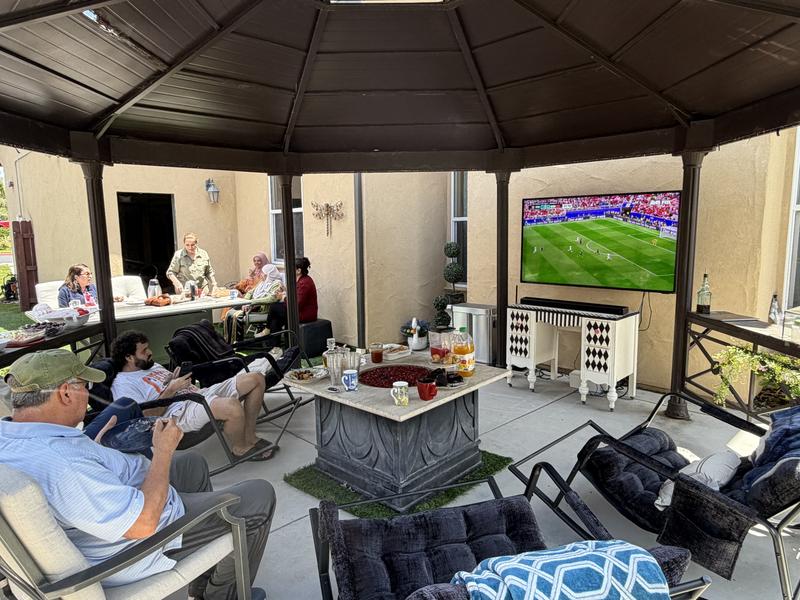
2026-09-22


2022-04-06


Operations
Hi GaryFin, thank you for sharing your feedback. At Samsung.ca, we always aim to satisfy our valued customers and would love to help. Please feel free to contact us at 1-800-SAMSUNG or via live chat on our website (http://www.samsung.com/ca/support/) for assistance. Thanks!
2023-08-12


2025-07-30


2021-04-14
Houston
2023-12-22


2026-05-21
Peru


2025-11-26

2026-06-13
Bahia


2025-06-07
Bucaramanga


Social Media.
¡Gracias por ser parte de nuestra familia! 💙💯
2025-12-30


2026-09-10
Santa Marta Colombia


2023-06-18


Team Samsung
Olá, Luiz! Estamos acompanhando a sua mensagem e gostaríamos muito de te ajudar com a sua solicitação, pedimos por favor que entre em contato em um de nossos canais digitais para que possamos acompanhar o caso de perto e auxiliá-lo da melhor maneira possível. Segue o link: https://cutt.ly/cwqfWFAD
2024-04-22
Recife - PE


Samsung Atendimento ao Cliente
Olá, Henderson. Vamos ajudar você com isso. Por favor, acesse o link https://cutt.ly/cwqfWFAD e escolha um dos nossos canais digitais para conversar com a gente. Assim, podemos entender melhor a sua situação e oferecer a melhor solução possível. Estamos aqui para te apoiar e tirar todas as suas dúvidas. Aguardamos o seu contato!
2024-11-23


2023-09-20


Team Samsung
Olá, Carlos! Ficamos muito alegres em saber que curtiu! Esperamos que continue a ter uma excelente experiência com ela! Agradecemos pela avaliação e estamos à disposição!
2023-09-18
Brejo Santo-CE


Team Samsung
Olá, Henrique! Faça o teste de imagem para entender se trata-se de uma caracteristica ou defeito: Vá em Menu > Configurações > suporte > auto diagnostico teste de imagem, modelos acima de 2019 o caminho será Configurações > Suporte > Cuidado com o dispositivo > Auto diagnóstico > Teste de imagem. Se apenas aparecer manchas brancas em imagens escuras é uma características do vazamento de backlight que é a forma de iluminação do painel, em ambientes escuros pode apresentar um pouco o vazamento de luz, mas é uma característica, não influência na utilização e não vai aumentar com o tempo. Não é um defeito Se não interferir na imagem e não aparecer no teste de imagem trata-se de características Aproveitando, vimos que tem uma ordem de serviço aberta conosco e passei mais detalhes através do e-mail que te enviei, dá uma olhadinha lá, tá bom? Se precisar, também pode entrar em contato em um de meus canais. Segue o link: https://cutt.ly/cwqfWFAD
2021-09-19
2025-10-19

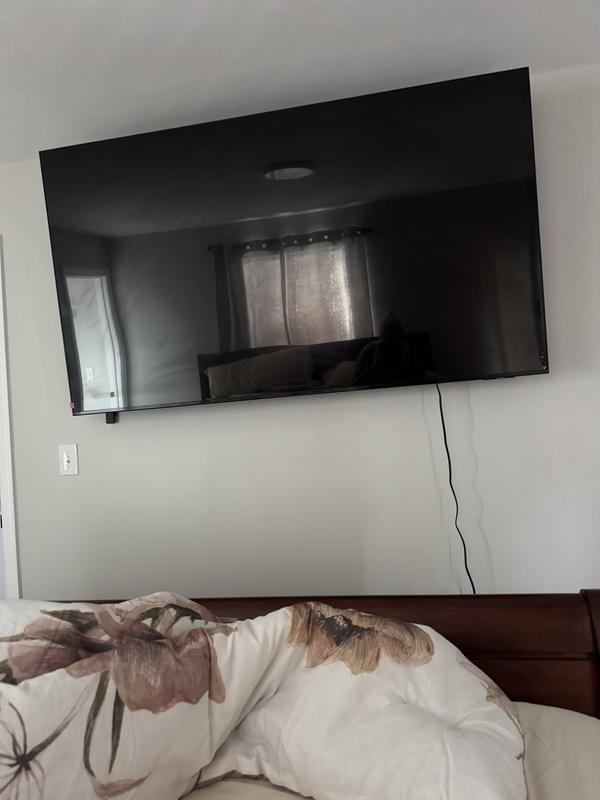
2023-11-03


2025-08-05


2021-06-30
2026-05-01
Joao Pessoa, pb


2023-06-10


Team Samsung
Olá, estamos acompanhando a sua mensagem e gostaríamos muito de te ajudar com a sua solicitação, pedimos por favor que entre em contato em um de nossos canais digitais para que possamos acompanhar o caso de perto e auxiliá-lo da melhor maneira possível. Segue o link: https://cutt.ly/cwqfWFAD
2024-01-29


2024-09-27


Estas reseñas son gestionadas por Bazaarvoice y cumplen la Política de autenticidad de Bazaarvoice, que está respaldada por análisis humano y tecnología contra el fraude.
Más información en
Manual del usuario y Descargas
Soluciones y consejos
- Utiliza Workspace para conectar de forma remota una computadora a una Samsung Smart TV
- Cómo editar canales en tu televisor Samsung
- Conecta el Control Remoto Inteligente a tu Televisor Samsung
- Cómo configurar los canales disponibles en tu Smart TV Samsung 2025
- Cómo configurar los canales disponibles en tu Smart TV Samsung
Soporte de productos
Encuentra respuestas a la pregunta que tienes sobre el producto
* Una característica principal puede diferir de aquella descrita en las especificaciones técnicas.