View your step count in Samsung Health
Important Note: The information on this page is for Hong Kong products only. Models, sequences or settings will vary depending on location and/or where the product had been purchased. To be redirected to your local support page please click here.
Samsung Health uses the pedometer on your connected device, such as your phone and Galaxy Watch, to measure your steps. Your step count is an estimate that can be affected by various movements and where you keep your phone. Distance is calculated based on your step count and estimated stride length, which depends on your height and walking cadence.
Note: For optimal results, keep the software and the Samsung Health app on all of your devices updated.
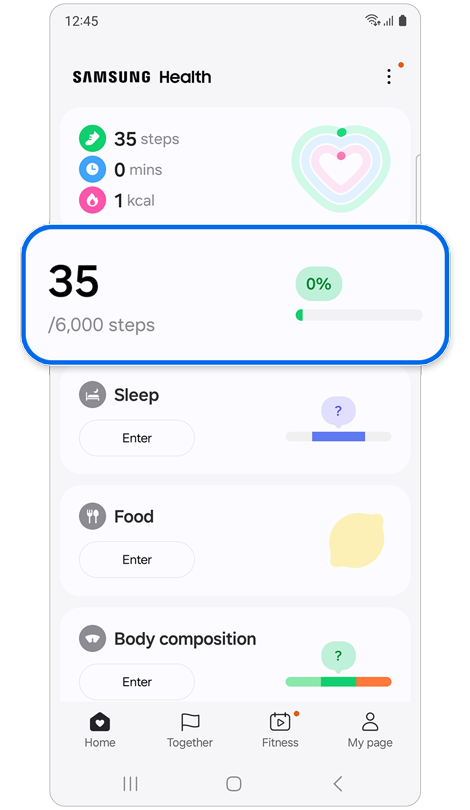
Step 1. Open the Samsung Health app > Tap the Steps card on the Home tab.
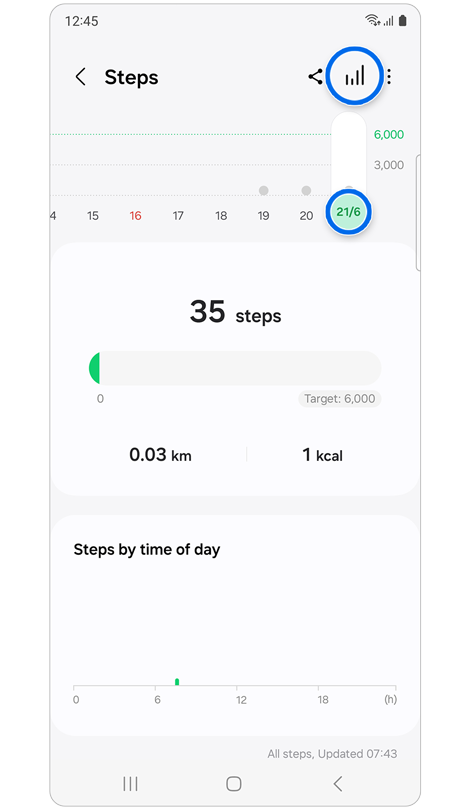
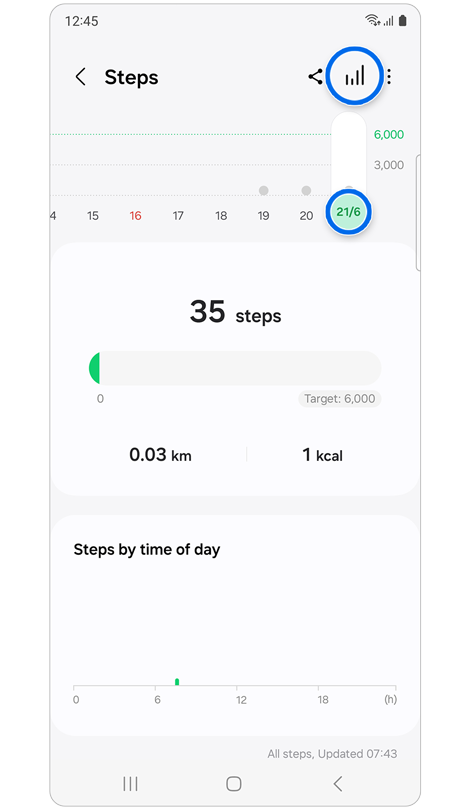
Step 2. Tap the dates at the top to view your step count by date or tap the Expand chart icon to view your step count history.
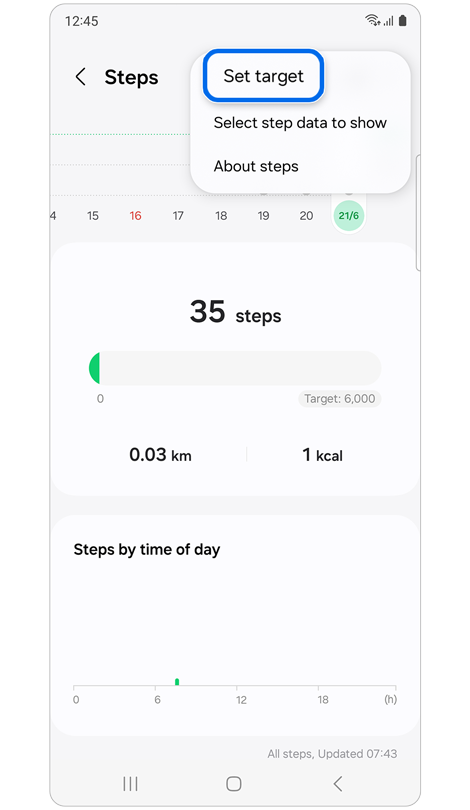
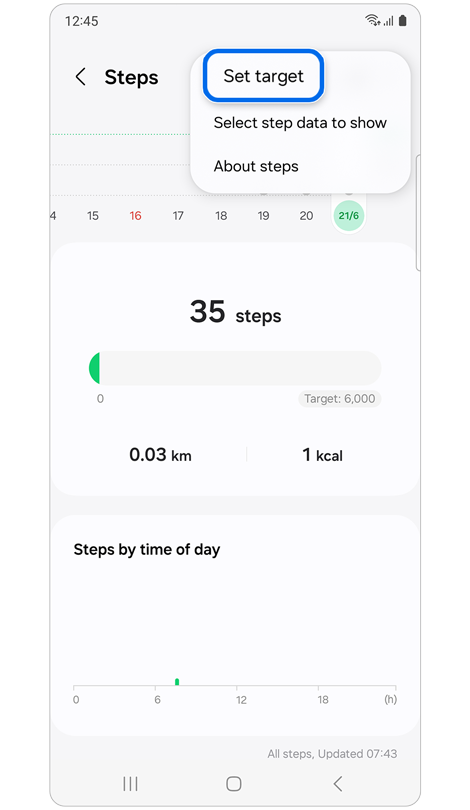
Step 3. Tap More options (the three vertical dots) > Tap Set target.
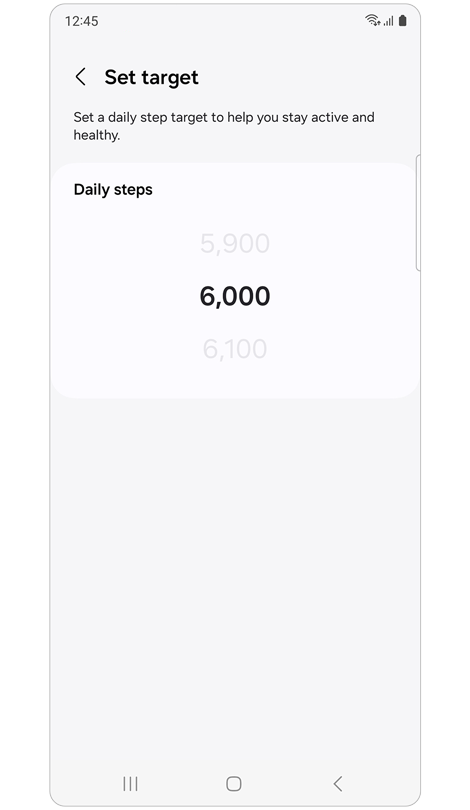
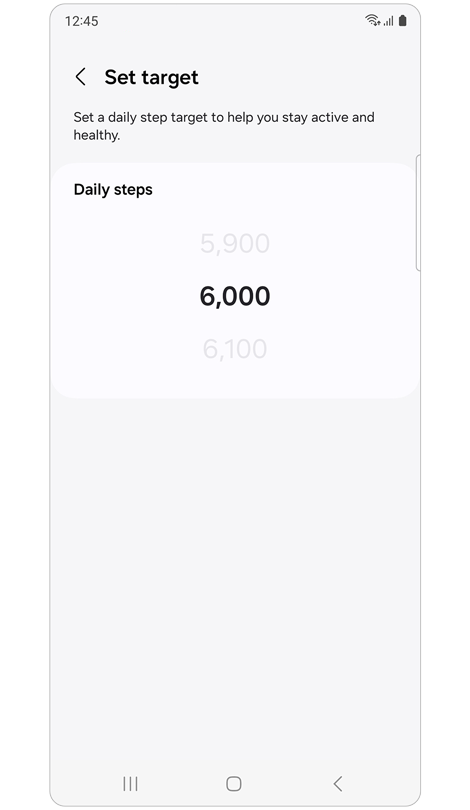
Step 4. Set a daily step target.
Note: Some devices cannot be viewed individually.
Add a Steps Tile to see how many steps you've taken


Step 1. Open the Home screen > Swipe left until you reach Add tiles, then tap the plus sign.


Step 2. Tap the Steps tile to add > Tap the added tile to view the details.


Step 3. Scroll down to see your step count, distance, activity graph, and a button to set your step target.
Set your target number of steps


Step 1. On the Home screen, swipe left to the Steps tile and tap.


Step 2. Scroll to the bottom and tap Set target.
* The "Show on phone" menu only appears when your Galaxy Watch and phone are synced.


Step 3. Swipe up or down on the number to select your step count goal > Tap Done.
If the above information does not match what your product is showing, you may check the User Manual for your product. If you are unable to solve the problem, please contact us for further assistance.
Thank you for your feedback!
Please answer all questions.
RC01_Static Content : This text is only displayed on the editor page