What can I do with Galaxy AI?
Galaxy devices come equipped with a variety of AI features designed to enhance your everyday experience.
Galaxy AI leverages on-device artificial intelligence built into Galaxy smartphones, Galaxy Tab, and Galaxy Buds to deliver a more intuitive, efficient, and personalised experience every time you interact with your device, empowering you to do more across daily life, creative projects, communication, and productivity.

Notes:
- Supported devices are subject to change, and the types of Galaxy AI features supported may vary by device.
- The real-time weather wallpaper feature is not included in the Galaxy AI support expansion.
- The specific update release date for each device and feature may vary.
- If you're having issues using the AI feature, try updating the app from the Galaxy Store.
- Samsung account login may be required for certain Samsung AI features.
- Samsung does not provide any assurances or guarantees regarding the accuracy, completeness, or reliability of the output generated by AI features.
- Availability of Galaxy AI features may vary by device model.
- The images used are simulated for illustrative purposes and the actual UI may vary by OS version, device model, region, etc.
- Galaxy AI features will be provided for free until the end of 2025 on supported Samsung Galaxy devices. Different terms may apply for AI features provided by third parties.
Supported Galaxy AI features
Gemini Live


Gemini is a personal AI assistant provided by Google. You can ask Gemini to organise study materials, suggest new ideas, or identify information in photos. With a simple conversation, you can make your tasks faster and more efficient.
Audio Eraser


Audio eraser is an editing tool that reduces or removes unwanted background sounds from videos, such as wind, crowd noise, and ambient noise. It preserves important sounds like voices and music while improving the overall audio quality of the video. You can use this feature to create clearer, more focused videos on your Galaxy device.
AI Select


AI Select is a Galaxy AI feature that lets you select a specific area on the screen to perform smart actions. You can edit, save, share, and extract text from the selected area, and it works with various types of content, including images, videos, and text.
Now Bar


The Now bar lets you check real-time notifications, music, Modes and Routines, and other information directly from the Lock screen. You can set which apps to display on the Now bar and control them from the Lock screen without opening the app.
Now Brief


Now brief provides a personalised briefing based on your daily schedule, offering useful content and helping you manage various tasks throughout the day.
Creative studio (Drawing assist)


Creative studio is a feature that uses AI to generate images in various styles from your own sketches, text descriptions, or photos.
Circle to Search


Allows you to quickly search for information about what you see on your screen — including images, videos or text by using a simple gesture with your finger or the S Pen.
Live translate (phone call)
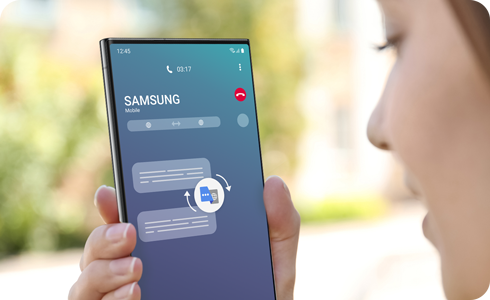
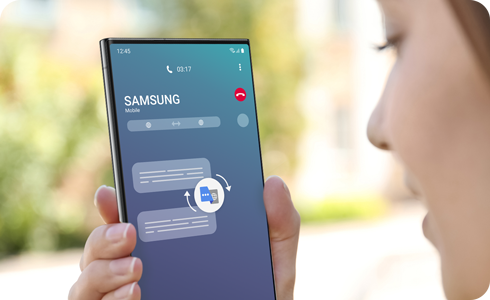
Translates phone calls in real-time directly on your device, which makes multilingual communication easier.
* Wi-Fi only tablet models do not support Live translate functionality.
Interpreter
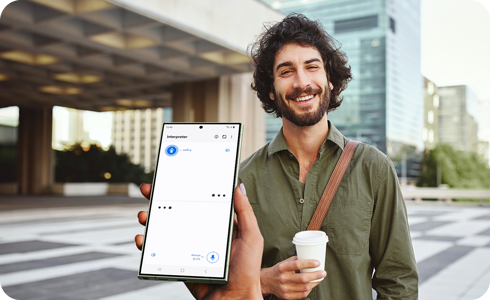
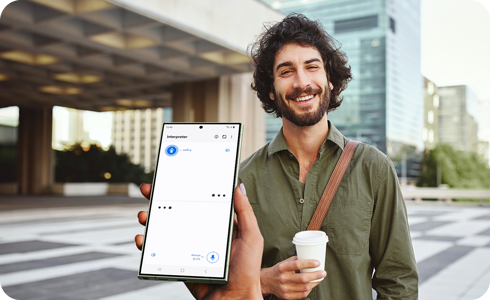
Provides real-time translation via the phone microphone, making it easy to communicate between different languages.
Writing assist


Translates conversations in the messaging apps, provides suggestions for sentence style changes, and suggests corrections for spelling and grammatical errors.
Note assist
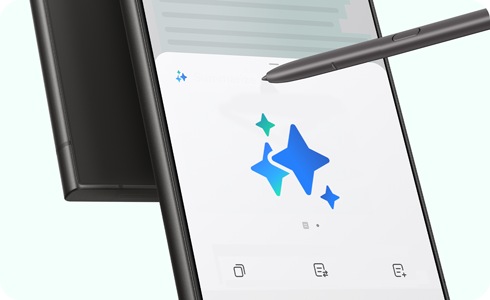
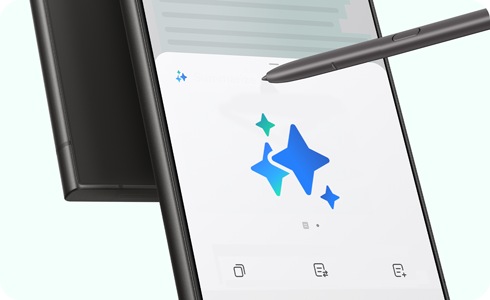
Provides the ability to format, summarise, correct typos, and translate notes, thereby making note-taking and organising more convenient.
Transcribe assist


Transcribes voice files to text and translates and summarises the transcribed content.


Generative photo editing


Analyses images to accommodate for resizing, removing, or repositioning objects in a photo to recreate an optimised version of the image.
Edit suggestions


Analyses the photos users take and provides editing options for how to improve the image.
* Main Edit suggestions: Remaster, Erase reflections, Erase shadows, Remove moiré, Long exposure, Colorise, etc.
* Edit suggestions may vary based on device model.
Generative wallpaper


Generates various wallpapers according to categories and keywords selected by the user.
Note: The real time weather wallpaper feature is not included in the Galaxy AI support expansion.
Thank you for your feedback!
Please answer all questions.
Contact Info
Digital Service Center
![DSC icon image]()
![DSC icon image]()



Scan to access
WhatsApp
![WhatsApp image icon]()
![WhatsApp image icon]()


Languages offered : English/ हिन्दी/ Indian Regional Languages
Available 24 Hours / 7 days
WhatsApp@ 1-800-5-726-7864

Scan to access


Remote Service
![Image of RM icon]()
![Image of RM icon]()


CEO Office
![Image of CEO icon]()
![Image of CEO icon]()


Phone Support (India)
![image of phone dialer]()
![image of phone dialer]()


Phone Support (Bangladesh, Sri Lanka, Nepal)
![Image of caller icon]()
![Image of caller icon]()
RC01_Static Content : This text is only displayed on the editor page