43" Neo QLED QN90F 4K Samsung Vision AI Smart TV (2025)


Gallery popup


Escanea el código QR con tu Smartphone y coloca la imagen del producto en donde quieras
{{upgradeResult.displayModelName}}
{{upgradeResult.discountText1}}
{{upgradeResult.description1}}
{{upgradeResult.description2}}
{{offerFinance.title}}
{{offerFinance.learnMoreCta.text}}{{offerFinance.description}}
{{galaxyForeverResult.displayModelName}}
{{galaxyForeverResult.discountText1}}
{{galaxyForeverResult.description1}}
{{galaxyForeverResult.description2}}
Bezel_Choose your color
Customizable bezels sold separately
Choose your skin color
Customizable skin sold separately
-
{{item.name}}
Sin existencias
Modern Type
-
{{item.name}}
Sin existencias
Beveled Type
-
{{item.name}}
Sin existencias
Skin color
-
{{item.name}}
Sin existencias
Bezel type

- Modern Type
The Frame's custom bezels magnetically click into place. Now, you can switch between styles in a snap.
Bezel type

- Beveled Type
The new Beveled type bezel design offers an elegant 45-degree angled inner edge bezel.
{{tradeIn.title}}
{{tradeIn.learnMoreCta.text}}{{tradeIn.description}}
{{tradeInResult.displayModelName}}
{{tradeInResult.discountText1}}
{{tradeInResult.discountText2}}
{{tradeInResult.discountText3}}
{{tradeInResult.discountText4}}
{{tradeInResult.discountText5}}
{{tradeInResult.discountText6}}
{{tradeInResult.specialDiscountText}}
{{tradeInResult.description}}
{{tradeInResult.contentText}}
BorrarDealer stock quantity
You can check the stock quantity for each region
Please select city
{{assuredBuyBack.title}}
{{newAssuredBuyBack.title}}
{{newAssuredBuyBack.learnMoreCta.text}}{{newAssuredBuyBack.description}}
Please select Samsung Assured Buyback or no coverage
{{care.title}}
{{care.learnMoreCta.text}}{{care.description}}
Selecciona Samsung Care+ o No para continuar
-
-
{{item.specialText}}
{{warrantyResult.displayModelName}}
{{warrantyResult.discountText1}}
{{warrantyResult.description1}}
{{warrantyVdResult.title}}
{{warrantyVdResult.priceDisplay}}
{{delivery.headline}}
{{delivery.errorMessage}}
{{deliveryResult.priorityText}}
{{deliveryResult.mainText}}
{{deliveryResult.subText}}
Standard installation charges may apply.Click here for more details.
{{deliveryResult.decText}}
{{item.disclaimer}}
{{tariffOptionResult.displayModelName}}
{{tariffOptionResult.discountText1}}
{{tariffOptionResult.description1}}
{{tariffOptionResult.description2}}
{{tariffOptionResult.description}}
{{tariffOptionResult.price}}
{{tariffOptionResult.disclaimer}}
{{embedAddon.title}}
{{embedAddon.description}}
-
{{item.name}}
{{item.modelCode}}
{{item.description}}
{{item.finalPrice}}
{{item.originalPrice}}{{item.savePrice}} Sin existencias
-
{{item.name}}
{{item.modelCode}}
{{item.description}}
- {{item.dotList1}}
- {{item.dotList2}}
- {{item.dotList3}}
{{item.finalPrice}}
{{item.originalPrice}}{{item.savePrice}} Sin existencias
{{message.item.tcCTAText}}
{{message.item.periodText}}
Destacados

Procesador NQ4 AI Gen3
Nuestro procesador 4K con tecnología de IA más avanzado

Escalado 4K AI
Mejora la resolución de programas y películas a 4K

Glare Free
Tecnología que evita reflejos distractores

Neo Quantum HDR+
Eleve la visualización 4K con un brillo excelente y colores vivo

Premio Expert Reviews Best Buy - Samsung QN90F
"Imágenes fantásticamente brillantes, coloridas y soporte excepcional para juegos" "Si bien el enfoque principal de QN90F es sobresalir con imágenes 4K de alto rango dinámico, también ofrece un excelente rendimiento en la parte HD y SDR más tradicional de la vida audiovisual".

[TechRadar] Editor's Choice
“Es la nueva televisión mini LED por vencer en 2025”

[TUV] Pantalla Real Quantum Dot
Certificado como pantalla Real Quantum Dot con hoja Quantum Dot y LED azul aplicado de acuerdo con los estándares IEC.

[SGS] Sin cadmio
La hoja Quantum Dot que se utiliza en QLED TV ha recibido certificación por el cumplimiento de la directiva RoHS y se ha verificado que no contiene cadmio por el instituto de certificación global, SGS. *Este logotipo es una variación del logotipo original de SGS para fines de mercadotecnia.
Características
Escala tu experiencia con Samsung Vision AI


Características principales


Pregúntale lo que quieras a tu acompañante. Samsung Vision AI ya está aquí.
Samsung Vision AI Companion
La TV se convierte en una compañera inteligente con Vision AI Companion, que redefine la interacción con la pantalla. Respaldado por más de 20 años de experiencia en TV, Vision AI Companion ofrece respuestas dinámicas, enriquecidas y adaptadas al contexto, potenciadas por agentes de IA líderes como Gemini y Perplexity, todo sin interrumpir lo que se está viendo en pantalla. Se adapta perfectamente a las rutinas diarias, ya sea para ponerse al día con las novedades de la mañana, seguir momentos deportivos en vivo, encontrar excelentes lugares cercanos o descubrir más sobre el contenido que aparece en pantalla. Con IA, las funciones de imagen, sonido y generación de contenido están perfectamente conectadas y evolucionan continuamente.


El compañero que mejora tu vida


Un asistente de voz más inteligente
Bixby
Con inteligencia actualizada, Bixby sera el centro de tu hogar. Puede procesar varios comandos a la vez captando mejor el contexto. Disfruta de conversaciones más fluidas, búsquedas más sencillas, reacciones más intuitivas y un control perfecto de los dispositivos.
* Se admiten comandos de voz y multigiro para 10 idiomas (US/UK/IN(en)/DE/FR/IT/ES/BR/MX/KR).* No se reconocen todos los acentos, dialectos y expresiones.* Q8F y superiores admiten micrófonos de campo lejano. Q7F y superiores admiten mandos a distancia de TV. U8000F necesita un mando a distancia móvil SmartThings.

Optimiza de forma inteligente la imagen y el sonido
Modo AI
El modo AI ofrece un menú de acceso rápido para ajustar la configuración adaptable de imagen y sonido, optimizando de forma inteligente tu experiencia, de acuerdo a tu entorno y el contenido que estás viendo.


Sonido optimizado y remasterizado
Adaptive Sound Pro
Escucha el sonido tal y como fue concebido, con voces claras y tonos equilibrados. El procesador de AI reconoce diferentes sonidos, como diálogos y música de fondo, y los optimiza según la acústica de tu habitación, antes de perfeccionarlos con la tecnología de remasterización de audio.
La experiencia puede variar en función del contenido y el entorno.

Crea tus propios fondos de pantalla que combinen con tu estado de ánimo
Generador de Fondos de pantalla
Elige las palabras clave del ambiente que desees y deja que la AI haga su magia. Tu pantalla generará imágenes únicas y bellas que pueden cambiar la atmósfera de tu hogar.
*El número de intentos de generación permitidos por día puede estar limitado.

Mantente en contacto con tus mascotas
Pet Care
Tu pantalla puede detectar ruidos como ladridos a través de su micrófono y encender automáticamente el contenido favorito de tu mascota para calmarla. Tu Pantalla sera el mejor amigo de tu mascota.
*La transmisión en tiempo real en dispositivos móviles es compatible con Android OS 11.0 y versiones superiores o iOS 16.0 y versiones superiores, y está disponible en pantallas Samsung Modelos 2025 y modelos posteriores. Solo funciona cuando la pantalla del televisor está apagada. *La pantalla debe estar conectada a una fuente de alimentación para utilizar esta función.* La pantalla y el dispositivo móvil deben estar conectados a SmartThings para enviar y recibir notificaciones.Siente toda la potencia de la AI en 4K
Procesador NQ4 AI Gen3
Nuestro procesador NQ4 AI Gen 3 crea una experiencia 4K sin igual. Su tecnología de escalado 4K AI, impulasada por 128 redes neuronales con Inteligencia Artificial, transforma el contenido en una calidad de imagen cercana a 4K. Nuestro Procesador NQ4 AI Gen3 optimiza la imagen y el sonido para ofrecer una experiencia 4K tanto en servicios OTT como en videojuegos o deportes en directo.


Aumenta la resolución de todos tus contenidos a 4K
Escalado 4K AI
Disfruta tus contenidos favoritos con todo detalle. Nuestro procesador de AI puede mejorarlos hasta una resolución 4K gracias a sus 128 redes neuronales de AI, manteniendo una calidad de imagen nítida y fluida.


Calidad de imagen


Inmersión ininterrumpida, sin perturbaciones luminosas
Glare Free
Vea colores brillantes, perfeccionados por Glare Free. Glare Free es nuestra tecnología antideslumbrante más avanzada, diseñada para reducir los reflejos y el brillo de la pantalla. Ofrece una experiencia de visualización más clara, cómoda y nítida, tanto a la luz del día como en interiores.


* Rendimiento 'Glare Free' verificado por UL Solutions, basado en evaluaciones de la Calificación Unificada de Deslumbramiento (UGR). Verificación emitida cuando: Reflection Glare UGR ≤ 10, Discomfort Glare UGR ≤ 22, y Disability Glare UGR ≤ 34. * Resultados basados en pruebas realizadas bajo iluminación interior.
Experimenta tu contenido 4K con colores más intensos y con detalles que te sorprenderan
Neo Quantum HDR+
Disfruta de colores más intensos y precisos en resolución 4K. También puedes apreciar muchos más detalles, gracias al contraste más profundo realizado por el mapeo de tonos HDR10+ que se adapta dinámicamente de acuerdo a las caracteristicas de cada escena.
* El rango de luminancia de Quantum HDR se basa en estándares de pruebas internas y está sujeto a cambios según las condiciones de visualización o las especificaciones.* Para QN90F 50 / 43 pulgadas: Neo Quantum HDR.

Más información Calidad de imagen


Control ultrafino de la luz que revela cada detalle
Tecnología Quantum Matrix Plus
Visualiza con claridad incluso los detalles más sutiles tanto en escenas oscuras como en escenas brillantes, todo gracias a los Quantum Mini Leds que ofrecen un confort preciso sobre la iluminación.


Expresión de Colores mejorada de forma inteligente
Color Booster Pro
La AI reconoce cada escena y mejora la expresión del color, para que tu experiencia visual sea más real y dinámica que nunca


Detecta fácilmente objetos y texto en movimiento
AI Motion Enhancer Pro
Nuestro procesador AI suaviza y afina el movimiento, para que puedas ver los objetos y texto en movimiento con mucha más claridad. Ver deportes en tiempo real y tus programas de acción a gran velocidad nunca había sido tan fácil.
* La experiencia de visualización puede variar según el tipo de contenido y el formato.

Ajusta el contenido para obtener una calidad similar HDR con AI
Remasterización automática HDR Pro
Disfruta de luces más brillantes, detalles más nítidos y colores más vivos. Mediante algoritmos de aprendizaje profundo, nuestra tecnología AI aprende las diferencias entre el contenido remasterizándolos y convirtiéndolos de SDR a HDR.


Auténtica Visualizacion de Color
Validado por PANTONE
Como símbolo de fidelidad y confíanza para los expertos del sector, «PANTONE» certifica la expresión precisa de 2.140 colores y 110 tonos de piel de reciente incorporación. Puedes estar seguro de que disfrutarás de una experiencia visual precisa y realista.
* Validación PANTONE recibida basada en la pantalla HDR.Colores reales, QLED real. No te mereces menos.
Colores vibrantes y precisos amplificados por la lámina Quantum Dot de Samsung sin cadmio.


Experiencia de juego


Más sobre Experiencia de juego


Movimiento Ultra fluido para juegos de hasta 165 Hz
Motion Xcelerator 165Hz
Disfruta de imágenes fluidas a velocidades increíblemente rápidas. Motion Xcelerator 165Hz ofrece una acción ultrasuave sin retrasos ni desenfoque de movimiento. Podrás disfrutar de imágenes nítidas y velocidades ultrarrápidas para juegos VRR de hasta 4K 165 Hz.
*4K 165Hz sólo está disponible con juegos conectados a PC que admitan dichas especificaciones (se requiere tarjeta gráfica de PC).* El rendimiento puede variar.

Experimenta un juego sin interrupciones con la optimizacion automatica de ajustes controla
AI Auto Game Mode
El Procesador identifica automaticamente el tipo de juego y ajusta la configuracion garantizando el mayor rendimiento posible.
*El modo de juego automático AI está disponible para determinados juegos de consola y PC.

Ajusta la configuración del juego mientras juegas
Game Bar
Optimiza aún más tu juego con Game Bar. Las pantallas Samsung te ofrecen un práctico menú en el juego para ajustes como FPS, input lag, zoom del minimapa y mucho más. También te permite aplicar relaciones de aspecto ultraamplias de 21:9 y 32:9 para ampliar la vista en pantallas más grandes.
*Super Ultrawide GameView (21:9, 32:9) está disponible para determinados juegos de PC y consolas compatibles con pantallas ultrapanorámicas.* Es posible que algunos juegos no admitan esta función.* El modo de acercamiento de la barra de juegos no es compatible con determinadas frecuencias de actualización.* La interfaz de usuario de la barra de juegos está sujeta a cambios sin previo aviso.

Juegos HDR sin interrupciones, sin tirones y con baja latencia
FreeSync Premium Pro
Certificado para AMD Freesync Premium Pro, permite jugar sin interrupciones y disfrutar de una autentica experiencia HDR
*La experiencia de visualización puede variar según el tipo de contenido y la unidad de procesamiento gráfico, así como la velocidad de conexión a la red y los niveles de ping cuando se juega en la nube.Sonido


Sonido envolvente inmersivo con altavoces superiores
Dolby Atmos®
Los altavoces superiores de Samsung funcionan con la tecnología Dolby Atmos para crear una experiencia que te sumergirá dentro de la acción con un sonido multidimensional.


El televisor y la barra de sonido se complementan en perfecta armonía
Q-Symphony
Rodéate de un sonido maravillosamente orquestado. La tecnología de Samsung sincroniza el audio del televisor y de la barra de sonido para que se reproduzcan simultáneamente, sin silenciar los altavoces de ninguno de los dos dispositivos.
* Compruebe la compatibilidad con Q-Symphony en las especificaciones del producto de la barra de sonido.* La barra de sonido se vende por separado.* La ubicación y el número de altavoces pueden variar según el modelo.

Tus oidos Siguen el Sonido, tus ojos la accion
Object Tracking Sound+
Gracias a sus 4.2.2.ch, experimentaras un sonido de gran realismo con altavoces integrados que te situaran en el centro de la acción.
* Para QN90F 50 / 43 pulgadas: Object Tracking Sound Lite.

Capta todos los diálogos sin distracciones
Active Voice Amplifier Pro
Mejora el audio con AI, haciendo que los dialogos sean nitidos medianta el analisis de los sonidos de fondo, la claridad de la voz y el ruido ambiente para aislar las voces de otros sonidos. Disfruta de una experiencia de audio inigualable con dialogos nitidos incluso en entornos con distracciones.
One UI Tizen


Personaliza tu experiencia
One UI Tizen
One UI Tizen proporciona una experiencia de pantalla personalizada. Con Samsung Tizen OS, ofrece todas las últimas funciones innovadoras de Samsung. Tu experiencia también está protegida por Samsung Knox en todos los dispositivos SmartThings. Además, One UI Tizen será compatible con las actualizaciones de Tizen OS durante los próximos 7 años.


Disfruta de una nueva experiencia de pantalla durante 7 años


Lleva las Galerias de Fama Mundial a tu sala
Art Store
Acceda a más de 2.500 obras de arte y fotografía de instituciones de renombre mundial en la Tienda de Arte. Desde clásicos preciados a obras maestras modernas. Descubre nuevas obras de arte con selecciones relevantes y oportunas que complementan cada estación, festividad y estado de ánimo.
*Se requiere suscripción a Art Store para acceder a toda la selección. Las obras de arte de la Tienda de Arte están sujetas a cambios sin previo aviso

Más sobre One UI Tizen


Tu privacidad. Protegida.
Samsung Knox Security
Tu privacidad está segura en las pantallas Samsung. Tus datos confidenciales, como contraseñas y numeros PIN, están protegidas por multiples capas de Software y Hardware. Los dispositivos IoT conectados se supervisan y las aplicaciones y sitios maliciosos se bloquean automáticamente.
* Samsung Knox Security se aplica a las pantallas Samsung con tecnología Tizen®, lanzados desde 2015.* La actualización del software de seguridad se proporciona durante tres años desde el lanzamiento del producto.* Se requiere la última actualización de software.

Mejora tu día con experiencias exclusivas que se adaptan a tu estilo de vida.
Samsung Daily+
Encuentra aplicaciones y servicios para la salud, el trabajo y el estilo de vida en Samsung Daily+. Puedes acceder a SmartThings, Workout Tracker, karaoke y mucho más, todo en un mismo lugar.
*Samsung no es responsable de los servicios de terceros ni de los daños o pérdidas causados por los mismos.

Accede a información útil incluso con la pantalla apagada
Daily Board
Obtén información durante todo el día en tu pantalla, incluso cuando está apagada. Puedes personalizar tu Daily Board con widgets como El Clima, Notas, Música y mucho más. Daily Board también puede activarse mediante comandos de voz o detectando tu presencia cuando te acerques.
*Los widgets compatibles varían según la región y están sujetos a cambios sin previo aviso.SmartThings


Conecta y gestiona tus dispositivos inteligentes, todo desde tu pantalla
SmartThings
Con SmartThings tienes un Hub integrado en tu pantalla que te ayuda a conectar y controlar dispositivos inteligentes, incluso los que requieren compatibilidad con Matter y HCA.


Más sobre SmartThings


Control mediante gestos con tu Watch
Universal Gestures
Controla fácilmente tu pantalla con tu Smartwatch. Solo tienes que llevar tu Galaxy Watch y usar gestos con las manos, como pellizcar para seleccionar una opción o mover la muñeca de un lado a otro para pausar y reproducir.
* Las aplicaciones y servicios disponibles pueden variar y están sujetos a cambios sin previo aviso.* Solo compatible con Galaxy Watch4 y modelos posteriores, y Wear OS 5 y versiones superiores.

Ahorra energía con análisis inteligentes
AI Energy Mode
Ahorro de energía más fácil con SmartThings. Al activar el Modo de Energía AI, detecta automáticamente los niveles de luz ambiental y analiza los hábitos de uso para ajustar el brillo. Además, analiza cada escena del contenido para ajustar sutilmente el brillo cuando es posible, optimizando así el consumo de energía.
* La tasa de ahorro de energía puede variar según la región, el modelo, el tamaño, las condiciones de visualización y el tipo de contenido. * Los productos enviados en modo Eco tienen algunas funciones del modo AI Energy activadas por defecto, por lo que los niveles de ahorro de energía cuando el modo AI Energy está activado pueden parecer inferiores en comparación con el modo estándar.* El modo AI Energy no funciona con el modo Juego.* El ahorro de energía se basa en resultados de pruebas internas y puede variar en función del contenido que se visualice y de los niveles de brillo del entorno.

Controla tu pantalla desde tu smartphone
Quick Remote
A través de tu dispositivo móvil, puedes acceder a las principales funciones de Samsung Tizen TV, como medios, funciones, modo ambiente y menú. Quick Remote también puede actuar como control remoto de tu pantalla, permitiéndote cambiar de canal, ajustar el volumen y mucho más desde tu smartphone.
* Las notificaciones push para controles remotos móviles para pantallas están disponibles en (Mobile) Android OS 10.0 y versiones posteriores con (TV) 2020 pantallas Samsung y modelos posteriores, y funciona cuando el dispositivo móvil está cerca de la pantalla.* El acceso a funciones de Samsung Smart TV está disponible en (TV) 2024 pantallas Samsung y modelos posteriores con (Mobile) Android OS 10.0 y versiones posteriores o iOS 15.0 y versiones posteriores.

Sonido 3D espacial con los Galaxy Buds
360 Audio Mode
Sumérgete en la escena con un sonido fluido desde todos los ángulos. Las pantallas Samsung se vinculan a la perfección con los audífonos Galaxy Buds para ofrecer audio 3D multidireccional. Con el seguimiento de cabeza mejorado, incluso sincroniza la dirección del sonido con los movimientos de tu cabeza.
* El modo de audio Galaxy Buds 360 está disponible con Galaxy Buds2 Pro, Galaxy Buds2, Galaxy Buds Pro y Galaxy Live.

Transforma tu pantalla en un escenario de karaoke
Karaoke
Diviértete con tus amigos y familiares con la función de karaoke de Samsung Daily+. Incluso puedes conectar tu smartphone para usarlo como micrófono. No necesitas ningún equipo aparte: tu configuración para cantar ya está aquí.
* Requiere que la app SmartThings esté instalada en el dispositivo móvil y conectada a través de la misma red Wi-Fi que el televisor.* El micrófono móvil está optimizado solo para Galaxy S23 o modelos posteriores y iPhone 15 y superiores.* Debes descargar la app Karaoke de Tizen para utilizar la función Karaoke.* Se requiere una suscripción de pago adicional para este servicio después de 6 meses de uso gratuito. (Los usuarios pueden acceder a 5 canciones al día de forma gratuita sin suscripción).Diseño


Diseño elegante en una silueta moderna y estilizada
NeoSlim Design
Elegante y estilizado, su diseño ultrafino es bello desde todos los ángulos, como si fuera una obra de arte.


Sustentabilidad


Recárgalo con Luz Solar
Control remoto SolarCell
Con un panel solar en la parte posterior, nuestro control remoto SolarCell se carga con luz solar y con luz ambiental, sin necesidad de pilas desechables. Y con funciones inteligentes como un micrófono integrado y un asistente de voz, este control remoto es innovador en más de un sentido.
*Para cargar el mando a distancia con energía solar, colócalo con el panel solar hacia arriba. Colócalo en el cuarto de estar con las luces encendidas o cerca de una ventana para que le dé la luz natural.* Si se agota la batería del mando a distancia, puedes cargarlo con un cable USB-C. Para comprobar el nivel de batería restante del mando a distancia, consulta el menú de la pantalla (Ajustes > General y privacidad > Ahorro de energía y alimentación > Batería disponible del control remoto).


Especificaciones
-
Pantalla
43"
-
Tipo de producto
NeoQLED
-
NeoQLED
-
Tamaño de pantalla
43"
-
Frecuencia de actualización
120Hz (Up to 165Hz)
-
Resolución
4K (3,840 x 2,160)
-
Antirreflejo
Glare Free
-
Motor de imágenes
NQ4 AI Gen3 Processor
-
HDR (Alto rango dinámico)
Neo Quantum HDR
-
HDR 10+
Sí (ADAPTIVE/ GAMING)
-
Mejora de IA
4K AI Upscaling Pro
-
Contraste
Quantum Matrix Technology Plus
-
Ángulo de visión
Wide Viewing Angle
-
Microatenuación
Ultimate UHD Dimming
-
Potenciador de contraste
Real Depth Enhancer Pro
-
Tecnología de movimiento
Motion Xcelerator 165Hz
-
Calibración inteligente
Basic/Professional
-
Modo Cineasta (FMM)
Sí
-
AI Motion Enhancer
AI Motion Enhancer Pro
-
HDR Brightness Optimizer
Sí
-
Color Booster
Color Booster Pro
-
AI HDR Remastering
Auto HDR Remastering pro
-
EyeComfort Mode
Sí
-
Dolby Atmos
Sí
-
Object Tracking Sound
OTS Lite
-
Q-Symphony
Sí
-
Salida de sonido (RMS)
20W
-
Tipo de altavoz
2CH
-
Active Voice Amplifier
Sí (Active Voice Amplifier Pro)
-
Sonido adaptable
Sí (Adaptive Sound Pro)
-
360 Audio
Sí
-
Sistema operativo
Tizen™ Smart TV
-
Bixby
Sí
-
Interacción de voz de campo lejano
Sí
-
Navegador web
Sí
-
SmartThings Hub / Matter Hub / IoT-Sensor Functionality / Quick Remote
Sí
-
Multi Device Experience
TV to Mobile, Mobile to TV, TV initiate mirroring, Sound Mirroring, Wireless TV On, Tap View
-
Visión múltiple
upto 2 videos
-
Apple AirPlay
Sí (w/o Cuba)
-
Storage Share
Sí
-
Generative Wallpaper
Sí
-
Karaoke Mic
Sí
-
Modo de juego automático (ALLM)
Sí
-
Game Motion Plus
Sí
-
Ecualizador negro dinámico
Sí
-
VRR
Sí
-
Sonido envolvente
Sí
-
Vista súper ultraamplia para juegos
Sí
-
Zoom de minimapa
Sí
-
FreeSync
FreeSync Premium Pro
-
HGiG
Sí
-
AI Auto Game Mode
Sí
-
Transmisión digital
ISDB-T/DVB-T/ATSC
-
Sintonizador análogo
Sí (Trinorma)
-
Soporte principal para televisor
Sí
-
HDMI
4
-
USB
2 x USB-A
-
HDMI (alta velocidad de fotogramas)
4K 165Hz (for HDMI 1/2/3/4)
-
Ethernet (LAN)
1
-
Salida para audio digital (Óptico)
1
-
Entrada para RF (Entrada terrestre y de cable)
1/1(Common Use for Terrestrial)/0
-
Wi-Fi
Sí (Wi-Fi 5)
-
Bluetooth
Sí (5.3)
-
Anynet+ (HDMI-CEC)
Sí
-
HDMI Audio Return Channel
eARC
-
Diseño
NeoSlim
-
Tipo de bisel
3 Bezel-less
-
Color delantero
TITAN BLACK
-
Tipo de soporte
SHARP NECK HEXAGON
-
Color del soporte
TITAN BLACK
-
Art Store
Sí
-
POP integrado
Sí
-
EPG
Sí
-
PVR extendido
Sí
-
IP Control
Sí
-
Idioma en pantalla
Local Languages
-
Accesibilidad-Guía de voz
US English, Mexico Spanish, Canada French
-
Low Vision Support
Relumino, Magnification, Zoom Menu and Text, High Contrast, SeeColors, Color Inversion, Grayscale, Auto Picture Off
-
Hearing Impaired Support
Closed Caption (Subtitle), Multi-output Audio, Sign Language Zoom
-
Motor Impaired Support
Slow Button Repeat, Remote Control App. for All
-
Sensor ecológico
Sí
-
Fuente de alimentación
AC100-240V~ 50/60Hz
-
Consumo de energía (máx.)
145 W
-
Apagado automático
Sí
-
Ahorro automático de energía
Sí
-
Tamaño del paquete (ancho x alto x prof.)
1164 x 667 x 140 mm
-
Ajustar medida con soporte (anch. x alt. x prof.)
960.8 x 619.9 x 220.0 mm
-
Ajustar medida sin soporte (anch. x alt. x prof.)
960.8 x 558.9 x 26.9 mm
-
Soporte (básico) (anch. x prof.)
519.0 x 220.0 mm
-
Especificaciones de VESA
200 x 200 mm
-
Peso del paquete
16.9 kg
-
Peso del equipo con soporte
13.4 kg
-
Peso del equipo sin soporte
9.4 kg
-
Modelo de control remoto
TM2360E
-
Soporte de montaje en pared de ajuste delgado
Sí
-
Minisoporte para montaje en pared
Sí
-
Soporte de accesorio de rotación automática
Sí
-
Manual para usuarios
Sí
-
Montaje en pared delgado Full Motion (Y22)
Sí
-
Soporte de cámara web
Sí
-
Zigbee / Thread Module
Built-In
-
Cable de alimentación
Sí
Reseñas
43" Neo QLED QN90F 4K Samsung Vision AI Smart TV (2025)
- Los clientes describen la calidad de imagen como extraordinaria, con colores vibrantes, negros profundos y brillo HDR excepcional gracias a la tecnología Quantum Matrix.
- Muchos elogian la pantalla antirreflejos como un cambio decisivo para ver televisión en habitaciones iluminadas sin molestias.
- Los jugadores reportan una experiencia excepcional con bajo retraso de entrada, alta velocidad de fotogramas y manejo de movimiento fluido.
- Varios clientes aprecian el sonido integrado robusto y la fácil configuración, junto con la interfaz intuitiva y el diseño elegante.
- Algunos mencionan dificultades con el control remoto, pero estos problemas son aislados y no afectan la satisfacción general de la mayoría.
Reseñas con imágenes y videos
Filtros
El orden por relevancia coloca las mejores reseñas en la parte superior. Consideramos aspectos como los votos útiles, la reseña más reciente, imágenes y otros rasgos que los lectores buscan en sus reseñas.
Filtros
3,641 Reseñas
2026-09-06
South Carolina, USA

2025-09-16
Київ


Служба підтримки
Вадиме, вдячні Вам за оцінку та детальний відгук! Раді, що телевізор подобається Вам 😊 Дійсно зручно, коли техніка надійна й функціональна. Якщо знадобиться допомога чи консультація, будь ласка, звертайтесь до нас у підтримку: https://www.samsung.com/ua/support/contact/ Будемо раді допомогти. Бажаємо й надалі отримувати позитивний досвід із Samsung!
2025-07-27
México. Estado Mexico


2026-05-23
Mexico


2025-04-23
Spokane, WA

2026-05-12
Newyork


2023-03-06
Toronto


Operations
Hi there, thank you for reaching out. We're here to help. Could you please tell us more about the situation? Get in touch at 1-800-SAMSUNG or via live chat on our website (http://www.samsung.com/ca/support/)
2025-06-30
Ritterhude


Samsung Service Team
Hallo, vielen Dank für das Lob. Darüber freuen wir uns sehr. Wir wünschen dir noch viel Spaß mit deinem neuen Gerät.
2026-02-09


Service clients Samsung
Bonjour Bozseaman, Merci de partager vos impressions sur notre TV AI Neo QLED. Nous regrettons que votre expérience n'ait pas été à la hauteur de vos attentes. Nous partageons avec vous quelques conseils afin de faire un usage optimal de votre télécommande: https://www.youtube.com/watch?v=q4cdDGfO764&t=2s . Sachez aussi que vous pouvez utiliser votre smartphone comme télécommande. Si votre télévision n’est pas encore connectée à SmartThings, suivez les étapes ci-dessous : Assurez-vous que votre smartphone et votre télévision sont connectés au même réseau Wi-Fi. Lancez l’application SmartThings sur votre smartphone. Si elle n’est pas déjà installée sur votre téléphone, vous pouvez télécharger l’application SmartThings depuis Google Play ou depuis Apple Store. Si la télévision est automatiquement détectée, une fenêtre pop-up s’affiche. Appuyez sur « Ajouter maintenant » pour connecter votre téléviseur à votre smartphone. Si aucune fenêtre contextuelle n’apparaît, c’est que votre smartphone ne détecte pas automatiquement la télévision. Dans ce cas, appuyez sur l’icône + > Appareil > Ajouter un nouvel appareil > Chercher à proximité (selon la version Android). Ajoutez un appareil via l'application SmartThings Si l’appareil n’apparaît toujours pas dans cette liste, revenez en arrière et lancez une recherche manuelle en utilisant la barre de recherche ou en scannant le QR code situé sur l’appareil. Une fois la télévision détectée, un code PIN s’affiche sur son écran. Saisissez ce code dans l’application SmartThings pour autoriser la connexion entre votre smartphone et le téléviseur. Votre smartphone est désormais connecté à votre télévision et peut être utilisé comme télécommande. Les commandes pour éteindre et allumer la TV, pour accéder aux chaînes et pour régler le volume sont les mêmes que celles d’une télécommande universelle. Vous avez également accès au mode Mute (mettre la TV en mode Muet/Silencieux), au Menu de votre télévision, au Guide TV et à la fonction Retour. Appuyez sur l’icône « Plus d’Options » pour accéder à d’autres paramètres. Si vous avez d'autres suggestions spécifiques pour améliorer votre expérience, nous vous encourageons à les partager sur notre communauté: https://www.samsung.com/fr/apps/samsung-members/ Vos commentaires sont précieux et nous espérons pouvoir vous proposer des innovations plus en phase avec vos besoins à l'avenir. Cordialement Charlie, Service clients Samsung
2025-12-13


Service clients Samsung
Bonjour Luperca, Samsung vous remercie d'avoir partagé votre avis si complet et détaillé. Votre satisfaction est la plus grande récompense pour nous. Nous prenons chaque commentaire au sérieux dans notre engagement constant envers l'amélioration. Vos commentaires sont précieux et nous espérons pouvoir vous proposer des innovations plus en phase avec vos besoins à l'avenir. N'hésitez pas à faire un tour sur notre site pour profitez de nos dernières offres et complétez votre écosystème Samsung: https://www.samsung.com/fr/ Cordialement Charlie, Service clients Samsung
2022-12-02


Samsung Support
Thank you for taking the time to share your feedback with us. We are sorry to read that currently you are unable to view the TV Guide under the circumstances you have described. Our incredible team are releasing regular software updates to provide continuous improvement to our TV's operating systems. Therefore, we recommend that you check for software updates regularly in Settings > Support > Software Update.
^CR at Samsung Support
2026-04-08
NY

2023-07-08
São Paulo


Team Samsung
Olá! Tudo bom? Queremos te ajudar com isso e entender melhor o que está acontecendo. Poderia nos contatar? Segue os nossos canais: Chat: https://www.samsung.com/br/support/contact/#onlinesupport e, se preferir, também pode me acionar via WhatsApp: https://www.samsung.com/br/support/whatsapp/
2026-06-23
Phoenix Oregon

2026-08-20
The Villages, FL

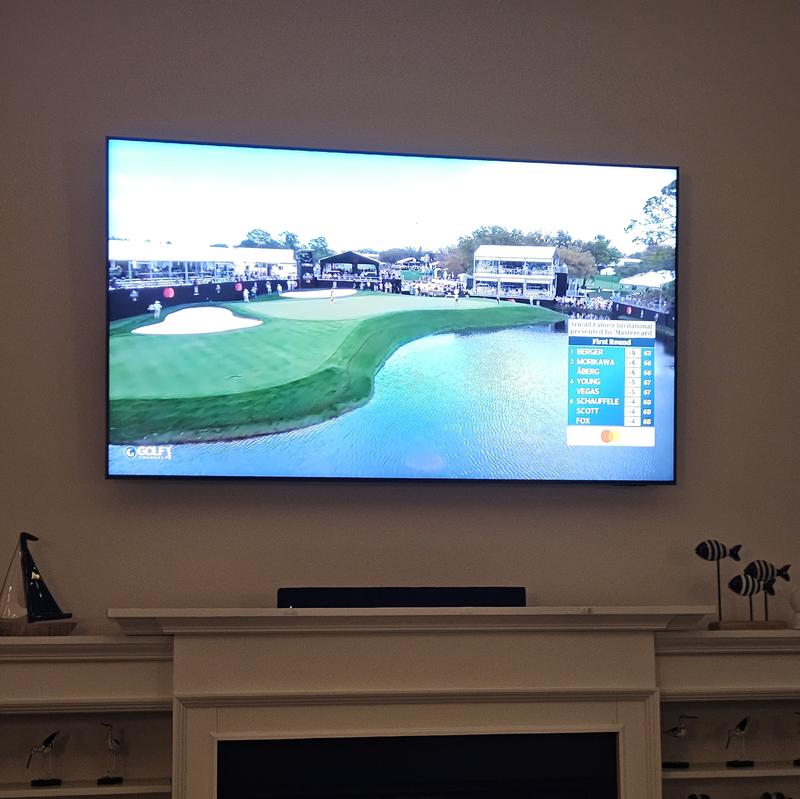
2022-11-30


Samsung
Hola, Lamentamos que el producto no haya cumplido con tus expectativas. Trabajamos continuamente para mejorar nuestros productos y servicios, y tus comentarios son muy importantes para nosotros. Si necesitas ayuda con alguna situación, por favor comunícate con nosotros a través de los canales de atención disponibles en el siguiente enlace: [https://www.samsung.com/mx/support/#contact]. Estamos aquí para asistirte y resolver cualquier inconveniente.
2024-09-25
Harrisburg PA


SEA Care
Hi Sarah, We understand your disappointment with the range's coating. We're here to help. We shared a video link below for tips on maintaining your range. How to clean electric and gas ranges | Samsung US https://www.youtube.com/watch?v=pCLkUo4ns6w We'd like to speak with you directly to provide support and discuss how we can further assist you. Please feel free to get back to us via the following options: 1. Facebook Messenger: http://m.me/samsungsupport 2. Twitter: https://twitter.com/messages/compose?recipient_id=18768513 3. Samsung Community: https://us.commuity.samsung.com/t5/Samsung-Community/ct-p/us 4. Samsung Customer Care: 1-800-7267864 (1800-SAMSUNG) Please provide us with this reference number (1147561017) to help our team pull up your information when you message us. Thank you. -Kimberly
2023-08-19
Chesapeake Virginia


2025-09-09


Samsung Service Team
Hallo, wir danken dir, dass du das Gerät gekauft hast. Dein Lob ist eine wertvolle Rückmeldung für uns.
2026-04-06
Bronx, NY

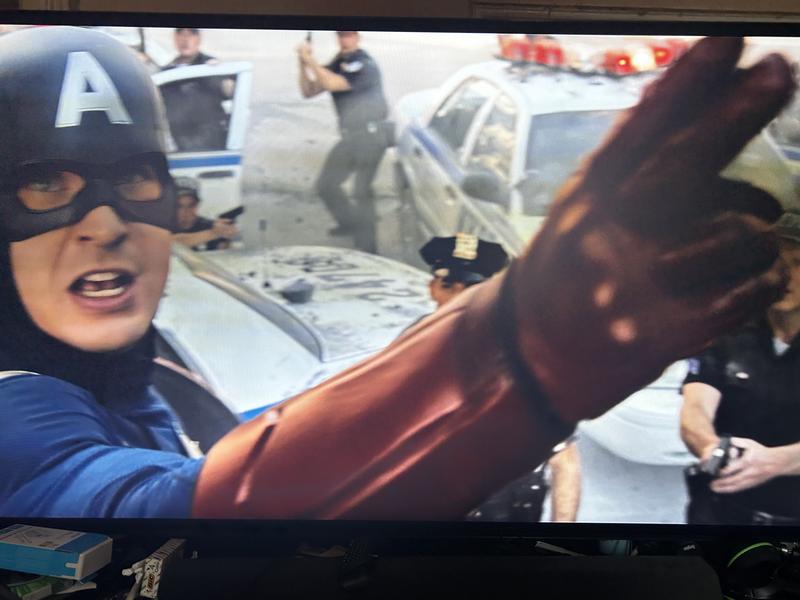
2024-11-28
Lima


Samsung
Muchas gracias por tu atención. Tus comentarios son muy importantes para nosotros. ¡Esperamos que tengas una experiencia maravillosa con tu nuevo Samsung! ¡Estamos a tu disposición!
2023-08-21
Florida


2024-08-24
Grass Lake

2026-07-20


2023-07-30
Ashburn, VA


2023-07-12
US


2025-05-06
Boynton Beach


2026-04-14
Martinsburg, Wv


2026-04-11
London


Samsung
We love reading that we’ve given you that five-star feeling. Keep enjoying!
^EW at Samsung Support
2022-11-06
Toronto, ON


Operations
Hi, thank you for sharing your thoughts with us. We’re sorry to hear that you’re disappointed, and we will be sure to share your feedback with our teams so we can continually improve our products, services, and processes. Thanks again.
2026-10-31
Chambersburg, PA


2026-02-07
Long Island, NY


2025-05-10
East Haven


2023-06-04
USA


2026-06-15
Laurel Md


2026-02-18
Providence Rhode Island


2026-06-05
Weslaco Tx


2026-09-20
Rowland, NC

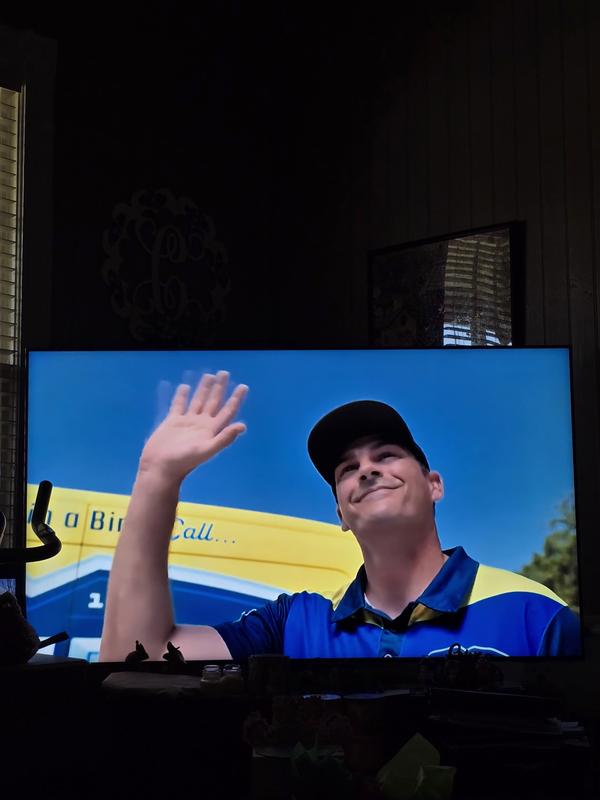
2026-09-21
Aparecida de Goiânia Goiás


2023-12-24
Clarksville, Tennessee


2024-05-24
Newburg

2025-04-30
Elkhorn City


2025-12-18
Fremont, CA


2026-10-12
Phoenix, AZ


2024-04-19
Miami


2025-06-24


2024-04-26
Overbrook


2025-04-23
Riverside


Samsung Specialist
Hi Minuitfleur838, We appreciate your feedback regarding remote performance on your QN90F. If your SolarCell Remote is unresponsive or slow: 1. Re-pair it – Hold Return and Play/Pause for 5+ seconds within 1 foot of the TV. 2. Check battery level – Home > left directional key > Settings > All Settings > General & Privacy > Remote Control Charge via sunlight or USB-C cable (Samsung-branded recommended). 3. Update firmware – Settings > Support > Software Update > Update Now 4. Run Device Care to boost performance – Settings > Support > Device Care > Start Device Care If these steps don’t resolve the issue, please contact Samsung Support at 1-800-SAMSUNG, 8AM – 12AM EST, 7 days a week. LiveChat is also available through the ‘Support’ link on our website. ~ Samsung Specialist
2025-04-29
Columbus


2024-05-14


2025-04-25
Taylor


2024-02-12
Santa Ana CA


2022-12-31


Samsung Support
We're sorry to see that you've had an issue with your TV's display after a software update, Davey. We'd recommend regularly checking for new updates to the TV, by going to Settings > Support > Software Update > Update Now.
You can also have play a around with the settings to find the right picture settings for you. To do this, go to Settings > Picture > Picture Mode/ Settings > Picture > Expert Settings.
For further help and support, and for us to take a look at your TV, please get in touch. All our contact details and opening times can be found here: https://bit.ly/SamsungUK-Support
^EM at Samsung Support
2025-06-17


2025-04-02
Philadelphia


Samsung Specialist
Hi RAZ72, Thanks for your review! We’re so happy the QN90F’s Glare Free technology is giving you a clearer, distraction-free viewing experience. No more battling reflections — just pure picture quality, day or night. Thanks for choosing Samsung! If you ever need assistance, whether it’s optimizing settings or exploring new features, feel free to reach out to Samsung Support at 1-800-SAMSUNG, available from 8 AM to 12 AM EST, 7 days a week. You can also visit us online at the Samsung website, where you can access: • LiveChat with an agent • Manuals, software, and warranty info • Easy product registration for quick access to support, promos, and offers ~ Samsung Specialist
2023-05-03
Tempe


2026-07-13
Brookhaven, Ms


2026-08-15
Texas


2026-05-31
Texas


2026-07-21
Sao Paulo - SP


Samsung
Olá Marcel. Obrigada por compartilhar sua opinião. Gostaríamos de saber mais sobre sua experiência e entender melhor a situação. Acesse o link e fale conosco através dos nossos canais digitais: https://www.samsung.com/br/support/contact/
2024-05-19
Jalisco


Samsung
Muchas gracias por tu atención. Tus comentarios son muy importantes para nosotros. ¡Aprovecha al máximo tu nuevo equipo Samsung! Consulta tips de uso para tus productos o contáctanos para conocer más sobre tus nuevos productos en [https://www.samsung.com/mx/support/]
2026-05-20
Lanaster, SC


2022-07-28


Samsung Brand Ambassador
DrDover, We appreciate you sharing feedback on the issues you've had with your QN90B TV's input connection panel. Please give us the opportunity to investigate this for you so we can provide you with further assistance or warranty service. You can reach Samsung Support via the following options: 1) 1-800-SAMSUNG, 8AM - 12AM EST, 7 days a week. 2) LiveChat with an agent by clicking the ‘Support’ link on the Samsung website homepage. We hope to hear from you! ~ Samsung Specialist
2024-03-29


Samsung Atendimento ao Cliente
Olá, vics666! Obrigada por reportar esse tipo de situação, estamos sempre atentos para melhorar nossas soluções através do que aprendemos com seu feedback. Eu enviei um e-mail para você com mais detalhes e alguns testes para que você realize. Se precisar, pode me retornar por lá ou entre em contato em um de meus canais. Segue o link: https://cutt.ly/cwqfWFAD
2023-07-12
Tempe


2024-04-30


2026-06-20
Westchester, New York


2026-04-10
Alvin, Texas


2025-03-20


2026-09-21
Bel Air, MD

2025-04-23
Elgin


2026-03-23
San Antonio Texas


2024-05-06
Land o Lakes


2024-10-10


2025-11-24


2026-03-23
Bowling Green ky


2022-10-26


2026-02-20
CLE


2023-07-31
MEXICO CDMX


Samsung
Muchas gracias por tu atención. Tus comentarios son muy importantes para nosotros. ¡Aprovecha al máximo tu nuevo equipo Samsung! Consulta tips de uso para tus productos o contáctanos para conocer más sobre tus nuevos productos en [https://www.samsung.com/mx/support/]
2026-04-15
São Paulo


2026-02-17
Desoto TX


Samsung Specialist
David B, Thank you for choosing the Samsung QN90F TV and for sharing your feedback. If the overall volume seems low, there are several settings and features you can adjust to improve your sound experience: Volume Features to Check: • Auto Volume: Automatically balances volume when switching channels or inputs. Go to: Settings > All Settings > Sound > Expert Settings > Auto Volume • Sound Modes: Choose from preset sound profiles to better suit your preferences: Settings > All Settings > Sound > Sound Mode • AI Mode Settings: Enable AI Mode to let your TV analyze your environment and content, optimizing sound in real time. This includes: o Adaptive Sound o Active Voice Amplifier (AVA) – Raises dialogue levels when ambient noise is detected o Adaptive Volume Go to: Settings > All Settings > Advanced Features > AI Mode Settings > AI Mode Also Check: • External Devices: If you're using a cable box, streaming device, Blu-ray player, or game console, make sure the volume on those devices isn’t turned down. Also verify that all cables are properly connected and try reseating them. • Software Update: Make sure your TV is running the latest firmware for the best audio performance: Settings > Support > Software Update > Update Now If you’ve tried these adjustments and are still experiencing low audio, feel free to reach out to Samsung Support for further assistance at 1-800-SAMSUNG, 8AM – 12AM EST, 7 days a week. LiveChat agents are also available on our website under ‘Support.’ ~ Samsung Specialist
2026-04-01


2024-04-17
Sandy


2026-05-21
Lima Perú


2026-06-05
Newmanstown PA


2025-10-30


2023-10-27


Samsung
Hola, lamentamos el inconveniente que has encontrado en nuestro producto. Para resolver todas tus dudas y brindarte una solución, te invitamos a ponerte en contacto con uno de nuestros expertos, comunícate al 800 SAMSUNG (726 7864) opción 2 o a través de nuestros medios digitales ingresando a https://www.samsung.com/mx/ y chatea con nosotros.
2026-08-05
Tampa

2026-02-17
Olive branch MS


2025-04-01
Milwaukee


Samsung Specialist
Hi Taronn, Thanks for your review! We’re so glad you’re loving the stunning picture and smart performance of the QN90F’s NQ4 AI Gen3 Processor. Whether you’re watching old favorites or the latest releases, everything gets upscaled to brilliant 4K — with sound optimized for every scene. Thanks for choosing Samsung! If you ever need assistance – whether it’s optimizing your settings or anything else – reach out to Samsung Support at 1-800-SAMSUNG (8 AM – 12 AM EST, 7 days a week). You can also visit the Samsung Support page online to: • Chat live with an expert • Find manuals, software updates, and warranty details • Register your TV for easy support, exclusive promos, and more Enjoy your new Samsung TV! ~ Samsung Specialist
2024-05-29

2024-05-21
Bayville

2024-06-27
Mesa

2026-04-20
Hope new jersey


2025-05-03
Apex


Samsung Specialist
Hi IronMan12, We appreciate your feedback on Samsung’s QN90F TV. If the image doesn’t quite match your preferences, there are several adjustments you can make to better suit your viewing environment and content type. First, please ensure your TV is running the latest firmware, as updates may include important picture quality enhancements. Go to: Home > Left directional button > Settings > Support > Software Update > Update Now To explore picture mode options, navigate to: Home > Left directional button > Settings > All Settings > Picture > Picture Mode. Options include: • Standard – Ideal for general viewing • Dynamic – Brighter and more vibrant for well-lit spaces • Eco – Optimized for energy efficiency • Movie – Best for viewing in low light • Filmmaker Mode – Preserves the content creator’s intent and disables motion smoothing for supported content You can further customize your image by going to: Settings > All Settings > Picture > Expert Settings, where you can adjust Brightness, Contrast, Color Tone, Sharpness, Contrast Enhancer and more. If the sound still doesn’t meet your expectations, there are a few settings you can try adjusting: Go to: Settings > All Settings > Sound > Sound Mode • Standard: Balanced sound without emphasis on any one range • Optimized: Enhanced effects and spacious sound • Amplify: Boosts mid and high tones to make dialogue clearer You can also explore Expert Settings to fine-tune options such as Balance, Equalizer, Auto Volume, and more to match your personal preferences. If you're considering expanding your setup, Samsung’s Q- and S-Series Soundbars (like the HW-Q900F) support Q-Symphony, a feature that synchronizes your TV and soundbar speakers for an immersive 3D audio experience. You may have already explored these AI settings, but I wanted to offer the following adjustments in case they haven’t been tried yet: To enable or customize AI Mode: Settings > All Settings > Advanced Features > AI Mode Settings > AI Mode Here’s a breakdown of available options: Adaptive Picture • AI Optimized: Automatically adjusts brightness and picture quality based on content and ambient light. • EyeComfort: Adapts screen brightness and tone using local sunrise/sunset data and lighting in the room. • AI Customization: Learns your preferences for different types of content (e.g., movies, sports) and applies your preferred settings. EyeComfort Mode Settings: Manually adjust duration, start/end times, and intensity of EyeComfort Mode. AI Customization > Detail Settings: Set specific Brightness, Contrast, Color, and Color Tone levels for each content type. (Note: Only available when AI Customization is enabled.) Adaptive Sound Settings • Active Voice Amplifier: Boosts dialogue when ambient noise increases. • Adaptive Sound: Optimizes sound based on your space and the type of content. • Adaptive Volume: Adjusts volume based on time of day and usage habits. I hope these tips help! If you’d like additional assistance fine-tuning your picture or sound, please contact Samsung Support at 1-800-SAMSUNG, 8AM – 12AM EST, 7 days a week. LiveChat is also available via the ‘Support’ link on our website. ~ Samsung Specialist
2024-06-11


2024-06-20


2025-04-23
East Haven


2022-05-03
Dublin


2022-06-01
Syracuse


Samsung Brand Ambassador
rmayott, We're glad to hear you’re enjoying the crisp picture brought to you by your new QN90B TV's Neo Quantum Processor 4K which analyzes the signal, source, and content scene-by-scene to optimize your 4K clarity. You get our finest picture ever with Color Volume 100% Quantum Dot giving you a billion shades of color that stay true even in bright scenes, while everything you watch is instantly transformed to sharp 4K resolution. While your TV may currently default to Samsung’s TV Plus app, please know you can choose what your TV does when you turn it on by going to Menu > Settings > All Settings > General & Privacy > Start Screen Option > Autorun Smart Hub - Enabling Autorun Smart Hub automatically launches the Smart Hub when the TV is turned on. Navigate to this option to enable or disable the feature. - If Autorun Last App is set to on, the last used app is automatically run when you turn on the TV. You can turn this function on or off by pressing the Select button in the current menu. If you’d like more help with Autorun Settings, please know we’re here to help! Call us at 1-800-SAMSUNG, 8AM - 12AM EST, 7 days a week. Or visit us on the Samsung website and click on the ‘Support’ link for: 1) LiveChat 2) Manuals, Software, & Warranty Info ~ Samsung Specialist
Estas reseñas son gestionadas por Bazaarvoice y cumplen la Política de autenticidad de Bazaarvoice, que está respaldada por análisis humano y tecnología contra el fraude.
Más información en
Manual del usuario y Descargas
Soluciones y consejos
- Utiliza Workspace para conectar de forma remota una computadora a una Samsung Smart TV
- Cómo editar canales en tu televisor Samsung
- Conecta el Control Remoto Inteligente a tu Televisor Samsung
- Cómo configurar los canales disponibles en tu Smart TV Samsung 2025
- Cómo configurar los canales disponibles en tu Smart TV Samsung
Soporte de productos
Encuentra respuestas a la pregunta que tienes sobre el producto
* Una característica principal puede diferir de aquella descrita en las especificaciones técnicas.