- Business Home /
- Support /
- Outdoor & Window /
- Other Series /
- PX Series Digital Signage (400PXN)
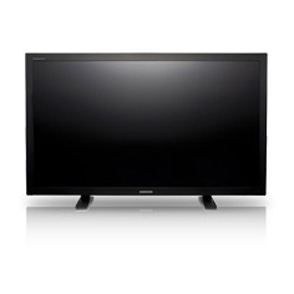
PX Series Digital Signage
Edit product modelmake selection
- PX Series
- BX Series
- Model
- 400BX
- CX Series
- Model
- 400CX-2
- 400CX-3
- 400CXN
- 400CXN-1
- 400CXN-2
- 460CX
- 460CX-2
- 460CX-3
- 460CXN
- 460CXN-2
- DR Series
- Model
- 460DR
- 460DR-2
- 460DRN
- 460DRN-A
- 460DRN-S
- 460DRN-SL
- 460DR-S
- 460DR-SL
- 700DRN
- 700DRN-A
- DX Series
- Model
- 400DX-2
- 400DX-3
- 400DXN-2
- 460DX-2
- 460DX-3
- 460DXN-2
- 520DX
- 520DXN
- 550DX
- 570DX
- 700DX-2
- 700DX-3
- 700DXN-2
- 820DX-3
- 820DXN
- 820DXN-2
- EX Series
- Model
- 400EXN
- 460EX
- 460EXN
- 550EX
- 550EXN
- FX Series
- Model
- 400FX
- 400FXN
- MX Series
- Model
- 230MXN
- 320MX
- 320MXN
- 320MXN-2
- 320MXN-3
- 400MX
- 400MX-2
- 400MXN
- 400MXN-2
- 460MX
- 460MXN
- 460MXN-2
- Other Series
- Model
- 460DMN
- PX Series
- Model
- 320PX
- 400PX
- 400PXN
- [SELECT]
PX Series Digital Signage (400PXN)
Product info
Manual, downloads, specs and register
PX Series Digital Signage (400PXN) edit- PX Series
- BX Series
- Model
- 400BX
- CX Series
- Model
- 400CX-2
- 400CX-3
- 400CXN
- 400CXN-1
- 400CXN-2
- 460CX
- 460CX-2
- 460CX-3
- 460CXN
- 460CXN-2
- DR Series
- Model
- 460DR
- 460DR-2
- 460DRN
- 460DRN-A
- 460DRN-S
- 460DRN-SL
- 460DR-S
- 460DR-SL
- 700DRN
- 700DRN-A
- DX Series
- Model
- 400DX-2
- 400DX-3
- 400DXN-2
- 460DX-2
- 460DX-3
- 460DXN-2
- 520DX
- 520DXN
- 550DX
- 570DX
- 700DX-2
- 700DX-3
- 700DXN-2
- 820DX-3
- 820DXN
- 820DXN-2
- EX Series
- Model
- 400EXN
- 460EX
- 460EXN
- 550EX
- 550EXN
- FX Series
- Model
- 400FX
- 400FXN
- MX Series
- Model
- 230MXN
- 320MX
- 320MXN
- 320MXN-2
- 320MXN-3
- 400MX
- 400MX-2
- 400MXN
- 400MXN-2
- 460MX
- 460MXN
- 460MXN-2
- Other Series
- Model
- 460DMN
- PX Series
- Model
- 320PX
- 400PX
- 400PXN
- [SELECT]
Register
Gain access to exclusive offers and perks, apps and services, world-class customer support and more.
register nowManuals
MAR 17,2008
Quick Guide
ver. 1.0, KOREAN
3.16 MB
MAR 17,2008
Quick Guide
ver. 1.0, ENGLISH
3.01 MB
MAR 17,2008
Quick Guide
ver. 1.0, SPANISH
2.62 MB
OCT 24,2006
Quick Guide
ver. 1.0, ENGLISH
0.01 MB
MAR 03,2008
User Manual
ver. 1.0, SPANISH
6.83 MB
FEB 29,2008
User Manual
ver. 1.0, KOREAN
8.67 MB
FEB 29,2008
User Manual
ver. 1.0, ENGLISH
7.91 MB
Downloads
JUL 20,2006
Device(Install)
ver. 1.0 Win 98/ME/2K/XP/X64 MULTI LANGUAGE
If you have trouble for setting up the Monitor under Windows 98/Me/2000/XP/X64, this program will help you to install Windows Monitor Driver. You can install the most suitable Windows driver for your monitor.System Requirements : Windows 98/Me/2000/XP/X64 or higher
0.06 MB
Specs
Unfortunately, this information isn't currently available for this product.
Specification
PX Series Digital Signage (400PXN)
Global Download Center
SAMSUNG assumes no responsibility, and shall not be liable, in connection with whether any such products or services will be appropriate, functional or supported for the SAMSUNG products or services available in your country.
Repairs & service
Send your device in for repairs or visit a Customer Service Location.
Have questions?


1. Limitations apply; visit http://www.samsung.com/us/support/premium-care/terms-and-conditions/ for full terms and conditions.
