- Business Home /
- Support /
- Laptops /
- Notebooks /
- Series 6 Notebook (NP600B4BI)
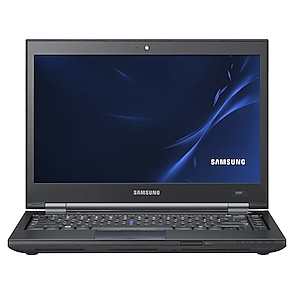
Series 6 Notebook
Edit product modelmake selection
- Series 6
- Notebook 7 Spin
- Model
- NP740U3LI
- NP740U5LE
- Notebook 9
- Model
- NP900X3NI
- NP900X3TI
- NP900X5TI
- Series 2
- Model
- NP200A5BI
- NP200B4AI
- NP200B4BI
- NP-P530I
- NP-Q330
- Series 3
- Model
- NP300E4E
- NP300E5C
- NP355E5C
- NP355E7C
- NP355V5C
- Series 4
- Model
- NP400B2BI
- NP400B4BI
- Series 5
- Model
- NP530U3C
- NP-P560I
- NP-P580
- Series 6
- Model
- NP600B4BI
- NP600B4C
- NP600B5BH
- Series 7
- Model
- NP700Z3CH
- NP700Z5CH
- NP700Z7CH
- Series 9
- Model
- NP900X3A
- NP900X4B
- [SELECT]
Product info
Manual, downloads, specs and register
Series 6 Notebook (NP600B4BI) edit- Series 6
- Notebook 7 Spin
- Model
- NP740U3LI
- NP740U5LE
- Notebook 9
- Model
- NP900X3NI
- NP900X3TI
- NP900X5TI
- Series 2
- Model
- NP200A5BI
- NP200B4AI
- NP200B4BI
- NP-P530I
- NP-Q330
- Series 3
- Model
- NP300E4E
- NP300E5C
- NP355E5C
- NP355E7C
- NP355V5C
- Series 4
- Model
- NP400B2BI
- NP400B4BI
- Series 5
- Model
- NP530U3C
- NP-P560I
- NP-P580
- Series 6
- Model
- NP600B4BI
- NP600B4C
- NP600B5BH
- Series 7
- Model
- NP700Z3CH
- NP700Z5CH
- NP700Z7CH
- Series 9
- Model
- NP900X3A
- NP900X4B
- [SELECT]
Register
Gain access to exclusive offers and perks, apps and services, world-class customer support and more.
register nowManuals
SEP 29,2011
10.59 MB
SEP 29,2011
5.45 MB
SEP 29,2011
5.71 MB
DEC 14,2021
15.83 MB
SEP 29,2011
13.07 MB
SEP 29,2011
13.23 MB
Downloads
MAY 27,2011
- Click the attached file and press ''Save'' button. Then press ''Browse...'' button and select the place where you want to save the selected file.
- After downloading the file, find the downloaded file and right_click on the file. On pop_up menu, select ''Extract All...'' option.
- On ''Extraction Wizard'', press ''Next'' button and press ''Browse...'' button. Select a folder to extract file and press ''Next'' again.
- After the file has been sucessfully extracted, see the extracted files. Run ''Setup.exe'' file or ''setup.exe'' file in the folder.
- This driver may not be appropriate depending on the computer model.
Thanks.
0.00 MB
MAR 24,2011
- Click the attached file and press ''Save'' button. Then press ''Browse...'' button and select the place where you want to save the selected file.
- After downloading the file, find the downloaded file and right_click on the file. On pop_up menu, select ''Extract All...'' option.
- On ''Extraction Wizard'', press ''Next'' button and press ''Browse...'' button. Select a folder to extract file and press ''Next'' again.
- After the file has been sucessfully extracted, see the extracted files. Run ''Setup.exe'' file or ''setup.exe'' file in the folder.
- This software may not be appropriate depending on the computer model.
Thanks.
13.09 MB
NOV 25,2011
- Click the attached file and press ''Save'' button. Then press ''Browse...'' button and select the place where you want to save the selected file.
- After downloading the file, find the downloaded file and right_click on the file. On pop_up menu, select ''Extract All...'' option.
- On ''Extraction Wizard'', press ''Next'' button and press ''Browse...'' button. Select a folder to extract file and press ''Next'' again.
- After the file has been sucessfully extracted, see the extracted files.
Run ''Setup.exe'' file or ''setup.exe'' file in the folder.
- This driver may not be appropriate depending on the computer model.
Thanks.
135.93 MB
NOV 25,2011
- Click the attached file and press ''Save'' button. Then press ''Browse...'' button and select the place where you want to save the selected file.
- After downloading the file, find the downloaded file and right_click on the file. On pop_up menu, select ''Extract All...'' option.
- On ''Extraction Wizard'', press ''Next'' button and press ''Browse...'' button. Select a folder to extract file and press ''Next'' again.
- After the file has been sucessfully extracted, see the extracted files.
Run ''Setup.exe'' file or ''setup.exe'' file in the folder.
- This driver may not be appropriate depending on the computer model.
Thanks.
136.36 MB
NOV 25,2011
- Click the attached file and press ''Save'' button. Then press ''Browse...'' button and select the place where you want to save the selected file.
- After downloading the file, find the downloaded file and right_click on the file. On pop_up menu, select ''Extract All...'' option.
- On ''Extraction Wizard'', press ''Next'' button and press ''Browse...'' button. Select a folder to extract file and press ''Next'' again.
- After the file has been sucessfully extracted, see the extracted files.
Run ''Setup.exe'' file or ''setup.exe'' file in the folder.
- This driver may not be appropriate depending on the computer model.
Thanks.
2.19 MB
MAY 27,2011
- Click the attached file and press ''Save'' button. Then press ''Browse...'' button and select the place where you want to save the selected file.
- After downloading the file, find the downloaded file and right_click on the file. On pop_up menu, select ''Extract All...'' option.
- On ''Extraction Wizard'', press ''Next'' button and press ''Browse...'' button. Select a folder to extract file and press ''Next'' again.
- After the file has been sucessfully extracted, see the extracted files. Run ''Setup.exe'' file or ''setup.exe'' file in the folder.
- This driver may not be appropriate depending on the computer model.
Thanks.
14.87 MB
MAR 24,2011
- Click the attached file and press ''Save'' button. Then press ''Browse...'' button and select the place where you want to save the selected file.
- After downloading the file, find the downloaded file and right_click on the file. On pop_up menu, select ''Extract All...'' option.
- On ''Extraction Wizard'', press ''Next'' button and press ''Browse...'' button. Select a folder to extract file and press ''Next'' again.
- After the file has been sucessfully extracted, see the extracted files. Run ''Setup.exe'' file or ''setup.exe'' file in the folder.
- This software may not be appropriate depending on the computer model.
Thanks.
31.70 MB
NOV 25,2011
- Click the attached file and press ''Save'' button. Then press ''Browse...'' button and select the place where you want to save the selected file.
- After downloading the file, find the downloaded file and right_click on the file. On pop_up menu, select ''Extract All...'' option.
- On ''Extraction Wizard'', press ''Next'' button and press ''Browse...'' button. Select a folder to extract file and press ''Next'' again.
- After the file has been sucessfully extracted, see the extracted files.
Run ''Setup.exe'' file or ''setup.exe'' file in the folder.
- This driver may not be appropriate depending on the computer model.
Thanks.
2.54 MB
NOV 25,2011
- Click the attached file and press ''Save'' button. Then press ''Browse...'' button and select the place where you want to save the selected file.
- After downloading the file, find the downloaded file and right_click on the file. On pop_up menu, select ''Extract All...'' option.
- On ''Extraction Wizard'', press ''Next'' button and press ''Browse...'' button. Select a folder to extract file and press ''Next'' again.
- After the file has been sucessfully extracted, see the extracted files.
Run ''Setup.exe'' file or ''setup.exe'' file in the folder.
- This driver may not be appropriate depending on the computer model.
Thanks.
2.54 MB
MAR 24,2011
- Click the attached file and press ''Save'' button. Then press ''Browse...'' button and select the place where you want to save the selected file.
- After downloading the file, find the downloaded file and right_click on the file. On pop_up menu, select ''Extract All...'' option.
- On ''Extraction Wizard'', press ''Next'' button and press ''Browse...'' button. Select a folder to extract file and press ''Next'' again.
- After the file has been sucessfully extracted, see the extracted files. Run ''Setup.exe'' file or ''setup.exe'' file in the folder.
- This software may not be appropriate depending on the computer model.
Thanks.
12.64 MB
MAY 27,2011
- Click the attached file and press ''Save'' button. Then press ''Browse...'' button and select the place where you want to save the selected file.
- After downloading the file, find the downloaded file and right_click on the file. On pop_up menu, select ''Extract All...'' option.
- On ''Extraction Wizard'', press ''Next'' button and press ''Browse...'' button. Select a folder to extract file and press ''Next'' again.
- After the file has been sucessfully extracted, see the extracted files. Run ''Setup.exe'' file or ''setup.exe'' file in the folder.
- This driver may not be appropriate depending on the computer model.
Thanks.
26.28 MB
MAR 24,2011
- Click the attached file and press ''Save'' button. Then press ''Browse...'' button and select the place where you want to save the selected file.
- After downloading the file, find the downloaded file and right_click on the file. On pop_up menu, select ''Extract All...'' option.
- On ''Extraction Wizard'', press ''Next'' button and press ''Browse...'' button. Select a folder to extract file and press ''Next'' again.
- After the file has been sucessfully extracted, see the extracted files. Run ''Setup.exe'' file or ''setup.exe'' file in the folder.
- This software may not be appropriate depending on the computer model.
Thanks.
25.56 MB
MAR 24,2011
- Click the attached file and press ''Save'' button. Then press ''Browse...'' button and select the place where you want to save the selected file.
- After downloading the file, find the downloaded file and right_click on the file. On pop_up menu, select ''Extract All...'' option.
- On ''Extraction Wizard'', press ''Next'' button and press ''Browse...'' button. Select a folder to extract file and press ''Next'' again.
- After the file has been sucessfully extracted, see the extracted files. Run ''Setup.exe'' file or ''setup.exe'' file in the folder.
- This software may not be appropriate depending on the computer model.
Thanks.
17.65 MB
MAR 24,2011
- Click the attached file and press ''Save'' button. Then press ''Browse...'' button and select the place where you want to save the selected file.
- After downloading the file, find the downloaded file and right_click on the file. On pop_up menu, select ''Extract All...'' option.
- On ''Extraction Wizard'', press ''Next'' button and press ''Browse...'' button. Select a folder to extract file and press ''Next'' again.
- After the file has been sucessfully extracted, see the extracted files. Run ''Setup.exe'' file or ''setup.exe'' file in the folder.
- This software may not be appropriate depending on the computer model.
Thanks.
49.94 MB
MAR 24,2011
- Click the attached file and press ''Save'' button. Then press ''Browse...'' button and select the place where you want to save the selected file.
- After downloading the file, find the downloaded file and right_click on the file. On pop_up menu, select ''Extract All...'' option.
- On ''Extraction Wizard'', press ''Next'' button and press ''Browse...'' button. Select a folder to extract file and press ''Next'' again.
- After the file has been sucessfully extracted, see the extracted files. Run ''Setup.exe'' file or ''setup.exe'' file in the folder.
- This software may not be appropriate depending on the computer model.
Thanks.
33.72 MB
MAY 27,2011
- Click the attached file and press ''Save'' button. Then press ''Browse...'' button and select the place where you want to save the selected file.
- After downloading the file, find the downloaded file and right_click on the file. On pop_up menu, select ''Extract All...'' option.
- On ''Extraction Wizard'', press ''Next'' button and press ''Browse...'' button. Select a folder to extract file and press ''Next'' again.
- After the file has been sucessfully extracted, see the extracted files. Run ''Setup.exe'' file or ''setup.exe'' file in the folder.
- This driver may not be appropriate depending on the computer model.
Thanks.
5.48 MB
MAR 24,2011
- Click the attached file and press ''Save'' button. Then press ''Browse...'' button and select the place where you want to save the selected file.
- After downloading the file, find the downloaded file and right_click on the file. On pop_up menu, select ''Extract All...'' option.
- On ''Extraction Wizard'', press ''Next'' button and press ''Browse...'' button. Select a folder to extract file and press ''Next'' again.
- After the file has been sucessfully extracted, see the extracted files. Run ''Setup.exe'' file or ''setup.exe'' file in the folder.
- This software may not be appropriate depending on the computer model.
Thanks.
9.34 MB
NOV 25,2011
- Click the attached file and press ''Save'' button. Then press ''Browse...'' button and select the place where you want to save the selected file.
- After downloading the file, find the downloaded file and right_click on the file. On pop_up menu, select ''Extract All...'' option.
- On ''Extraction Wizard'', press ''Next'' button and press ''Browse...'' button. Select a folder to extract file and press ''Next'' again.
- After the file has been sucessfully extracted, see the extracted files.
Run ''Setup.exe'' file or ''setup.exe'' file in the folder.
- This driver may not be appropriate depending on the computer model.
Thanks.
12.73 MB
NOV 25,2011
- Click the attached file and press ''Save'' button. Then press ''Browse...'' button and select the place where you want to save the selected file.
- After downloading the file, find the downloaded file and right_click on the file. On pop_up menu, select ''Extract All...'' option.
- On ''Extraction Wizard'', press ''Next'' button and press ''Browse...'' button. Select a folder to extract file and press ''Next'' again.
- After the file has been sucessfully extracted, see the extracted files.
Run ''Setup.exe'' file or ''setup.exe'' file in the folder.
- This driver may not be appropriate depending on the computer model.
Thanks.
12.73 MB
NOV 25,2011
- Click the attached file and press ''Save'' button. Then press ''Browse...'' button and select the place where you want to save the selected file.
- After downloading the file, find the downloaded file and right_click on the file. On pop_up menu, select ''Extract All...'' option.
- On ''Extraction Wizard'', press ''Next'' button and press ''Browse...'' button. Select a folder to extract file and press ''Next'' again.
- After the file has been sucessfully extracted, see the extracted files.
Run ''Setup.exe'' file or ''setup.exe'' file in the folder.
- This driver may not be appropriate depending on the computer model.
Thanks.
4.16 MB
NOV 25,2011
- Click the attached file and press ''Save'' button. Then press ''Browse...'' button and select the place where you want to save the selected file.
- After downloading the file, find the downloaded file and right_click on the file. On pop_up menu, select ''Extract All...'' option.
- On ''Extraction Wizard'', press ''Next'' button and press ''Browse...'' button. Select a folder to extract file and press ''Next'' again.
- After the file has been sucessfully extracted, see the extracted files.
Run ''Setup.exe'' file or ''setup.exe'' file in the folder.
- This driver may not be appropriate depending on the computer model.
Thanks.
4.16 MB
NOV 25,2011
- Click the attached file and press ''Save'' button. Then press ''Browse...'' button and select the place where you want to save the selected file.
- After downloading the file, find the downloaded file and right_click on the file. On pop_up menu, select ''Extract All...'' option.
- On ''Extraction Wizard'', press ''Next'' button and press ''Browse...'' button. Select a folder to extract file and press ''Next'' again.
- After the file has been sucessfully extracted, see the extracted files.
Run ''Setup.exe'' file or ''setup.exe'' file in the folder.
- This driver may not be appropriate depending on the computer model.
Thanks.
4.36 MB
NOV 25,2011
- Click the attached file and press ''Save'' button. Then press ''Browse...'' button and select the place where you want to save the selected file.
- After downloading the file, find the downloaded file and right_click on the file. On pop_up menu, select ''Extract All...'' option.
- On ''Extraction Wizard'', press ''Next'' button and press ''Browse...'' button. Select a folder to extract file and press ''Next'' again.
- After the file has been sucessfully extracted, see the extracted files.
Run ''Setup.exe'' file or ''setup.exe'' file in the folder.
- This driver may not be appropriate depending on the computer model.
Thanks.
4.20 MB
MAR 25,2011
- Click the attached file and press ''Save'' button. Then press ''Browse...'' button and select the place where you want to save the selected file.
- After downloading the file, find the downloaded file and right_click on the file. On pop_up menu, select ''Extract All...'' option.
- On ''Extraction Wizard'', press ''Next'' button and press ''Browse...'' button. Select a folder to extract file and press ''Next'' again.
- After the file has been sucessfully extracted, see the extracted files. Run ''Setup.exe'' file or ''setup.exe'' file in the folder.
- This software may not be appropriate depending on the computer model.
Thanks.
501.57 MB
NOV 25,2011
- Click the attached file and press ''Save'' button. Then press ''Browse...'' button and select the place where you want to save the selected file.
- After downloading the file, find the downloaded file and right_click on the file. On pop_up menu, select ''Extract All...'' option.
- On ''Extraction Wizard'', press ''Next'' button and press ''Browse...'' button. Select a folder to extract file and press ''Next'' again.
- After the file has been sucessfully extracted, see the extracted files.
Run ''Setup.exe'' file or ''setup.exe'' file in the folder.
- This driver may not be appropriate depending on the computer model.
Thanks.
10.68 MB
NOV 25,2011
- Click the attached file and press ''Save'' button. Then press ''Browse...'' button and select the place where you want to save the selected file.
- After downloading the file, find the downloaded file and right_click on the file. On pop_up menu, select ''Extract All...'' option.
- On ''Extraction Wizard'', press ''Next'' button and press ''Browse...'' button. Select a folder to extract file and press ''Next'' again.
- After the file has been sucessfully extracted, see the extracted files.
Run ''Setup.exe'' file or ''setup.exe'' file in the folder.
- This driver may not be appropriate depending on the computer model.
Thanks.
3.38 MB
NOV 25,2011
- Click the attached file and press ''Save'' button. Then press ''Browse...'' button and select the place where you want to save the selected file.
- After downloading the file, find the downloaded file and right_click on the file. On pop_up menu, select ''Extract All...'' option.
- On ''Extraction Wizard'', press ''Next'' button and press ''Browse...'' button. Select a folder to extract file and press ''Next'' again.
- After the file has been sucessfully extracted, see the extracted files.
Run ''Setup.exe'' file or ''setup.exe'' file in the folder.
- This driver may not be appropriate depending on the computer model.
Thanks.
1.53 MB
MAR 24,2011
- Click the attached file and press ''Save'' button. Then press ''Browse...'' button and select the place where you want to save the selected file.
- After downloading the file, find the downloaded file and right_click on the file. On pop_up menu, select ''Extract All...'' option.
- On ''Extraction Wizard'', press ''Next'' button and press ''Browse...'' button. Select a folder to extract file and press ''Next'' again.
- After the file has been sucessfully extracted, see the extracted files. Run ''Setup.exe'' file or ''setup.exe'' file in the folder.
- This software may not be appropriate depending on the computer model.
Thanks.
2.24 MB
MAR 24,2011
- Click the attached file and press ''Save'' button. Then press ''Browse...'' button and select the place where you want to save the selected file.
- After downloading the file, find the downloaded file and right_click on the file. On pop_up menu, select ''Extract All...'' option.
- On ''Extraction Wizard'', press ''Next'' button and press ''Browse...'' button. Select a folder to extract file and press ''Next'' again.
- After the file has been sucessfully extracted, see the extracted files. Run ''Setup.exe'' file or ''setup.exe'' file in the folder.
- This software may not be appropriate depending on the computer model.
Thanks.
0.89 MB
NOV 25,2011
- Click the attached file and press ''Save'' button. Then press ''Browse...'' button and select the place where you want to save the selected file.
- After downloading the file, find the downloaded file and right_click on the file. On pop_up menu, select ''Extract All...'' option.
- On ''Extraction Wizard'', press ''Next'' button and press ''Browse...'' button. Select a folder to extract file and press ''Next'' again.
- After the file has been sucessfully extracted, see the extracted files.
Run ''Setup.exe'' file or ''setup.exe'' file in the folder.
- This driver may not be appropriate depending on the computer model.
Thanks.
15.04 MB
NOV 25,2011
- Click the attached file and press ''Save'' button. Then press ''Browse...'' button and select the place where you want to save the selected file.
- After downloading the file, find the downloaded file and right_click on the file. On pop_up menu, select ''Extract All...'' option.
- On ''Extraction Wizard'', press ''Next'' button and press ''Browse...'' button. Select a folder to extract file and press ''Next'' again.
- After the file has been sucessfully extracted, see the extracted files.
Run ''Setup.exe'' file or ''setup.exe'' file in the folder.
- This driver may not be appropriate depending on the computer model.
Thanks.
15.04 MB
NOV 25,2011
- Click the attached file and press ''Save'' button. Then press ''Browse...'' button and select the place where you want to save the selected file.
- After downloading the file, find the downloaded file and right_click on the file. On pop_up menu, select ''Extract All...'' option.
- On ''Extraction Wizard'', press ''Next'' button and press ''Browse...'' button. Select a folder to extract file and press ''Next'' again.
- After the file has been sucessfully extracted, see the extracted files.
Run ''Setup.exe'' file or ''setup.exe'' file in the folder.
- This driver may not be appropriate depending on the computer model.
Thanks.
8.92 MB
NOV 25,2011
- Click the attached file and press ''Save'' button. Then press ''Browse...'' button and select the place where you want to save the selected file.
- After downloading the file, find the downloaded file and right_click on the file. On pop_up menu, select ''Extract All...'' option.
- On ''Extraction Wizard'', press ''Next'' button and press ''Browse...'' button. Select a folder to extract file and press ''Next'' again.
- After the file has been sucessfully extracted, see the extracted files.
Run ''Setup.exe'' file or ''setup.exe'' file in the folder.
- This driver may not be appropriate depending on the computer model.
Thanks.
8.92 MB
MAR 24,2011
- Click the attached file and press ''Save'' button. Then press ''Browse...'' button and select the place where you want to save the selected file.
- After downloading the file, find the downloaded file and right_click on the file. On pop_up menu, select ''Extract All...'' option.
- On ''Extraction Wizard'', press ''Next'' button and press ''Browse...'' button. Select a folder to extract file and press ''Next'' again.
- After the file has been sucessfully extracted, see the extracted files. Run ''Setup.exe'' file or ''setup.exe'' file in the folder.
- This software may not be appropriate depending on the computer model.
Thanks.
3.26 MB
MAR 24,2011
- Click the attached file and press ''Save'' button. Then press ''Browse...'' button and select the place where you want to save the selected file.
- After downloading the file, find the downloaded file and right_click on the file. On pop_up menu, select ''Extract All...'' option.
- On ''Extraction Wizard'', press ''Next'' button and press ''Browse...'' button. Select a folder to extract file and press ''Next'' again.
- After the file has been sucessfully extracted, see the extracted files. Run ''Setup.exe'' file or ''setup.exe'' file in the folder.
- This software may not be appropriate depending on the computer model.
Thanks.
179.34 MB
MAY 27,2011
- Click the attached file and press ''Save'' button. Then press ''Browse...'' button and select the place where you want to save the selected file.
- After downloading the file, find the downloaded file and right_click on the file. On pop_up menu, select ''Extract All...'' option.
- On ''Extraction Wizard'', press ''Next'' button and press ''Browse...'' button. Select a folder to extract file and press ''Next'' again.
- After the file has been sucessfully extracted, see the extracted files. Run ''Setup.exe'' file or ''setup.exe'' file in the folder.
- This driver may not be appropriate depending on the computer model.
Thanks.
24.04 MB
MAR 24,2011
- Click the attached file and press ''Save'' button. Then press ''Browse...'' button and select the place where you want to save the selected file.
- After downloading the file, find the downloaded file and right_click on the file. On pop_up menu, select ''Extract All...'' option.
- On ''Extraction Wizard'', press ''Next'' button and press ''Browse...'' button. Select a folder to extract file and press ''Next'' again.
- After the file has been sucessfully extracted, see the extracted files. Run ''Setup.exe'' file or ''setup.exe'' file in the folder.
- This software may not be appropriate depending on the computer model.
Thanks.
1.74 MB
JUL 11,2012
- This driver may show a different version or not be appropriate depending on the computer model. (Driver version: 9.2.0.500 / 10.0.0.54)
Thanks.
74.16 MB
MAY 27,2011
- Click the attached file and press ''Save'' button. Then press ''Browse...'' button and select the place where you want to save the selected file.
- After downloading the file, find the downloaded file and right_click on the file. On pop_up menu, select ''Extract All...'' option.
- On ''Extraction Wizard'', press ''Next'' button and press ''Browse...'' button. Select a folder to extract file and press ''Next'' again.
- After the file has been sucessfully extracted, see the extracted files. Run ''Setup.exe'' file or ''setup.exe'' file in the folder.
- This driver may not be appropriate depending on the computer model.
Thanks.
101.26 MB
MAR 24,2011
- Click the attached file and press ''Save'' button. Then press ''Browse...'' button and select the place where you want to save the selected file.
- After downloading the file, find the downloaded file and right_click on the file. On pop_up menu, select ''Extract All...'' option.
- On ''Extraction Wizard'', press ''Next'' button and press ''Browse...'' button. Select a folder to extract file and press ''Next'' again.
- After the file has been sucessfully extracted, see the extracted files. Run ''Setup.exe'' file or ''setup.exe'' file in the folder.
- This software may not be appropriate depending on the computer model.
Thanks.
101.24 MB
MAY 27,2011
- Click the attached file and press ''Save'' button. Then press ''Browse...'' button and select the place where you want to save the selected file.
- After downloading the file, find the downloaded file and right_click on the file. On pop_up menu, select ''Extract All...'' option.
- On ''Extraction Wizard'', press ''Next'' button and press ''Browse...'' button. Select a folder to extract file and press ''Next'' again.
- After the file has been sucessfully extracted, see the extracted files. Run ''Setup.exe'' file or ''setup.exe'' file in the folder.
- This driver may not be appropriate depending on the computer model.
Thanks.
4.75 MB
MAY 27,2011
- Click the attached file and press ''Save'' button. Then press ''Browse...'' button and select the place where you want to save the selected file.
- After downloading the file, find the downloaded file and right_click on the file. On pop_up menu, select ''Extract All...'' option.
- On ''Extraction Wizard'', press ''Next'' button and press ''Browse...'' button. Select a folder to extract file and press ''Next'' again.
- After the file has been sucessfully extracted, see the extracted files. Run ''Setup.exe'' file or ''setup.exe'' file in the folder.
- This driver may not be appropriate depending on the computer model.
Thanks.
35.39 MB
MAY 27,2011
- Click the attached file and press ''Save'' button. Then press ''Browse...'' button and select the place where you want to save the selected file.
- After downloading the file, find the downloaded file and right_click on the file. On pop_up menu, select ''Extract All...'' option.
- On ''Extraction Wizard'', press ''Next'' button and press ''Browse...'' button. Select a folder to extract file and press ''Next'' again.
- After the file has been sucessfully extracted, see the extracted files. Run ''Setup.exe'' file or ''setup.exe'' file in the folder.
- This driver may not be appropriate depending on the computer model.
Thanks.
8.72 MB
MAR 24,2011
- Click the attached file and press ''Save'' button. Then press ''Browse...'' button and select the place where you want to save the selected file.
- After downloading the file, find the downloaded file and right_click on the file. On pop_up menu, select ''Extract All...'' option.
- On ''Extraction Wizard'', press ''Next'' button and press ''Browse...'' button. Select a folder to extract file and press ''Next'' again.
- After the file has been sucessfully extracted, see the extracted files. Run ''Setup.exe'' file or ''setup.exe'' file in the folder.
- This software may not be appropriate depending on the computer model.
Thanks.
8.72 MB
MAR 24,2011
- Click the attached file and press ''Save'' button. Then press ''Browse...'' button and select the place where you want to save the selected file.
- After downloading the file, find the downloaded file and right_click on the file. On pop_up menu, select ''Extract All...'' option.
- On ''Extraction Wizard'', press ''Next'' button and press ''Browse...'' button. Select a folder to extract file and press ''Next'' again.
- After the file has been sucessfully extracted, see the extracted files. Run ''Setup.exe'' file or ''setup.exe'' file in the folder.
- This software may not be appropriate depending on the computer model.
Thanks.
26.51 MB
MAY 27,2011
- Click the attached file and press ''Save'' button. Then press ''Browse...'' button and select the place where you want to save the selected file.
- After downloading the file, find the downloaded file and right_click on the file. On pop_up menu, select ''Extract All...'' option.
- On ''Extraction Wizard'', press ''Next'' button and press ''Browse...'' button. Select a folder to extract file and press ''Next'' again.
- After the file has been sucessfully extracted, see the extracted files. Run ''Setup.exe'' file or ''setup.exe'' file in the folder.
- This driver may not be appropriate depending on the computer model.
Thanks.
26.68 MB
MAR 24,2011
- Click the attached file and press ''Save'' button. Then press ''Browse...'' button and select the place where you want to save the selected file.
- After downloading the file, find the downloaded file and right_click on the file. On pop_up menu, select ''Extract All...'' option.
- On ''Extraction Wizard'', press ''Next'' button and press ''Browse...'' button. Select a folder to extract file and press ''Next'' again.
- After the file has been sucessfully extracted, see the extracted files. Run ''Setup.exe'' file or ''setup.exe'' file in the folder.
- This software may not be appropriate depending on the computer model.
Thanks.
43.76 MB
MAY 29,2012
- Click the attached file and press ''Save'' button. Then press ''Browse...'' button and select the place where you want to save the selected file.
- After downloading the file, find the downloaded file and right_click on the file. On pop_up menu, select ''Extract All...'' option.
- On ''Extraction Wizard'', press ''Next'' button and press ''Browse...'' button. Select a folder to extract file and press ''Next'' again.
- After the file has been sucessfully extracted, see the extracted files.
Run ''Setup.exe'' file or ''setup.exe'' file in the folder.
-This driver may not be appropriate depending on the computer model.
Thanks.
3.70 MB
NOV 25,2011
- Click the attached file and press ''Save'' button. Then press ''Browse...'' button and select the place where you want to save the selected file.
- After downloading the file, find the downloaded file and right_click on the file. On pop_up menu, select ''Extract All...'' option.
- On ''Extraction Wizard'', press ''Next'' button and press ''Browse...'' button. Select a folder to extract file and press ''Next'' again.
- After the file has been sucessfully extracted, see the extracted files.
Run ''Setup.exe'' file or ''setup.exe'' file in the folder.
- This driver may not be appropriate depending on the computer model.
Thanks.
80.30 MB
NOV 25,2011
- Click the attached file and press ''Save'' button. Then press ''Browse...'' button and select the place where you want to save the selected file.
- After downloading the file, find the downloaded file and right_click on the file. On pop_up menu, select ''Extract All...'' option.
- On ''Extraction Wizard'', press ''Next'' button and press ''Browse...'' button. Select a folder to extract file and press ''Next'' again.
- After the file has been sucessfully extracted, see the extracted files.
Run ''Setup.exe'' file or ''setup.exe'' file in the folder.
- This driver may not be appropriate depending on the computer model.
Thanks.
94.51 MB
NOV 25,2011
- Click the attached file and press ''Save'' button. Then press ''Browse...'' button and select the place where you want to save the selected file.
- After downloading the file, find the downloaded file and right_click on the file. On pop_up menu, select ''Extract All...'' option.
- On ''Extraction Wizard'', press ''Next'' button and press ''Browse...'' button. Select a folder to extract file and press ''Next'' again.
- After the file has been sucessfully extracted, see the extracted files.
Run ''Setup.exe'' file or ''setup.exe'' file in the folder.
- This driver may not be appropriate depending on the computer model.
Thanks.
35.48 MB
NOV 25,2011
- Click the attached file and press ''Save'' button. Then press ''Browse...'' button and select the place where you want to save the selected file.
- After downloading the file, find the downloaded file and right_click on the file. On pop_up menu, select ''Extract All...'' option.
- On ''Extraction Wizard'', press ''Next'' button and press ''Browse...'' button. Select a folder to extract file and press ''Next'' again.
- After the file has been sucessfully extracted, see the extracted files.
Run ''Setup.exe'' file or ''setup.exe'' file in the folder.
- This driver may not be appropriate depending on the computer model.
Thanks.
35.48 MB
NOV 25,2011
- Click the attached file and press ''Save'' button. Then press ''Browse...'' button and select the place where you want to save the selected file.
- After downloading the file, find the downloaded file and right_click on the file. On pop_up menu, select ''Extract All...'' option.
- On ''Extraction Wizard'', press ''Next'' button and press ''Browse...'' button. Select a folder to extract file and press ''Next'' again.
- After the file has been sucessfully extracted, see the extracted files.
Run ''Setup.exe'' file or ''setup.exe'' file in the folder.
- This driver may not be appropriate depending on the computer model.
Thanks.
6.89 MB
NOV 25,2011
- Click the attached file and press ''Save'' button. Then press ''Browse...'' button and select the place where you want to save the selected file.
- After downloading the file, find the downloaded file and right_click on the file. On pop_up menu, select ''Extract All...'' option.
- On ''Extraction Wizard'', press ''Next'' button and press ''Browse...'' button. Select a folder to extract file and press ''Next'' again.
- After the file has been sucessfully extracted, see the extracted files.
Run ''Setup.exe'' file or ''setup.exe'' file in the folder.
- This driver may not be appropriate depending on the computer model.
Thanks.
6.89 MB
JUL 28,2011
- Please click the attached file and select the ''download''. Save the file in a folder and double click it.
- After activating the file, you can see the Windows messages. Please follow the steps and the BIOS update process will start.
- After BIOS update, the System will restart automatically. During the POST, please press F2 to enter the System Setup menu, click F9(Load Setup Default), and then press F10(Save and Exit).CAUTION : MAKE SURE NEVER TURN OFF(OR RESET) YOUR SYSTEM DURING THE BIOS UPDATE.
Thank you.
2.11 MB
NOV 25,2011
- Click the attached file and press ''Save'' button. Then press ''Browse...'' button and select the place where you want to save the selected file.
- After downloading the file, find the downloaded file and right_click on the file. On pop_up menu, select ''Extract All...'' option.
- On ''Extraction Wizard'', press ''Next'' button and press ''Browse...'' button. Select a folder to extract file and press ''Next'' again.
- After the file has been sucessfully extracted, see the extracted files.
Run ''Setup.exe'' file or ''setup.exe'' file in the folder.
- This driver may not be appropriate depending on the computer model.
Thanks.
219.38 MB
NOV 25,2011
- Click the attached file and press ''Save'' button. Then press ''Browse...'' button and select the place where you want to save the selected file.
- After downloading the file, find the downloaded file and right_click on the file. On pop_up menu, select ''Extract All...'' option.
- On ''Extraction Wizard'', press ''Next'' button and press ''Browse...'' button. Select a folder to extract file and press ''Next'' again.
- After the file has been sucessfully extracted, see the extracted files.
Run ''Setup.exe'' file or ''setup.exe'' file in the folder.
- This driver may not be appropriate depending on the computer model.
Thanks.
77.79 MB
NOV 25,2011
- Click the attached file and press ''Save'' button. Then press ''Browse...'' button and select the place where you want to save the selected file.
- After downloading the file, find the downloaded file and right_click on the file. On pop_up menu, select ''Extract All...'' option.
- On ''Extraction Wizard'', press ''Next'' button and press ''Browse...'' button. Select a folder to extract file and press ''Next'' again.
- After the file has been sucessfully extracted, see the extracted files.
Run ''Setup.exe'' file or ''setup.exe'' file in the folder.
- This driver may not be appropriate depending on the computer model.
Thanks.
63.46 MB
NOV 25,2011
- Click the attached file and press ''Save'' button. Then press ''Browse...'' button and select the place where you want to save the selected file.
- After downloading the file, find the downloaded file and right_click on the file. On pop_up menu, select ''Extract All...'' option.
- On ''Extraction Wizard'', press ''Next'' button and press ''Browse...'' button. Select a folder to extract file and press ''Next'' again.
- After the file has been sucessfully extracted, see the extracted files.
Run ''inst.exe'' file or ''inst.exe'' file in the folder.
- This driver may not be appropriate depending on the computer model.
Thanks.
33.73 MB
NOV 25,2011
- Click the attached file and press ''Save'' button. Then press ''Browse...'' button and select the place where you want to save the selected file.
- After downloading the file, find the downloaded file and right_click on the file. On pop_up menu, select ''Extract All...'' option.
- On ''Extraction Wizard'', press ''Next'' button and press ''Browse...'' button. Select a folder to extract file and press ''Next'' again.
- After the file has been sucessfully extracted, see the extracted files.
Run ''inst.exe'' file or ''inst.exe'' file in the folder.
- This driver may not be appropriate depending on the computer model.
Thanks.
33.73 MB
NOV 25,2011
- Click the attached file and press ''Save'' button. Then press ''Browse...'' button and select the place where you want to save the selected file.
- After downloading the file, find the downloaded file and right_click on the file. On pop_up menu, select ''Extract All...'' option.
- On ''Extraction Wizard'', press ''Next'' button and press ''Browse...'' button. Select a folder to extract file and press ''Next'' again.
- After the file has been sucessfully extracted, see the extracted files.
Run ''inst.exe'' file or ''inst.exe'' file in the folder.
- This driver may not be appropriate depending on the computer model.
Thanks.
46.03 MB
NOV 25,2011
- Click the attached file and press ''Save'' button. Then press ''Browse...'' button and select the place where you want to save the selected file.
- After downloading the file, find the downloaded file and right_click on the file. On pop_up menu, select ''Extract All...'' option.
- On ''Extraction Wizard'', press ''Next'' button and press ''Browse...'' button. Select a folder to extract file and press ''Next'' again.
- After the file has been sucessfully extracted, see the extracted files.
Run ''inst.exe'' file or ''inst.exe'' file in the folder.
- This driver may not be appropriate depending on the computer model.
Thanks.
28.19 MB
NOV 25,2011
- Click the attached file and press ''Save'' button. Then press ''Browse...'' button and select the place where you want to save the selected file.
- After downloading the file, find the downloaded file and right_click on the file. On pop_up menu, select ''Extract All...'' option.
- On ''Extraction Wizard'', press ''Next'' button and press ''Browse...'' button. Select a folder to extract file and press ''Next'' again.
- After the file has been sucessfully extracted, see the extracted files.
Run ''Setup.exe'' file or ''setup.exe'' file in the folder.
- This driver may not be appropriate depending on the computer model.
Thanks.
68.47 MB
NOV 25,2011
- Click the attached file and press ''Save'' button. Then press ''Browse...'' button and select the place where you want to save the selected file.
- After downloading the file, find the downloaded file and right_click on the file. On pop_up menu, select ''Extract All...'' option.
- On ''Extraction Wizard'', press ''Next'' button and press ''Browse...'' button. Select a folder to extract file and press ''Next'' again.
- After the file has been sucessfully extracted, see the extracted files.
Run ''Setup.exe'' file or ''setup.exe'' file in the folder.
- This driver may not be appropriate depending on the computer model.
Thanks.
61.81 MB
NOV 25,2011
- Click the attached file and press ''Save'' button. Then press ''Browse...'' button and select the place where you want to save the selected file.
- After downloading the file, find the downloaded file and right_click on the file. On pop_up menu, select ''Extract All...'' option.
- On ''Extraction Wizard'', press ''Next'' button and press ''Browse...'' button. Select a folder to extract file and press ''Next'' again.
- After the file has been sucessfully extracted, see the extracted files.
Run ''Install.exe'' file or ''install.exe'' file in the folder.
-This driver may not be appropriate depending on the computer model.
Thanks.
34.64 MB
Specs
Series 6 Notebook (NP600B4BI)
Specification
Series 6 Notebook (NP600B4BI)
Processor
Intel® Core™ i5
Display
14.0"
1366 x 768
System Memory
4GB
8GB
Storage
320 GB
Graphics
Intel® HD Graphics 3000
Sound & Camera
3 W Stereo Speaker (1.5 W x 2)
1.3 MP HD
Wireless
Intel 802.11 a/b/g/n
Bluetooth V2.1 High Speed
I/O Ports
Yes
Yes
Yes
Yes
2 x USB 2.0 & 2 x USB 3.0
4-in-1 (SD, SDHC, SDXC, MMC)
Yes
Yes
Input Devices
Yes
Power
60 Watt AC Adapter
Security & Safety
Yes
Yes
Yes
Dimensions
13.2" x 9.3" x 1.2"
Weight
5.11 lbs.
Warranty
3 Year
Interactive guide
Repairs & service
Send your device in for repairs or visit a Customer Service Location.


1. Limitations apply; visit http://www.samsung.com/us/support/premium-care/terms-and-conditions/ for full terms and conditions.
