How does the UDC (Under Display Camera) in Samsung Galaxy Z Fold 4 work?
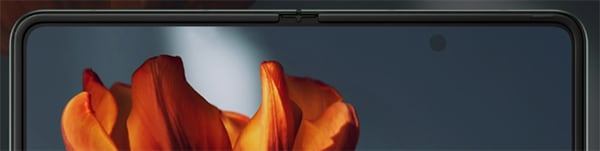
How Does the Under Display Camera Work on Samsung Galaxy Z Fold 4?
The Under Display Camera (UDC) on the Samsung Galaxy Z Fold 4 uses innovative display technology to hide the front-facing camera beneath the screen, eliminating the need for a visible camera cutout. This is achieved by reducing pixel density in a specific area of the display, allowing light to pass through to the camera sensor below. While the UDC provides a seamless full-screen experience, it relies on advanced algorithms and AI to compensate for potential image quality limitations caused by the display layer.
1. How Does the Under Display Camera Function?
The Under Display Camera (UDC) integrates the front-facing camera beneath the display panel of the Samsung Galaxy Z Fold 4. Here's how it works:
-
Pixel Density Adjustment:
- The pixel density above the camera area is reduced to 1/5 of the standard display density, creating a semi-transparent zone that allows light to reach the camera sensor.
-
Camera Positioning:
- The camera module is placed directly beneath this reduced-density area, enabling it to capture images without requiring a visible cutout or notch.
-
Light Management:
- Advanced light-splitting technology minimizes interference from the display, ensuring better image clarity, especially in bright environments like outdoor daylight or well-lit indoor spaces.
-
AI Image Enhancement:
- Samsung's AI algorithms improve resolution, reduce the starburst effect (light distortion), and enhance detail expression, delivering clearer photos despite the physical obstruction of the display.
2. Why Is the Under Display Camera Different From the Cover Screen Camera?
The UDC and the cover screen camera on the Samsung Galaxy Z Fold 4 have distinct specifications and performance characteristics:
- The UDC is physically obstructed by the display layer, which can slightly impact image quality compared to the cover screen camera.
- Despite this limitation, the UDC is optimized for everyday use cases such as video calls and facial recognition, providing a smooth and reliable experience.
3. Supported Samsung Galaxy Devices with Under Display Camera
The Under Display Camera technology is available on select Samsung Galaxy devices, including the Galaxy Z Fold 4. Future models like the Galaxy Z Fold 5 and Galaxy Z Fold 6 may also feature enhanced versions of this technology.
4. Additional Things to Check
If you notice any issues with the UDC on your Samsung Galaxy Z Fold 4, consider the following:
-
Display Settings:
- Ensure the display brightness is set appropriately, as extreme brightness levels can affect UDC performance.
-
Software Updates:
- Install the latest software updates to benefit from improvements in UDC algorithms and overall system performance.
-
App Compatibility:
- Some third-party apps may not fully support the UDC. Test with native apps like Samsung Internet or Samsung Messages to confirm functionality.
Related Samsung Support Topics
Thank you for your feedback!
Please answer all questions.