Compatible Devices for Buds3 & Buds3 Pro
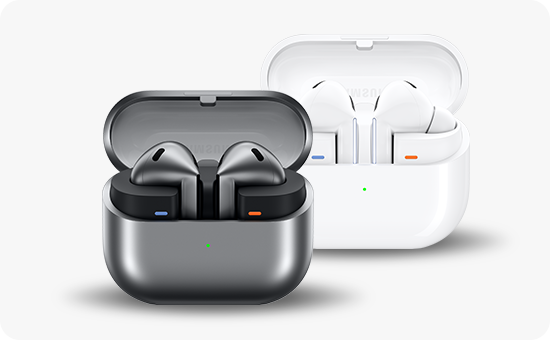
What devices can I connect to the Galaxy Buds3 and Buds3 Pro?
The Samsung Galaxy Buds3 and Buds3 Pro support Bluetooth connectivity with a wide range of devices, including Samsung Galaxy smartphones, tablets, iOS devices, and select Samsung Smart TVs. While most features work across platforms, some advanced functionalities like Auto Switch and 360 Audio are exclusive to Samsung devices.
1. What devices can I connect to the Galaxy Buds3 and Buds3 Pro?
The Galaxy Buds3 and Buds3 Pro are designed to pair with various devices using Bluetooth technology. Here's a breakdown of compatible devices:
Supported Samsung Galaxy devices include:
- Galaxy S24, S25, and S26 series smartphones
- Galaxy Z Fold and Z Flip series foldable devices
- Galaxy Tab S9 and Tab S10 series tablets
- Galaxy Watch 6 and Watch 7 series smartwatches
Other compatible devices:
- iOS Devices: iPhones and iPads can pair with the Buds3 and Buds3 Pro, but features like Auto Switch and 360 Audio are not supported.
- Smart TVs: Compatible with all Samsung Smart TVs featuring Bluetooth connectivity, though Auto Switch is only supported on 2022 Samsung Smart TV models.
- Gaming Consoles: Can connect to devices like PlayStation or Xbox for audio output, but functionality is limited to basic playback controls.
- Home Appliances: Works with select Bluetooth-enabled home appliances, such as smart speakers, for audio streaming.
2. Why does Auto Switch work only on Samsung devices?
Auto Switch relies on Samsung's proprietary software integration, which allows seamless switching between connected Galaxy devices. Since this feature requires deep system-level access, it is unavailable on non-Samsung devices, including iOS products.
3. When might my Galaxy Buds3 or Buds3 Pro fail to connect?
Connection issues can arise due to:
- Bluetooth Interference: Nearby devices or physical obstructions may disrupt the signal.
- Outdated Firmware: Ensure your earbuds are running the latest firmware version for optimal performance.
- Device Compatibility: Some older devices may not fully support the Buds3's advanced codecs or features.
4. Related Samsung support topics
Thank you for your feedback!
Please answer all questions.