

Galaxy AI

Welcome to the new era of AI-powered health
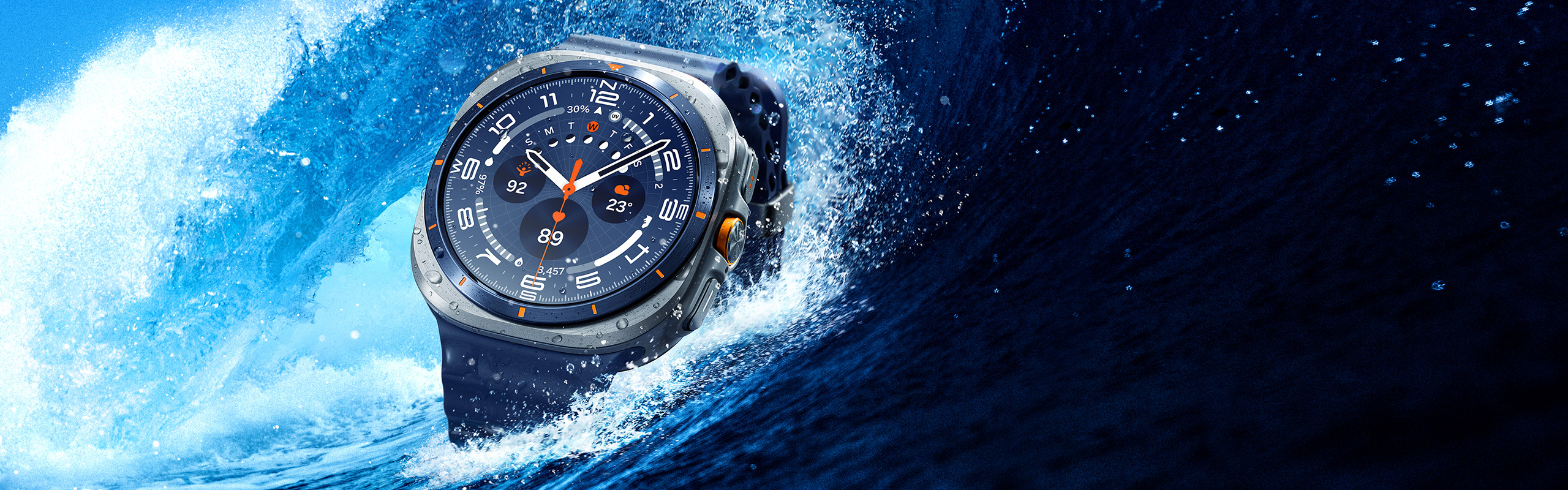
Built to push boundaries, Galaxy Watch Ultra withstands up to 55 °C heat, 9,000 m altitude, 10 ATM water pressure and runs smoothly through it all with a new, powerful 3 nm processor. Trek further with battery that lasts up to 100 hours in Power saving mode. The new BioActive Sensor tracks you closely and Galaxy AI provides the insights, guiding you to push your limits. Now available in Titanium Blue — a shade that embodies resilience and is ready to journey wherever you choose to go. , , , , , ,
Catch the Highlights
Titanium


A Galaxy Watch Ultra is slowly rotating as its titanium frame glints.




- Our most powerful smartwatch processor
- Titanium + cushion design
- Sapphire Crystal glass
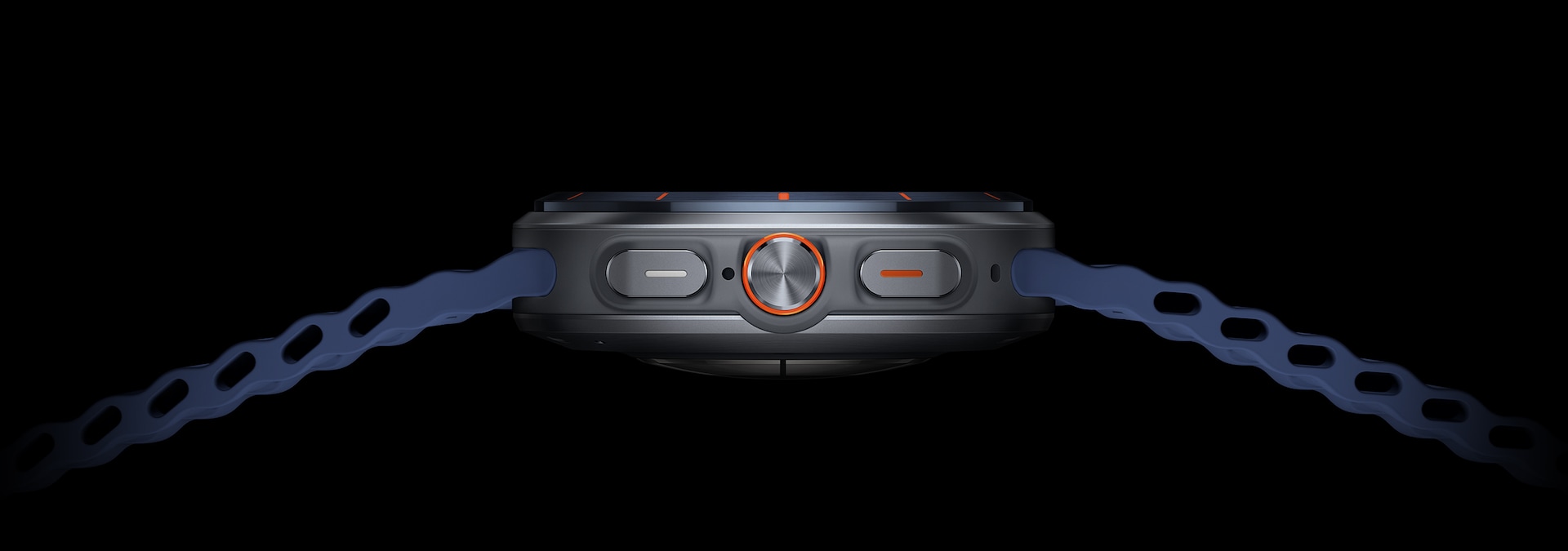

- Quick Button
- BioActive Sensor
- Dual-Frequency GPS
- Dynamic Lug System


New era of
Titanium shades
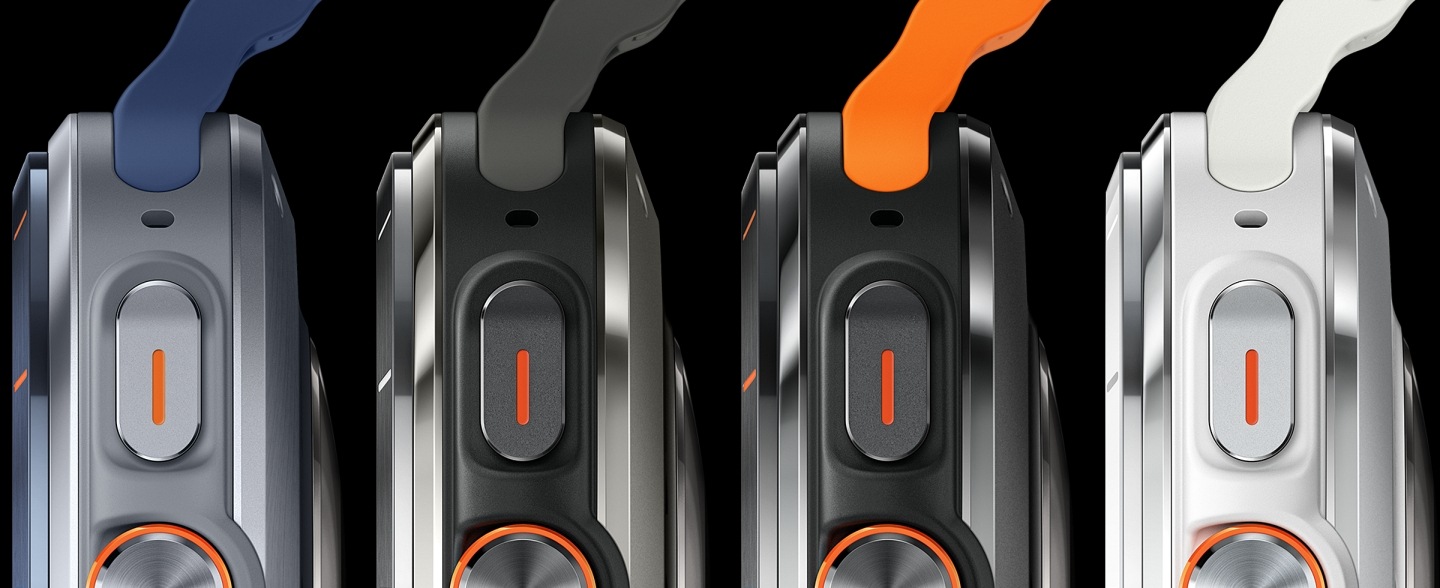
Galaxy Watch Ultra comes in Titanium Gray, Titanium Silver, Titanium White and now — Titanium Blue. The new color adds a fresh option to the range, each stunning in its own way. With versatile bands to match, all four colors epitomize the bold spirit of Galaxy Watch Ultra.


High-endurance
battery power
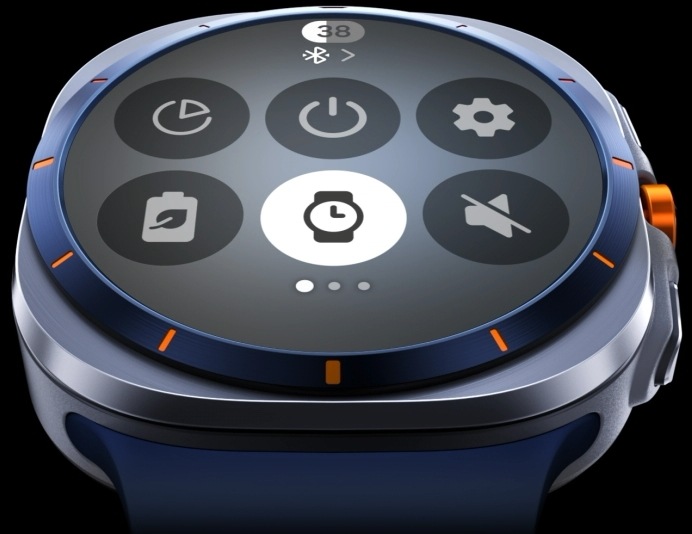
Whether scaling cliffs or trekking for days, push boundaries without worrying about recharging. Instantly switch between modes — Exercise power saving mode for tracking workouts or Power saving mode for long-term use. Stay powered up for whatever thrills come your way. Now upgraded with a large 64 GB storage, record even more GPX data and reach new heights. , , , ,
-
Power
Up to 100 hrs
saving mode -
Exercise power saving mode
Up to 48 hrs
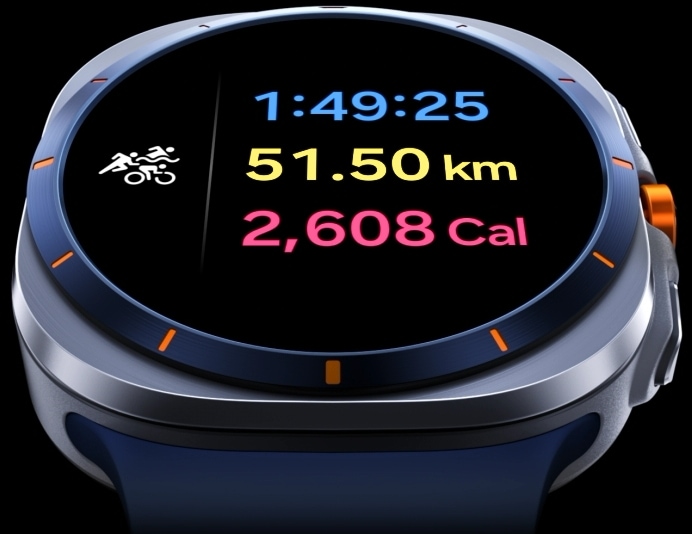
A slightly tilted view of Galaxy Watch Ultra. Power saving mode is selected. Triathlon tracking feature is onscreen. The total amount of time spent exercising goes up from 1 hour 49 minutes 23 seconds to 25 seconds. Distance is 51.50 kilometers. Calories burned go up from 2604 calories to 2608 calories.


Swimming, water skiing, kayaking or windsurfing. Galaxy Watch Ultra tracks it all and more.

Enhanced BioActive Sensor can keep up even when you're tackling the waves.

Easily track your exercise even in the water with Water Lock mode.


Your immediate
safety Siren
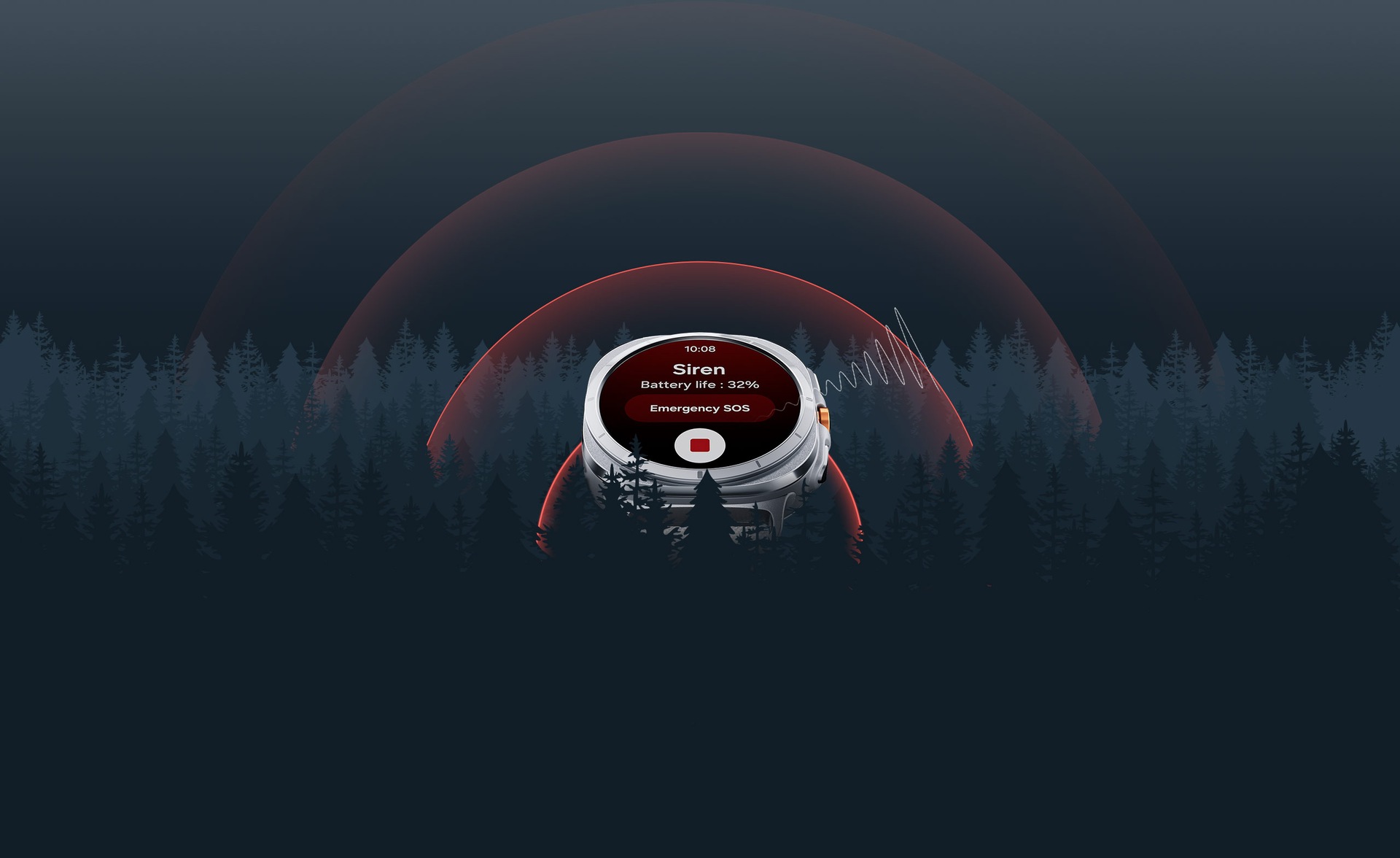
If you're in trouble, press and hold the Quick Button for 5 seconds to activate a powerful siren for help. A piercing 86-decibel sound can be heard up to 180 meters away, breaking through a forest of trees. When GPS isn't enough for you, the Watch is there with an SOS. It detects falls, offers SOS via the home button, and provides instant access to Medical info. , , ,
Fall detection

Emergency SOS

Press
5 times
-

Up to86 dB
-
Up to180 m


Hold for
5 seconds
Dominate the desert


Carve your own path
Get off the road and create your own. Bike through uncharted canyons and make your personal routes to return to. Fill your adventure with unexpected twists and turns.


A person riding a bike on a rocky trail is capturing the scene ahead and wearing a Galaxy Watch Ultra on their wrist. Another person is biking in front of them.


Don't let darkness dim your adventure
Stay on track even in the pitch dark. When night falls, the display automatically switches to Night mode, preserving your night vision. Continue your overnight adventure without missing a glimpse of the Milky Way. ,
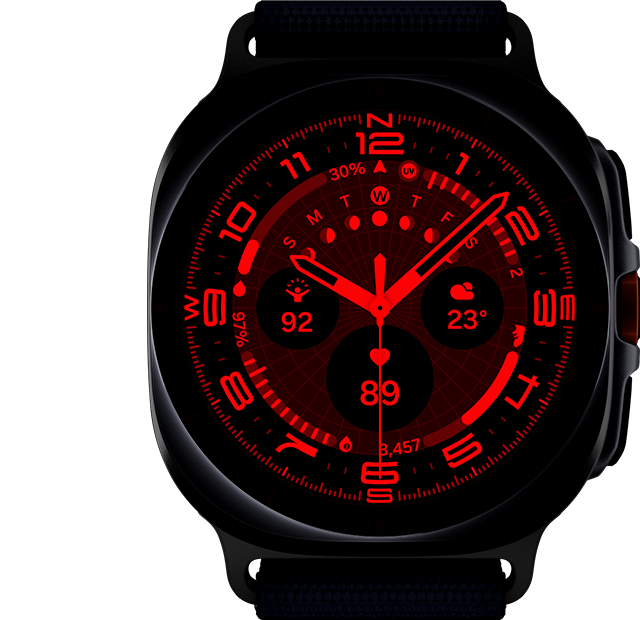
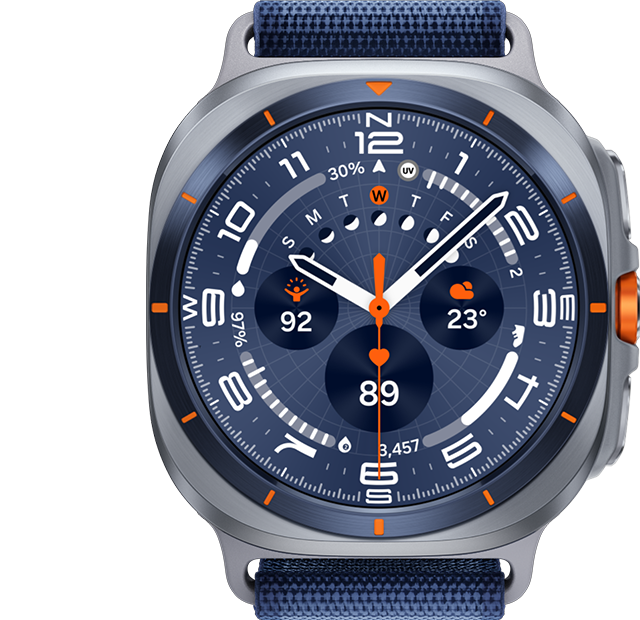
A Galaxy Watch Ultra is seen in daylight. As night falls and the sky turns dark, the Night Mode watch face glows on the watch screen.



Quick Button for swift sports transition
Jump straight into your favorite endurance sports like triathlon, duathlon, aquathlon and more with new Multisport Tile, at the press of the Quick Button. Too easy? Craft your own ultimate challenge to push your limits. ,


A Galaxy Watch Ultra is displaying a workout tracking screen in Water Lock mode. As the Quick Button is long pressed, the display switches to a Transition screen and transitions to a Cycling tracking screen.
Kickstart triathlon, duathlon, aquathlon or create your own challenge.

Reach a milestone, get rewarded with a badge for extra motivation.

Check your final records and burned calories at the end of your workouts.


Monitor Energy Score
to crush your goals
Discover your body's potential with Energy Score. Galaxy AI analyzes key indicators of your overall condition and gives you a daily score. How's your score today? Ready to challenge yourself? If not, fine-tune your sleep, exercise and more to get your body in shape to step it up.


As the Energy Score goes up on the display and stops at '94', cards with different health metrics for sleep score, steps and heart rate pop up around the watch.
Power up your cycling with Personalized FTP
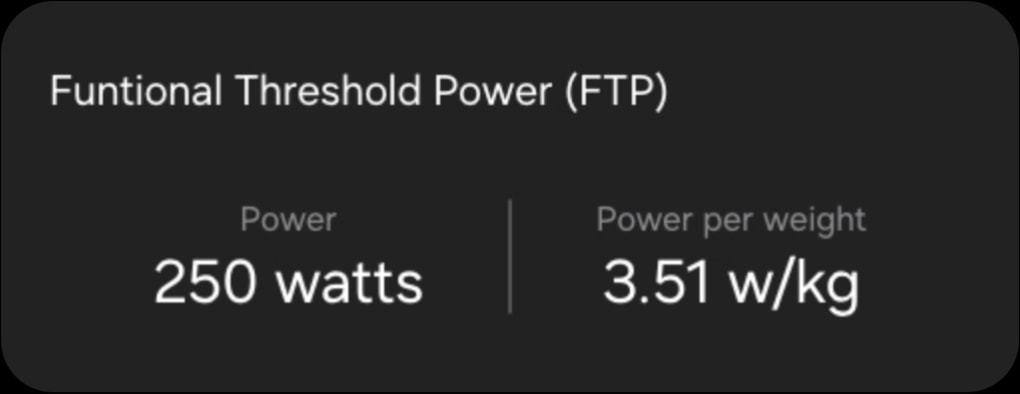
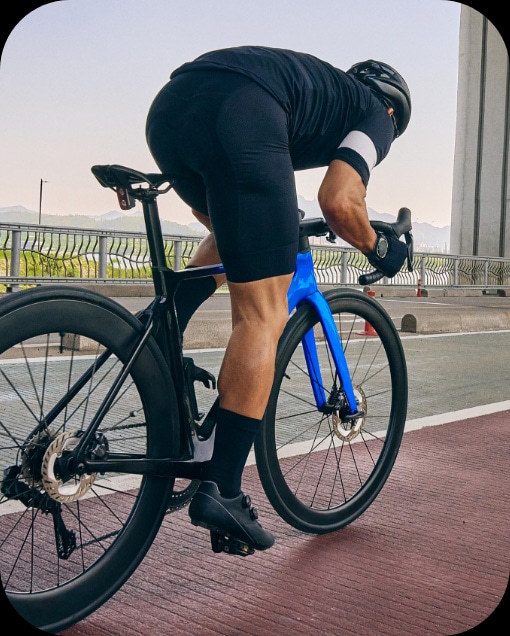
Maximize your pedal power and go the extra mile. With a power meter paired with your Samsung Galaxy smartphone, Galaxy AI quickly estimates the Functional Threshold Power based on your own heart rate within 10 minutes of a ride. Set your training intensity according to your FTP and hit your peak performance. ,

Sleep stages

Heart rate

Breathe easy with sleep apnea risk detection
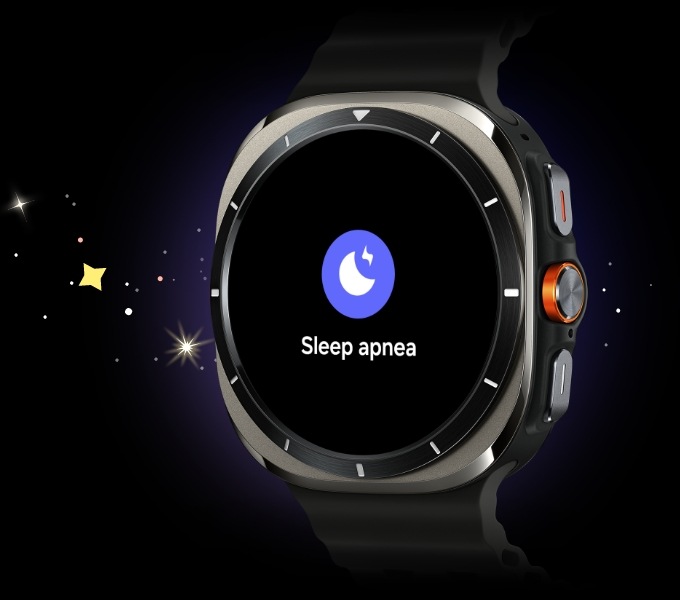
Sleep soundly — and safely. The Galaxy Watch Ultra keeps an eye on your sleep behavior and helps detect potential sleep problems. For the first time ever on Galaxy Watch, it offers Sleep apnea feature.
- *Sleep apnea feature requires Galaxy Watch Ultra with Wear OS 5.0 or later to be paired with a Samsung Galaxy smartphone with Android OS 12.0 or later and latest version of Samsung Health Monitor app.
- *Sleep apnea feature is currently available in some selected countries only. Sleep apnea feature requires at least 2 days of sleep data within a span of 10 days (the two days do not necessarily have to be consecutive, but must be recorded within those 10 days).
- *Not intended for use in detection, diagnosis or treatment of any medical condition. Sleep apnea detection result is for your personal reference only. Please consult a medical professional for advice.
- *Sleep apnea feature requires Galaxy Watch Ultra to be paired with a Samsung Galaxy smartphone with Android OS 9.0 or later and latest version of Samsung Health Monitor app.
- *Sleep apnea feature is currently available in some selected countries only. Sleep apnea feature requires at least 2 days of sleep data within a span of 10 days (the two days do not necessarily have to be consecutive, but must be recorded within those 10 days).
- *Not intended for use in detection, diagnosis or treatment of any medical condition. Sleep apnea detection result is for your personal reference only. Please consult a medical professional for advice.
Health check? Just glance at your wrist
Maintain a healthy lifestyle by adding a quick checkup to your workout routine — from blood pressure to Bioelectrical Impedance Analysis.
Maintain a healthy lifestyle by adding a quick checkup to your workout routine — from blood pressure to Bioelectrical Impedance Analysis. If it detects an irregular heart rhythm, take an ECG to examine your heart rhythm in more detail, right on your wrist.

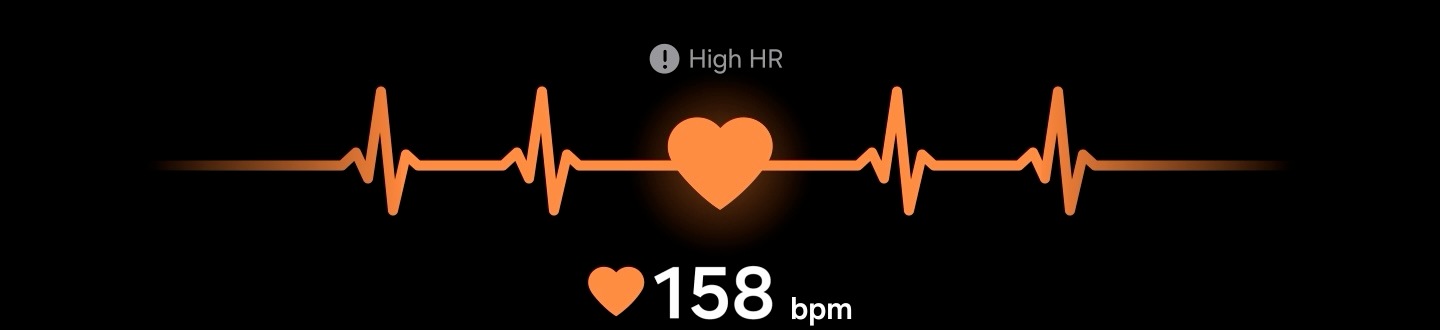
GUI of ECG being measured can be seen with the bpm changing. Above the measurement is a moving graph illustrating the heartbeat and a text of 'High HR' with a warning sign.


- *HR alerts are intended for general wellness and fitness purposes only. Not intended for use in detection, diagnosis, treatment, monitoring or management of any medical condition or disease. Any health-related information accessed through the device and application should not be treated as medical advice. Users should seek medical advice from a physician.
- *Not intended to provide a notification on every episode of irregular rhythm and not intended for any diagnostic purposes or other heart conditions. Not intended for users under 22 years old. Users should not interpret results, or take clinical action based on the device output without consultation with a qualified healthcare professional. The PPG sensor is not intended to replace traditional methods of diagnosis or treatment.
- *ECG app is not intended for use under 22 years old and is not intended to replace traditional methods of diagnosis or treatment. Users should not interpret or take clinical action based on the device output without consultation of a qualified healthcare professional. Check out https://www.samsung.com/ae/apps/samsung-health-monitor/ for more information and latest update on service countries.
- *Availability of Irregular Heart Rhythm Notification (IHRN) feature may vary by country or region. Due to country restrictions in obtaining approval/registration as a Software as a medical device (SaMD), it only works on watches and smartphones purchased in the countries where service is currently available (however, service may be restricted when users travel to non-service countries). Not intended to provide a notification on every episode of irregular rhythm suggestive of AFib and the absence of a notification is not intended to indicate no disease process is present. It is not intended for users with other known arrhythmias or users under 22 years old. Users should not interpret or take clinical action based on the predictions made without consultation of a qualified healthcare professional.
- *IHRN feature is expected to become available in more countries/regions in the future, subject to the regulatory process of each country/region. Please refer to https://www.samsung.com/samsung-health/ for more information and latest update on service countries.
- *Availability of ECG app may vary by country or region. Due to country restrictions in obtaining approval/registration as a Software as a medical device (SaMD), ECG app only works on watches and smartphones purchased in the countries where service is currently available (however, service may be restricted when users travel to non-service countries). Check out https://www.samsung.com/samsung-health/ for more information and latest update on service countries. It is not intended for users by people under 22 years old. Users should not interpret or take clinical action based on the device output without consultation of a qualified healthcare professional.
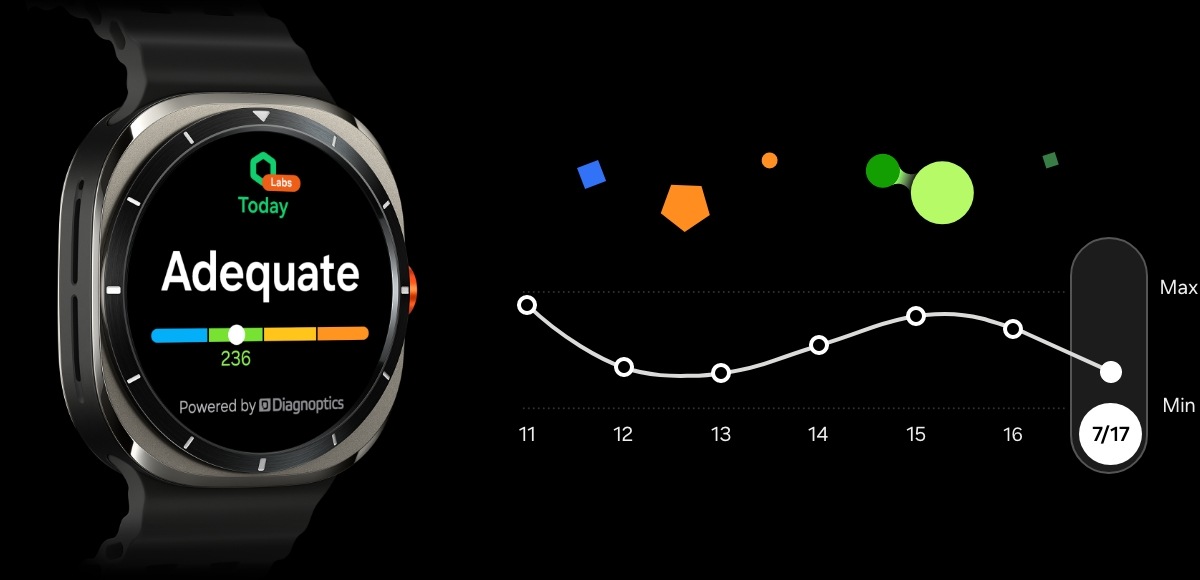
Track your AGEs index for a livelier, healthier life
Mind your diet and be your best self. Advanced Glycation End-products(AGEs) index is an indicator of your metabolic health, affected by your diet and lifestyle. Galaxy Watch Ultra measures your AGEs index during your sleep, letting you check the results right on your wrist. Monitor your dietary intake, improve your lifestyle and maintain peak performance. , ,
Keep track of your heart health while you sleep
Monitor your cardiovascular health effortlessly and continue to explore the great outdoors. While you sleep, Vascular Load keeps track of your cardiovascular strain, delivering results directly to you through the Samsung Health app the next day. Compare the results to your baseline measurement and make thoughtful choices for a stronger, healthier you. , , ,
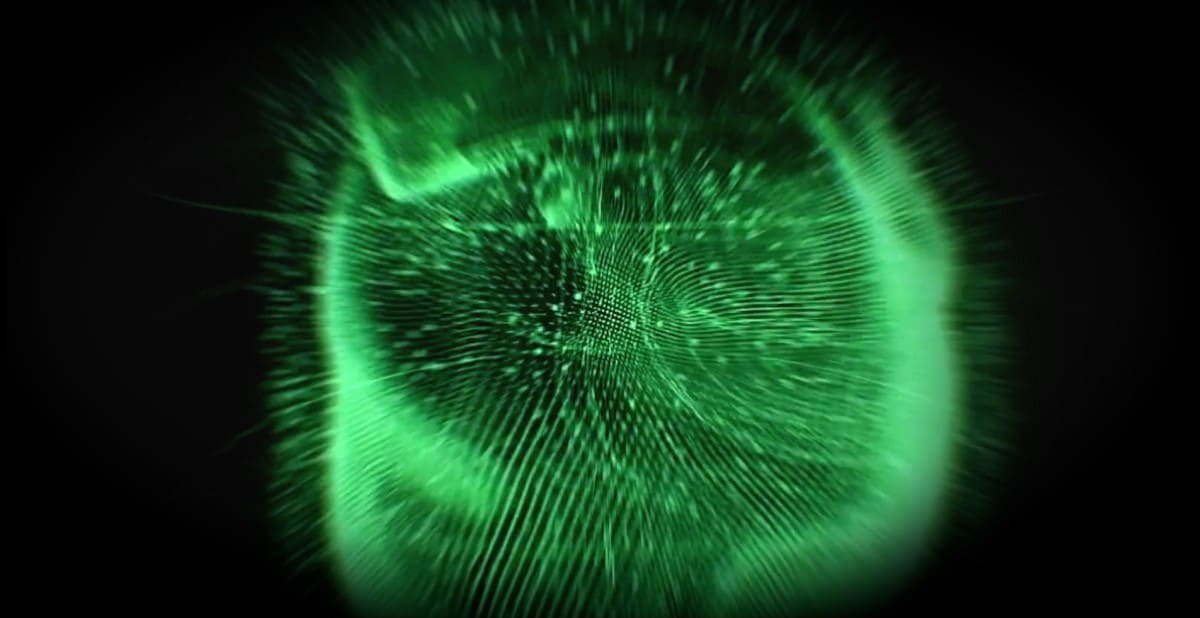
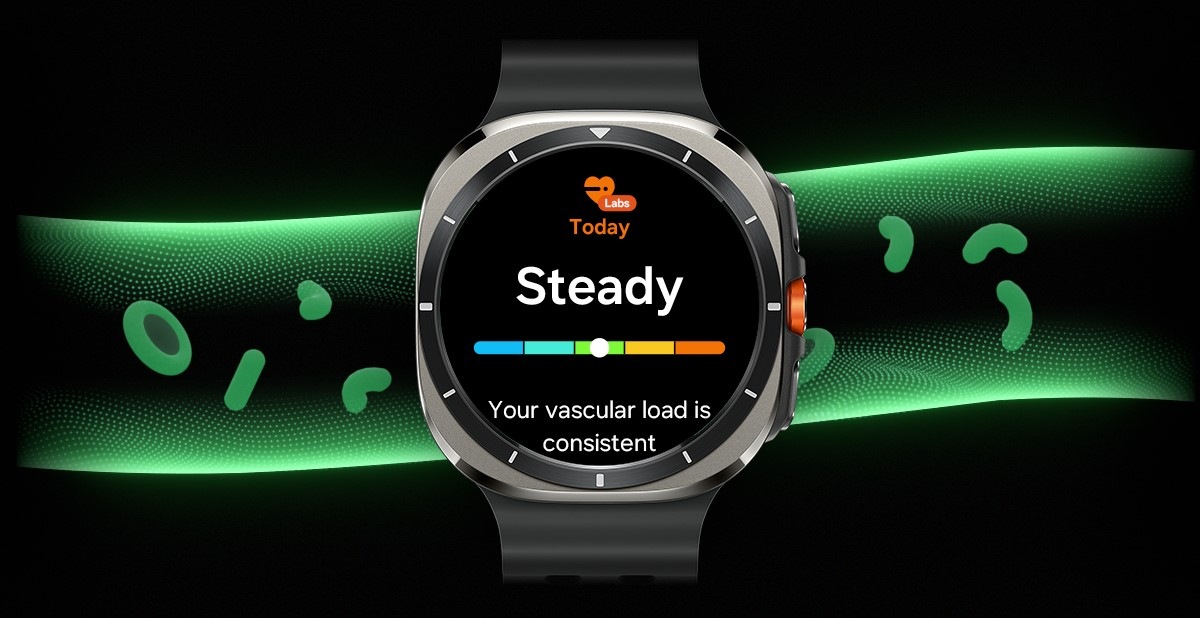
A pumping heart is in the middle. Scene changes and blood vessel with red blood cells steadily flowing inside to indicate a balanced vascular load. Galaxy Watch Ultra displaying Vascular Load feature is in the middle. Onscreen is Labs icon at the top, text Today, text Steady and a bar graph that indicates normal vascular load, and text Your vascular load is consistent.
Sleep time

Active time

Stress


Enjoy the seamless experience across Android smartphones
Start your Galaxy Wearable experience on your Android smartphone. Pair your Galaxy Watch, Buds or Ring easily with the Android phone you already have. Just download the Galaxy Wearable and Samsung Health apps on Google Play, and you're good to go. You can even try out different watch faces on the Galaxy Wearable app—mix and match various features to your liking. , , , , , , , , ,

Just ask. Done
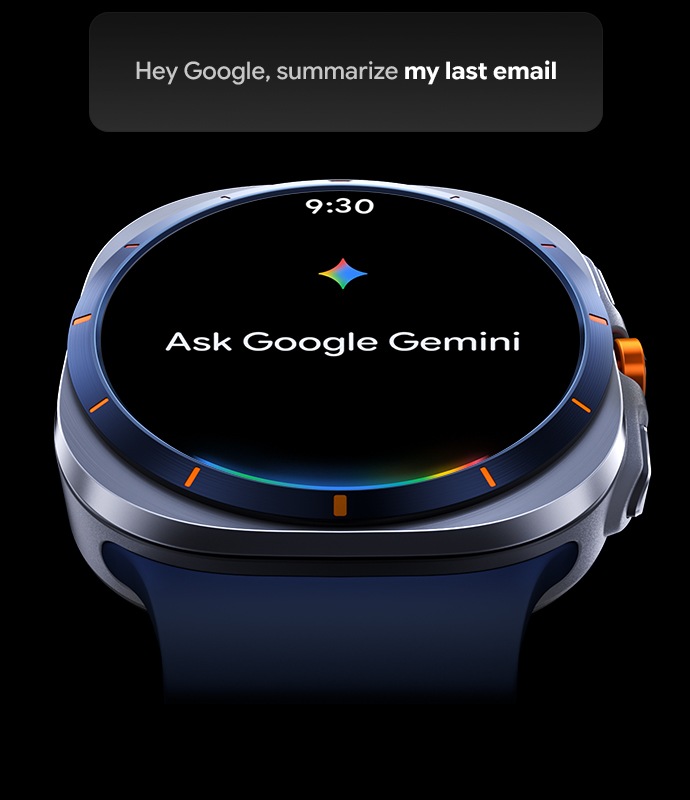
Maximize productivity with Galaxy Watch Ultra, even on the go. Google Gemini is your conversational and capable assistant that you can speak to naturally using your voice. Ask for help to create a message to your friend saying that you’re running late, or summarize your last email out loud. You can even tell Gemini to remember important information like where you parked or which locker you used – all from your wrist. , ,


Compare Watch
Find your best Galaxy
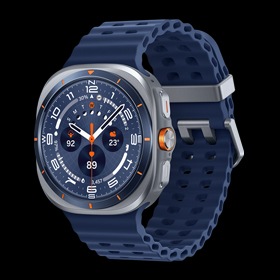
Color
Latest Galaxy
More Galaxy
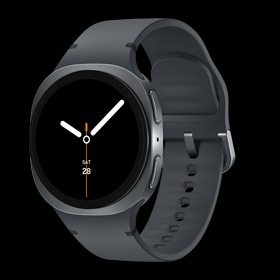
Color
Latest Galaxy
More Galaxy
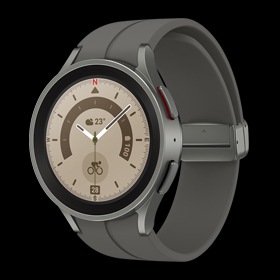
Color
Key Specs
-
Material
Titanium grade4 -
Material
Armor Aluminum -
Material
Titanium grade2


-
Processor
3 nm Processor,
5 Core -
Processor
3 nm Processor,
5 Core -
Processor
5 nm Processor,
2 Core

-
GPS
L1+L5 Dual-
Frequency GPS -
GPS
L1+L5 Dual-
Frequency GPS -
GPS
L1 GPS

-
Connectivity
Bluetooth + LTE -
Connectivity
Bluetooth / Bluetooth
+ LTE -
Connectivity
Bluetooth / Bluetooth
+ LTE
-
Memory / Storage
2 GB / 64 GB -
Memory / Storage
2 GB / 32 GB -
Memory / Storage
1.5 GB / 16 GB

-
Display Brightness
Up to
3000 nits -
Display Brightness
Up to
3000 nits -
Display Brightness
Up to
1000 nits
-
Durability
10ATM + IP68 / MIL-
STD-810H -
Durability
5ATM + IP68 / MIL-
STD-810H -
Durability
5ATM + IP68 / MIL-
STD-810H

-
Battery
590 mAhUp to 60 hrs (*AOD On) -
Battery
435 mAh
Up to 30 hrs (*AOD On) -
Battery
590 mAh

-
Safety and Emergency
SOS / Fall detection -
Safety and Emergency
SOS / Fall detection -
Safety and Emergency
SOS / Fall detection
-
Health
Energy Score Sleep Apnea Bedtime Guidance High Stress Alert Running Coach Personalized
Heart Rate Zone Personalized Functional
Threshold Power AGEs Index Vascular Load Blood Pressure ECG Irregular Heart
Rhythm Notification Antioxidant Body Composition Cycle Tracking -
Health
Energy Score Sleep Apnea Bedtime Guidance High Stress Alert Running Coach Personalized
Heart Rate Zone Personalized Functional
Threshold Power AGEs Index Vascular Load Blood Pressure ECG Irregular Heart
Rhythm Notification Antioxidant Body Composition Cycle Tracking -
Health
Energy Score Sleep Apnea Bedtime Guidance -not available -not available Personalized
Heart Rate Zone -not available -not available -not available Blood Pressure ECG Irregular Heart
Rhythm Notification -not available Body Composition Cycle Tracking
-
Google Gemini
Oavailable -
Google Gemini
Oavailable -
Google Gemini
-not available


- Galaxy Watch Ultra withstands temperatures ranging from -20 °C to 55 °C while being worn on the wrist, based on results from internal lab tests conducted by Samsung. Actual performance may vary depending on the environment where it is used. In very high or low temperatures, charging may be blocked, certain functions may be automatically terminated or unavailable, or the watch may shut down automatically for safety. Additionally, battery performance can be adversely affected at low temperatures.
- When in Power saving mode, some features, such as Wi-Fi connection, Wake-up gesture and others, may become unavailable. There may be restrictions on CPU speed, background network usage and location services.
- In normal battery mode, when Power saving mode or Exercise power saving mode is off, battery life is up to 60 hours with Always On Display enabled and up to 80 hours with Always On Display disabled.
- Battery life is based on results from internal lab tests for typical usage pattern scenarios conducted by Samsung. Actual battery life may vary depending on different usage patterns, device model or the battery manufacturer.
- Galaxy Watch Ultra is water resistant for 10 minutes in water with a depth of 100 meters according to the ISO22810 standard. The test was conducted in 5 % salty water and 4 ppm chlorine water. Galaxy Watch Ultra is water resistant with an IP68 rating based on the lab test conditions for submersion in up to 1.5 meters fresh water for up to 30 minutes. It is not suitable for high-pressure water activities and diving. It may be used for shallow-water activities like swimming in a pool or ocean. Water resistance is not a permanent condition and can diminish over time. Refer to the user manual for further information, including care/use instructions.
- Galaxy Watch Ultra has been tested under MIL-STD-810H standard: High/Low temperature, Altitude, Humidity, Immersion, Salt Fog, Dust, Vibration, Drop, etc. MIL-STD-810H is a standardized form of testing designed by the US Military to accurately assess device limitations. Real world usage may vary by specific environmental conditions used in the testing. Extreme conditions not guaranteed.
- Grade 4 titanium is partially applied to the front and back cover areas of the metal frame, excluding the display and physical buttons. The remaining parts of the frame are a mix of plastic and Grade 2 titanium.
- Compared to previous Galaxy Watch series.
- Typical value tested under third-party laboratory condition. Typical value is the estimated average value considering the deviation in battery capacity among the battery samples tested under IEC 61960 standard. Typical capacity is 590 mAh. Actual battery life may vary depending on network environment, usage patterns and other factors.
- When in Exercise power saving mode, some features, such as network/Bluetooth connection, IoT control and others, may become unavailable.
- Additional Watch bands are sold separately.
- Trail Band is sold separately.
- Provided when GPX format route file is imported for hiking and cycling and route is set as target under Samsung Health settings.
- To use Track Back feature, it must be enabled prior to every hiking or cycling workout session under Samsung Health settings.
- The siren emits up to 86-decibel sound and can be heard up to 180 meters away maximum. The loudness and range of the sound may vary depending on the environment.
- The duration for which the siren can be activated may vary depending on the battery life.
- To notify an emergency contact, a network connection is required. GPS accuracy may be affected by obstructions to the satellite signal, such as buildings.
- Galaxy Watch Ultra is dust resistant with an IP68 rating based on the lab test conditions by a third party: 2 kg of talc powder (max. diameter of 0.05 mm) per cubic meter was blown into a test chamber housing the device (air pressure within device kept below surrounding air) for 2 hours. Dust-resistance may vary by actual usage conditions.
- Race is available for outdoor running and outdoor cycling only. For comparative measurements, it is required to run on the same path as the pre-generated path. User can compare by selecting one of the records up to 14 days ago.
- Comparing records through the Race is only available when starting at the same location as the previous record's start point. It will be converted to the running mode automatically, if the starting points are different.
- Personalization of Heart Rate Zone enabled when selecting outdoor run activity. It is required to run consistently for more than 10 minutes with speed of 4km/h or faster.
- Night mode is only available on certain watch faces.
- PeakForm Band is sold separately.
- GPS accuracy may vary depending on network environment and other factors.
- Energy Score is available on Android phones (Android 11 or above) and requires Samsung Health app (v6.27 or above). Samsung account log-in required. Service availability may vary by country or region. To check the Energy Score, the health data tracked from Samsung Galaxy Watch or Samsung Galaxy Ring must be synchronized with the Samsung Health App. Needs at least the previous day’s activity data and sleep, and heart rate data during sleep. Not intended for use in detection, diagnosis, treatment of any medical condition. The result is for your personal reference only. Please consult a medical professional for advice.
- To measure personalized FTP(Functional Threshold Power), Samsung Galaxy smartphone must be connected to a power meter. In order to calculate a more accurate FTP, it is necessary to connect the Galaxy Watch to a smartphone. The FTP is calculated automatically when cycling occurs at a mid to high intensity level for more than 4 minutes with the cycling power meter attached to your bicycle. Using machine learning, the more you ride repeatedly, the more accurate and personalized FTP values will be calculated. The cycling power meter is sold separately.
- Requires Samsung Health application version 6.24 or later.
- Galaxy Watch Ultra must be paired with a Samsung Galaxy smartphone with Android 11.
- Sleep tracking features are intended for general wellness and fitness purposes only. Not intended for use in detection, diagnosis, treatment of any medical condition or sleep disorder. The measurements are for your personal reference only. Please consult a medical professional for advice.
- Sleep Coaching requires sleep data of at least 7 days, including 2 days off.
- For accurate blood pressure readings, a calibration is required every 4 weeks by BP monitor & arm cuff. Requires a Samsung Galaxy smartphone running Android 12.0 or above.
- Availability of Blood pressure app may vary by country or region. Due to country restrictions in obtaining approval/registration as a Software as a medical device (SaMD), Blood pressure app only works on watches and smartphones purchased in the countries where service is currently available (however, service may be restricted when users travel to non-service countries). Check out https://www.samsung.com/samsung-health/ for more information and latest update on service countries. It is not intended for use by people under 22 years old.
- Users should measure their blood pressure when at rest, as they would do with a traditional cuff, and refrain from measuring when they are working out, smoking, or drinking. Blood pressure app is not intended for any diagnostic purposes regarding hypertension or other heart conditions or users under 22 years old. Users should not interpret or take clinical action based on the device output without consultation of a qualified healthcare professional. Blood pressure app is not intended to replace traditional methods of diagnosis or treatment.
- Measured blood pressure history can be reviewed within the Samsung Health Monitor app on a paired smartphone.
- Not intended for use in detection, diagnosis or treatment. Intended for general wellness and fitness purposes only.
- Body composition is only supported in Samsung Galaxy Watch4 series and later released Galaxy Watch models. Body composition should not be used if you have an implanted pacemaker or other implanted medical devices, or if you are pregnant. Any health-related information accessed through the device and application should not be treated as medical advice. Measurement results may not be accurate if you are under 20 years old. The measurements are for your personal reference only. Please consult a medical professional for advice.
- Compatible smartphones and available features may vary by country/region, carrier or device.
- Image simulated for illustrative purposes. Actual UX/UI may be different.
- Suggested replies is only available on Galaxy Watch7 and Galaxy Watch Ultra. The watch requires the latest Wear OS version installed and must be paired with Galaxy Z Flip6 running One UI 6.1.1 or above, as of Jul. 2024.
- Service availability may vary by language and app. Accuracy of results is not guaranteed.
- Double Pinch is off by default. To use the feature, it must be enabled on the Watch or the Samsung Galaxy Wearable app.
- Galaxy Watch Ultra must be paired with a Samsung Galaxy smartphone running One UI 6.1.1 or above.
- Trail Band and PeakForm Band are sold separately.
- To control Multisport feature using Quick Button, the feature must be configured in the Quick Button settings.
- FTP measurement requires Samsung Health app (v6.27 or above).
- Advanced Glycation End-products(AGEs) requires Samsung Account login and Samsung Health app v6.27 or later. Available on devices with Android OS 10 (Q OS) or later. AGEs is supported in Samsung Galaxy Watch7 and later released Samsung Galaxy Watch models only.
- Not intended for use in detection, diagnosis, treatment of any medical condition. AGEs index is for your personal reference only. Please consult a medical professional for advice.
- The Galaxy Watch Ultra uses the optical bio-signal sensor that operates within the limits set by IEC 62471 safety regulations.
- Galaxy Watch7, Galaxy Watch Ultra and Galaxy Ring must be paired with a smartphone with Android 11.0 or above and minimum 1.5 GB Memory.
- Connecting Galaxy Buds as Bluetooth Audio is available regardless of OS but to configure advanced settings on the Galaxy Wearable app, Galaxy Buds must be paired with a smartphone with Android 10.0 or above and minimum 1.5 GB Memory.
- Advanced settings on the Galaxy Wearable app include Noise Control, Adaptive EQ, Pinch Control and software update.
- Some features are only available on selected Samsung Galaxy smartphones.
- Galaxy Wearable app is not supported on iOS.
- Samsung Health Monitor app is only available on Samsung Galaxy smartphones.
- Gesture and Find My Ring features are only available on Samsung Galaxy smartphones.
- Suggested Replies feature on Galaxy Watch7 and Galaxy Watch Ultra is only available on Samsung Galaxy smartphones.
- Availability and supported features may vary by country, region or carrier.
- Android is a trademark of Google LCC.
- Cross app action feature requires internet connection and Google account login. Service availability may vary by country, language, device model. Works on compatible apps. Features may differ depending on subscription and results may vary. Set up may be required for certain functions or apps. Accuracy of results is not guaranteed.
- Gemini mobile app available on select devices, languages, and countries. Requires compatible Wear OS watch to be connected to a compatible device. Check responses for accuracy. Internet connection and set up may be required. Results for illustrative purposes and may vary. Google and Gemini are trademarks of Google LLC.
- Sequences shortened and simulated. Results for illustrative purposes only.
- Vascular Load available on Android phones (Android 10 or above) and requires the Samsung Health app (v6.30.2 or above). Samsung account login required. To measure vascular load, it is required to wear Galaxy Watch (Galaxy Watch Ultra, Watch8 and later released Galaxy Watch series) when sleeping for at least 3 days out of recent 14 days.
- Vascular load monitoring is for fitness and wellness only. If you’ve been diagnosed with cardiovascular disease or are recovering from surgery, be sure to follow your doctor’s treatment plan. This is a Labs feature that you can preview before its official launch. If you don't want to use this experimental feature, you can turn it off in Samsung Health settings.
- Availability of colours, sizes, models and watch bands may vary by country or carrier.


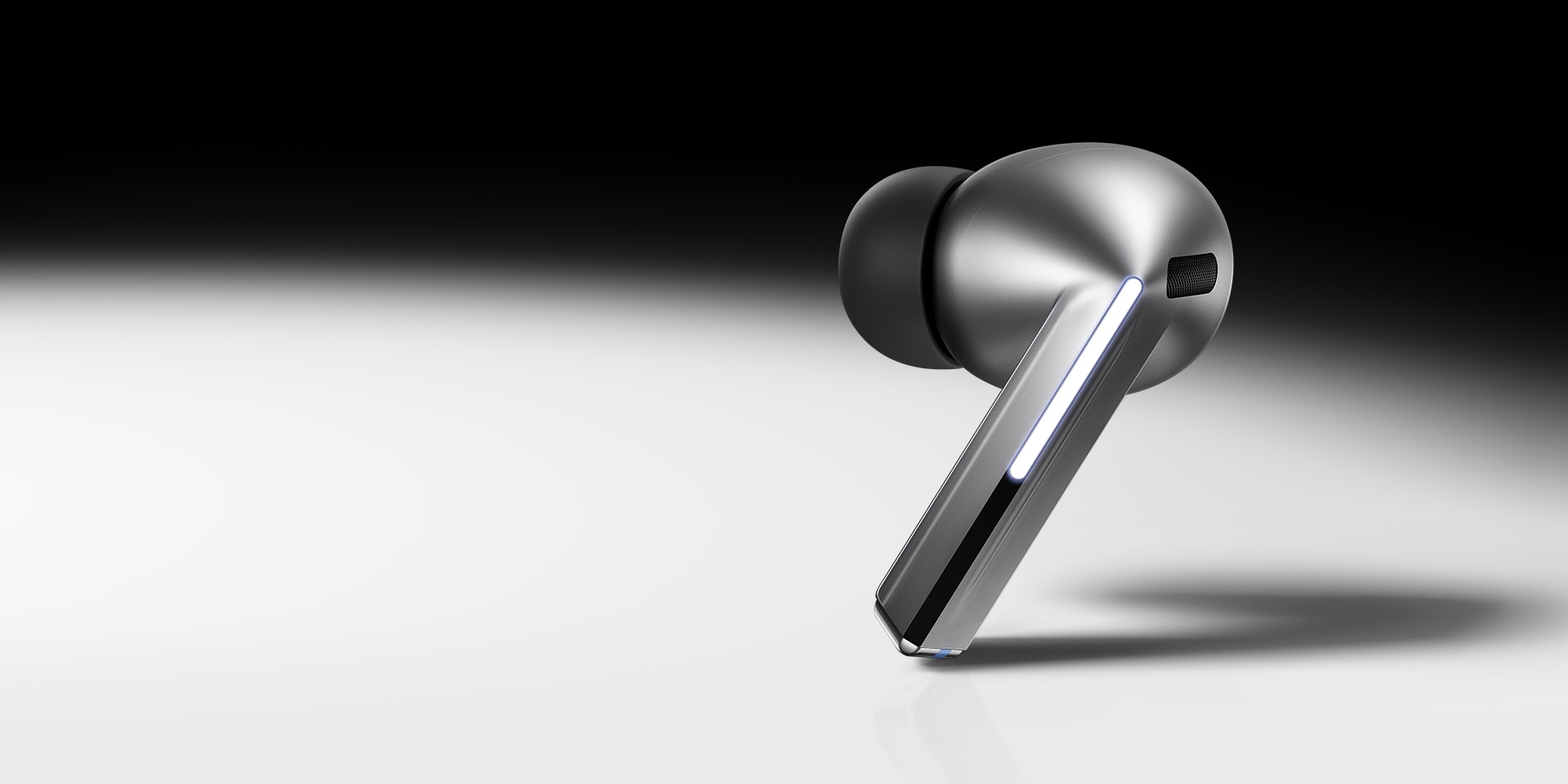
Image simulated. Available colors of Galaxy Buds3 Pro may vary by country or carrier. Galaxy Buds3 Pro supports Galaxy AI features such as interpreter and Live Translate when paired with compatible Samsung Galaxy devices. Availability of Galaxy AI features may vary by device model. See samsung.com for details.
Galaxy AIis here

Galaxy AI is here for your all-new Galaxy Buds3 Pro
Redefine your listening experience — featuring our first-ever planar tweeter and debut of dual amp on Galaxy Buds. Capture a high range of intricate details with enhanced 2-way speaker. Minimize distortion with our powerful dual amp. Hear each note in crystal-clear clarity, with 24-bit CODEC. Take your listening experience to the next level with Galaxy AI-boosted noise control and real-time interpretation. See your Galaxy Buds in a new light. , ,





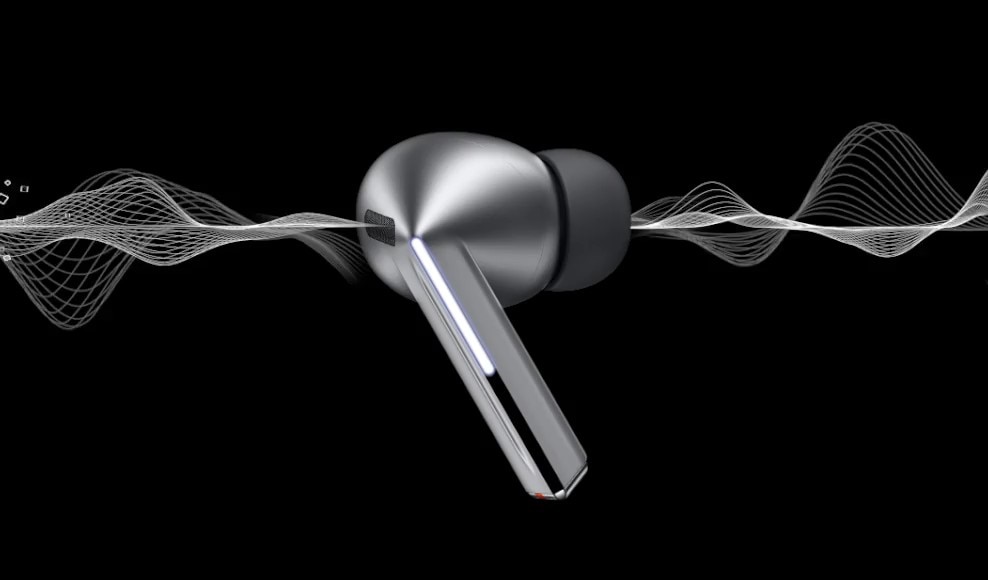




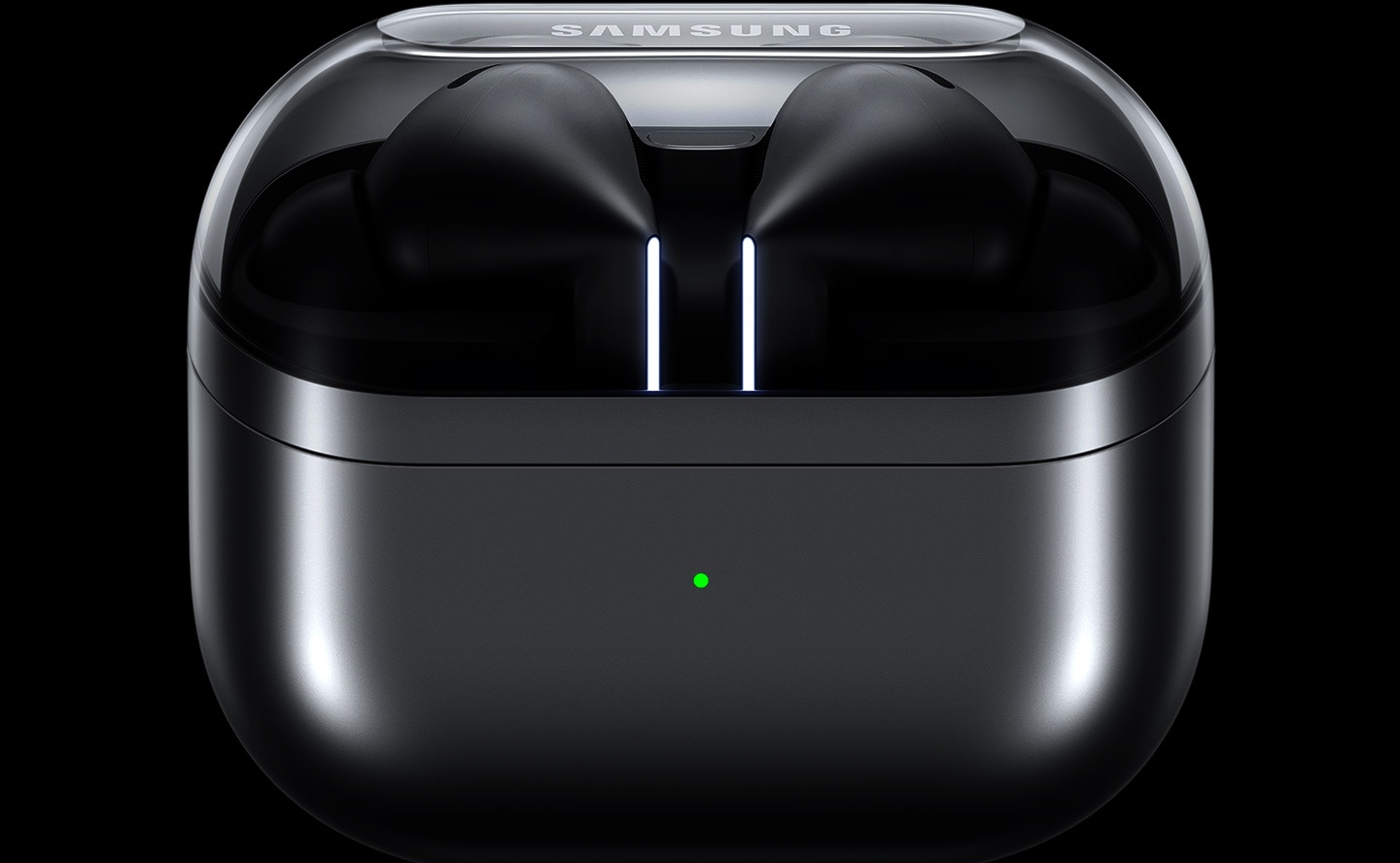
Ergonomically designed for supreme sound
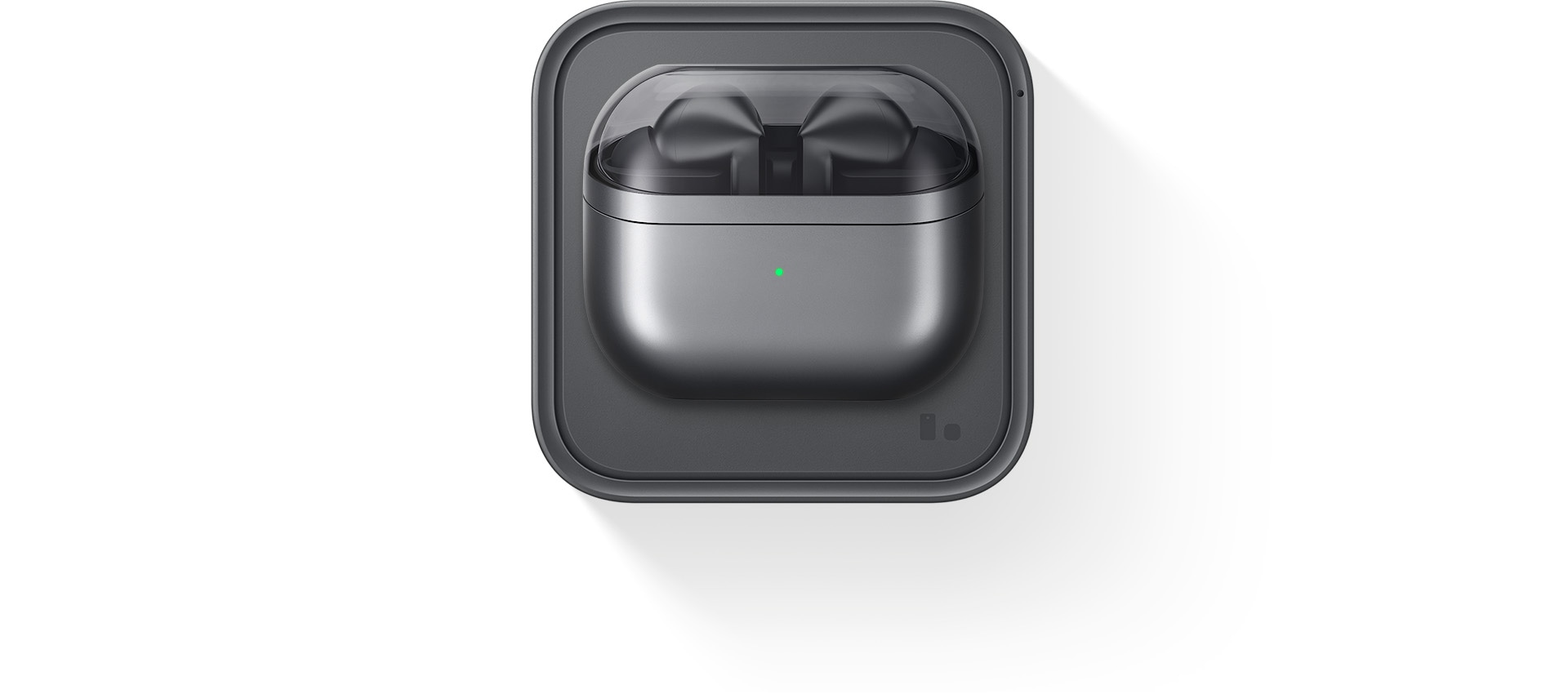
Experience our all-new design engineered for optimal sound. Our re-imagined Galaxy Buds3 Pro feature small, angled heads for a comfortable fit and to streamline your audio experience while accented Blade Lights let you express yourself. Highlighting the blade design is a sleek case with a transparent cover and delicate curved shape, equipped with USB-C and wireless charging capabilities. , , ,
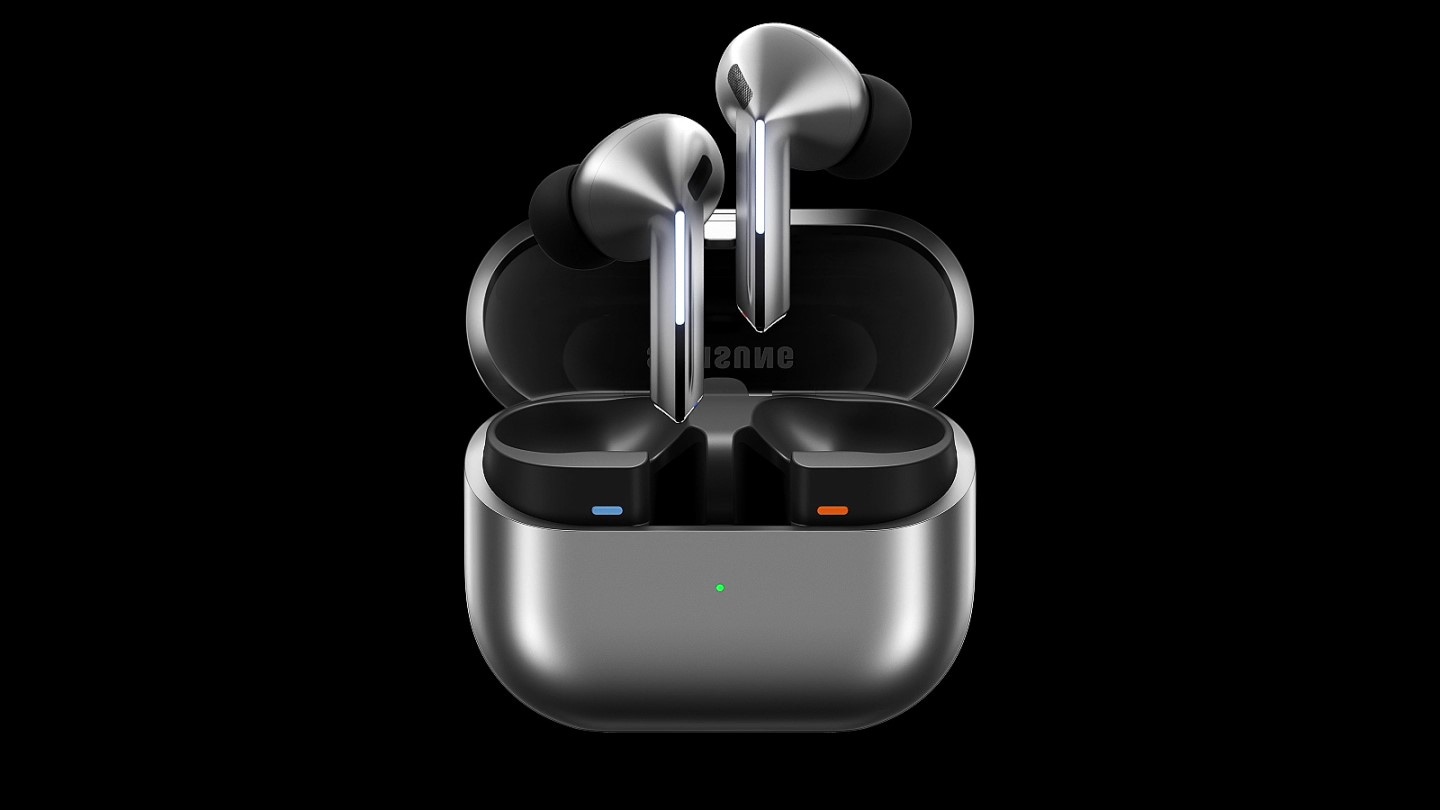
A pair of silver Galaxy Buds3 Pro appear in a closed case which opens up. Once open, the earbuds slide up with the Blade Lights on and hover over the open case.
Color


Flawless control at your fingertips
Leave your phone in your pocket and conveniently control your earbuds by using simple gestures. Even with a swift swipe, rest assured your Galaxy Buds3 Pro stay securely in your ears.
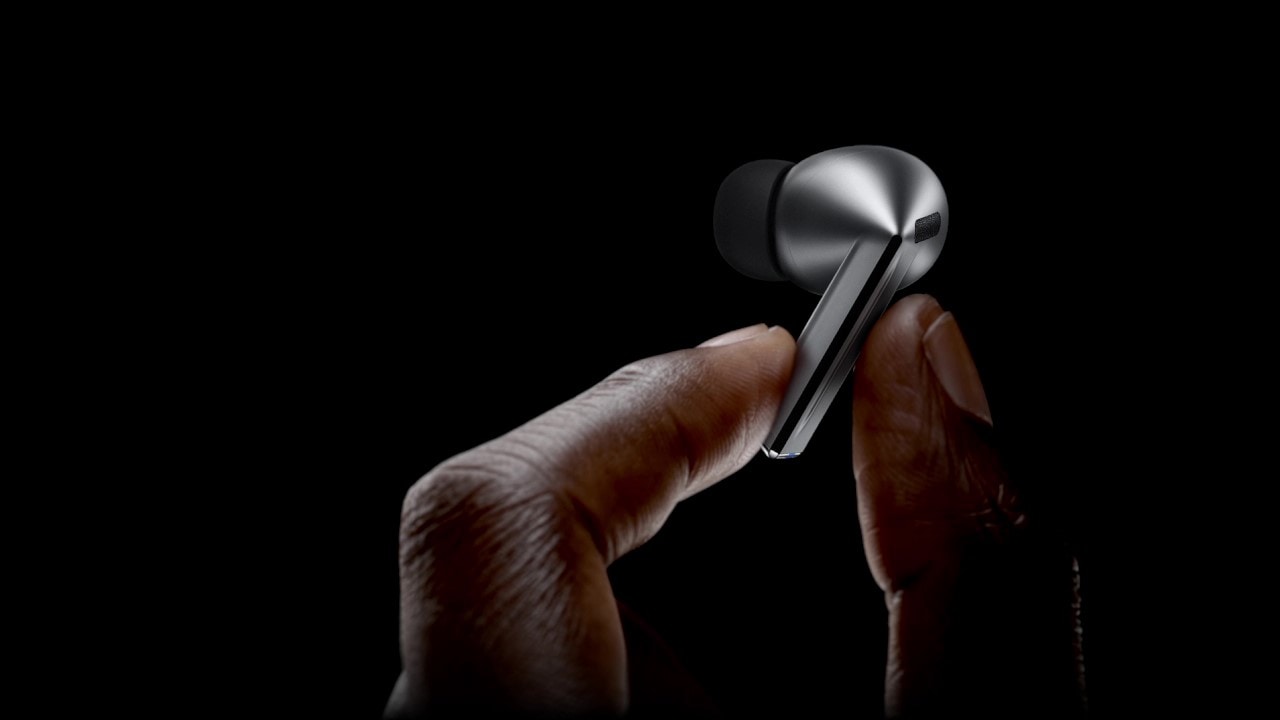
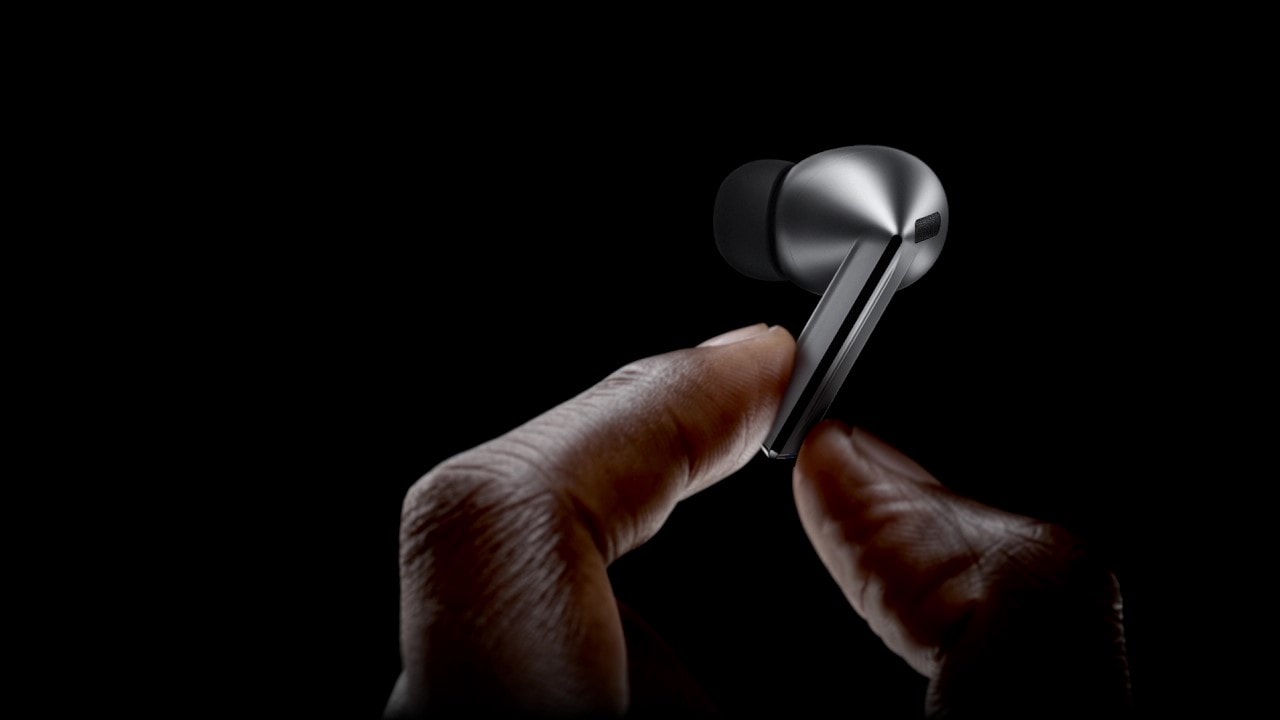
A finger swipes across the blade of a single, Galaxy Buds3 Pro earbud.


Clear-cut sound in each note
Immerse yourself in the elaborate details — from the deep rumble of the bass to the clear, crisp highs of the trebles — with enhanced 2-way speaker. Hear the vibrato of instruments with minimal distortion through our first-ever dual amp.


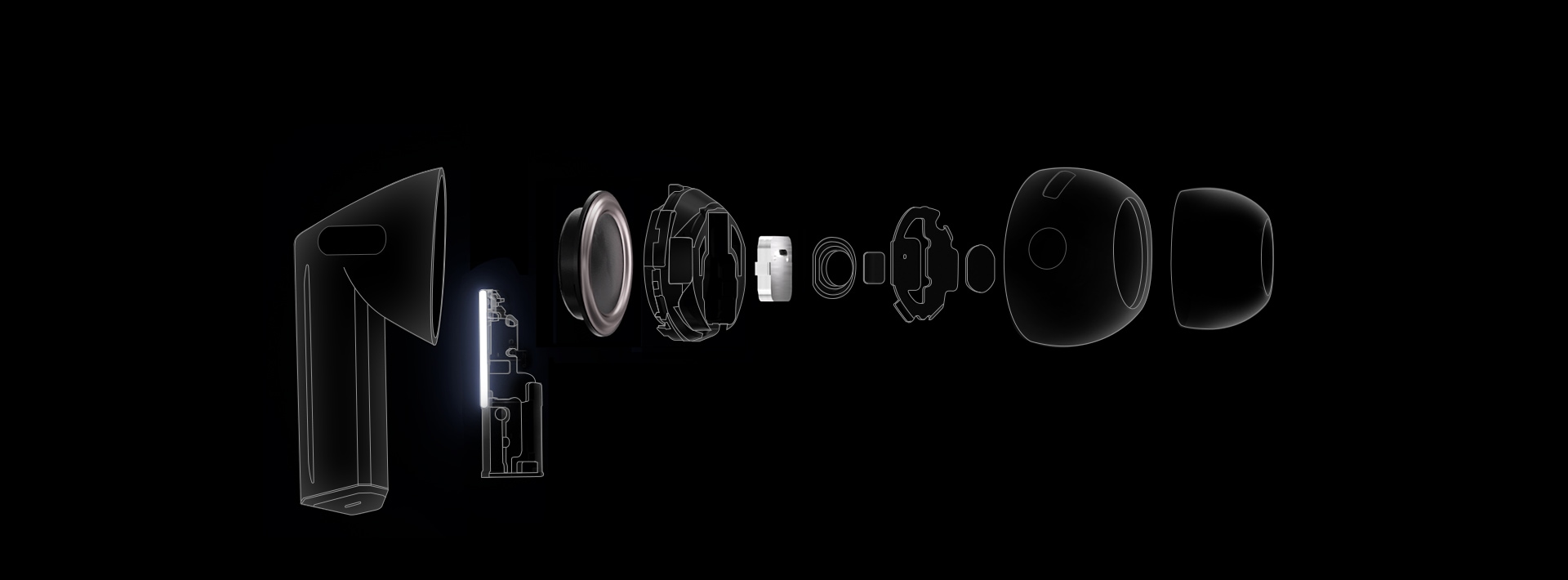
- Wind Shield
- Blade Lights
- Swipe
- Pinch Control
-
Dual Amplifier
Powered by our first-ever, independently controlled woofer and tweeter, Galaxy Buds3 Pro diminishes interference between speakers — allowing you to experience a broader spectrum of sound and balance across various frequencies. ,
-
Enhanced 2-Way Speaker
Discover an orchestra of sound — the full-bodied bass of the cello from the woofer to the subtle tremble of strings through a planar tweeter — coming together in harmony to evoke waves of emotion and unveil the minute details that would've gone unnoticed. ,
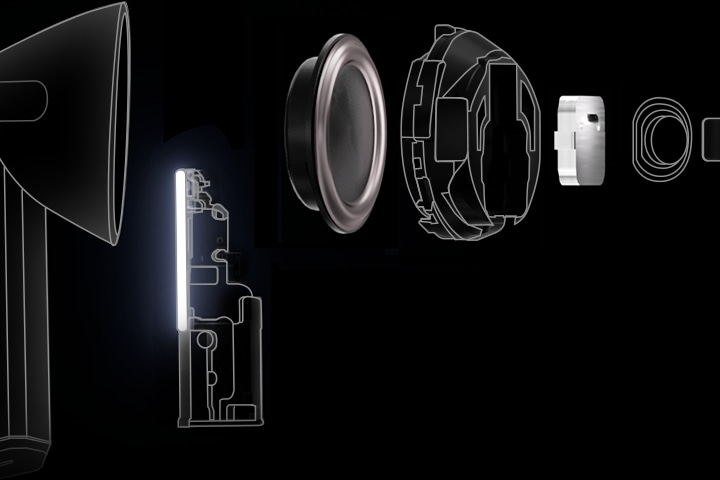
Stunning,
studio-like sound
Retain ultra high-quality audio from the recording studio to your Galaxy Buds3 Pro. The Samsung Seamless Codec compresses and encodes up to 24bit / 96kHz audio. Then, decodes on the Galaxy Buds3 Pro, maintaining the 24bit / 96kHz, high-fidelity sound so you can hear the intricate details, just as it was intended. ,


Seamless Codec


Galaxy AI adjusts sound to your fit
Delve into your personal soundscape with Galaxy AI-assisted Adaptive EQ/Adaptive ANC. Based on individual ear shape and wearing habits, our AI-boosted algorithm analyzes sound detected through the inner and outer mics in real-time. Then, Galaxy AI optimizes your listening experience by adjusting the sound to conform to your fit with pinpoint precision. ,
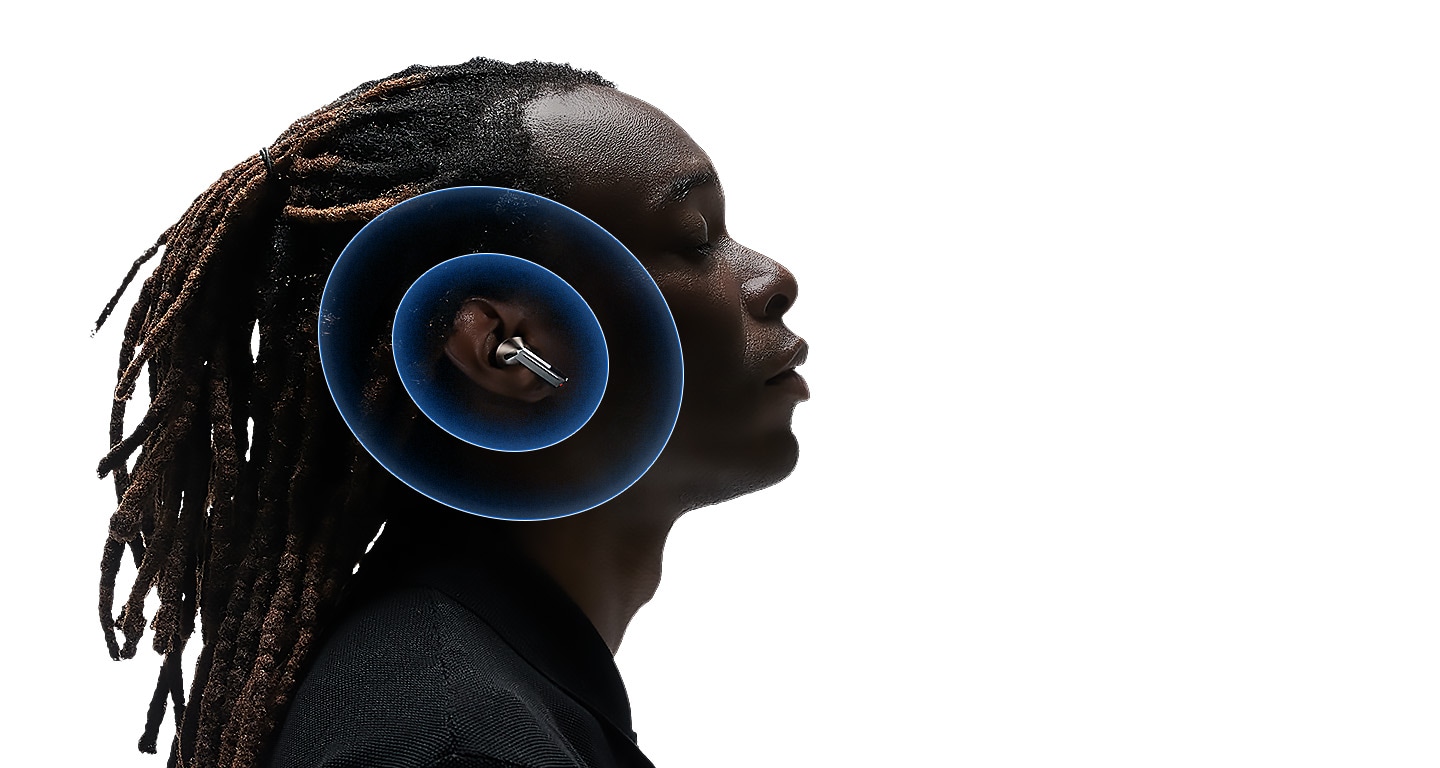
Adaptive Noise Control. Tune into what matters
Keep your Galaxy Buds3 Pro on and continue to engage with the world around you. Using Galaxy AI, Galaxy Buds3 Pro identifies and prevents unnecessary noise intuitively. Then, it optimizes your audio experience by calibrating the ANC and Ambient modes to correspond to your surroundings. So you can listen to your favorite tunes, uninterrupted. , , , ,
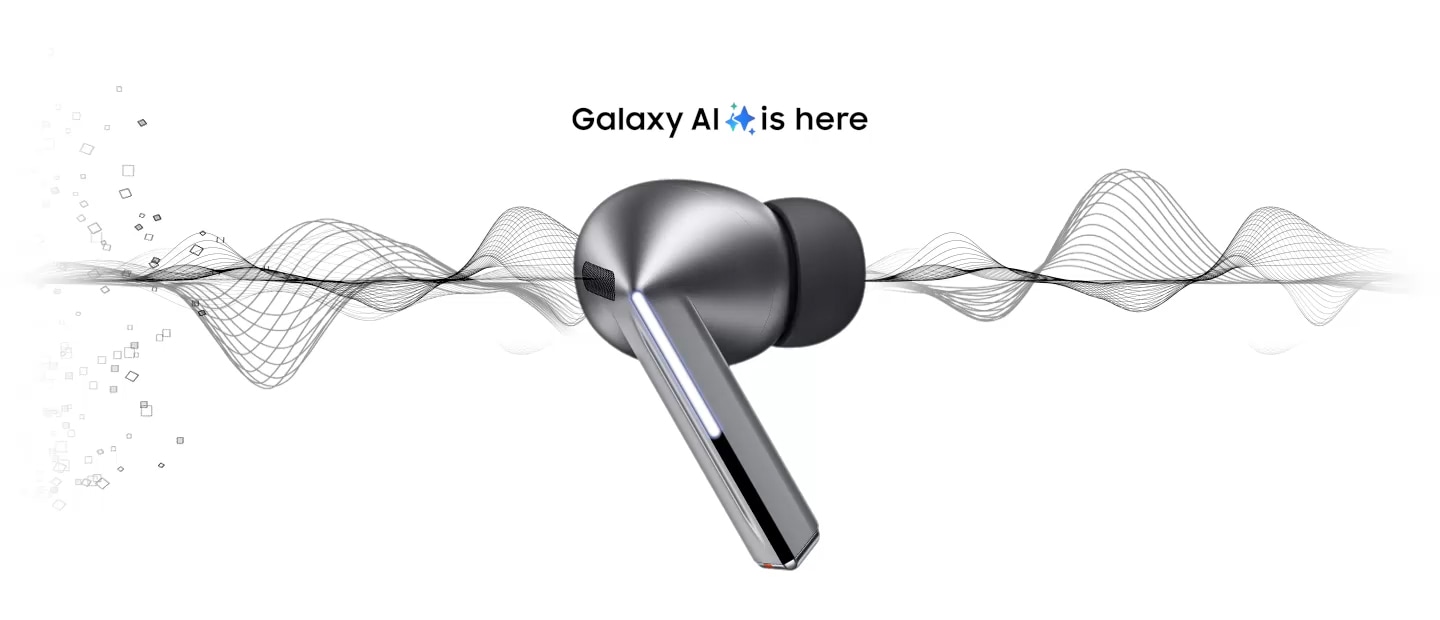

A Galaxy Buds3 Pro earbud in silver with 'Galaxy AI is here' above the earbud. Large particles, representing noise are on one side of the earbud and sans particles on the other. 3 images appear. An image of New York City with several taxis, people having a conversation and an ambulance with the siren on.
- Noise Control
Instead of adjusting ANC manually, Adaptive Noise Control automatically assesses and reduces unwanted external noise — such as traffic — creating the right balance, allowing you to focus on hearing what you want to hear.
- Conversation
Carry on a conversation and Voice Detect will switch the ANC and Ambient modes on/off accordingly — so you can hear loud and clear without needing to take off your Galaxy Buds3 Pro.
- Alarm/Siren
Listen to your playlist in peace with Siren Detect. When an alarm or siren is detected, Galaxy Buds3 Pro automatically switches to Ambient mode, allowing you to hear sirens and stay alert, even while listening to music.


Break language barriers at the blink of an AI
With Galaxy AI, understand the world like never before. See the translation on your Samsung Galaxy smartphone, and simultaneously hear your conversation interpreted in real-time through your Galaxy Buds3 Pro. Discover what it means to be truly free of language barriers. , , , , , ,
 Hola. todos La lección de hoy será sobre la inflación.
 Hello. everyone Today’s lesson will be about inflation.
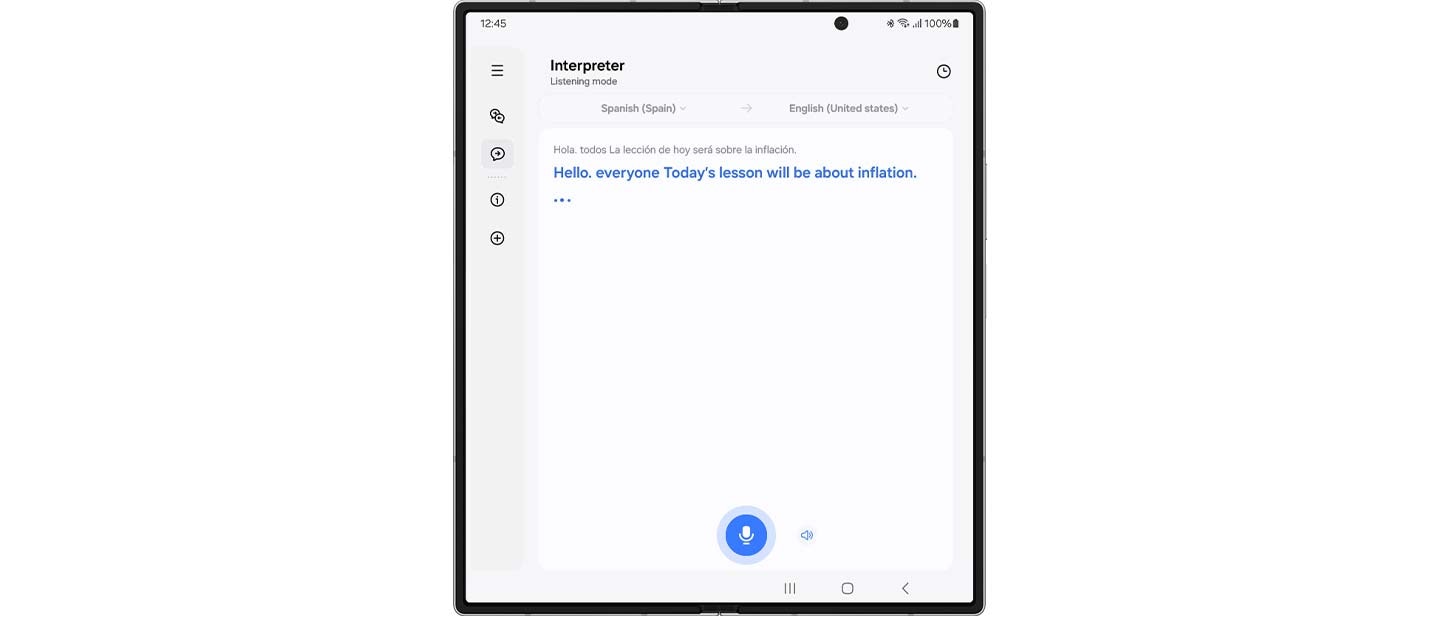
 Gracias pir su propuesta, la he revisado deternidamente
  Thanks for your proposal, I’ve looked it over carefully.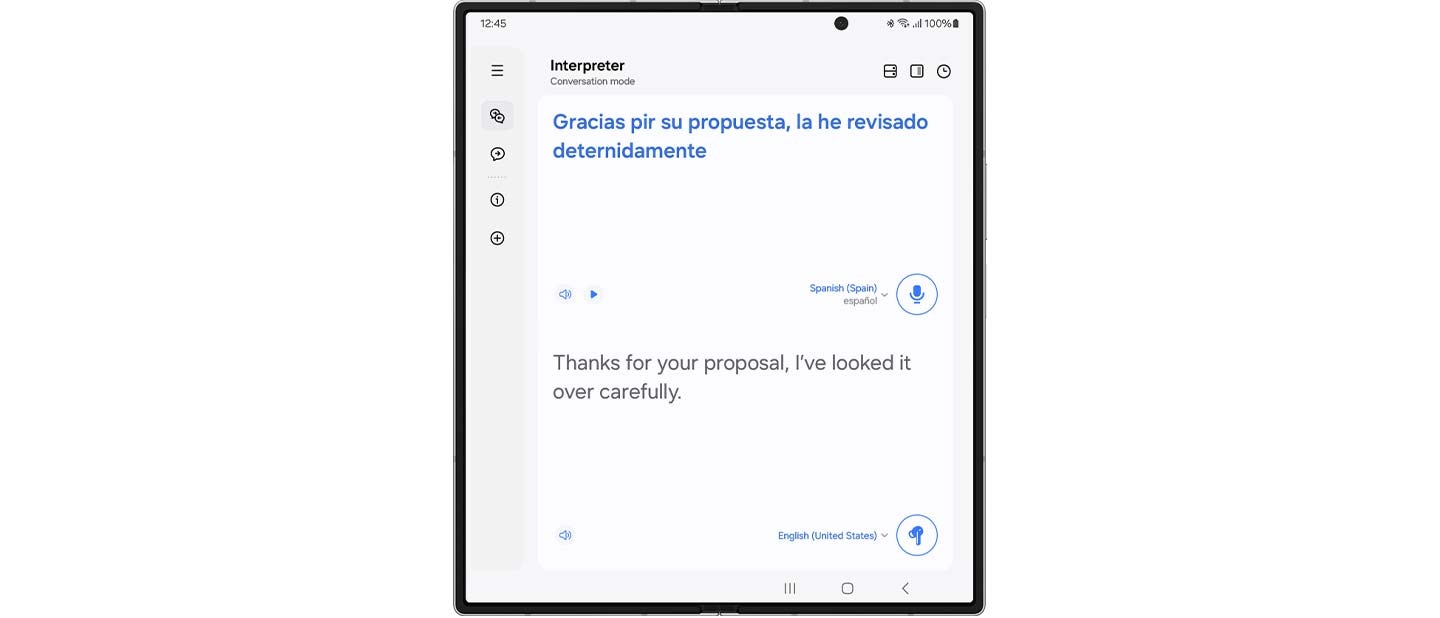
In conversation mode, place the phone mic toward the speaker, short press your Galaxy Buds3 Pro and listen to your conversation translated in real-time.
Once the app is open, the Interpreter feature will start up with the mode last used.
Super Clear Call, as if you are near
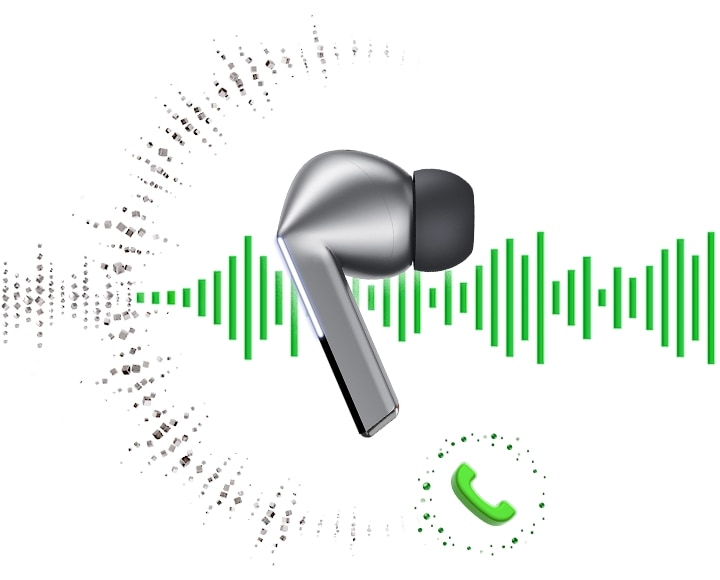
Looking for smooth, reliable, high-quality calls? Galaxy Buds3 Pro offers highly-improved call quality through enhanced machine learning and super wideband technology. The elaborately trained machine learning model analyzes ambient noise and the user’s voice patterns. Then it selectively removes unnecessary noise and improves call quality, ensuring your voice is heard — even in noisy environments. Enhance your conversations with rich, lifelike clarity through super wideband calls — double the voice bandwidth of conventional Bluetooth calls. , ,

PC Auto Switch
keeps the synergy going
PC Auto Switch on Galaxy Buds3 Pro detects audio activity and transfers the connection to your favorite Samsung Galaxy devices, so you can work and play seamlessly. ,
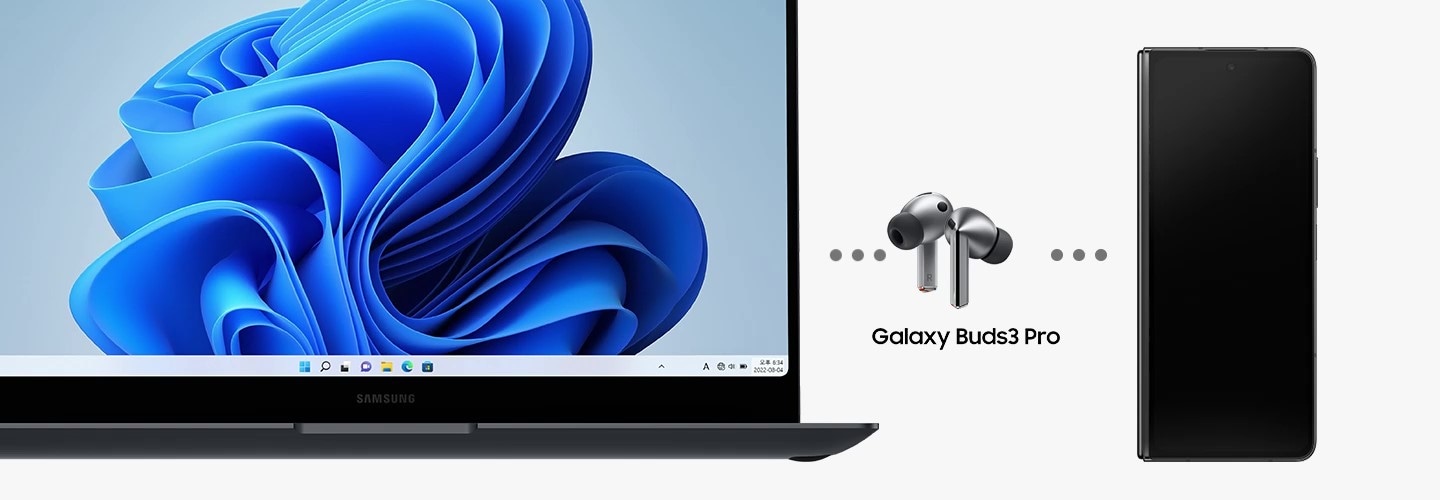
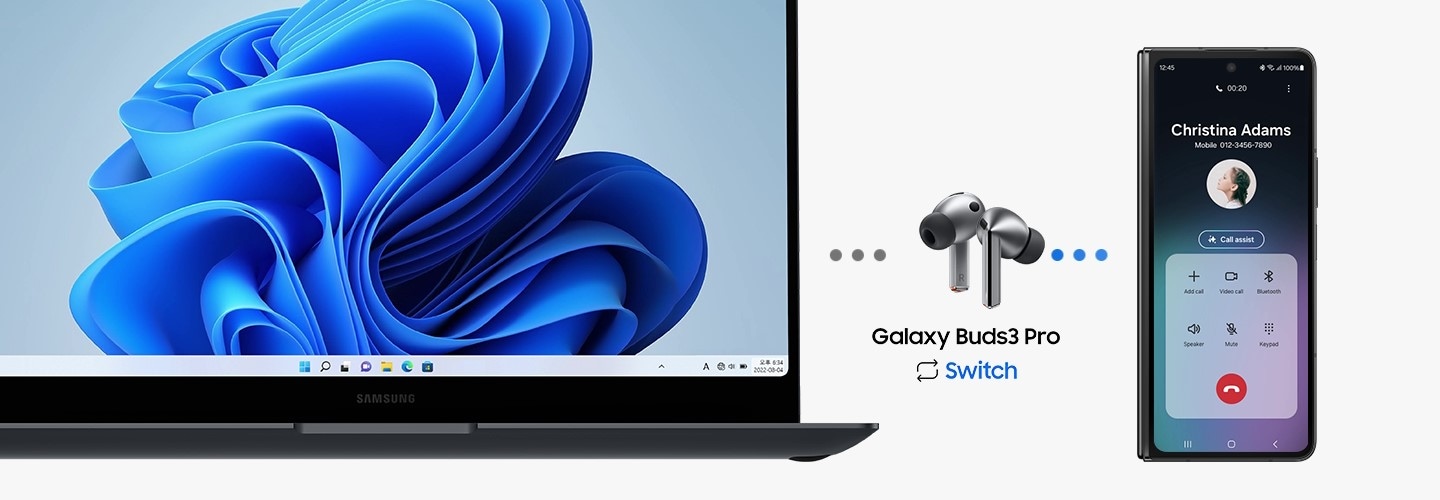
From left to right is a Samsung Galaxy Book laptop, Galaxy Buds3 Pro and Galaxy Z Fold6. A call from the Galaxy Z Fold6 appears on the Samsung Galaxy Book laptop. After answering the call on Galaxy Z Fold6, PC Auto Switch changes the Galaxy Buds3 Pro audio output from the laptop to the smartphone.
Personalize your sound via quick settings panel
Fine-tune your audio straight from the quick settings panel. Just swipe down from the top of the screen, touch and hold the volume slider or Buds icon and adjust noise control and sound settings. Best of all, your preferred sound settings are now saved for each app. Simply adjust them in the quick settings panel while the app is playing media. Whether you enjoy 360 Audio on YouTube or prefer bass boost equalizer on Spotify, your audio is always tuned just the way you like it. 58, 59, 60, 61
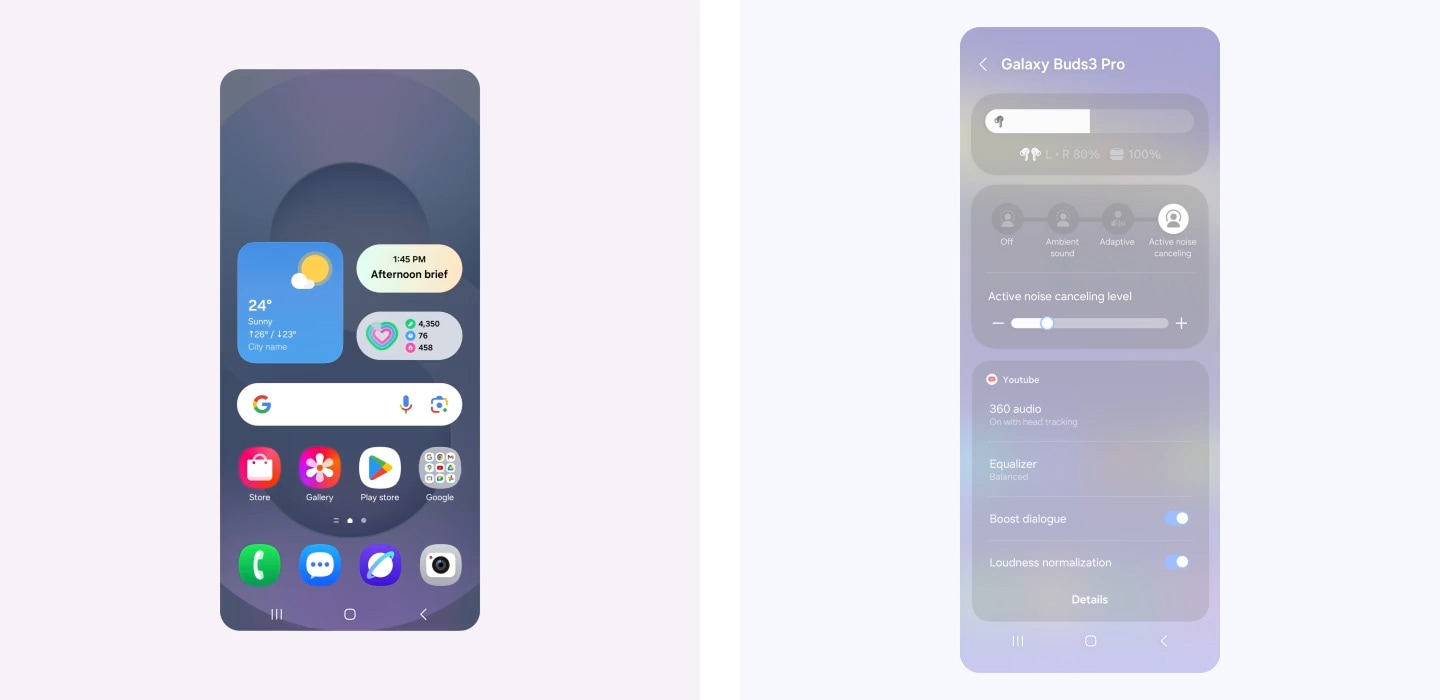
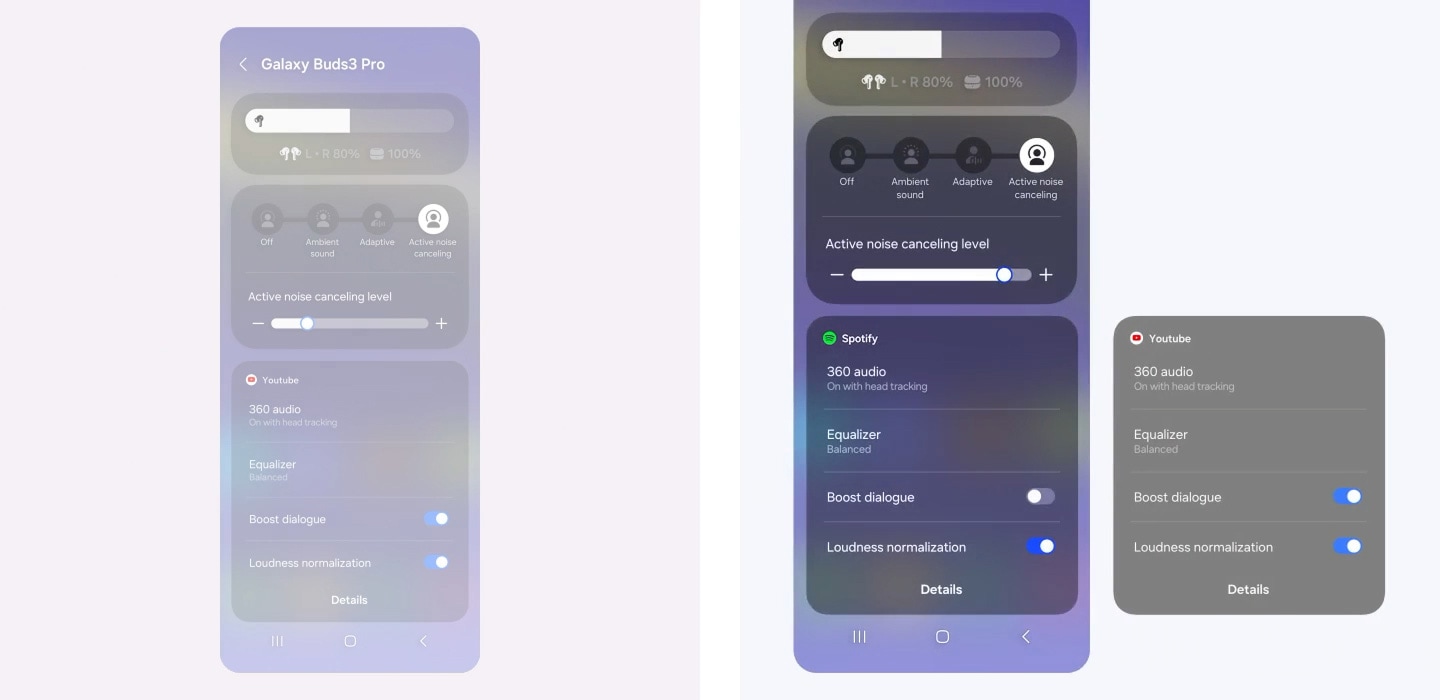
A Galaxy smartphone screen is swiped down, which opens up the quick settings panel. It's zoomed in on the volume slider which is pressed for few seconds to open a widget showing Buds battery level and Active Noise Canceling level. Another screen is zoomed in on Active Noise Canceling level widget where the ANC level slides up from left to right. Below, a widget for YouTube audio displays settings for 360 audio, Equalizer, Boost dialogue and Loudness normalization. It then changes to a widget for Spotify audio, showing a different set of audio configurations. For Spotify, the audio displays settings for 360 audio, Equalizer, Boost dialogue turned off and Loudness normalization turned on. Finally, the view zooms out to show all the settings previously shown.
Your personalized sound sanctuary
Mindfulness comes with daily practice. At the press of a button, teleport to a worry-free world of your own with Samsung Health powered by Calm. Alleviate stress with peaceful melodies from nature, improve your focus with white noise or relax with ASMR content for a happier, healthier you. , , , ,
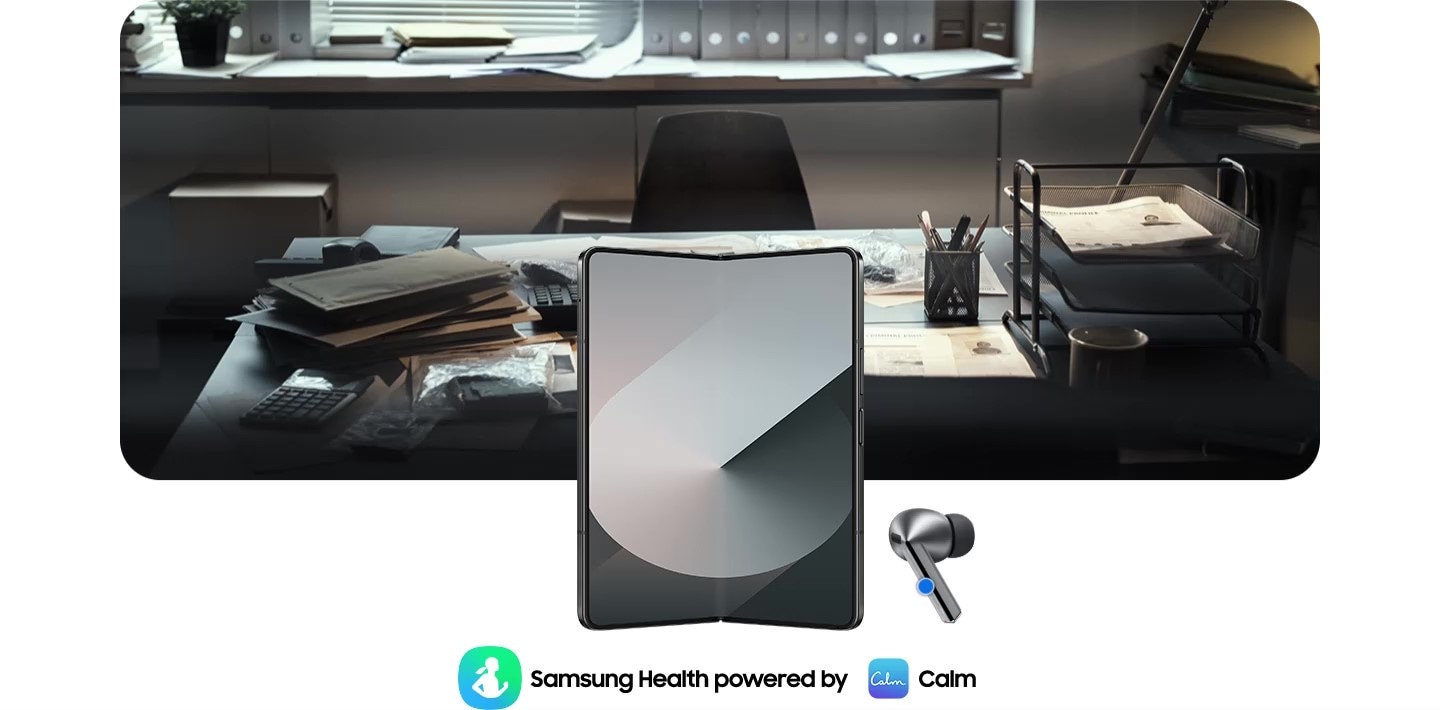
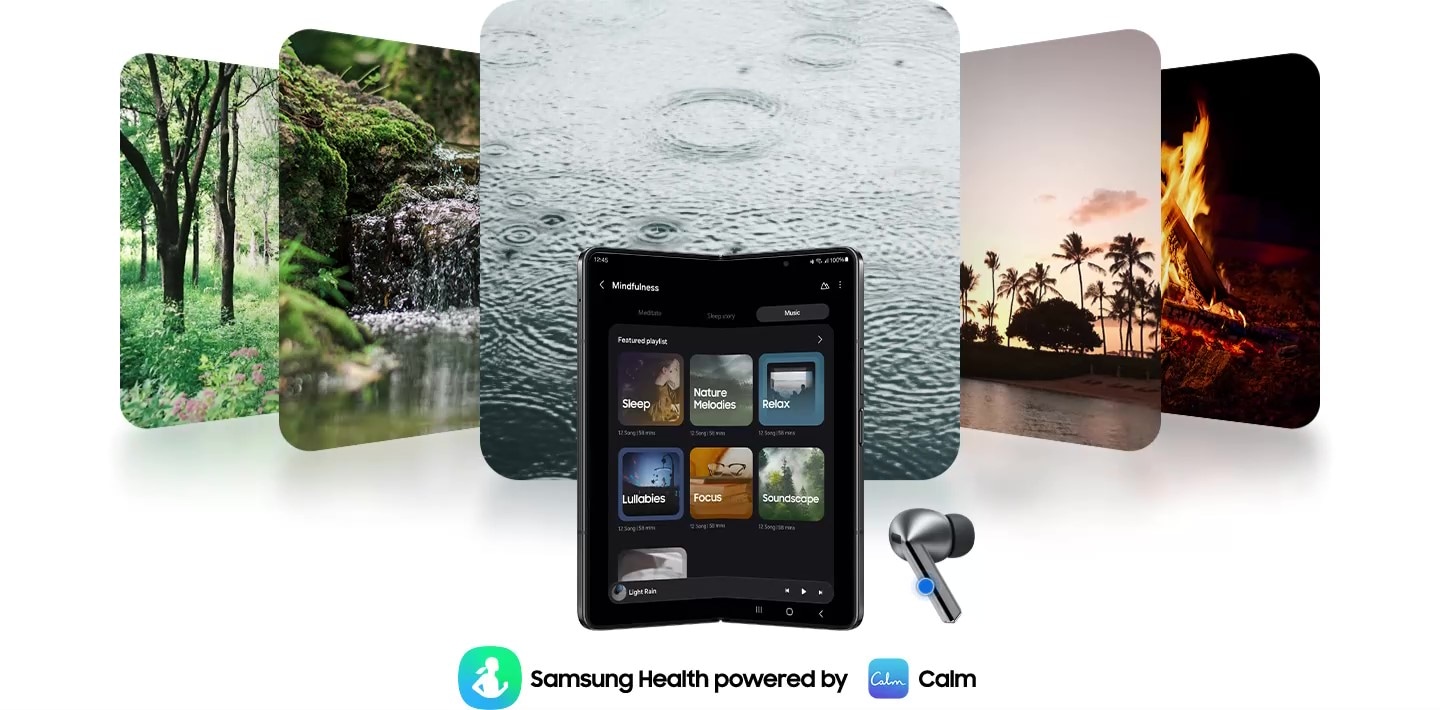
Galaxy Z Fold6 is open with a Galaxy Buds3 Pro earbud on the right and Samsung Health powered by Calm application icons on the bottom. By pressing Galaxy Buds3 Pro, the app activates and at the same time, the office image changes to 5 images of nature. An image of trees, a river, raindrops falling, palm trees and a bonfire.
Enjoy the seamless experience across Android smartphones
Start your Galaxy Wearable experience on your Android smartphone. Pair your Galaxy Watch, Buds or Ring easily with the Android phone you already have. Just download the Galaxy Wearable and Samsung Health apps on Google Play, and you’re good to go. You can even try out different watch faces on the Galaxy Wearable app—mix and match various features to your liking. , , , , , , , , ,





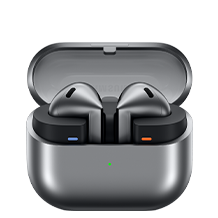
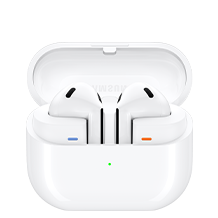

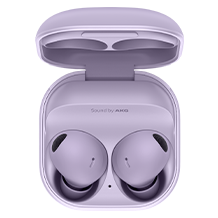
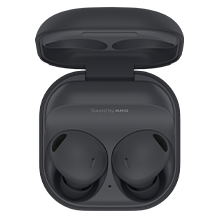


Sound


Sound
Sound
 support
Sound
Sound
Intelligent Personalization
Intelligent Personalization
Intelligent Personalization
Control Interface
Control Interface
Control Interface
Durability
Blade Lights
Play time
(ANC Off)
Up to 6.0/26hr
(ANC On)
(ANC Off)
Up to 6.0/24hr
(ANC On)
(ANC On)
(ANC Off)
Up to 6.0/21hr
(ANC On)

- Images simulated for illustrative purposes.
- Interpreter requires Samsung Account login. Certain languages may require language pack download. Service availability may vary by language.
Accuracy of results is not guaranteed. Availability and supported features may vary by country, region or carrier. Availability of supported languages may vary. - Audio interpretation is only available when wearing Buds and connected to a Samsung Galaxy smartphone. Interpreter feature is not directly provided by Buds themselves.
If Buds are unavailable, the interpreted content is provided on the screen of your Samsung Galaxy smartphone. - Blade Lights only available on Samsung Galaxy Buds3 Pro.
- Specific Blade Light modes can be configured under Settings.
- Ultra high quality audio up to 24bit/96kHz’ is available on Galaxy S24 series, S23 series, Z Fold6, Z Flip6, Z Fold5, Z Flip5 and Tab S9 series with One UI 6.1.1 or above. Additional devices may be supported in the future.
- Adaptive Noise Control, Voice Detect and Siren Detect are off by default, and can be configured directly in the phone settings for devices running One UI 8.0 and later. For devices running on earlier versions of One UI, configurations can be found in the Galaxy Wearable app.
- The Adaptive Noise Control, Voice Detect and Siren Detect features are only available on Samsung Galaxy Buds3Pro.
- Images simulated for illustrative purposes. Sequences shortened and simulated. Actual UI may be different.
- Galaxy AI features are supported on Galaxy S24 series, Galaxy S23 series, Galaxy Z Fold5 series, Galaxy Z Flip5 series, Galaxy S23 FE, Galaxy S22 series, Galaxy Z Fold4 series and Galaxy Z Flip4 series as of May 2024
- Available colors may vary by country or carrier.
- In-box items include the Galaxy Buds3 Pro, a charging case, three sets of ear tips for the left and right ear (S, M(default), L), a USB cable and a quick start guide.
- Galaxy Buds3 Pro is the first Galaxy Buds with 2-Way Speaker featuring a planar tweeter and Dual Amp.
- Ultra high quality audio up to 24bit/96kHz’ is available on Galaxy S24 series, S23 series ,Z Fold6 , Z Flip6, Z Fold5, Z Flip5 and Tab S9 series with One UI 6.1.1 or above. Additional devices may be supported in the future.
- Samsung Account login may be required to use certain Samsung AI features.
- Samsung does not make any promises, assurances or guarantees as to the accuracy, completeness or reliability of the output provided by AI features.
- Galaxy AI features will be provided for free until the end of 2025 on supported Samsung Galaxy devices. Different terms may apply for AI features provided by third parties.
- ANC(Active Noise Canceling) is on by default.
- 'Default setting' refers to the original setting for the Galaxy Buds3 Pro when it was first released, simply with the power turned on.
- Devices sold separately.
- Samsung Galaxy devices may require the latest software update to properly support Galaxy AI features.
- The default setting of the Pinch and Hold gesture is set to Noise Control. In order to change the Interpreter Mode, the settings must be configured directly in the phone settings for devices running One UI 8.0 and later. For devices running on earlier versions of One UI, configurations can be found in the Galaxy Wearable app.
- 360 Audio is only available on Samsung Galaxy smartphones and Galaxy Tab devices with Android One UI version 3.1 or later, and selected Samsung TV models. Supported Samsung TV models include: Neo QLED 8K (QN900D, QN800D), Neo QLED 4K (QN95D, QN90D, QN87D, QN85D) OLED (S95D, S90D, S85D), QLED (Q80D, Q70D). Support for 360 Audio and head tracking may vary depending on the application and content.
- Direct Multi-channel is available on Samsung Galaxy smartphones and Galaxy Tab devices with Android One UI version 4.1.1 or later.
- Auto Switch feature is only available on Samsung Galaxy Book series with One UI 6.0 or later, Samsung Galaxy smartphones and Galaxy Tab devices with One UI 4.1.1 or later and Galaxy Watch4 series or later. Samsung Galaxy devices must be logged in to Samsung Account to enable the Auto Switch feature. Auto Switch feature for Samsung TV is only available on Samsung TVs launched Feb ’22 or later after getting a firmware update from Jul ’22. Auto Switch with TV is only available for making and receiving phone calls.
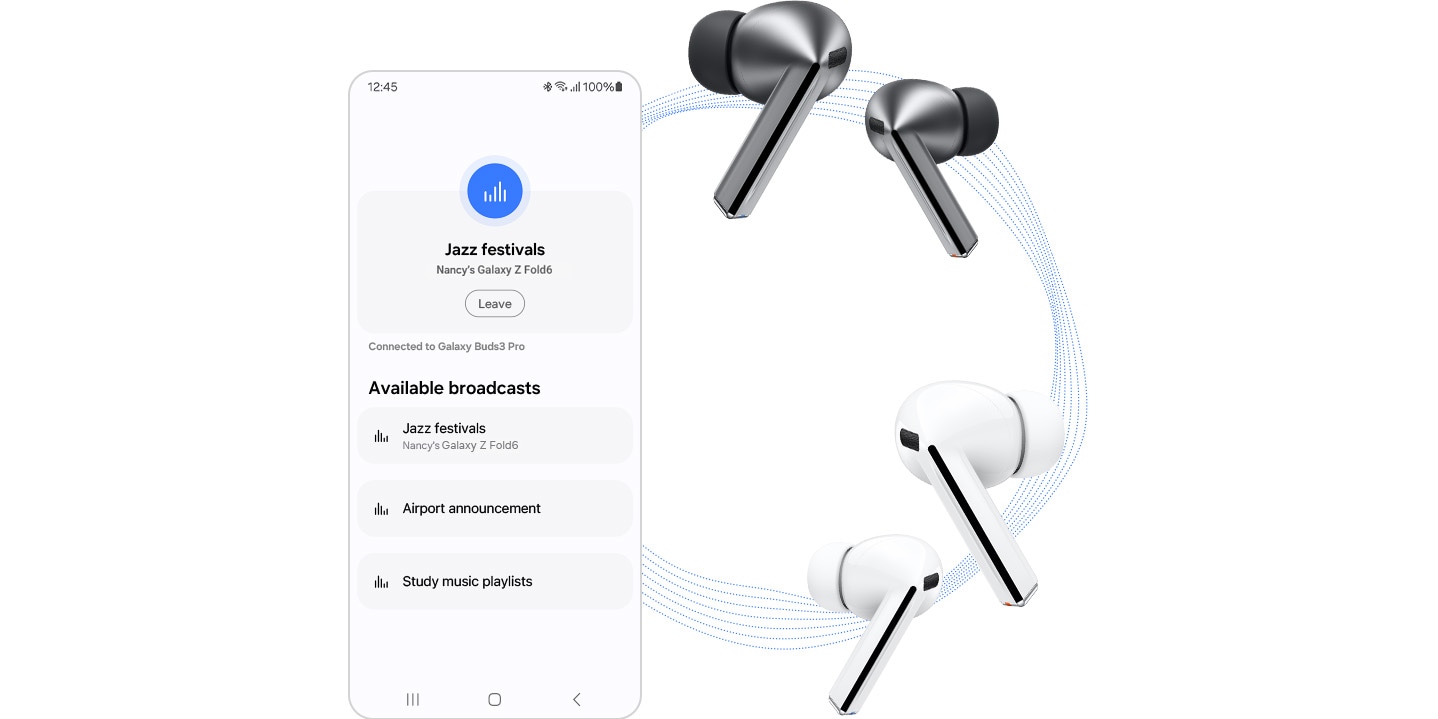
- Devices with Auracast Source ability are available only on Samsung Galaxy smartphones, tablets with Android One UI version 6.1.1 or later, and select TV models. Supported Galaxy smartphone and tablet models include: S24+, S24, S24 Ultra, Galaxy Z Flip6, Galaxy Z Fold6,Galaxy Z Flip5, Galaxy Z Fold5, S23+, S23 (except FE edition), S23 Ultra, Tab S9+, Tab S9+ 5G, Tab S9, Tab S9 Ultra, Tab S9 Ultra 5G, Tab S9 FE+, Tab S9 FE+ 5G, Tab S9 FE, Tab S9 FE 5G and Tab S9 5G. Supported TV models include: 2024 NeoQLED 8K QND800, QND900, 2023 Neo QLED 8K and 2023 MICRO LED models.
- Devices with Auracast Assistant ability are available only on Samsung Galaxy smartphones, tablets with Android One UI version 5.1.1 or later. Supported Galaxy smartphone and tablet models include: S24+, S24, S24 Ultra, S23+, S23, S23 Ultra, Z Fold6, Z Flip6,Z Fold5, Z Flip5, Z Fold4, Z Flip4, A54 5G, A55 5G, M54 5G, Tab S9+, Tab S9+ 5G, Tab S9, Tab S9 Ultra, Tab S9 Ultra 5G, Tab S9 FE+, Tab S9 FE+ 5G, Tab S9 FE, Tab S9 FE 5G, Tab S9 5G and Tab Active 5G.
- Connecting 2 or more devices to Auracast is limited to Samsung Galaxy devices.
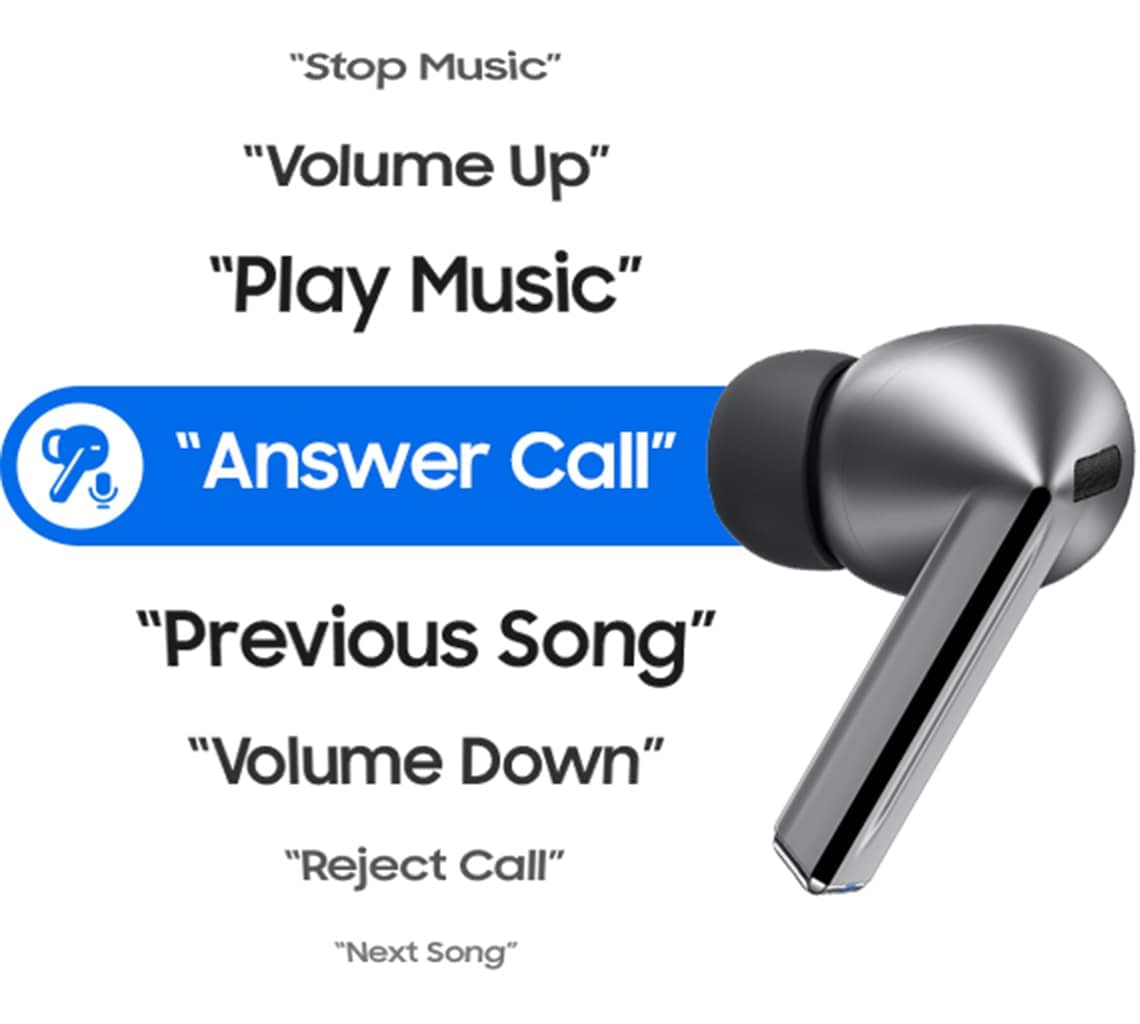
- The Voice Command menu appears when the language pack matching the system language exists. Voice Command is limited to fixed commands and is only available in Korean, English (India, United Kingdom, United States), Portuguese (Brazil), Chinese, German, Spanish (Mexico, Spain), Italian and Polish at the time of release.
- The initial language for commands follows the system language setting, and can be altered in the phone settings for devices running One UI 8.0 and later. For devices running on earlier versions of One UI, configurations can be found in the Galaxy Wearable app.
- Commands continue in the chosen language specified during setup or while in use and can be configured in the language settings.
- Additional language packs may be supported in the future.
- Some content may incur additional charges. Samsung Account log in is required for Samsung Health.
- With ANC on/off, earbuds and case provide up to 30 hours of play time on a full charge. Based on internal testing. Play time tested by pairing a pre-production Galaxy Buds3 Pro to a recently released Galaxy smartphone with default settings. Actual battery life may vary and depend on usage conditions, settings, number of times charged, Bluetooth signal strength, and other factors. 'Play time' refers to when the Galaxy Buds3 Pro are connected to the phone, streaming music. Actual Play time may vary based on settings.
- IP57 is based on laboratory test conditions for submersion in up to 1 meter of fresh water for up to 30 minutes.
- Not advised for beach or pool use. Charging case is not water resistant. If the earbuds are damaged, they are not guaranteed to be water resistant. If the earbuds or your hands are wet, they must be dried thoroughly prior to handling or placing into the charging case. If placed into the charging case without drying, the earbuds may be damaged.
- Provided charging case is to charge the Galaxy Buds3 Pro.
- The Galaxy Wearable application can only be downloaded on smartphones with Android 10.0 or above and minimum 1.5GB Memory.
- Actual Play time may vary based on settings.
- Ambient sound turns on automatically when a siren is detected. If the siren is brief or is quieter than the background noise, it may not be detected. While Siren Detect can be helpful in emergency situations, your safety is not guaranteed.
- Feature availability may vary by language, country or region.
- Mindfulness feature settings can be configured directly in the phone settings for devices running One UI 8.0 and later. For devices running on earlier versions of One UI, configurations can be found in the Galaxy Wearable app. The Samsung Health app needs to be downloaded in order to use the Mindfulness feature.
- Service availability may vary by country or region.
- The TV 360 Audio feature is not supported as of July 2024 for Galaxy Buds3 and Galaxy Buds3 Pro models, but is expected to be available in a feature update
- The typical capacity has been tested under independent laboratory settings using the IEC 61960-3 standard. Typical capacity is the average estimated capacity, accounting for variations across battery samples. The rated capacity is 53mAh for the earbuds and 515mAh for the charging case.
- Galaxy Watch7, Galaxy Watch Ultra and Galaxy Ring must be paired with a smartphone with Android 11.0 or above and minimum 1.5GB Memory.
- Connecting Samsung Galaxy Buds as Bluetooth Audio is available regardless of the OS. For devices running One UI 8.0 and later, settings can be configured directly in the phone settings. For devices running on earlier versions of One UI, configurations can be found in the Galaxy Wearable app. Additionally, to use the Galaxy Wearable app, Samsung Galaxy Buds must be paired with a smartphone running Android 11.0 or above with at least 1.5 GB of memory.
- Advanced settings on the Galaxy Wearable app include Noise Control, Adaptive EQ, Pinch Control and software update. For devices running One UI 8.0 and later, settings can be configured directly in the phone settings. For devices running on earlier versions of One UI, configurations can be found in the Galaxy Wearable app.
- Some features are only available on selected Samsung Galaxy smartphones.
- Galaxy Wearable app is not supported on iOS.
- Samsung Health Monitor app is only available on Samsung Galaxy smartphones.
- Gesture and Find My Ring features are only available on Samsung Galaxy smartphones.
- Suggested Replies feature on Galaxy Watch7 and Galaxy Watch Ultra is only available on Samsung Galaxy smartphones.
- Availability and supported features may vary by country, region or carrier.
- Android is a trademark of Google LCC.
- Super wideband call is available on Galaxy Z Fold6, Galaxy Z Flip6 with One UI 6.1.1 or above. Additional devices may be supported in the future.
- Super Wideband (SWB) is available regardless of the Call App. SWB may not be supported depending on the mobile network between devices.
- Video simulated for illustrative purposes.
- Actual UX, UI may be different.
- Availability of functions may vary by country, language, device model, apps. Some functional widgets may require a network connection and/or Samsung Account login.
- Available on Samsung Galaxy devices with One UI 7.0 or above. Additional devices may be supported in the future.
Specifications
-
Size (Main Display)
1.5" (37.3mm)
-
Body Weight (g)
60.5
-
Bluetooth Version
Bluetooth v5.3
-
Sensors
Accelerometer, Barometer, Bioelectrical Impedance Analysis Sensor, Electrical Heart Sensor, Gyro Sensor, Geomagnetic Sensor, Infrared Temperature Sensor, Light Sensor, Optical Heart Rate Sensor
-
Storage (GB)
64
-
Processor
1.6GHz, 1.5GHz
-
NFC
NFC
-
Body Dimension (HxWxD, mm)
47.4 x 47.1 x 12.1
-
SIM size
Embedded-SIM
-
Infra
3G WCDMA, 4G LTE FDD, 4G LTE TDD
-
3G UMTS
B1(2100), B2(1900), B4(AWS), B5(850), B8(900)
-
4G FDD LTE
B1(2100), B2(1900), B3(1800), B4(AWS), B5(850), B7(2600), B8(900), B12(700), B13(700), B14(700), B18(800), B19(800), B20(800), B25(1900), B26(850), B28(700), B66(AWS-3), B71(600)
-
4G TDD LTE
B40(2300)
-
Audio Playing Format
MP3, M4A, 3GA, AAC, OGG, OGA, WAV, AMR, AWB
-
Location Technology
GPS, Glonass, Beidou, Galileo
-
Wi-Fi
802.11a/b/g/n 2.4GHz+5GHz
-
NFC
Yes
-
Bluetooth Version
Bluetooth v5.3
-
Bluetooth Profiles
A2DP, AVRCP, HFP, HSP
-
Wear OS Powered by Samsung
-
Technology (Main Display)
Super AMOLED
-
Size (Main Display)
1.5" (37.3mm)
-
Resolution (Main Display)
480 x 480
-
Color Depth (Main Display)
16M
-
CPU Speed
1.6GHz, 1.5GHz
-
CPU Type
Penta-Core
-
Memory (GB)
2
-
Storage (GB)
64
-
Available Storage (GB)
50.0
-
Accelerometer, Barometer, Bioelectrical Impedance Analysis Sensor, Electrical Heart Sensor, Gyro Sensor, Geomagnetic Sensor, Infrared Temperature Sensor, Light Sensor, Optical Heart Rate Sensor
-
Body Dimension (HxWxD, mm)
47.4 x 47.1 x 12.1
-
Body Weight (g)
60.5
-
Durability
10 ATM
-
Battery Capacity (mAh, Typical)
590
-
Removable
No
-
Usage Time (Hours, AOD Off)
Up to 80
-
Usage Time (Hours, AOD On)
Up to 60
-
Bluetooth Version
Bluetooth v5.4
-
Sensors
Accelerometer, Gyro Sensor, Hall Sensor, Pressure Sensor, Proximity Sensor, Touch Sensor, VPU(Voice Pickup Unit)
-
Earbud Weight (g)
5.4
-
Number of MIC
6
-
Speaker
Enhanced 2-way
-
Ambient Sound
Yes
-
Adaptive Noise Control
Yes
-
Active Noise Cancellation
Yes
-
Voice Detect
Yes
-
360 Audio
Yes
-
Siren Detect
Yes
-
Audio Codec
AAC, SBC, SSC(Samsung Seamless Codec), SSC-UHQ
-
Adaptive EQ
Yes
-
Adaptive ANC
Yes
-
Super Wide Band
Yes
-
Bluetooth Version
Bluetooth v5.4
-
Bluetooth Profiles
A2DP, AVRCP, HFP, PBP, TMAP
-
LE Audio
Yes
-
Auto Switch
Yes
-
Accelerometer, Gyro Sensor, Hall Sensor, Pressure Sensor, Proximity Sensor, Touch Sensor, VPU(Voice Pickup Unit)
-
Earbud Dimension (HxWxD, mm)
18.1 x 19.8 x 33.2
-
Earbud Weight (g)
5.4
-
Case Dimension (HxWxD, mm)
48.7 x 58.9 x 24.4
-
Case Weight (g)
46.5
-
Durability
IP57
-
Talk Time (Hours, ANC On)
Up to 4.5
-
Total Talk Time (Hours, ANC On)
Up to 20
-
Music Play Time (Hours, ANC On)
Up to 6
-
Total Music Play Time (Hours, ANC On)
Up to 26
-
Talk Time (Hours, ANC Off)
Up to 5
-
Total Talk Time (Hours, ANC Off)
Up to 22
-
Music Play Time (Hours, ANC Off)
Up to 7
-
Total Music Play Time (Hours, ANC Off)
Up to 30
-
Earbud Battery Capacity (mAh, Typical)
53.0
-
Case Battery Capacity (mAh, Typical)
515
-
Samsung Find
Yes
-
Bixby Voice Wake-up
Yes
-
Neck Stretch Reminder
Yes
-
Voice Command
Yes
-
Color
White
Reviews
Watch Ultra 2025 + Buds3 Pro
- Customers praise Galaxy AI for personalized wellness insights, Energy Score recovery guidance, and intelligent health coaching integrated seamlessly into daily routines
- Reviewers highlight comprehensive health sensors—ECG, blood oxygen, sleep apnea detection, stress monitoring—as unmatched in accuracy and depth
- Most customers report excellent battery life lasting two to four days even with heavy activity tracking and constant connectivity
- Customers rave about the bright, crystal-clear display readable in direct sunlight and the rugged, premium design that feels lightweight yet durable
- A few note the larger size may feel bulky on smaller wrists, and some mention occasional inaccuracies in heart rate monitoring during intense workouts
Reviews with images & videos
Filters
Relevancy sort puts the best reviews at the top. We look at things like helpfulness votes, latest review, pictures and other traits that readers look for in their reviews.
Filters
4,078 Reviews
2024-08-09
![[D] Alternative Text](https://photos-us.bazaarvoice.com/photo/2/cGhvdG86c2Ftc3VuZy1lbl9hZQ/a5696e50-dd33-52cf-8256-78811a8bd35f)
![[D] Alternative Text](https://photos-us.bazaarvoice.com/photo/2/cGhvdG86c2Ftc3VuZy1lbl9hZQ/31311468-318f-595d-9d7c-7df646827974)
2024-10-25
![[D] Alternative Text](https://photos-us.bazaarvoice.com/photo/2/cGhvdG86c2Ftc3VuZy1lbl9hZQ/7850ed5f-55ea-5ea1-a8a4-5033c33c7b95)
![[D] Alternative Text](https://photos-us.bazaarvoice.com/photo/2/cGhvdG86c2Ftc3VuZy1lbl9hZQ/a6c31ce4-ee8e-59aa-a164-330e81ca03da)
2024-08-08
![[D] Alternative Text](https://photos-us.bazaarvoice.com/photo/2/cGhvdG86c2Ftc3VuZy1lbl9hZQ/8d11023c-1f39-545f-8337-cf0f0cbb4d41)
![[D] Alternative Text](https://photos-us.bazaarvoice.com/photo/2/cGhvdG86c2Ftc3VuZy1lbl9hZQ/d69a6903-52d6-5bd6-b6bd-e2c9593896bf)
2024-08-28
![[D] Alternative Text](https://photos-us.bazaarvoice.com/photo/2/cGhvdG86c2Ftc3VuZy1lbl9hZQ/9cf538bd-6a2d-5840-a9d7-e3bc47ddfce2)
![[D] Alternative Text](https://photos-us.bazaarvoice.com/photo/2/cGhvdG86c2Ftc3VuZy1lbl9hZQ/c3f13d58-032f-553d-9488-3a16fd1baa40)
2025-07-29
United Arab Emirates
![[D] Alternative Text](https://photos-us.bazaarvoice.com/photo/2/cGhvdG86c2Ftc3VuZy1lbl9hZQ/256c3100-f5ef-518c-a075-ff286eb6ee3d)
![[D] Alternative Text](https://photos-us.bazaarvoice.com/photo/2/cGhvdG86c2Ftc3VuZy1lbl9hZQ/83115fbc-46b8-5ef8-b465-e4f76b229037)
2024-11-04
![[D] Alternative Text](https://photos-us.bazaarvoice.com/photo/2/cGhvdG86c2Ftc3VuZy1lbl9hZQ/bd4f3297-de81-5c78-a322-025a3b115d8b)
![[D] Alternative Text](https://photos-us.bazaarvoice.com/photo/2/cGhvdG86c2Ftc3VuZy1lbl9hZQ/950b4729-bc95-5595-88c3-de9db16e2a50)
Samsung support
Your feedback is valuable to us. We understand that you need help for your Samsung product and we can help you surely. Please contact us (https://www.samsung.com/ae/support/contact/#contactinfo) or call us in our toll free numbers: - UAE (800-7267864) - Bahrain (8000-4726) - Oman (800-72627) - Qatar (800-2255) - Kuwait (183-2255) Our helpful agents are available daily: 8AM to 8PM.
2024-10-24
![[D] Alternative Text](https://photos-us.bazaarvoice.com/photo/2/cGhvdG86c2Ftc3VuZy1lbl9hZQ/cd58033e-99ec-50e4-abf1-027152a404c4)
![[D] Alternative Text](https://photos-us.bazaarvoice.com/photo/2/cGhvdG86c2Ftc3VuZy1lbl9hZQ/05cbc456-0680-5a74-8772-36243295854f)
2025-08-19
2026-05-21
2026-03-11
2026-03-14
2026-05-21
2026-06-29
2024-08-28
Ballyclare
2025-08-19
2026-06-12
2025-09-15
2025-07-31
![[D] Alternative Text](https://photos-us.bazaarvoice.com/photo/2/cGhvdG86c2Ftc3VuZy1kZV9jaA/bd32123f-4447-5003-8f45-74df39ccbb72)
![[D] Alternative Text](https://photos-us.bazaarvoice.com/photo/2/cGhvdG86c2Ftc3VuZy1kZV9jaA/ab291e7b-d8c0-5882-8ede-8821ce43efcb)
2025-08-02
2025-08-04
2026-08-10
2025-10-02
Uae(united arab emirates)
2025-08-08
Abudhabi
![[D] Alternative Text](https://photos-us.bazaarvoice.com/photo/2/cGhvdG86c2Ftc3VuZy1lbl9hZQ/c5c9f6ee-3871-5a5c-be2e-334e4b5fedb9)
![[D] Alternative Text](https://photos-us.bazaarvoice.com/photo/2/cGhvdG86c2Ftc3VuZy1lbl9hZQ/4be81199-f008-562b-861f-8712416bec45)
2026-07-07
2026-06-05
2025-08-04
Norwich
CX
Thanks for the great review and sharing your feedback with us! Should you ever need us, our friendly Support Team are on hand, you can find all our contact methods and opening hours here: Help & Contact Us | Samsung United Kingdom ^DB at Samsung Support
2024-09-05
![[D] Alternative Text](https://photos-us.bazaarvoice.com/photo/2/cGhvdG86c2Ftc3VuZy1lbl9hZQ/4fb0e700-8356-5bdd-b010-e36abe7d3df2)
![[D] Alternative Text](https://photos-us.bazaarvoice.com/photo/2/cGhvdG86c2Ftc3VuZy1lbl9hZQ/56741851-ea4b-507b-891e-5a94420c489f)
2026-06-25
Samsung AU
Hi, thank you for your detailed review! We're thrilled to hear your Galaxy Watch Ultra has been such a worthwhile upgrade. It's great to know you're enjoying the brighter display, improved battery life, enhanced health features, and programmable button. We hope it continues supporting your fitness and wellness journey.
2025-08-19
Feltham
CX
We appreciate the time you’ve taken to let us know your wonderful feedback, and we’re thrilled to know you’re loving your Galaxy Watch Ultra (2025), Usan! ^CL at Samsung Support
2024-08-05
Feltham
CX
Thank you for your four-star review of the Watch Ultra, Usan! We’re thrilled to hear that, as a previous Watch6 Classic user, you’re enjoying the brighter display, faster performance, and more spacious screen of the Watch Ultra. It’s great to know that the multiple sports activities and the design have met your expectations, and that the watch feels lightweight despite its more rugged build, and you're enjoying how it looks on the wrist! We appreciate your feedback regarding the straps. We understand that the orange strap might not suit every occasion or outfit, even though it looks great for leisure activities. We have an excellent range of straps available on our website that suit a variety of occasions, here's the link to view them on our website: https://spr.ly/6423YjTSh Many thanks again for the stellar rating! ^AP at Samsung Support
2026-08-11
2025-12-05
2025-10-05
2025-09-12
Ilford
CX
We’re thrilled to read your thoughts and feedback. Thanks for sharing with us and giving us top marks! ^EW at Samsung Support
2026-09-30
Canada
R&R Team
Hey SharingIsCaring, Thanks for sharing your thoughts with us regarding your experience using the Samsung Galaxy Watch Ultra. We appreciate your candor as we make every effort to improve the performance and functionality of our product line to align with our customer's needs. Samsung provides a 12-month warranty on our products for manufacturing defects in materials and workmanship. The Galaxy Watch Ultra's battery offers up to 100 hours in Power saving mode, up to 60 hours without Power Saving mode, and up to 48 hours in Exercise power saving mode. If you're experiencing less than anticipated battery life on your device, please take a moment to review "Reduced battery life on your Samsung smart watch" to learn what factors may be impacting the life of your device. We realize that upgrading to new devices can come with a bit of a learning curve. We currently offer a plethora of resources to help mitigate any learning curve that may apply. For your convenience I have included some resources below to help resolve what you've described as well as to help you become better acquainted with your device features and functionality. If you would like any further assistance afterward, do not hesitate to contact Samsung Support. Thank you for being a faithful Samsung customer. - Debra Samsung Support smsng.us/Samsung-Support Warranty Information smsng.us/Warranty-Info Facebook Messenger smsng.us/Facebook-Messenger X Messages https://smsng.us/X-Messages Samsung Community smsng.us/Samsung-Community Galaxy Watch Ultra Battery https://www.samsung.com/us/watches/galaxy-watch-ultra/#battery Reduced battery life on your Samsung smart watch https://www.samsung.com/us/support/troubleshooting/TSG01003232/ Product Manuals https://www.samsung.com/us/support/downloads/ YouTube Tutorials https://www.youtube.com/c/Samsung/playlists
2024-08-28
Stoke-on-trent
2025-10-10
2026-06-07
2026-09-07
2026-09-07
2025-08-06
Bristol
CX
Thank you for the love and sharing your superb experience with us about the Galaxy Watch Ultra (2025)! Your words put a smile on our face. ^CL at Samsung Support
2026-08-10
2026-08-10
2025-08-14
2025-07-29
2025-09-15
2025-08-11
2026-05-25
2025-01-17
Chester
![[D] Alternative Text](https://video.api.bazaarvoice.com/4d5537e0-e63d-4f51-ab3d-4b7f0654ff31/thumbnail/image-00001.png)
CX
We are thrilled to read that you love your fantastic Galaxy Watch Ultra, and that you think this is the best Samsung watch, Cyril! As you mentioned, not only does it come in a sleek, fashionable but incredibly durable design, but its performance is also amazing, offering a seamless visual experience with a high refresh rate. Additionally, we are also glad that you are impressed by its long-lasting battery life, and that you found it very easy to set up and connect it to your amazing Samsung phone. This brilliant product is as fashionable as it is functional to help you reach new heights every day! ^CL at Samsung Support
2026-07-06
Samsung AU
Thank you for your excellent feedback! We're delighted to hear your upgrade from the Galaxy Watch5 Pro to the Galaxy Watch Ultra has been such a positive experience. It’s great to know you’re enjoying the larger display, responsiveness and overall performance. We hope your watch continues to support you throughout your daily activities.
2026-08-10
2026-05-28
R&R Team
Hey there BoujeeBae88, Thanks for taking the opportunity to share your thoughts with us about your experience using the Samsung Galaxy Watch Ultra. We appreciate your feedback as we make every effort to improve the performance and functionality of our product line. Samsung provides a 12-month warranty on our products for manufacturing defects in materials and workmanship. The Galaxy Watch Ultra's battery offers up to 100 hours in Power saving mode, up to 60 hours without Power Saving mode, and up to 48 hours in Exercise power saving mode. If you're experiencing less than anticipated battery life on your device, please take a moment to review "Reduced battery life on your Samsung smart watch" to learn what factors may be impacting the life of your device. If you would like any further assistance afterward, do not hesitate to contact Samsung Support. Thank you for being a steadfast Samsung customer. - Debra Samsung Support smsng.us/Samsung-Support Warranty Information smsng.us/Warranty-Info Facebook Messenger smsng.us/Facebook-Messenger X Messages https://smsng.us/X-Messages Samsung Community smsng.us/Samsung-Community Galaxy Watch Ultra Battery https://www.samsung.com/us/watches/galaxy-watch-ultra/#battery Reduced battery life on your Samsung smart watch https://www.samsung.com/us/support/troubleshooting/TSG01003232/
2025-11-22
2025-08-02
2025-09-23
2024-08-06
![[D] Alternative Text](https://photos-us.bazaarvoice.com/photo/2/cGhvdG86c2Ftc3VuZy1lbl9hZQ/91d35bf2-ea5d-59ce-bca6-0c45d32a79a7)
![[D] Alternative Text](https://photos-us.bazaarvoice.com/photo/2/cGhvdG86c2Ftc3VuZy1lbl9hZQ/777c3132-b2fd-537d-a845-7d3f1377ecb6)
Samsung support
Your feedback is valuable to us. We understand that you need help for your Samsung product and we can help you surely. Please contact us (https://www.samsung.com/ae/support/contact/#contactinfo) or call us in our toll free numbers: - UAE (800-7267864) - Bahrain (8000-4726) - Oman (800-72627) - Qatar (800-2255) - Kuwait (183-2255) Our helpful agents are available daily: 8AM to 8PM.
2026-06-30
2026-06-30
2026-06-30
2026-03-16
Michigan
2025-08-19
R&R Team
Howdy Ultraman81, Thanks for taking the opportunity to share your experience with using the Samsung Galaxy Watch Ultra. We value your feedback as we strive to improve the functionality and performance of our product line. Everyone has their own workout regime or health needs, and Samsung Health makes it easy to customize which health activities or features will send you notifications. For example, maybe you'd like to receive notifications about your Step count but aren't interested in Marketing notifications. You can adjust the notifications so you only receive what you want and can focus on what's important to you. Please take a moment to review, "Manage notifications and alerts in Samsung Health" to help resolve the frequency at which you receive your notifications. The Galaxy Watch Ultra offers numerous customization options like watch faces, colors and backgrounds, extra settings and functions like date display, steps, or battery percentage, and display settings. Feel free to check out the resources shared below and reach out to Samsung Support afterward if you would like any further assistance. Thank you for being a valued Samsung customer. - Debra Samsung Support smsng.us/Samsung-Support Warranty Information smsng.us/Warranty-Info Facebook Messenger smsng.us/Facebook-Messenger X Messages https://smsng.us/X-Messages Samsung Community smsng.us/Samsung-Community Watch Ultra https://www.samsung.com/us/watches/galaxy-watch-ultra/ Manage notifications and alerts in Samsung Health https://www.samsung.com/us/support/answer/ANS10001350/ Product Manuals https://www.samsung.com/us/support/downloads/ YouTube Tutorials https://www.youtube.com/c/Samsung/playlists Use Galaxy AI features on your Galaxy Watch7 and Watch Ultra https://www.samsung.com/us/support/answer/ANS10003272/ Use AI sleep analysis on the Galaxy Watch7 and Watch Ultra https://www.samsung.com/us/support/answer/ANS10003276/ Use automatic workout detection on your Samsung smart watch https://www.samsung.com/us/support/answer/ANS10003306/
2025-08-04
2025-10-15
2025-12-05
2026-04-23
2026-03-31
2025-10-05
2025-07-28
2026-06-10
2025-09-15
2025-07-28
2024-09-16
Ilford
2025-12-07
VA
2025-08-20
2024-08-12
Aberdeen
CX
Thank you for reviewing the Galaxy Watch Ultra! With powerful performance, this incredible watch can handle all your daily needs, and them some! Allowing to track all your health and activity goals, keep in contact with friends and family and use the wide range of useful apps and features! The beautiful design is customisable, allowing you not only enjoy comfort, but also a look that suits you own personal style! Although we're sorry that you miss the rotting bezel, we know you are going to thorough enjoy you new watch every single day, for many years to come! ^CR at Samsung Support
2025-08-06
Grand Rapids MI
2024-08-13
![[D] Alternative Text](https://photos-us.bazaarvoice.com/photo/2/cGhvdG86c2Ftc3VuZy1lbl9hZQ/201dd629-934d-511b-b5eb-ad1addcdb1ed)
![[D] Alternative Text](https://photos-us.bazaarvoice.com/photo/2/cGhvdG86c2Ftc3VuZy1lbl9hZQ/dcf06447-b712-5bfa-a3ef-fc3260c3eb49)
2024-08-28
HALIFAX
CX
We are thrilled to read that you have upgraded your Samsung Ecosystem to the next level with the addition of the fantastic Galaxy Watch Ultra! It is great that you were pleasantly surprised by the convenient size and design of this fantastic watch, which you found to be very similar to your previous Galaxy Watch5 Pro, and which made transitioning onto the new product easy and smooth. We are also glad that you are overall satisfied with the battery life of this powerful device, and that you found setting it up and using it straightforward and smart from the start. Furthermore, we are delighted that you like the clear and bright screen, as well as its advanced fitness tracking features, which help you always stay on top of your health and workout goals. Finally, it makes us very happy to read that you would recommend this incredible watch, which is packed with the absolute best of Samsung technology to deliver an excellent experience every day. ^CL at Samsung Support
2025-08-04
2025-08-29
llanelli
CX
We appreciate the time you’ve taken to let us know your wonderful feedback, and we’re thrilled to know you’re loving your Watch Ultra (2025)! ^LB at Samsung Support
2025-12-05
2025-10-10
2025-12-23
Philadelphia
2025-09-15
2025-08-20
2025-10-10
2024-08-01
![[D] Alternative Text](https://photos-us.bazaarvoice.com/photo/2/cGhvdG86c2Ftc3VuZy1lbl9hZQ/ed31f2cf-bd49-59c6-af45-3530b7ac212b)
![[D] Alternative Text](https://photos-us.bazaarvoice.com/photo/2/cGhvdG86c2Ftc3VuZy1lbl9hZQ/95540132-7749-5d0a-b95a-af957e3b8f3f)
2024-11-07
![[D] Alternative Text](https://photos-us.bazaarvoice.com/photo/2/cGhvdG86c2Ftc3VuZy1lbl9hZQ/e03cc4ec-743e-56ae-9f38-82295c507ed0)
![[D] Alternative Text](https://photos-us.bazaarvoice.com/photo/2/cGhvdG86c2Ftc3VuZy1lbl9hZQ/cd28dddd-271d-5242-b7d6-f589a3cd4586)
2025-10-29
2025-12-05
2026-03-19
2026-03-11
2025-09-29
2025-12-05
2024-08-28
2025-08-21
2025-11-11
2025-08-19
Cleethorpes
CX
We’re thrilled to read your thoughts and feedback. Thanks for sharing with us and giving us top marks! ^SK at Samsung Support
2025-07-27
2025-08-09
These reviews are managed by Bazaarvoice and comply with the Bazaarvoice Authenticity Policy, which is supported by anti-fraud technology and human analysis. Details at
https://www.bazaarvoice.com/trustmark/User manual & downloads
Solutions & Tips
- Why Did My Galaxy Watch Ultra Watch Face Turn Red?
- Is the Galaxy Watch Ultra Water and Dust Resistant?
- Make and answer calls on your Samsung smart watch
- What are the colors of Watch 8, Watch Classic 8 and Watch 8 Ultra?
- What are the Size, Material, and Color Options for Galaxy Watch7 and Galaxy Watch Ultra?
* Key feature may different from Key Spec
* Key feature may different from Key Spec
* Image of Galaxy Buds Pro earbuds simulated for illustration purposes.
* Compatibility : Galaxy S21|S21+|S21 Ultra 5G, Galaxy S20|S20+|S20 Ultra, Galaxy Note20|20+, Galaxy Fold, Galaxy Z Fold2 5G, Galaxy Z Flip, Galaxy S20 FE, Galaxy S10e|S10|S10+, Galaxy Note10|10+, Galaxy Tab S7|S7+, Galaxy Tab S6, Galaxy Tab S6 Lite with OneUI 3.1 or higher