65" Mini LED M70H 4K Vision AI Smart TV (2026)


Gallery popup


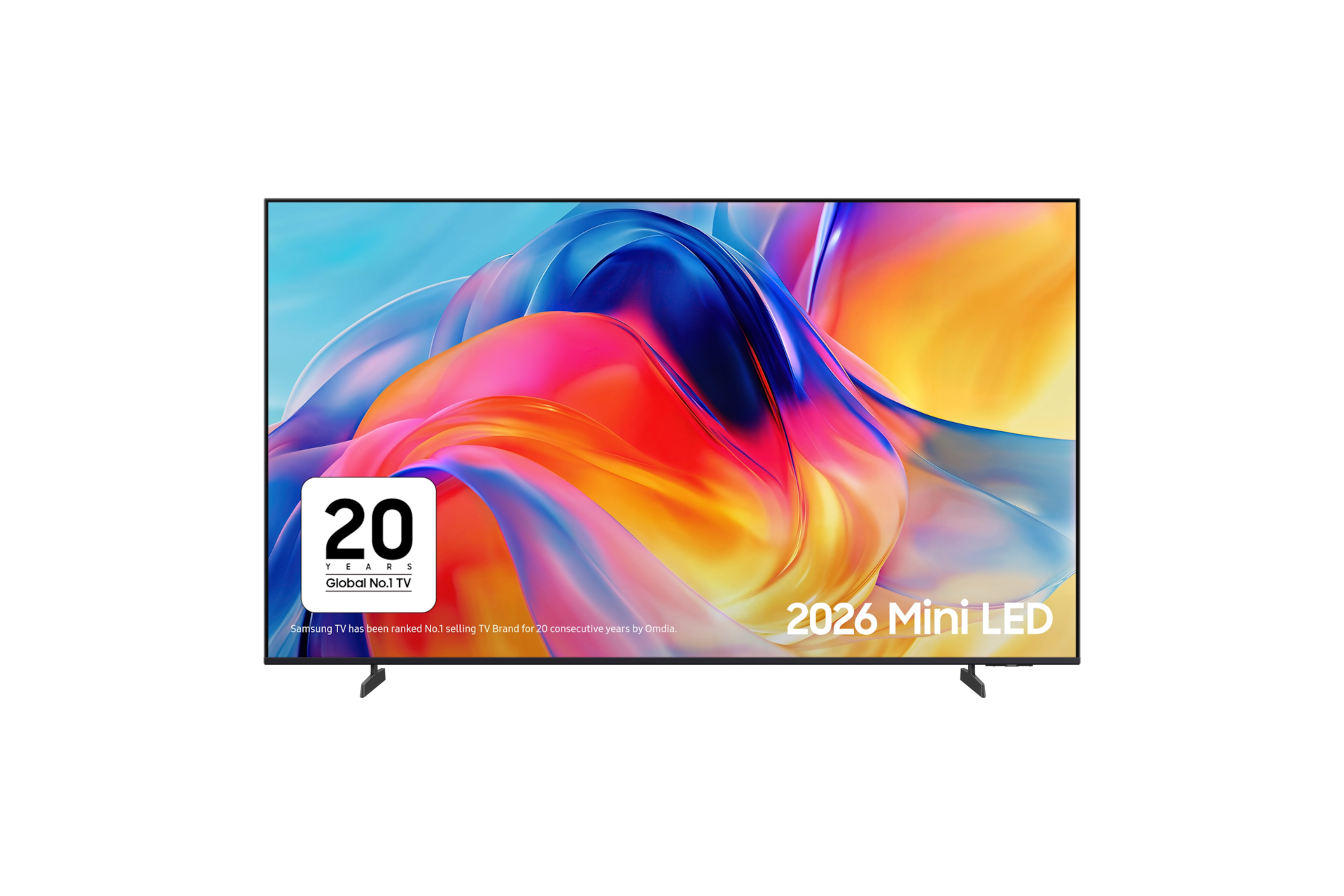
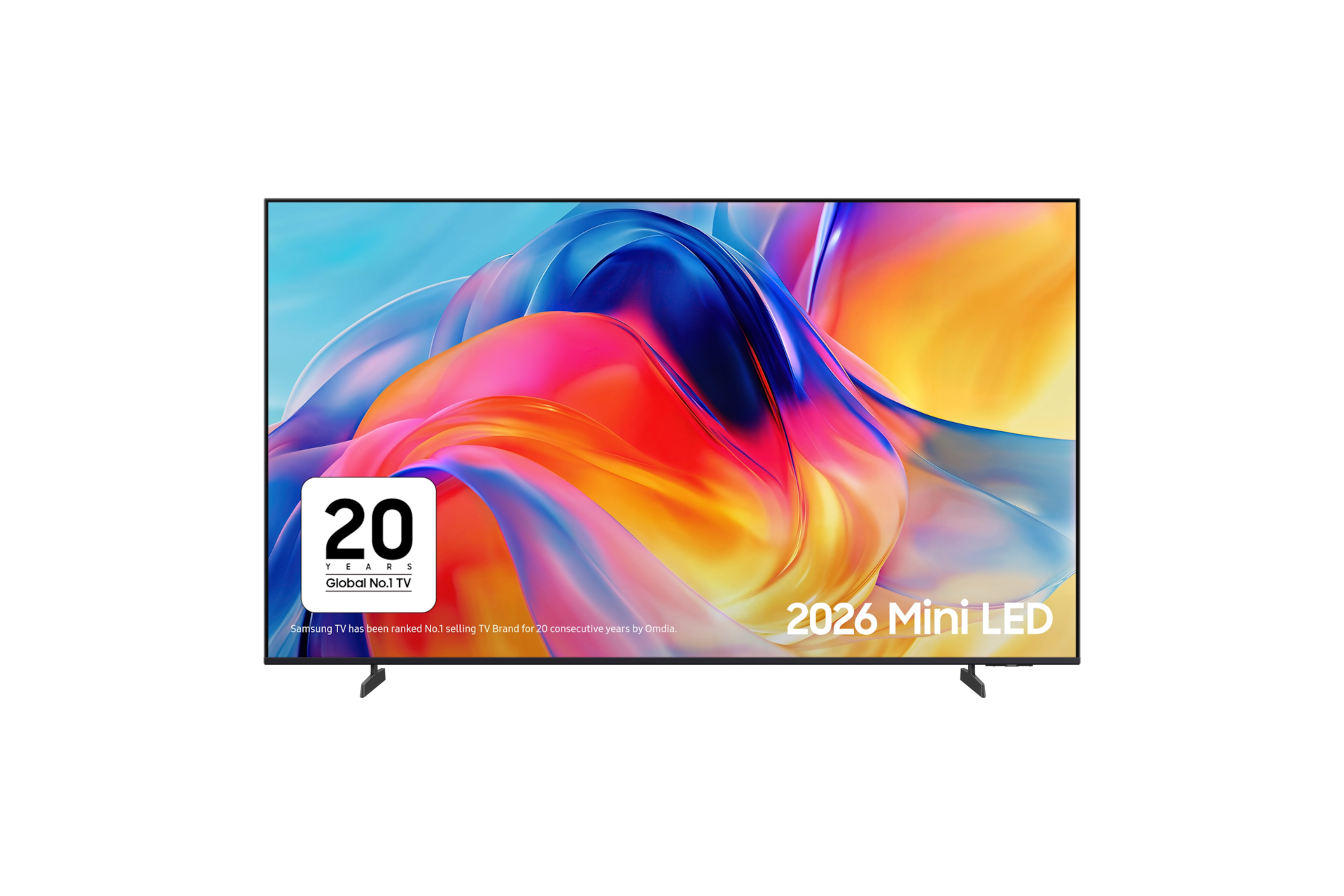


Please scan the QR Code with your mobile device, and place the product image in desired place.
{{upgradeResult.displayModelName}}
{{upgradeResult.discountText1}}
{{upgradeResult.description1}}
{{upgradeResult.description2}}
{{offerFinance.title}}
{{offerFinance.learnMoreCta.text}}{{offerFinance.description}}
{{galaxyForeverResult.displayModelName}}
{{galaxyForeverResult.discountText1}}
{{galaxyForeverResult.description1}}
{{galaxyForeverResult.description2}}
Choose your color
Customizable bezels sold separately
Choose your skin color
Customizable skin sold separately
-
{{item.name}}
Out Of Stock
Modern type
-
{{item.name}}
Out Of Stock
Beveled type
-
{{item.name}}
Out Of Stock
Skin color
-
{{item.name}}
Out Of Stock
Bezel type

- Modern type
The Frame's custom bezels magnetically click into place. Now, you can switch between styles in a snap.
Bezel type

- Beveled type
The new Beveled type bezel design offers an elegant 45-degree angled inner edge bezel.
{{tradeIn.title}}
{{tradeIn.learnMoreCta.text}}{{tradeIn.description}}
{{tradeInResult.displayModelName}}
{{tradeInResult.discountText1}}
{{tradeInResult.discountText2}}
{{tradeInResult.discountText3}}
{{tradeInResult.discountText4}}
{{tradeInResult.discountText5}}
{{tradeInResult.discountText6}}
{{tradeInResult.specialDiscountText}}
{{tradeInResult.description}}
{{tradeInResult.contentText}}
DeleteDealer stock quantity
You can check the stock quantity for each region
Please select city
{{assuredBuyBack.title}}
{{newAssuredBuyBack.title}}
{{newAssuredBuyBack.learnMoreCta.text}}{{newAssuredBuyBack.description}}
Please select Samsung Assured Buyback or no coverage
{{care.title}}
{{care.learnMoreCta.text}}{{care.description}}
Please select Samsung Care+ or No to continue
-
-
{{item.specialText}}
{{warrantyResult.displayModelName}}
{{warrantyResult.discountText1}}
{{warrantyResult.description1}}
{{warrantyVdResult.title}}
{{warrantyVdResult.priceDisplay}}
{{delivery.headline}}
{{delivery.errorMessage}}
{{deliveryResult.priorityText}}
{{deliveryResult.mainText}}
{{deliveryResult.subText}}
Standard installation charges may apply.Click here for more details.
{{deliveryResult.decText}}
{{item.disclaimer}}
{{tariffOptionResult.displayModelName}}
{{tariffOptionResult.discountText1}}
{{tariffOptionResult.description1}}
{{tariffOptionResult.description2}}
{{tariffOptionResult.description}}
{{tariffOptionResult.price}}
{{tariffOptionResult.disclaimer}}
{{embedAddon.title}}
{{embedAddon.description}}
-
{{item.name}}
{{item.modelCode}}
{{item.description}}
{{item.finalPrice}}
{{item.originalPrice}}{{item.savePrice}} Out Of Stock
-
{{item.name}}
{{item.modelCode}}
{{item.description}}
- {{item.dotList1}}
- {{item.dotList2}}
- {{item.dotList3}}
{{item.finalPrice}}
{{item.originalPrice}}{{item.savePrice}} Out Of Stock
{{message.item.tcCTAText}}
{{message.item.periodText}}
Features
Small lights, big impact.


Key features at a glance


Picture Quality


Precise light. Bold detail.
Mini LED
Tiny LEDs behind the screen bring precise control over brightness and contrast. Dark areas look deeper, bright scenes shine, and fine details stand out. From shadowy streets to bright skies, every frame feels more balanced and immersive.


Precise light, true colour
Pure Spectrum Colour
Pure Spectrum Colour uses Samsung’s Mini LED backlight to control light and colour, bringing natural, rich hues and sharp detail to every scene. Colours stay true, and every moment feels balanced and lifelike.


More about
Picture Quality


Smarter viewing, scene by scene
Mini LED Processor 4K
Not all content is created in 4K, but it can look like it was. Mini LED Processor 4K intelligently upscales your favourite shows, films and games to near-4K clarity. It adapts sound based on your space and what’s on screen, so everything looks sharp and sounds just right, day or night. 1


Details shaped to feel more alive
Mini LED HDR
Enjoy powerful detail and striking contrast that makes every image feel more alive. The picture adapts scene by scene to deepen blacks, boost colour and ensure nothing gets lost, creating bold, vibrant visuals across films and series.


Your visuals, boosted
4K Upscaling
Enjoy 4K picture quality for viewing your favourite movies, shows and YouTube videos. See everything upscaled into a clearer, brighter and better picture. 2


New life into dull colours
Colour Booster
Experience colour in a new light, with your TV intelligently enhancing colour expression to make every scene vivid and dynamic.
Gaming Experience


Stay one step ahead
Motion Xcelerator
Experience clear picture and smooth performance with Motion Xcelerator. Samsung’s clear motion rate algorithms predict and automatically compensate frames, so your picture adapts as fast as your game.


Sound


One immersive sound experience
Dynamic Sound Pack


Object Tracking Sound Lite
Hear onscreen action amplified from left-to-right as your entertainment unfolds. So you can hear a car fly along your screen or the crowd cheering all around you.

Adaptive Sound
Experience optimised audio for your viewing with every element of dialogue, music and sound effects individually tailored to what you're watching. Hear every word of a whispered exchange and feel every blast in a blockbuster set piece.

Q-Symphony
Why choose between your TV speakers and a soundbar?With Q-Symphony, you don’t have to. Working together, they create bigger, more immersive sound, with added height and depth for a truly cinematic experience.
One UI Tizen


Tailored recommendations from your favourite apps
Smart TV powered by Tizen OS
Spend less time searching and more time watching. With Netflix, Disney+, YouTube, Xbox and more, get personalised recommendations and instant access to the latest shows and movies on the best streaming apps*. Plus access to 1,000s of extra TV Shows and Movies on Samsung TV Plus - all for free.3


Enjoy 7 years of new TV experiences4


TV you know and love. Just watch.
Samsung TV Plus
Watch channels, live events, and on-demand movies and series. No subscriptions, logins or fees. The best part? You already have it. It’s TV with you in mind.5


Keeping your private information private
Samsung Knox Security
With today's TVs holding your passwords and private payment information, Samsung Knox Security keeps your data protected with multi-layered security, constant system monitoring and updates and the automatic blocking of harmful attacks. Stay secured, stay entertained.6


SmartThings


One place. All your smart devices.
SmartThings
Connect and control all your smart devices from your TV and phone. Program your smart heating, set your smart washer, get alerts when your food is ready, monitor your video doorbell! Make life easier for all your smart device routines with the simplicity of the SmartThings app.7


Design


Slim in style, tidy in set-up
MetalStream Design
Our MetalStream Design takes inspiration from aircraft engineering, using a single sheet of metal to create a slim, seamless and modern aesthetic. With a smooth back and clutter-free cabling, it looks great from all angles.


Specifications
-
LED
-
Screen Size
65"
-
Resolution
3840 x 2160
-
Refresh Rate
50 Hz
-
DLG
120 Hz
-
Processor
Mini LED Processor 4K
-
HDR (High Dynamic Range)
Mini LED HDR
-
HDR 10+
Support
-
Contrast
Mini LED
-
Micro Dimming
Supreme Mini LED Dimming
-
Contrast Enhancer
Contrast Enhancer
-
Motion Technology
Motion Xcelerator
-
Upscaling
4K Upscaling
-
Color Booster
Color Booster
-
Filmmaker Mode (FMM)
Yes
-
Object Tracking Sound
OTS Lite
-
Samsung Q-Symphony
Yes
-
Audio Pre-selection Descriptor
Yes
-
Sound Output (RMS)
20 W
-
Speaker Type
2ch
-
Adaptive Sound
Adaptive Sound
-
Operating System (OS)
Tizen™ Smart TV
-
Bixby
Yes (Voice Ready)
-
Works with AI Speaker
Alexa (GB, DE, FR, IT, ES, AT, IE), Google Assistant (GB, FR, DE, IT, ES, CH, AT, NL, SE, NO, DK, FI, PT, IE, BE, LU)
-
Samsung TV Plus
Yes (GB, FR, DE, IT, ES, CH, AT, NL, SE, NO, DK, FI, PT, IE, BE, LU)
-
Web Browser
Yes
-
SmartThings Hub / Matter Hub / IoT-Sensor Functionality / Quick Remote
Quick Remote Only
-
Samsung Health
Yes (GB,IE Only)
-
Universal Browse & Play
Yes (GB, FR, DE, IT, ES)
-
Multi Device Experience
Mobile to TV, Sound Mirroring, Wireless TV On
-
Apple AirPlay
Yes (w/o Aland Islands, Faroe Islands, Netherlands Antilles, San Marino)
-
Vision AI Companion
Yes (DE, IT, FR, ES, SE, DK, NO, FI, IS, NL, BE, LU, PL, RO, BG, CH, AT, GB)
-
Karaoke Mic
Yes
-
Google Cast
Yes (w/o Aland Islands, Faroe Islands, Netherlands Antilles, San Marino)
-
Soccer Mode
Soccer / Football Mode
-
Auto Game Mode (ALLM)
Yes
-
VRR
Yes
-
HGiG
Yes
-
Gaming Hub
Yes (KR, US, CA, BR, GB, FR, DE, IT, ES, MX, AU)
-
Digital Broadcasting
DVB-T2C
-
Analog Tuner
Yes
-
CI (Common Interface)
CI + (1.4) / CI+ (1.4 ECP) (IT Only)
-
Data Broadcasting
HbbTV 2.0.4 (IT,GB,DE,CZ,SK,ES,PL,AT,FR,FI,EE,GR,SI,HR,BE,NL,LU,HU,CH,PT,DK,ME)
-
TV Key Support
Yes
-
Wi-Fi
Yes (Wi-Fi 5)
-
Bluetooth
Yes (5.3)
-
HDMI
3
-
HDMI (High Frame Rate)
4K 60 Hz (for HDMI 1/2/3)
-
HDMI Audio Return Channel
eARC
-
Anynet+ (HDMI-CEC)
Yes
-
USB
1 x USB-A
-
Ethernet (LAN)
1
-
RF In (Terrestrial / Cable input)
1 / 1(Common Use for Terrestrial) / 0
-
CI Slot
1
-
Design
Metal Stream
-
Bezel Type
3 Bezel-less
-
Front Color
Titan Black
-
Stand Type
Basic Feet
-
Stand Color
Titan Gray
-
Embeded POP
Yes
-
EPG
Yes
-
IP Control
Yes
-
OSD Language
27 European Languages + Russian (only when connecting to Network in EE,LV,LT)
-
Accessibillity - Voice Guide
Czech (Czech Republic),Danish (Denmark),Dutch (Netherlands),English (UK),Finnish (Finland),French (France),German (Germany),Greek (Greece),Hungarian (Hungary),Italian (Italy),Korean (Korea),Norwegian (Norway),Polish (Poland),Portuguese (Portugal),Romanian (Romania),Russian (Russia),Slovak (Slovakia),Spanish (Spain),Swedish (Sweden)
-
Audio Description
Yes
-
High Contrast
Yes
-
Zoom Menu and Text
Yes
-
SeeColors
Yes
-
Colors Inversion
Yes
-
Grayscale
Yes
-
Auto Picture Off
Yes
-
Closed Caption (Subtitle)
Yes
-
Multi-output Audio
Yes
-
Sign Language Zoom
Yes
-
Slow Button Repeat
Yes
-
Accessibility Remote
Yes
-
Learn TV Remote
Yes
-
Learn Menu Screen
Yes
-
Accessibility Shortcuts Edit
Yes
-
Power Consumption (Max)
170 W
-
Power Supply
AC220-240 V~ 50/60 Hz
-
Power Consumption (Stand-by)
0.50 W
-
Power Consumption (Typical)
102 W
-
Yearly Power Consumption (EU standard)
141 kWh
-
Eco Sensor
Yes
-
Auto Power Saving
Yes
-
Energy Efficiency Class
F
-
Auto Power Off
Yes
-
Package Size (WxHxD)
1578 x 930 x 142 mm
-
Set Size with Stand (WxHxD)
1444.1 x 882.2 x 222 mm
-
Set Size without Stand (WxHxD)
1444.1 x 831.2 x 76.8 mm
-
Stand (Basic) (WxD)
1004.6 x 222 mm
-
VESA Spec
200 x 200 mm
-
Package Weight
19.9 kg
-
Set Weight with Stand
14.5 kg
-
Set Weight without Stand
14.2 kg
-
Full Motion Slim Wall Mount Support (Y22)
Yes
-
User Manual
Yes
-
Power Cable
Yes
-
Security Update Period (At least 5 years)
31 December 2031
Reviews
65" Mini LED M70H 4K Vision AI Smart TV (2026)
- Customers praise exceptional picture quality, vibrant colors, and clarity, with many describing the visual experience as exceeding expectations
- Most find setup straightforward and intuitive, with easy navigation and responsive performance appreciated by users of all technical levels
- Many note Mini LED technology delivers a significant upgrade in contrast and detail compared to older TV models
- Some express disappointment with built-in speaker volume, requiring maximum settings or external soundbars for adequate audio
- Several UK-based customers report frustration that BBC iPlayer is unavailable on this model despite no clear warning at purchase
Filters
Relevancy sort puts the best reviews at the top. We look at things like helpfulness votes, latest review, pictures and other traits that readers look for in their reviews.
Filters
129 Reviews
2026-09-09
Samsung Customer Care
Thank you for providing your feedback regarding your TV remote operation, audio guidance, and network reconnection. To help you navigate and configure these features easily, please try the following steps: • To adjust volume using the Smart Remote: Push the volume rocker button UP to increase volume, push DOWN to decrease volume, and press it IN to mute/unmute. • To turn off the audio description/voice guide: Navigate to Settings > General & Privacy > Accessibility > Voice Guide Settings and toggle Voice Guide OFF. • To reconnect to the internet after a power disruption: Go to Settings > General & Privacy > Network > Network Status, select 'Retry', or choose 'Network Settings' > 'Wireless' to re-enter your Wi-Fi credentials. For step-by-step guidance over chat, please contact our team via 24/7 Live Chat at https://www.samsung.com/ca/support/live-chat-support or Email Support at https://www.samsung.com/ca/support/emailsupport.
2026-10-23
2026-10-23
2026-09-04
2026-09-06
Upper Hutt
2026-08-07
Samsung
We love hearing that we’ve given you that five-star feeling. Thanks for sharing your brilliant review, and enjoy your new TV! ^EW at Samsung Support
2026-06-22
2026-06-22
Samsung
We're sorry to hear that you're disappointed in the display of your 55" Mini LED M70H TV. This isn't what we'd expect, as your TV features a 4K Ultra HD Mini LED panel and processor, with Pure Spectrum Colour technology and 4K AI Upscaling. We'd love to help ensure you're enjoying the best viewing experience possible. We initially recommend that you run the latest software version, and you can check this at Settings > Support > Software update. Your picture is highly customisable, including pre-set modes and a full spectrum of manual adjustment, allowing you to find the perfect setting for your specific room. You can find the full range of modes along with instructions on the following link: https://www.samsung.com/uk/tvs/tv-buying-guide/best-picture-quality-tv/ If you require further assistance, please don't hesitate to reach out to our dedicated Support Teams, who are on hand to assist. You can find our contact details and opening times here: https://www.samsung.com/uk/support/contact/ ^EW at Samsung Support
2026-09-08
2026-10-13
Samsung
We’re pleased to hear that you’re happy with your TV’s picture quality, and we appreciate your feedback on the apps, warranty registration and review process, Stanley. We sincerely apologise for the delay to the launch of BBC apps across our latest models, due to unforeseen delays in the technical rollout. These are now in the final stages of checks before deployment over the course of the coming weeks. We value your patience as we ensure the ongoing quality and continuity of services provided to our customers. We also appreciate that not having an aerial connection in the room can be frustrating. The good news is that your M70H is a Smart TV, so when connected to the internet you can enjoy a range of compatible streaming services, alongside live and on-demand entertainment through Samsung TV Plus. We’ll also pass on your feedback about the review process, including the incentive question, to the relevant teams. If you need further assistance with warranty registration or any other aspect of your TV, our colleagues remain available to help. You can find our contact details and opening times here: https://www.samsung.com/uk/support/contact/ ^CL at Samsung Support
2026-06-22
2026-09-08
Samsung Customer Care
Thank you for sharing your feedback regarding input selection and connection times with your set-top box. To set your TV to automatically open to your preferred HDMI input and speed up startup: • Go to Settings > General & Privacy > Start Screen Option, and disable ""Start with Smart Hub Home"" and ""Autorun Samsung TV Plus"" so the TV defaults to your last used input. • Navigate to Settings > General & Privacy > External Device Manager > Anynet+ (HDMI-CEC) and ensure it is turned On to allow seamless handshake with your connected box. • Check that the HDMI cable is connected to HDMI 1 or eARC port and firmly seated. If you would like assistance customizing your startup options, please reach out via 24/7 Live Chat at https://www.samsung.com/ca/support/live-chat-support or Email Support at https://www.samsung.com/ca/support/emailsupport.
2026-09-08
2026-10-21
2026-09-03
Hull
Samsung
We would like to apologise for the BBC iPlayer application not being available on your brand new 2026 Samsung Smart TV, and you have had to part ways with the TV. Rest assured we are working hard with the BBC to bring their application to the 2026 Samsung Smart TV platform, and we will release it just as soon as we can. ^LB at Samsung Support
2026-09-08
2026-07-29
2026-08-18
Derbyshire
Samsung
We would like to apologise for the BBC iPlayer application not being available on your brand new 2026 Samsung Smart TV. Rest assured, we are working hard with the BBC to bring their application to the 2026 Samsung Smart TV platform, and we will release it just as soon as we can. Thank you for taking the time to share your feedback, and we appreciate your patience. We hope that you're enjoying the fantastic features of your M70H TV in the meantime. ^EW at Samsung Support
2026-10-20
Україна
Служба підтримки клієнтів
Дякуємо вам за високу оцінку та довіру до бренду! Якщо знадобиться консультація чи допомога, будь ласка, звертайтеся до нашої служби підтримки: https://www.samsung.com/ua/support/contact. Будемо раді допомогти. Приємного користування! 😊
2026-09-09
2026-06-19
London
Samsung
Thank you for your awesome five-star review of your 4K Vision AI Smart TV! With the Dynamic Sound Pack, your sound experience will be taken to new heights! Along with Mini LED technology, your viewing experience will be out of this world! Not to forget, with the outstanding MetalStream Design, this will look perfect on your wall! Enjoy! ^LB at Samsung Support
2026-07-29
2026-09-08
2026-09-09
2026-07-29
2026-07-18
2026-09-09
2026-07-29
2026-09-09
Samsung
We’re sorry to hear that the 43" Mini LED M70H 4K Samsung Vision AI Smart TV has not fully met your expectations overall. We’re glad that you’re happy with its picture quality, which can enhance your favourite content with 4K resolution, vivid colours and brilliant contrast. You can also explore the Sound Settings on your TV to adjust the audio experience to your liking. These can be found by going to: Menu > Settings > All Settings. We’re also pleased to share that the BBC has provided technical approval for its services, BBC iPlayer and BBC Sounds, to be released on the 2026 Samsung TV Smart Hub. These applications are now undergoing the implementation process, with general release planned for mid-September. We’re confident that, as you continue using your TV and exploring its features, you’ll be able to enjoy an even better experience and make the most of it. ^CL at Samsung Support
2026-09-08
2026-09-26
2026-09-08
2026-09-09
2026-10-20
2026-05-23
Sandy Samsung CS
Hello Matty , We appreciate you sharing your experience with us. We’re sorry to hear that you experienced challenges with your product and will share this feedback to our relevant teams. If you would like to provide additional feedback or discuss this ticket further, our email support will be happy to assist by visiting https://www.samsung.com/ca/support/emailsupport and choosing ‘Email General Support’ and providing the Subject Line: Samsung Review Case – Smart TV(UN65M70HAFXZC) Thank you, Samsung Customer Care
2026-09-08
2026-07-30
2026-09-12
Lytham
Samsung
We are sorry to see your experience with your new Samsung Mini LED 4K Vision AI Smart TV has been let down by the absence of the BBC iPlayer. We understand the inconvenience caused regarding this not being available, and we have been working hard to get this on your TV, and we are pleased to inform the BBC have provided technical approval for their services, BBC iPlayer & BBC Sounds to be released to the 2026 Samsung TV Smart Hub. These applications are now undergoing an implementation process aiming for general release mid-September. Thank you for your patience regarding this, and if you need any assistance, our helpful Support Teams are on hand to help. You can find their contact details and opening hours here: https://www.samsung.com/uk/support/contact/ ^LB at Samsung Support
2026-09-08
2026-09-11
2026-09-09
2026-08-17
2026-08-14
Scotland
Samsung
It is awesome to see you are loving your spectacular Mini LED 4K Samsung Vision AI Smart TV! From the incredible Mini LED HDR display and the exceptional Dynamic Sound Pack with Object Tracking Sound Lite, the possibilities are endless! We would like to apologise for the BBC iPlayer application not being available on your brand new 2026 Samsung Smart TV. Rest assured we are working hard with the BBC to bring their application to the 2026 Samsung Smart TV platform, and we will release it just as soon as we can. ^LB at Samsung Support
2026-06-22
2026-09-11
2026-07-29
2026-06-22
Martin Samsung CS
Hello, We appreciate you sharing your experience with us. We’re sorry to hear that you experienced challenges with your product and will share this feedback to our relevant teams. If you would like to provide additional feedback or discuss this ticket further, our email support will be happy to assist by visiting https://www.samsung.com/ca/support/emailsupport and choosing ‘Email General Support’ and providing the Subject Line: Samsung Review Case – 4K Vision AI TV. Thank you, Samsung Customer Care
2026-09-09
2026-09-08
Samsung Customer Care
Thank you for providing your review regarding audio connection options and Bluetooth synchronization on your Mini LED TV. To eliminate audio delay and achieve synchronized audio output with external audio equipment, please try these steps: • Use HDMI eARC/ARC connection for zero-latency, high-definition digital audio transmission. • If using Bluetooth: Go to Settings > Sound > Expert Settings > Digital Output Audio Delay, and adjust the audio synchronization slider to align audio with video. • Ensure the sound output format is set to 'Auto' or 'PCM' under Settings > Sound > Expert Settings > Digital Output Audio Format. If you need guidance connecting your external sound system, please reach out via 24/7 Live Chat at https://www.samsung.com/ca/support/live-chat-support or Email Support at https://www.samsung.com/ca/support/emailsupport.
2026-05-22
2026-06-22
2026-09-11
Samsung Customer Care
Thank you for sharing your feedback regarding your Samsung Mini LED TV and its startup performance. To help resolve the freezing issue upon startup, please try the following troubleshooting steps: • Direct Wall Outlet Connection: Ensure the TV power cable is connected directly. If your TV is connected to a surge protector, please disconnect and reconnect the TV directly into the wall. If this resolves your issue, your surge protector may be faulty. • Perform a Cold Boot: While the TV is on, press and hold the Power button on the remote until the TV turns off and back on, clearing cached system memory. • Update TV Firmware: Navigate to Settings > Support > Software Update > Update Now to install the latest stability enhancements. • Run Device Care: Go to Settings > Support > Device Care > Start Device Care to diagnose and optimize system performance. If the TV continues to freeze during startup, please reach out to our dedicated support team at https://www.samsung.com/ca/support/live-chat-support for further assistance.
2026-08-02
2026-08-30
2026-07-30
2026-06-22
2026-07-30
2026-09-12
2026-07-29
2026-07-29
2026-09-17
2026-09-10
2026-07-29
Ivana Samsung CS
Hello, We appreciate you sharing your experience with us. We’re sorry to hear that you experienced challenges with your product and will share this feedback to our relevant teams. If you would like to provide additional feedback or discuss this ticket further, our email support will be happy to assist by visiting https://www.samsung.com/ca/support/emailsupport and choosing ‘Email General Support’ and providing the Subject Line: Samsung Review Case – Vision AI Smart TV. Thank you, Samsung Customer Care
2026-08-06
Samsung
Thanks for the great review and sharing your feedback with us about your new 65" M70H 4K Samsung Vision AI Smart TV, Joanna. Should you ever need us, our friendly Support Teams are on hand. You can find all our contact methods and opening hours here: https://www.samsung.com/uk/support/contact/ ^CL at Samsung Support
2026-08-30
Samsung
Fantastic to see how much you are loving your M70H TV, Justin! This incredible model treats you to rich pictures with whopping 4K resolution. Thank you for sticking with us for your new TV, it will be impressing you for years to come! ^SK at Samsung Support
2026-09-30
Philippines, Manila
2026-07-29
2026-09-09
2026-09-09
2026-08-06
2026-07-29
2026-08-03
Samsung
We're delighted to hear that you found your new 43" Mini LED M70H 4K Samsung Vision AI Smart TV easy to set up, and that its fantastic picture quality has lived up to your expectations. We also appreciate your feedback regarding the current unavailability of the BBC iPlayer app, Lenny. We'd like to apologise that BBC iPlayer isn't yet available on our 2026 Samsung Smart TVs. Please rest assured that we're working closely with the BBC to bring the app to the 2026 Samsung Smart TV platform, and we'll make it available as soon as possible. In the meantime, we hope you continue enjoying a brilliant experience with your new TV and all the impressive features and technology it has to offer. ^CL at Samsung Support
2026-07-29
2026-09-10
Samsung Customer Care
Thank you for reaching out with your feedback regarding the remote control for your Samsung Mini LED TV. To help you get familiar with the Samsung Smart Remote and its key functions, please watch this dedicated tutorial video and troubleshooting steps: Tutorial: https://youtu.be/FoFT9twbJ1A • Re-Pairing the Remote: Point the remote at the TV sensor and press and hold the Back and Play/Pause buttons simultaneously for at least 3 seconds until a pairing confirmation appears on screen. • Navigation & Selection: Use the circular directional pad to navigate through menus and press the center button to select items. • Volume & Channels: Push the Volume or Channel toggle buttons up or down to adjust levels, or press them in to mute audio or open the channel guide. • Home & Quick Settings: Press the Home button to access the Smart Hub menu, installed apps, and device settings. • E-Manual: You can also access the built-in visual user guide directly on your TV by going to Settings > Support > Open e-Manual. If you would like step-by-step guidance navigating your remote, please connect with us at https://www.samsung.com/ca/support/live-chat-support.
2026-09-08
2026-07-30
2026-09-09
2026-07-30
2026-07-31
2026-09-09
Samsung Customer Care
Thank you for your review regarding application loading speeds and performance on your 65"" Smart TV. To improve app responsiveness and streamline system performance, please try the following troubleshooting steps: • Run Device Care / Memory Boost: Navigate to Settings > Support > Device Care > Start Device Care to close background tasks and free memory. • Clear App Cache: Go to Settings > Support > Device Care > Manage Storage, select the affected application, and choose Clear Cache and Clear Data. • Check Network Connection: Ensure your TV is connected via a 5 GHz Wi-Fi band or wired Ethernet connection, and test speeds under Settings > General > Network > Network Status. • Update TV Software: Go to Settings > Support > Software Update > Update Now. If you continue experiencing app latency, please reach out via 24/7 Live Chat at https://www.samsung.com/ca/support/live-chat-support or Email Support at https://www.samsung.com/ca/support/emailsupport.
2026-08-15
2026-09-02
Chester
Samsung
We’re pleased to hear that you’re very happy with your new 43" Mini LED M70H 4K Samsung Vision AI Smart TV, Ann. We’d like to apologise for BBC iPlayer not currently being available on your TV. Rest assured, we’re working closely with the BBC to bring the application to the 2026 Samsung Smart TV platform, and we’ll make it available as soon as we can. In the meantime, our Support Teams remain available to assist you with getting the most from your product should you have any questions or need further support. You can find our full contact details and opening times on our Contact Us page here: https://www.samsung.com/uk/support/contact/ ^CL at Samsung Support
2026-08-10
Samsung
We love hearing that we’ve given you that five-star feeling, Lor. Thanks for sharing your thoughts and feedback! ^EW at Samsung Support
2026-09-01
Samsung
Thank you for taking the time to share this review with us about your experience with the 75" Mini LED M70H 4K Samsung Vision AI Smart TV. It’s great to hear that you’re happy with your amazing TV so far, especially with its immersive and radiant display, bringing everything you love to life with its Mini LED Processor 4K. With Dynamic Sound Pack and Adaptive Sound, this TV also boasts impressive sound technology and features to keep you immersed, with tailored and amplified sound to complement what you’re watching. Here’s also a useful guide from our colleagues overseas on how to adjust and improve your TV’s sound experience to better suit your preferences: https://www.samsung.com/us/support/answer/ANS10006961/ If you need any further help getting the best experience from your product, our Support Teams are also ready to assist. You can find our full contact details and opening times on our Contact Us page here: https://www.samsung.com/uk/support/contact/ ^CL at Samsung Support
2026-07-30
2026-09-09
2026-09-25
2026-07-30
2026-10-15
2026-09-11
Samsung
We’re pleased to see you’ve taken the time to leave a rating and review for your new 75" Mini LED M70H 4K Samsung Vision AI Smart TV. Your comments about providing a review as a requirement for warranty purposes, including the incentive selection, will certainly be passed on to the relevant teams. We’ll use your feedback to identify areas where we can improve this process and make the experience clearer for our customers. You can now make the most of the superb audiovisual technology and features your new TV has to offer while enjoying your favourite shows like never before. If you need any help getting the most from your new TV, our Support team remains available to assist you. You can find our full contact details and operating times on our Contact Us page here: https://www.samsung.com/uk/support/contact/ ^CL at Samsung Support
2026-09-14
2026-07-29
2026-10-12
Glasgow
CX
We're sorry to see that the delay in the availability of the BBC iPlayer app is impacting your enjoyment of the wonderful M70H TV, George. We are working with the BBC to enable the iPlayer app to be available as soon as possible. This is a standard process that occurs with new TV models, and unfortunately, there is no way for us to circumvent it. We hope that through usage of this incredible model, your faith is regained, and you have a fantastic experience with it. ^SK at Samsung Support
2026-07-26
Samsung
Thank you for the five stars! Enjoy every moment with your amazing M70H Smart TV, Wilbur! ^CL at Samsung Support
2026-09-22
Samsung
We are sad to see you are having issues with the registration of your Samsung Mini LED 4K Vision AI Smart TV. Take a look at this guide which will help you get this registered in no time: https://www.samsung.com/uk/support/warranty/register-your-samsung-product-warranty/ If you need any assistance with this, please reach out to our Support Teams who will be on hand to help. You can find their contact details and opening hours here: https://www.samsung.com/uk/support/contact/ ^LB at Samsung Support
2026-10-10
Samsung
We’re delighted to hear that you’re so happy with your new 43" Mini LED M70H 4K Samsung Vision AI Smart TV, Rob! While your retailer may offer its own warranty benefits, eligible TVs can also be registered for Samsung’s five-year extended warranty here: https://www.samsung.com/uk/offer/5-year-samsung-tv-warranty/ We hope this helps and that you can continue enjoying your brilliant new TV with added peace of mind! ^CL at Samsung Support
2026-07-12
2026-07-30
2026-10-15
York
Samsung
Lovely to hear that your 43" M70H 4K Samsung Vision AI Smart TV is living up to your expectations, both in terms of picture and sound quality! To help keep your TV performing at its best, we recommend checking for software updates regularly. You can do this by heading to: Menu > Settings > All Settings > Support > Software Update. ^CL at Samsung Support
2026-06-23
These reviews are managed by Bazaarvoice and comply with the Bazaarvoice Authenticity Policy, which is supported by anti-fraud technology and human analysis. Details at
https://www.bazaarvoice.com/trustmark/User manual & downloads Product information sheet
Solutions & Tips
- Image simulated for illustration purposes. Any changes in appearance and design specifications that do not affect product performance may occur without prior notice. UI, content and services may vary by region and are subject to change without notice. This page may include images or videos created using AI.
- 1. Mini LED Processor 4K: Upscaling may not apply to PC connection and Game Mode. Go to feature
- 2. 4K Upscaling: Upscaling may not apply to PC connection and Game Mode. Go to feature
- 3. Smart TV powered by Tizen OS: Samsung account required to access our network-based smart services and apps. Subscriptions required. Some apps may not be available at launch. 3rd party content providers may remove apps from the Smart TV platform or stop updating them at any time. Go to feature
- 4. 7 Years OS Upgrade: Content and services are subject to change without notice. Agreement to Smart Hub Terms and Conditions and Privacy Policy is required before use. Some content and services require registration and subscription. Requires Samsung account. Tizen OS upgrades will be supported for up to 7 years starting from 2026, for products released in the year 2026. Please note that the upgrade does not cover hardware-related performance, features or durability. Go to feature
- 5. Samsung TV Plus: Samsung account and internet connection required. Go to feature
- 6. Secured by Knox: Applies to Samsung TVs powered by Tizen®, launched since 2015. Security software update is guaranteed for at least three years from product launch. Latest software update is required. Compatible devices must be connected to Samsung TV via SmartThings. Go to feature
- 7. SmartThings: Requires Samsung Account, SmartThings app, Internet connection, and SmartThings enabled devices. Go to feature