How to connect Bluetooth devices to a Samsung TV
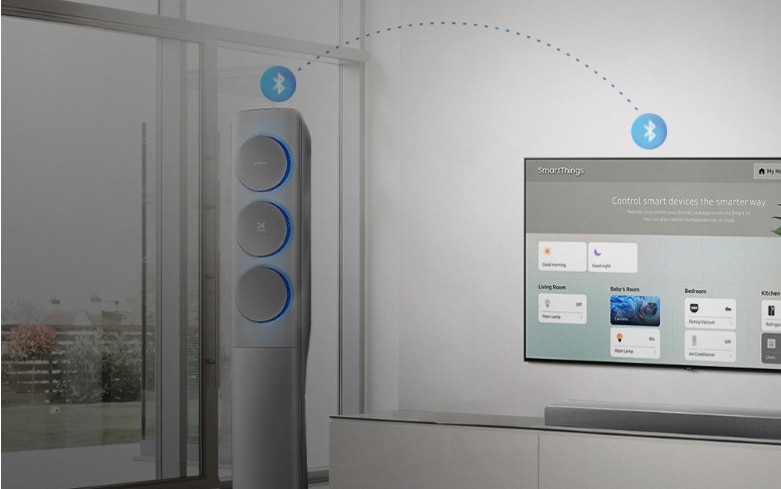
How to Connect Bluetooth Devices to Your Samsung TV
To connect Bluetooth devices to your Samsung TV, ensure your TV supports Bluetooth functionality and follow the pairing process through the Settings menu. Compatible devices include speakers, headphones, keyboards, and controllers, but connectivity depends on your TV model and firmware version.
1. How to Pair Bluetooth Devices with Your Samsung TV
Follow these steps to connect a Bluetooth device to your Samsung TV:
- Turn on your Samsung TV and ensure the Bluetooth device is in pairing mode.
- Press the Home button on your TV remote.
- Navigate to Settings > Sound > Speaker Settings > Bluetooth Audio.
- Select Pair New Device and wait for the TV to detect your device.
- Choose your device from the list and confirm the pairing request.
2. Why Is My Bluetooth Device Not Connecting to My Samsung TV?
If your Bluetooth device isn't connecting, consider these common issues:
- Device not in pairing mode: Ensure your Bluetooth device is turned on and set to pairing mode before searching on the TV.
- TV firmware outdated: Update your TV's software to the latest version via Settings > Support > Software Update.
- Interference from other devices: Keep Bluetooth devices close to the TV and avoid interference from routers or other wireless gadgets.
- Unsupported device: Verify that your Bluetooth device is compatible with Samsung TVs. Refer to your TV's user manual for a list of supported devices.
3. Can I Use Both TV Speakers and Bluetooth Headphones Simultaneously?
Yes, you can enable both the TV speakers and Bluetooth headphones at the same time. This feature is particularly useful for households where one person needs amplified sound while others prefer quieter listening. Adjust the volume levels independently in the Sound settings.
4. Supported Samsung TV Models
Bluetooth connectivity is available on select Samsung TV models, including:
- QLED TVs (2020 and newer)
- Neo QLED TVs (2021 and newer)
- MicroLED TVs (2022 and newer)
- Frame and Serif TVs (2021 and newer)
Check your TV's user manual or specifications online to confirm Bluetooth compatibility.
5. Additional Things to Check
Before troubleshooting, verify the following:
- Ensure your Bluetooth device is fully charged.
- Keep the TV and device within 3 meters (10 feet) of each other.
- Disable other Bluetooth devices that might interfere with the connection.
- Restart both the TV and the Bluetooth device if pairing fails.
Related Samsung Support Topics
Thank you for your feedback!
Please answer all questions.