Samsung PC will not turn on or charge at all
If your Samsung PC will not turn on or show any indication of charging, don't worry, there are some methods you can try to fix the problem. You should check that you have a good power outlet and that any external monitors are properly connected, powered on, and on the correct source.
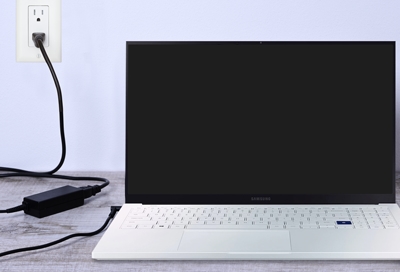
Samsung PC will not turn on or charge at all
Important
Troubleshooting steps for this kind of issue are limited because there's only so much you can do when the PC won't turn on. Also keep this in mind:
- You can tell if the PC has powered on if you see any lights turn on or fans start blowing.
- If the PC turns on but the battery will not charge, shut down the PC and let it charge with the computer not running. Sometimes Windows can prevent charging. If it still does not charge when the PC is off, visit our Support Center to request service.
1
Test the outlet.
Plug something else into the outlet the power cable or charger was in, like a phone charger or lamp. Or, plug the power cable into an outlet you know is working.
2
With the charger unplugged, remove the battery and reinsert it (applicable models only).
Some models have a removable battery. If yours does, then disconnect the charger and the battery for 30 seconds, then put the battery back in and connect the charger. Wait one minute and then try to turn on the computer.
3
Check the charger or power cable’s connections.
Make sure the power cord is plugged in properly at both ends. Some cords are in two parts with an adapter in the middle, so make sure that connection is secure, too.
4
Request service.
If your PC still will not turn on or charge, visit our Support Center to request service.
Recommended Articles
We're here for you
Contact Samsung Support
Contact us online through chat and get support from an expert on your computer, mobile device, or tablet. Support is also available on your mobile device through the Samsung Members App.

