Control panel, Clock, Demo mode, Sabbath Option, and Temperature adjust: NX60*83**S*
The knobs and oven control panel are at the front of the range, above the oven door.
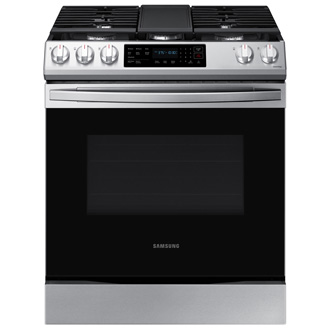
Control panel, Clock, Demo mode, Sabbath Option, and Temperature adjust: NX60*83**S*
Control Panel


- Oven modes
- Keep Warm
- Bread Proof
- Dehydrate
- Self Clean
- Smart Control
- Timer
- Cook Time
- Delay Start
- Oven Light
- Numbers
- Clock
- Lock
- OFF/CLEAR
- START/SET
Clock

- Press Clock.
- To select AM/PM, press Clock again.
- Enter the current time using the number pad.
- Press START/SET to confirm the settings.
Demo mode

- Press and hold Clock for 3 seconds.
- Press 0 to enter Demo mode.
- Press 1 or 2 to turn Demo mode on or off. (1 to on, 2 to off.)
- Press START/SET to save the change.
Sabbath option

- Press Bake.
- Enter a desired temperature using the number pad. The default temperature is 350 °F.
- Press START/SET. The display temperature changes after the oven temperature reaches 175 °F.
- Press the Bake and Number 1 simultaneously for 3 seconds to display "SAb".
Once "SAb" appears, the oven control no longer beeps or displays any further changes.
Temperature adjust

The oven temperature can be adjusted by ±35 °F (±19 °C).
- Press and hold Clock for 3 seconds.
- Press 1 to enter Temperature adjust.
- Press Clock to select a higher(+) or lower(-) temperature.
- Enter an adjusting temperature value (0-35) using the number pad.
- Press START/SET to save the change.
Recommended Articles
We're here for you
Contact Samsung Support
Contact us online through chat and get support from an expert on your computer, mobile device, or tablet. Support is also available on your mobile device through the Samsung Members App.

