Wi-Fi Calling is not working on Samsung phone
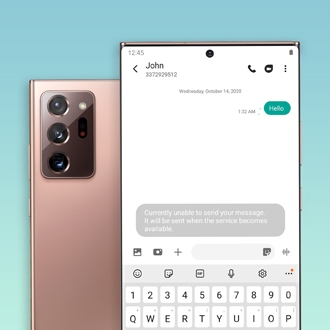
If you're experiencing issues with Wi-Fi Calling on your Samsung Galaxy phone, don't worry - we've got you covered! Wi-Fi Calling is a convenient feature that allows you to make and receive calls over a Wi-Fi network, even in areas with poor cellular coverage. However, like any technology, it can sometimes encounter issues. In this troubleshooting guide, we'll walk you through some common solutions to help you get Wi-Fi Calling up and running again. From checking your Wi-Fi connection to updating your phone's software, we'll cover the steps you need to take to resolve the issue.
Wi-Fi Calling is not working on Samsung phone
Recommended Articles
Issues with SD cards on Samsung phone or tablet
Using an SD card is a great way to expand and manage your storage. It's cost-effective, frees up internal memory, and is easily removable, so you can access the files using a PC. Most issues with the SD card can be solved with a few simple steps.
Phone or tablet cannot make purchases through Samsung Billing
Samsung Billing is the behind-the-scenes payment service used by the Galaxy Store and Galaxy Themes apps. If you are having trouble purchasing an item in either app, it's possible that the issue is your device's software.
Air Command is not working on Samsung Galaxy phone or tablet
There are several possible reasons why the Air command shortcut menu may not display on your Galaxy phone or tablet. It can be the result of a physical issue, like damage to your S Pen, or an issue with your device's software. You can reboot the phone or tablet, perform a software update, or boot into Safe mode to solve the problem.
We're here for you
Contact Samsung Support
Contact us online through chat and get support from an expert on your computer, mobile device, or tablet. Support is also available on your mobile device through the Samsung Members App.