Samsung oven fan is making a noise or will not turn off
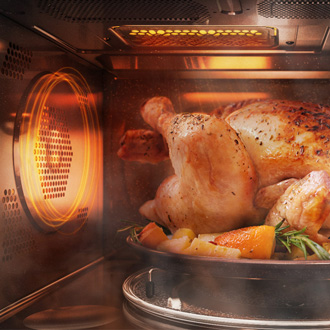
There are two fans in the oven. The internal cooling fan, which helps keep the electronics cool, and the convection fan, which is visible at the back of the oven and circulates heated air for more thorough cooking. The convection fan turns on and off at regular intervals and has a quiet, low humming noise. Some models have more than one convection fan.
Samsung oven fan is making a noise or will not turn off
The cooling fan is not visible, but you will hear it running whenever the electronics get hot and turn off when the electronics are cool. Either the oven or the cooktop can create enough heat for the cooling fan to come on. If the cooling fan never turns on or never turns off, visit our Support Center to request service.
The convection fan (shown in the image) works in the following ways:
- On electric ovens, the convection fan comes on during preheating, even when you are not using convection cooking. On gas ovens, it does not come on during preheating.
- The fan will immediately turn off and will not turn on when the door is opened.
- During convection cooking, the fan runs for about 10 seconds, then turns off for about 40 to 60 seconds.
The fans are not completely silent, but they are generally quiet. If a fan is making an abnormal sound (such as squealing, grinding, or squeaking, especially when it stops or starts), visit our Support Center to request service.

Recommended Articles
Self Clean or other buttons do not light up or respond, or panel is locked on Samsung oven
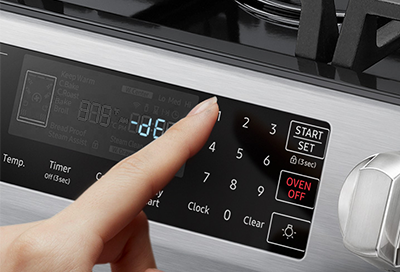
The control panel on your Samsung range or wall oven will lock if it is running certain functions, such as Self Clean, Twin Cooking, or Temperature Probe. Also, some controls are only available when using (or not using) other functions. This is to protect the oven from excessive heat or children who may accidentally touch the oven.
Door will not close on Samsung oven
The door on Samsung oven and range models is removable, so if it is not properly closing, it may have been removed and not been put back on correctly. It's also possible the door latch may be stuck in the locked position even when the door is open. And if there's any physical damage on your range or oven, it will require service to fix.
Samsung range or wall oven panel is blank, blinking, or incorrect
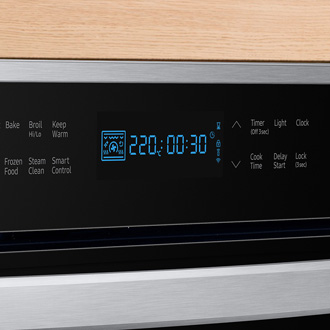
The display on your oven is intended to light up only the functions you need at any particular moment. If there seems to be an error on the display, such as incomplete digits, then cycling the power may reset the panel and get it working again.
We're here for you
Contact Samsung Support
Contact us online through chat and get support from an expert on your computer, mobile device, or tablet. Support is also available on your mobile device through the Samsung Members App.