Range hood will not pair with range or cooktop
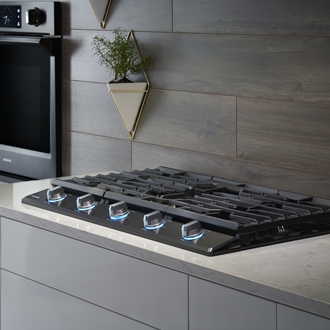
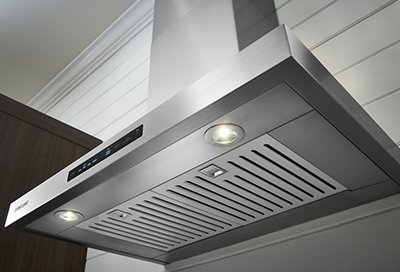
If you have the correct model of hood to go with your Bluetooth-enabled cooktop or range, you can pair them together to enable a couple of features. Once your cooktop or range is connected to SmartThings, you'll be able to control the paired hood, too. You'll also have the option to automatically turn the hood on and off when using your cooktop or range. If you're having trouble getting them to pair, we'll walk you through it.
Range hood will not pair with range or cooktop
1
Confirm your model has Bluetooth and a matching hood.
Only certain ranges and cooktops have a Bluetooth function. Some do not. If your model has Bluetooth, the steps on how to put it in pairing mode will be in your user manual.
Also, your user manual will list the hood models it is compatible with, so make sure your hood is one of those models, too.
2
Put your hood in pairing mode, then your cooktop or range.
- On the hood, touch Bluetooth. The LED will flash.
- Gas models with knob controls will have the Bluetooth button behind the knob for the front left burner on cooktops, or behind the mode selector knob on ranges.
- Models with a Settings or Options menu will have Bluetooth pairing in the menu.
- Otherwise, press and hold Smart Control and Child Lock.
If these steps do not work for your model, see your user manual for the steps specific to your model.
3
To control the hood with SmartThings, add the cooktop or range to SmartThings.
The hood does not get added to SmartThings directly, but it still works with SmartThings and can be controlled from a mobile device. This only works when it is paired with a cooktop or range by Bluetooth.
So, to get control of your hood, make sure your cooktop or range is added in SmartThings.
4
If you are still unable to pair, request service.
If you are still unable to pair your hood and cooktop, visit our Support Center to request service.
Recommended Articles
Samsung range hood will not turn on
The light on your hood helps you see while you're cooking. While we wish we could give you steps on how to replace it yourself, unfortunately replacing the light (or correcting a hood that won't turn on at all) is something which requires a service technician or an installer. The good news though, is that these lights hardly ever go out, so if you
Samsung cooktop and range: common sounds and operational noises
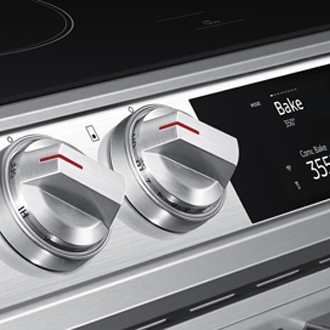
Your range or cooktop can be quite noisy in certain circumstances. The oven will click, the fan will blow, and even cracking or whistling might come from induction cooktops. Read why all of these sounds happen and what causes them.
Unable to change the heat on Samsung cooktop
You may not be able to adjust the power level of the heating elements on your electric cooktop or range if the control knobs are in the wrong positions. For instance, if you’ve removed the knobs for cleaning, it can be tricky to put them back in the correct place. Luckily, you just need to use the printed controls on the knobs to reinsert them in t
We're here for you
Contact Samsung Support
Contact us online through chat and get support from an expert on your computer, mobile device, or tablet. Support is also available on your mobile device through the Samsung Members App.