Troubleshoot Notification highlights on your Galaxy phone

Notification Highlights on Galaxy phones running One UI 8.5 or later, including the Galaxy S26 series and newer models, prioritize and summarize important alerts to keep you organized. However, you may encounter issues like summaries not working as expected, duplicate icons, or misclassified notifications. Follow this guide to troubleshoot these problems and optimize your notification experience.
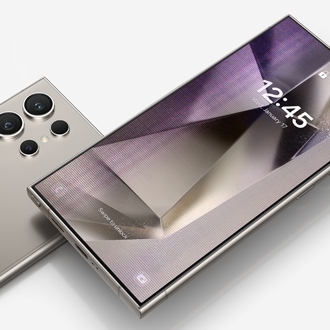
A Galaxy S26 Ultra screen showing a notification panel with multiple alerts.

Troubleshoot Notification highlights on your Galaxy phone

Note
  • Galaxy AI basic features provided by Samsung are free. Any Samsung enhanced AI features and all third party AI features are subject to different terms and may be subject to fees. (Galaxy AI basic features are listed under "Advanced intelligence" in Samsung Services Terms and Conditions.)
  • Summaries may not always be accurate.
  • Summaries may not be provided when your battery is low or when Power saving is on.
  • Supported apps are subject to change: WhatsApp, Facebook Messenger, Google Messages, WhatsApp Business, Snapchat, Telegram, Samsung Messages, Zalo, Rakuten Viber Messenger, imo, Discord, MAX, KakaoTalk, WeChat, Signal, imo HD, Zangi, Plus Messenger, imo beta, aka, imo Lite, MiChat, Telegram X, Zello PTT Walkie Talkie, Messenger Kids, Graph Messenger, VK Messenger, Bip, GroupMe, Azar, Teams, TikTok, Facebook, Instagram, QQ, Visual Voicemail.
  • Supported languages: English, Portuguese, Spanish, French, German, Italian, Chinese, Japanese, Korean, Thai, Polish, Vietnamese, Hindi.

Summarize notifications not working as expected

If summaries aren't generating as expected:

  1. Ensure the app supports summarization (check in Settings > Notifications > App notifications).
  2. Verify notifications have been received for the required duration (three minutes for one-on-one chats, and nine minutes for group chats). To do so, go to Settings > Notifications > Advanced settings > Notification history.
  3. Confirm the notification meets the minimum character count for summarization. Notifications with fewer than 200 characters may not be summarized.
  4. The feature activates when the screen is off, and the device is charged to at least 30%. It does not work in Power saving mode or when the battery is low.
Read more
Read less

Duplicate notification icons on the status bar

Duplicate icons occur because the Prioritize notifications feature categorizes alerts. Prioritized notifications appear separately above regular notifications in the notification panel.
Read more
Read less

Prioritized notifications disappearing

Prioritized notifications are reclassified as regular notifications after being viewed twice to prevent prolonged display.
Read more
Read less

Non-prioritized notifications misclassified as prioritized

Misclassification may occur due to keyword-based criteria. This issue will be improved in future updates.
Read more
Read less
Was this content helpful?
We're here for you

Contact Samsung Support

Contact us online through chat and get support from an expert on your computer, mobile device, or tablet. Support is also available on your mobile device through the Samsung Members App.