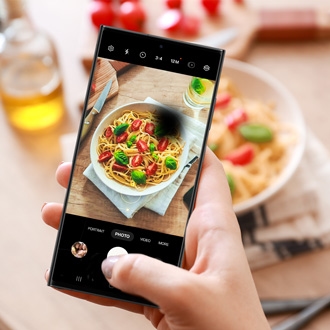
Can't find Night mode in the Camera app on your Galaxy phone

If you can't find the Night mode in the More menu of the camera on your phone, it's because the feature has been integrated into the Photo mode starting with One UI 8.5. Learn how to switch to Night mode using the moon icon or enable it as a separate mode via the Camera Assistant app.
A Galaxy S26 Ultra screen showing the camera viewfinder with night mode options over a cityscape.

Can't find Night mode in the Camera app on your Galaxy phone

Switch to Night mode:

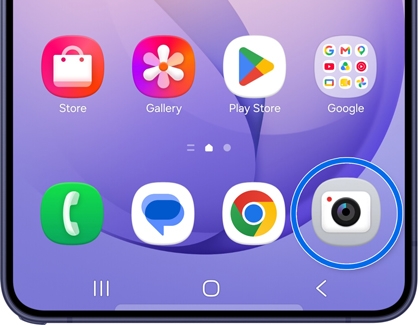
  1. Open the Camera app.
    A Galaxy S26 Ultra screen showing the home screen with the Camera app icon circled in blue.
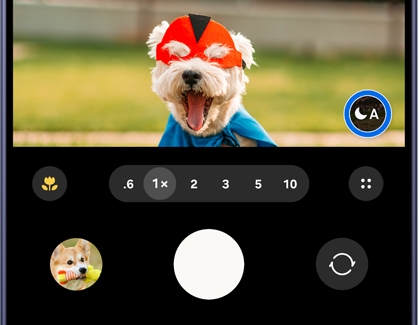
  2. Look for the Night shot icon (the crescent moon) at the bottom of the screen.
    A Galaxy S26 Ultra screen showing the camera viewfinder with an auto night mode icon circled in blue.
    Note: Night shot appears based on lighting conditions.
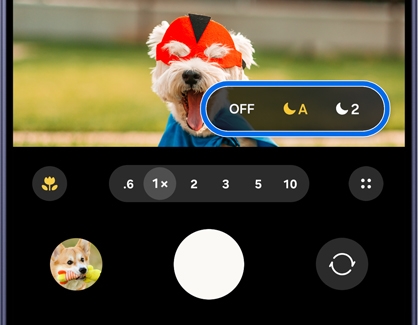
  3. Tap the Night shot icon to switch to Night mode (Off, Auto, or Max).
    A Galaxy S26 Ultra screen showing the camera viewfinder with a night mode settings menu highlighted in blue.
Read more
Read less

Enable Night mode as a separate mode:

  1. Open the Camera app.
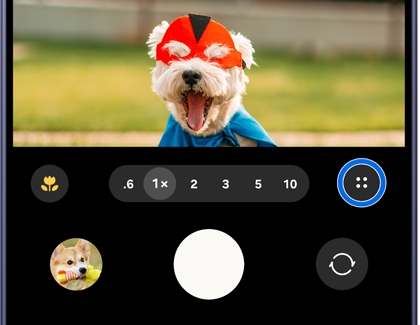
  2. Tap the Quick controls icon (the four circles).
    A Galaxy S26 Ultra screen showing the camera viewfinder with a four dot menu icon circled in blue.
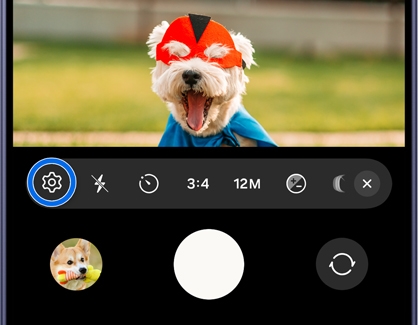
  3. Tap the Go to settings icon (it looks like a gear).
    A Galaxy S26 Ultra screen showing the camera toolbar with a gear settings icon circled in blue.
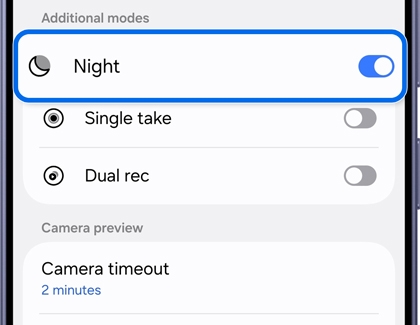
  4. Tap Camera Assistant, and then turn on Night in the Additional modes section.
    A Galaxy S26 Ultra screen showing the camera settings menu with the Night option enabled and highlighted in blue.

Now, when you open the Camera app, tap More at the bottom of the menu, and then tap NIGHT to access it as a separate mode.

Read more
Read less
Was this content helpful?
We're here for you

Contact Samsung Support

Contact us online through chat and get support from an expert on your computer, mobile device, or tablet. Support is also available on your mobile device through the Samsung Members App.