Fix low or no sound during calls on your Samsung Galaxy device

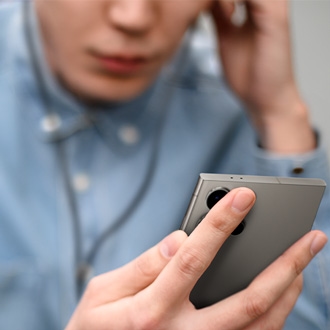
If you can’t hear the caller through the receiver or speaker on your Galaxy phone, try the steps below to resolve the issue.
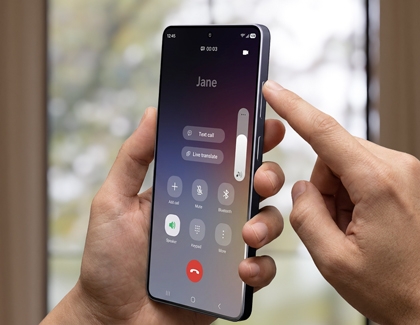
A Galaxy phone showing an active call screen with a volume slider.

Fix low or no sound during calls on your Samsung Galaxy device

Note
Device screenshots and menus may vary depending on the device model and software version.

Before you begin

Before trying the steps below, make sure your device software and apps are up to date.

  1. Open Settings, then tap Software update.
  2. Tap on Download and install.
  3. Follow the on-screen instructions.
Read less

Method 1. Check for screen protector obstruction

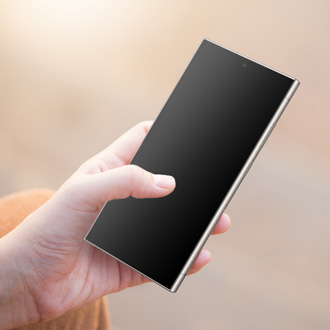
Close-up illustration highlighting a blocked receiver at the top of the device caused by a screen protector.
Using a third-party screen protector or one that does not match your device's exact specifications can block the top receiver (earpiece).

  • Check the top receiver (earpiece) of your device to see if it is covered by a screen protector or protective film.
  • If the receiver is covered or partially blocked, remove the film or replace it with an official Samsung-approved screen protector that fits your specific model properly.
Read less

Method 2. Check the air vent holes

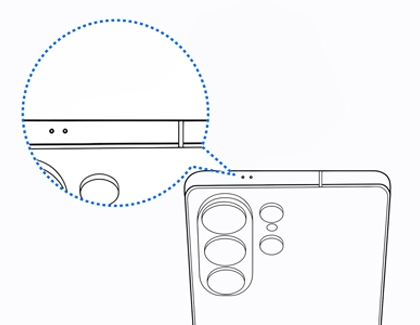
Diagram showing the air vent hole locations from the top and back view of a Galaxy S26 Ultra.

Galaxy models feature integrated air vents to balance internal and external pressure while maintaining water resistance. If these vents are blocked by a case or protective film, pressure changes can cause crackling noises or low sound from the speakers. This effect becomes significantly more noticeable when physical pressure is applied during seasons with extreme temperature changes, such as summer or winter, because the difference between internal and external pressure increases.

  • Locate the air vent holes on the top or bottom of your device (e.g., Galaxy S26 Ultra features an air vent hole near the top edge and camera module).
  • Inspect your phone case or any protective vinyl wraps to ensure they are not covering these holes. If a case or film is blocking the air vent, remove or adjust it to clear the air passage.
Read less

Method 3. Increase the in-call volume

Note
You are only able to adjust the in-call volume when on a call.
Make sure the in-call volume is set to the highest level.
 
When on a call, press the Volume up key to increase the in-call volume.
Phone display showing the in-call volume being increased by pressing the volume key.
Read less

Method 4. Check if all sounds are muted

The Mute all sounds setting turns off all audio on your device, including calls.

  1. Open Settings, then tap Accessibility.
  2. Tap Hearing enhancements.
    Accessibility menu on a Samsung Galaxy phone showing the Hearing enhancements.
  3. Make sure Mute all sounds is turned off. If not, tap the toggle to disable it.
    Hearing enhancements menu on a Samsung Galaxy phone showing the Mute all sounds option turned off.
Read less

Method 5. Restart your device

Restart your device and then test it again.

  1. Swipe down from the top of your screen to open the Quick Settings panel.
  2. Tap the Power off icon.
     Quick Settings panel with the Power icon highlighted.
  3. Tap Restart.
    Power menu with the Restart option highlighted.
Read less

Method 6. Turn off Wi-Fi Calling

Note
The Wi-Fi Calling feature may not be available on all carriers or devices.

Wi-Fi Calling uses your network connection to make calls. A weak connection may affect call quality.

  1. Open Settings, then tap Connections.
  2. Disable Wi-Fi Calling.
    Connections menu showing the Wi-Fi Calling being disabled.
Read less
Note
If you need further assistance after trying the steps above, please visit a nearby Samsung service center.
Was this content helpful?
We're here for you

Contact Samsung Support

Contact us online through chat and get support from an expert on your computer, mobile device, or tablet. Support is also available on your mobile device through the Samsung Members App.