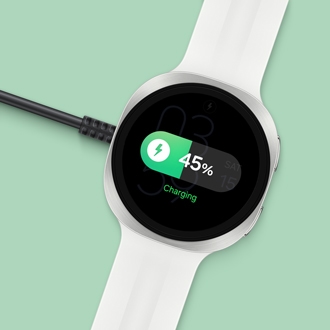
Galaxy Watch Ultra2 or Watch9 is charging slowly

The Galaxy Watch Ultra2 and Watch9 come with chargers that are specific to their model, and they charge best using only those chargers. To get the best charging performance, you'll need to use that cradle as well as a recommended power adapter. Using an incompatible charger may result in slow charging, charging failures, repeated reconnections, or charging error notifications.

Galaxy Watch Ultra2 or Watch9 is charging slowly

Watch is charging slowly or not at all

If your Galaxy Watch9 or Watch Ultra2 is charging slowly, it's most likely due to using an incompatible charger. Please use the charger that came in the box with your watch. If you need a replacement charger, the correct models are listed below.

  • Galaxy Watch9: Use charger model EP-OL300

    Note
    : This charger model was also included with the Watch7 and Watch8 models. Previous versions of Galaxy Watch chargers are not compatible.

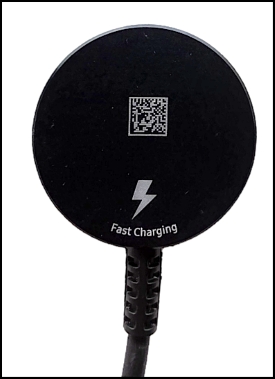
  • Galaxy Watch Ultra2: Use fast charger model EP-OL715

    Note: The back of this model looks like the charger shown here.
    Back side of a Galaxy Watch Ultra2 Charger


Read more
Read less

Recommended wall adapters

Note
The Galaxy Watch Ultra2 supports fast charging, but for its included charger to work as a fast charger, it must be used with a power adapter that is 5V/2A (10W) or higher.

If you are still having slow charging issues, make sure you are using a compatible wall adapter with your charger. 


For the Galaxy Watch9 and Watch Ultra2, these are the recommended power adapters:

  • EP-TA800
  • EP-TA845
  • EP-TA865
  • EP-TA220
  • EP-T4511
  • EP-T1510
  • EP-T6530
  • EP-TB010
  • EP-T2510
Read more
Read less

Expected charging times

Model Fast Charge Normal Charge
Galaxy Watch9 (40mm) X 80 Minutes
Galaxy Watch9 (44mm) X 90 Minutes
Galaxy Watch Ultra2 90 Minutes 190 Minutes
Read more
Read less
© 2026 Samsung Electronics America, Inc. Samsung and Samsung Galaxy are trademarks of Samsung Electronics Co., Ltd. Other names and marks are property of their respective owners. Check samsung.com for more information.
Was this content helpful?
We're here for you

Contact Samsung Support

Contact us online through chat and get support from an expert on your computer, mobile device, or tablet. Support is also available on your mobile device through the Samsung Members App.