Samsung Galaxy phone or tablet will not turn off

Your phone or tablet may not turn off if it's completely frozen. If it’s not responding when you press the Power button, let us help you get it working again.

Samsung Galaxy phone or tablet will not turn off

Note
If your device has a removable battery, first remove the back cover, and then remove the battery for 30 seconds. Reinsert the battery and then power on the phone.
1

Reboot the phone or tablet.

Press and hold the Power button (or Side button) and Volume down button simultaneously until the device shuts down. This simulates a battery pull and may take up to 60 seconds. If your phone or tablet is secured with a biometric security feature, you will need to enter your backup password or PIN after rebooting.

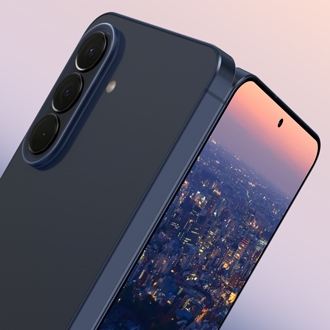
 

Power and Volume down buttons highlighted on a Galaxy S24 Ultra

2

Select Normal Boot.

If your phone or tablet enters Maintenance Boot Mode instead of restarting, use the Volume up or Volume down button to move the cursor. Highlight Normal Boot, and then select it by pressing the Power button or Bixby button.
3

Request service.

If your phone or tablet still will not turn off, visit our Support Center to request service.
Was this content helpful?
We're here for you

Contact Samsung Support

Contact us online through chat and get support from an expert on your computer, mobile device, or tablet. Support is also available on your mobile device through the Samsung Members App.