How to Use the Wet Cycle on a Samsung Jet Stick
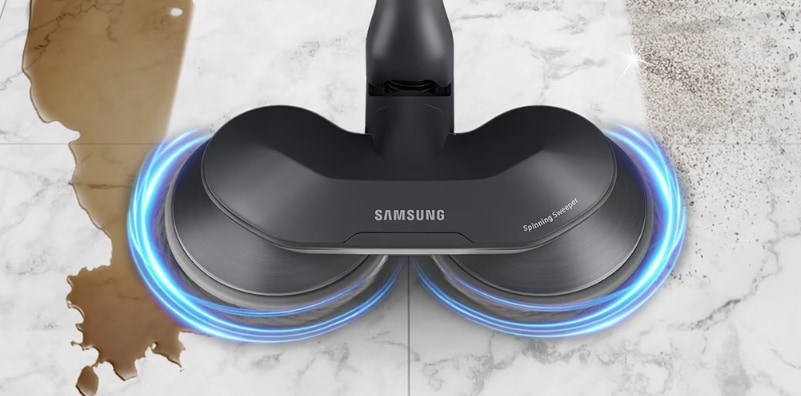
How to Use the Wet Cycle on Your Samsung Jet Stick Vacuum
The Samsung Jet Stick vacuum features a Wet Cycle mode that transforms it into a mop for cleaning hardwood or linoleum floors. This mode uses the Wet Brush attachment and wet pads to wipe away spills and splatters without suction power. Follow these steps to use the Wet Cycle effectively.
1. Why Use the Wet Cycle on Your Jet Stick?
The Wet Cycle is designed for liquid messes on smooth surfaces like hardwood or linoleum. It uses rotating disks and wet pads to wipe away spills, making it ideal for quick cleanups without switching appliances.
2. Supported Samsung Jet Stick Models
The Wet Brush and Wet Cycle are available on select Samsung Jet Stick models. Check your vacuum's control panel for a "WET" option to confirm compatibility.
3. How to Activate the Wet Cycle
- Attach the Wet Brush to the Adjustable Pipe of your Jet Stick vacuum.
- Look for the "Wet" option on the vacuum's display to confirm activation.
- Select the "Wet" mode to begin mopping.
4. Types of Wet Pads for the Wet Brush
There are two types of wet pads:
- Multi-use pads: Thicker and reusable. Clean and dry after each use.
- Single-use pads: Thinner and disposable. Use for heavy messes to protect multi-use pads.
5. Attaching Wet Pads to the Wet Brush
- For single-use pads, attach the provided Velcro-backed pads to the Wet Brush's spin disks with the Velcro side facing down.
- Place the single-use wet pad on top of the attached pads.
- For multi-use pads, simply place them directly on the spin disks without additional attachments.
6. Filling the Water Tank
- Remove the refillable water tank from the Wet Brush.
- Pour a small amount of water into the tank.
- Reinsert the tank into the Wet Brush.
7. Cleaning Multi-use Wet Pads
- Remove the pads from the Wet Brush after use.
- Soak them in water and soap, then wring out excess moisture.
- Allow the pads to air dry completely before reattaching.
- For convenience, wash the pads in a washing machine with towels.
8. Storing the Wet Brush
Store the Wet Brush in the Brush Holder on the vacuum's charging stand. Multi-use pads can remain attached after cleaning and drying.
9. Additional Things to Check
- Ensure the Wet Brush is securely attached to the Adjustable Pipe.
- Only use Samsung-provided wet pads to avoid damage.
- Replace single-use pads after each use to maintain cleaning efficiency.
10. Related Samsung Support Topics
Thank you for your feedback!
Please answer all questions.