Samsung Jet™ Stick brush cleaning guide
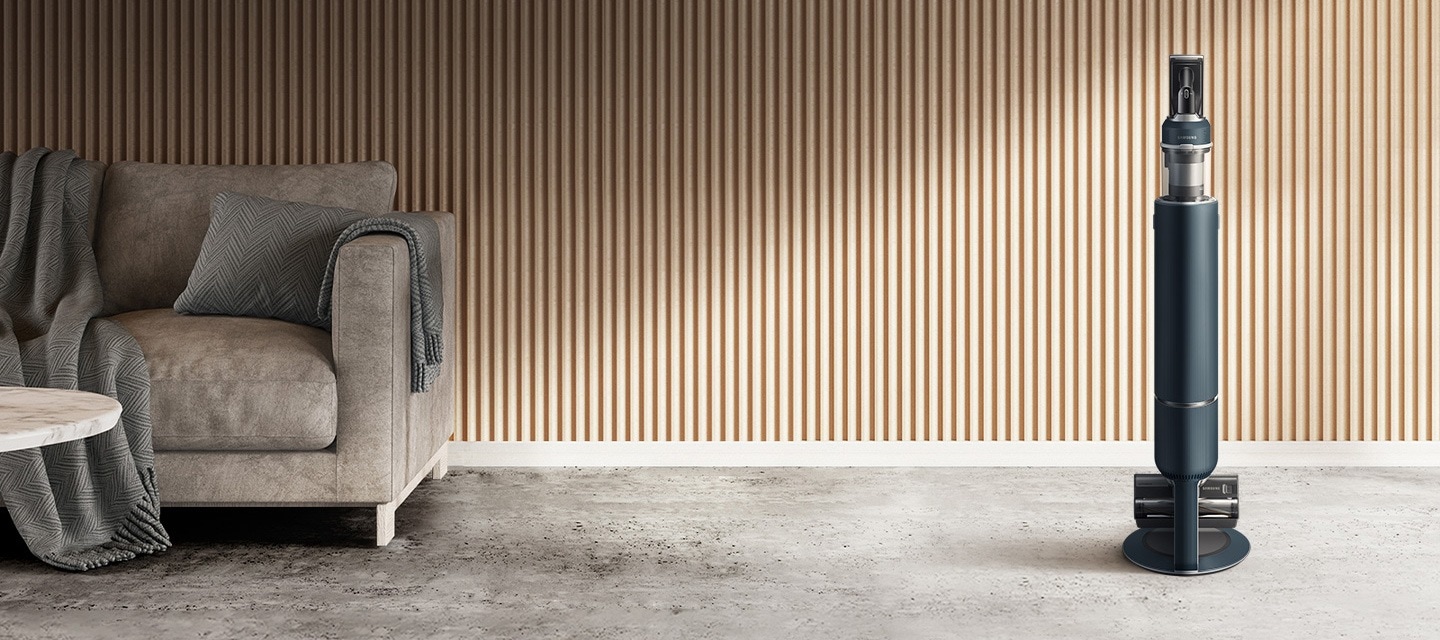
How to Clean the Brushes of Your Samsung Jet™ Stick Vacuum
To keep your Samsung Jet™ Stick vacuum functioning efficiently, regular cleaning of the brushes is essential. Debris, hair, and foreign matter can accumulate on the brushes, reducing suction power and causing operational issues. Follow these detailed steps to clean each brush type properly and ensure your vacuum performs at its best.
1. How to Clean the Soft Action Brush
The Soft Action Brush is designed for gentle cleaning on delicate surfaces. If foreign matter gets stuck, follow these steps:
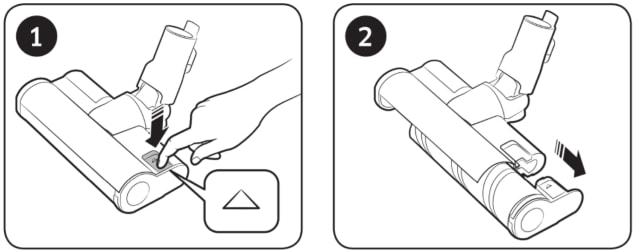
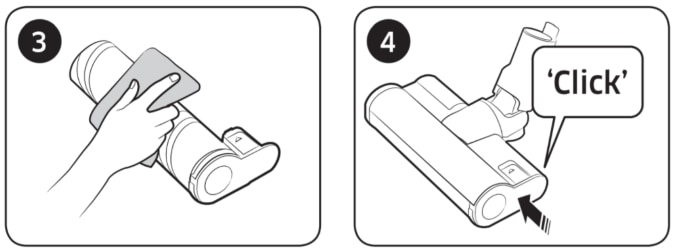
- Press the ejection button to remove the Soft Action Brush from your Jet™ Stick.
- Wipe away any debris using a wet tissue or dry cloth.
- Reinsert the brush back into the vacuum.
- Important: Do not use water to clean the spinning brush or suction parts. Avoid using the Soft Action Brush for removing liquids or pet waste.
- Safety Tip: Be cautious to avoid pinching your fingers while handling the brush.
2. How to Clean the Turbo Action Brush
The Turbo Action Brush features an EZ Clean function to remove tangled hair and debris automatically. If manual cleaning is required, follow these steps:
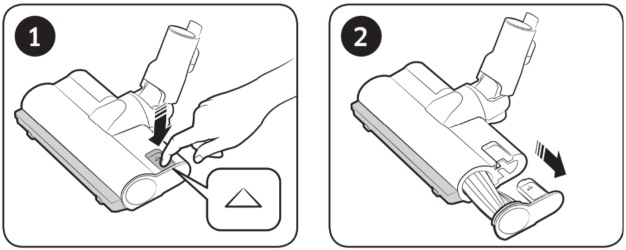
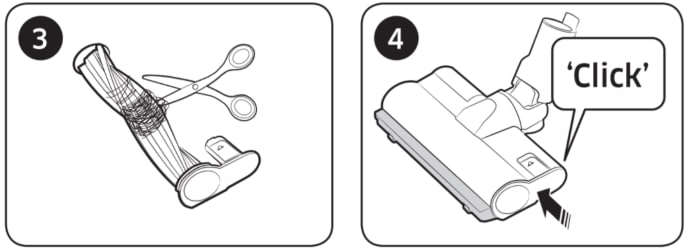
- Press the ejection button to remove the Turbo Action Brush.
- If debris remains, carefully cut it away using scissors. Avoid cutting the spinning brush itself.
- Reinsert the brush back into the vacuum.
- Note: If the EZ Clean function doesn't fully remove debris, use scissors for precise removal.
3. How to Clean the Wet Brush
The Wet Brush is designed for cleaning up liquids and damp messes. Follow these steps to clean it properly:
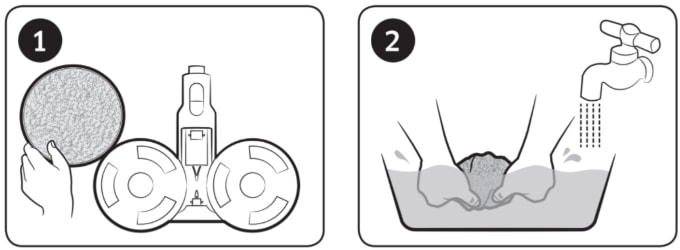
- Remove the cloth from the Wet Brush and rinse it with water to remove any debris.
- Wring out excess water thoroughly before reattaching the cloth.
- Reinsert the Wet Brush back into the vacuum.
- Important: If the spinning brush stops working after cleaning, the motor's overheating prevention system may be active. Allow the motor to cool for at least 30 minutes before using the vacuum again.
- Safety Tip: Always turn the power off and on again after cleaning the brushes to reset the system.
4. Additional Things to Check
Ensure your Jet™ Stick operates smoothly by checking these additional factors:
- Inspect the brush rollers for tangled debris regularly, especially if you have pets.
- Verify that the brush is securely reinserted to avoid operational issues.
- If the brush still doesn't work after cleaning, consult the user manual or contact Samsung Support for further assistance.
5. Supported Samsung Jet™ Stick Models
These cleaning instructions apply to the following Samsung Jet™ Stick models:
- Jet™ Stick (J7000 series)
- Jet™ Stick (J6000 series)
- Jet™ Stick (J5000 series)
6. Related Samsung Support Topics

Thank you for your feedback!
Please answer all questions.