-
Compra y prueba
-
0% de interés


Barra de Sonido HW-Q600F/ZL


Gallery popup


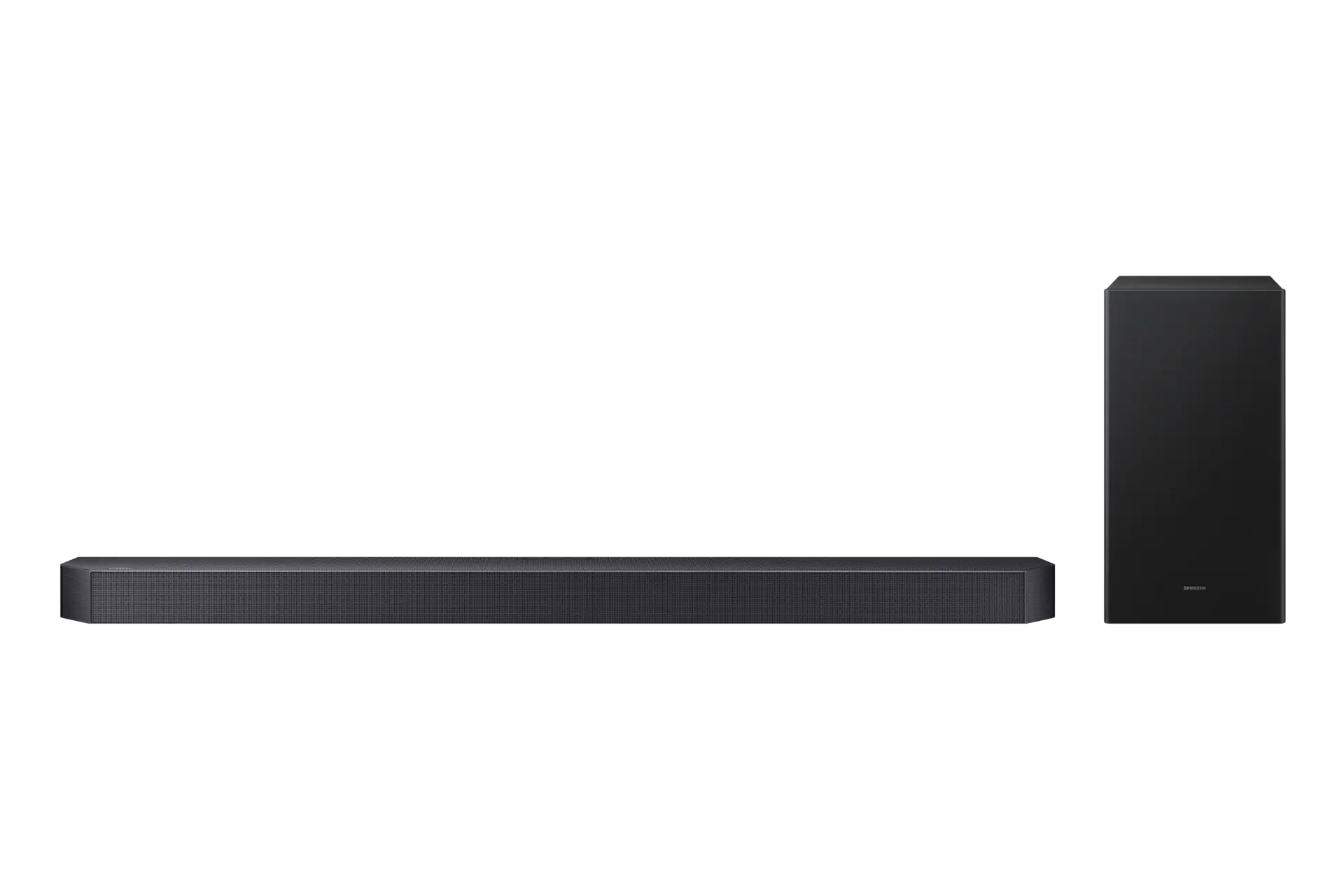
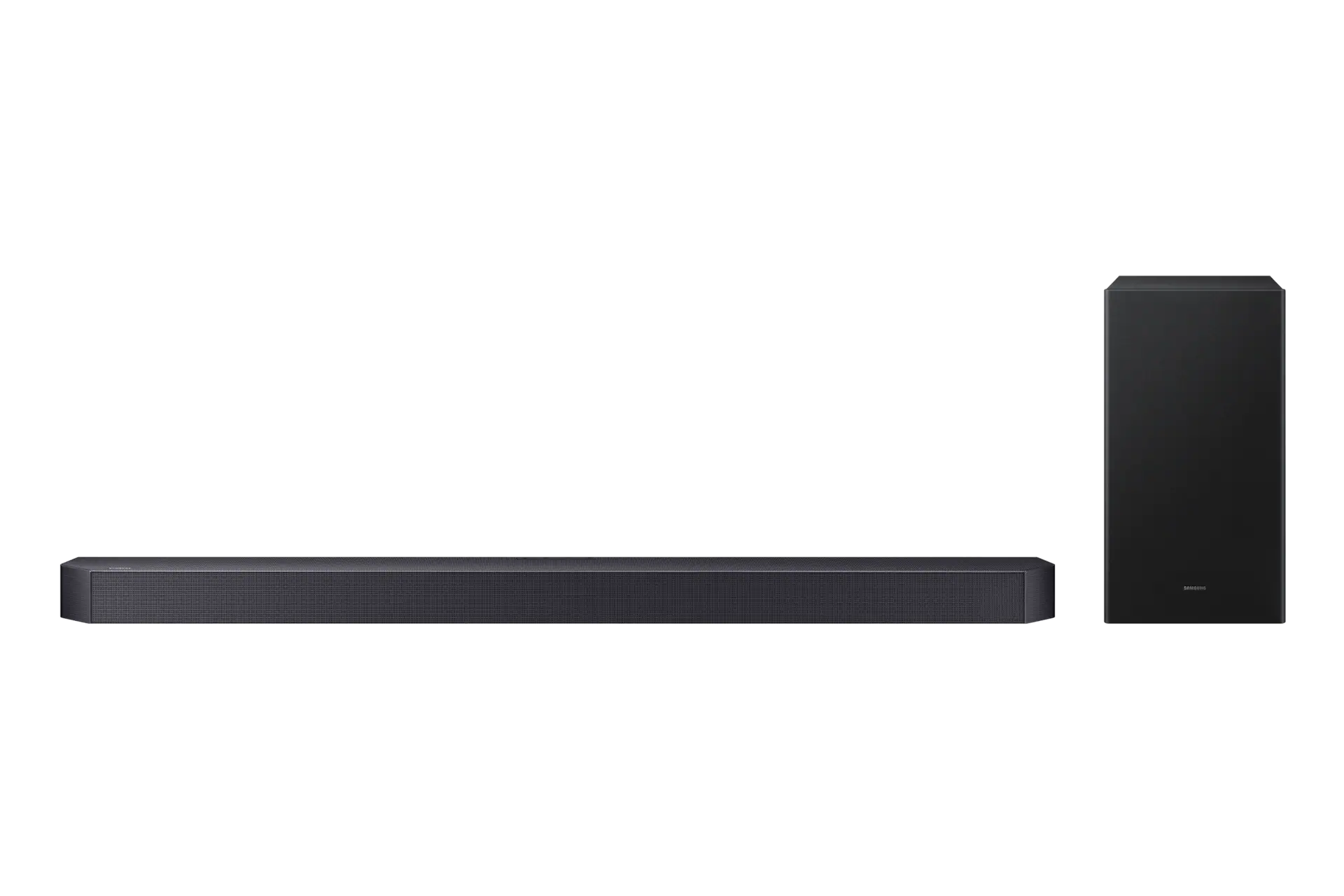


Escanea el código QR con tu celular y ubica la imagen del producto en el lugar que desees.
{{upgradeResult.displayModelName}}
{{upgradeResult.discountText1}}
{{upgradeResult.description1}}
{{upgradeResult.description2}}
{{offerFinance.title}}
{{offerFinance.learnMoreCta.text}}{{offerFinance.description}}
{{galaxyForeverResult.displayModelName}}
{{galaxyForeverResult.discountText1}}
{{galaxyForeverResult.description1}}
{{galaxyForeverResult.description2}}
Bezel_Choose your color
Customizable bezels sold separately
Choose your skin color
Customizable skin sold separately
-
{{item.name}}
Sin existencias
Modern Type
-
{{item.name}}
Sin existencias
Beveled Type
-
{{item.name}}
Sin existencias
Skin color
-
{{item.name}}
Sin existencias
Bezel type

- Modern Type
The Frame's custom bezels magnetically click into place. Now, you can switch between styles in a snap.
Bezel type

- Beveled Type
The new Beveled type bezel design offers an elegant 45-degree angled inner edge bezel.
{{tradeIn.title}}
{{tradeIn.learnMoreCta.text}}{{tradeIn.description}}
{{tradeInResult.displayModelName}}
{{tradeInResult.discountText1}}
{{tradeInResult.discountText2}}
{{tradeInResult.discountText3}}
{{tradeInResult.discountText4}}
{{tradeInResult.discountText5}}
{{tradeInResult.discountText6}}
{{tradeInResult.specialDiscountText}}
{{tradeInResult.description}}
{{tradeInResult.contentText}}
EliminarDealer stock quantity
You can check the stock quantity for each region
Please select city
{{assuredBuyBack.title}}
{{newAssuredBuyBack.title}}
{{newAssuredBuyBack.learnMoreCta.text}}{{newAssuredBuyBack.description}}
Please select Samsung Assured Buyback or no coverage
{{care.title}}
{{care.learnMoreCta.text}}{{care.description}}
Selecciona Samsung Care+ o No para continuar
-
-
{{item.specialText}}
{{warrantyResult.displayModelName}}
{{warrantyResult.discountText1}}
{{warrantyResult.description1}}
{{warrantyVdResult.title}}
{{warrantyVdResult.priceDisplay}}
{{delivery.headline}}
{{delivery.errorMessage}}
{{deliveryResult.priorityText}}
{{deliveryResult.mainText}}
{{deliveryResult.subText}}
Standard installation charges may apply.Click here for more details.
{{deliveryResult.decText}}
{{item.disclaimer}}
{{tariffOptionResult.displayModelName}}
{{tariffOptionResult.discountText1}}
{{tariffOptionResult.description1}}
{{tariffOptionResult.description2}}
{{tariffOptionResult.description}}
{{tariffOptionResult.price}}
{{tariffOptionResult.disclaimer}}
{{embedAddon.title}}
{{embedAddon.description}}
-
{{item.name}}
{{item.modelCode}}
{{item.description}}
{{item.finalPrice}}
{{item.originalPrice}}{{item.savePrice}} Sin existencias
-
{{item.name}}
{{item.modelCode}}
{{item.description}}
- {{item.dotList1}}
- {{item.dotList2}}
- {{item.dotList3}}
{{item.finalPrice}}
{{item.originalPrice}}{{item.savePrice}} Sin existencias
{{message.item.tcCTAText}}
{{message.item.periodText}}
Destacados

Verdadero sonido de 3.1.2 canales
Verdadero sonido de 3.1.2 canales

Dolby Atmos / DTS Virtual:X
Dolby Atmos / DTS Virtual:X

Q-Symphony
Q-Symphony

Sonido adaptativo
Sonido adaptativo
Características
Experiencia de sonido fiel a la esencia


Principales características clave


Verdadero sonido de 3.1.2 canales
Sonido superior cautivador con 2 canales superiores
Con 3 canales principales, 1 canal de subwoofer y 2 canales superiores, esta barra de sonido crea un entorno de audio completo para una experiencia de entretenimiento cautivadora.


* 3.1.2 canales (3 canales delanteros y envolventes, 1 canal de subwoofer, 2 canales superiores). Un subwoofer inalámbrico incluido.
Dolby Atmos / DTS Virtual:X
Excelente sonido 3D que te envuelve
Experimenta un sonido envolvente gracias a los formatos de audio basados en objetos como Dolby Atmos y DTS Virtual:X.


Q-Symphony
TV y barra de sonido sincronizados en armonía
Con Q-Symphony, la AI separa los sonidos de voz y de fondo para reproducirlos a través del canal óptimo. Ahora obtienes un diálogo más nítido y un sonido envolvente 3D más envolvente, que se reproduce a través de los altavoces y la barra de sonido del TV en total sinergia.


* Q-Symphony requiere un Samsung TV 2022-2025 compatible (BU8000 y superior para los modelos 2022, CU7000 y superior para los modelos 2023, DU7000 y superior para los modelos 2024, U8000F y superior para los modelos 2025 y modelos 2022-2025 de The Frame).
Sonido adaptativo
Sonido optimizado para cada escena
Obtén una experiencia auditiva óptima para cada escena. La barra de sonido reconoce el tipo de contenido que estás viendo y adapta automáticamente la configuración de audio para producir voces nítidas y sonidos detallados.


SpaceFit Sound Pro
Sonido adaptado perfectamente a tu espacioDisfruta de un sonido impresionante que se adapta a tu habitación. La barra de sonido analiza el espacio y ajusta el audio en consecuencia, incluso optimizando los bajos, para máxima nítidez e inmersión.


* SpaceFit Sound Pro solo funciona con algunos Samsung TV 2021-2025 (Q7 y superiores para los modelos 2021-2024, Q8FA y superiores para los modelos 2025 y modelos 2021-2025 de The Frame).
Modo profesional Juegos
Forma parte del juego con un sonido dinámicoSumérgete directamente en la acción del juego gracias a un sonido 3D vibrante. La barra de sonido ajusta el audio automáticamente cuando detecta una consola conectada a tu Samsung TV. Además, si juegas a través del Centro de juegos del Samsung TV, optimiza el audio según el tipo de juego.


* La optimización del sonido en el Centro de juegos Samsung puede variar según la región y el modelo del TV. * La consola de juegos se vende por separado. Los dispositivos compatibles pueden variar.
Compatible con sonido envolvente inalámbrico
Amplía tu sonido envolvente y obtén más funcionesEl kit de altavoces posteriores inalámbricos te permite expandir fácilmente tu barra de sonido a un sistema de sonido envolvente para una experiencia cinematográfica mejorada.


* El kit de altavoces posteriores inalámbricos de Samsung se vende por separado (SWA-9250S) y requiere cables de alimentación para conectar los altavoces posteriores derecho e izquierdo.
HDMI eARC
Calidad de sonido entregada de forma fluidaLa barra de sonido cuenta con tecnología HDMI eARC, lo que permite una transmisión de sonido suave desde el TV y sus dispositivos conectados. Ahora puedes disfrutar de formatos de sonido envolvente 3D como Dolby Atmos en alta calidad.


* Requiere TV, dispositivos fuente y contenido especializado compatibles.
Conexión al TV con Bluetooth®
Conecta la barra de sonido al TV de forma inalámbrica¿Los cables se interponen en el camino de tu configuración? Simplemente usa Bluetooth para conectar la barra de sonido al TV y disfruta de todo tu contenido favorito de forma inalámbrica.
* Disponible en los Samsung TV compatibles con Bluetooth.

Un control remoto
Un control remoto para el control totalEl control remoto de tu Samsung TV no es solo para el TV. Úsalo para controlar las funciones clave de la barra de sonido, como encendido, volumen y efectos de sonido.
* Disponible en los Samsung TV compatibles con Bluetooth.

Laboratorio de audio Samsung
Diseñado por expertos en innovación de sonidoProbado y optimizado en nuestro California Audio Lab, donde ingenieros en sonido de primer nivel aplican las avanzadas tecnologías acústicas para brindarte un sonido envolvente y equilibrado.


* Imagen simulada solo con fines ilustrativos. Para funcionar, cada componente requiere un cable de alimentación separado. Las especificaciones de apariencia y diseño que no afectan el rendimiento del producto pueden cambiar sin previo aviso. * El producto real puede diferir del que se muestra en la imagen. Consulta nuestra galería de productos.
Comparar modelos
Comparar características
-
Barra de Sonido HW-Q600F/ZL
-
Barra de Sonido HW-QS700F/ZL
-
Barra de Sonido HW-Q800F/ZL
-
HW-Q600F/ZLBarra de Sonido HW-Q600F/ZL
-
HW-QS700F/ZLBarra de Sonido HW-QS700F/ZL
-
HW-Q800F/ZLBarra de Sonido HW-Q800F/ZL


Especificaciones clave
-
Número de canales
3.1.2
-
Número de canales
3.1.2
-
Número de canales
5.1.2
-
Kit de parlantes inalámbricos incluido
No
-
Kit de parlantes inalámbricos incluido
No
-
Kit de parlantes inalámbricos incluido
No
-
![Subwoofer with Bass Boost]()
Subwoofer inalámbrico incluido
Sí
-
![Subwoofer with Bass Boost]()
Subwoofer inalámbrico incluido
Sí
-
![Subwoofer with Bass Boost]()
Subwoofer inalámbrico incluido
Sí

-
![Q-symphony with Samsung TV]()
Modo Sinfonía
Sí
-
![Q-symphony with Samsung TV]()
Modo Sinfonía
Sí
-
![Q-symphony with Samsung TV]()
Modo Sinfonía
Sí

-
![Dolby Support]()
Dolby
Dolby ATMOS, (* Dolby ATMOS Music), Dolby True HD, Dolby Digital Plus, Dolby de 5.1 canales
-
![Dolby Support]()
Dolby
ATMOS Music,ATMOS,Dolby 5.1ch,Dolby Digital Plus,Dolby True HD
-
![Dolby Support]()
Dolby
ATMOS Music,ATMOS,Dolby 5.1ch,Dolby Digital Plus,Dolby True HD

-
![SpaceFit Sound Pro]()
SpaceFit Sound Pro
Sí (compatible con TV)
-
![SpaceFit Sound Pro]()
SpaceFit Sound Pro
Sí (funciona con TV)
-
![SpaceFit Sound Pro]()
SpaceFit Sound Pro
Sí

-
![]()
Wi-Fi
No
-
![]()
Wi-Fi
Sí
-
![]()
Wi-Fi
Sí

-
![HDMI ARC Support]()
HDMI ARC
Sí (eARC)
-
![HDMI ARC Support]()
HDMI ARC
Sí(eARC)
-
![HDMI ARC Support]()
HDMI ARC
Sí(eARC)

-
Dimensiones netas (altavoces principales) (An x Al x Prof)
1030.0 x 57.0 x 105.0 mm
-
Dimensiones netas (altavoces principales) (An x Al x Prof)
1160.0 x 51.0 x 120.0 mm
-
Dimensiones netas (altavoces principales) (An x Al x Prof)
1110.7 x 60.4 x 120.0 mm
Especificaciones
-
Número de canales
3.1.2
-
Dimensiones de la barra de sonido en caja (An x Al x Prof)
1088.0 x 440.0 x 235.0 mm
-
Peso Bruto (1 bulto)
11.3 kg
-
Energía
0.5W
-
Consumo en Funcionamento (Barra)
34 W
-
Número de canales
3.1.2
-
Altavoz frontal ancho
9
-
Color
Negro
-
Altavoz central
Sí
-
Altavoz superior
Sí
-
Altavoz frontal ancho
No
-
Altavoz lateral
No
-
Subwoofer inalámbrico incluido
Sí
-
Kit de parlantes inalámbricos incluido
No
-
Dolby
Dolby ATMOS, (* Dolby ATMOS Music), Dolby True HD, Dolby Digital Plus, Dolby de 5.1 canales
-
Modo de mejora de voz
Sí
-
Modo Noche
Sí
-
SpaceFit Sound Pro
Sí (compatible con TV)
-
Active Voice Amplifier Pro
No
-
Modos de sonido
Expansión de sonido envolvente, Game Pro, adaptable, DTS Virtual:X, estándar
-
LPCM
Multicanal
-
Moderate Bass
No
-
Video Pass de 4K
60Hz
-
HDR
HDR 10+
-
Formato de decodificación
MP3,AAC,OGG,FLAC,WAV,AIFF
-
Entrada de HDMI
1
-
Salida de HDMI
1
-
HDMI ARC
Sí (eARC)
-
HDMI CEC
Sí
-
Audio Óptico
1
-
Bluetooth
Sí
-
Wi-Fi
No
-
Reproducción de música de USB
Sí
-
Control remoto
Sí
-
Versión de Bluetooth
4.2
-
SmartThings
No
-
Modo Sinfonía
Sí
-
Wireless Dolby ATMOS
No
-
Altavoz posterior de distintas posiciones
No
-
Sonido con un toque
Sí
-
Chromecast
No
-
Spotify Connect
No
-
Servicio Roon
No
-
AirPlay
No
-
Tidal Connect
No
-
Compatible con Google
No
-
Bixby
No
-
Alexa
No
-
Dimensiones netas (altavoces principales) (An x Al x Prof)
1030.0 x 57.0 x 105.0 mm
-
Dimensiones netas (subwoofer) (An x Al x Prof)
184.0 x 343.0 x 295.0 mm
-
Dimensiones de la barra de sonido en caja (An x Al x Prof)
1088.0 x 440.0 x 235.0 mm
-
Peso neto (altavoces principales)
3.9 kg
-
Peso neto (Subwoofer)
5.2 kg
-
Peso Bruto (1 bulto)
11.3 kg
-
Consumo en Stand-by (Barra)
0.5W
-
Consumo en Stand-by (Subwoofer)
0.5W
-
Consumo en Funcionamento (Barra)
34 W
-
Consumo en Funcionamento (Subwoofer)
40 W
-
Voltaje libre
Sí
-
Eficiencia Energética
No
-
Control remoto
Sí
-
Soporte de pared
Sí (/KR: anclaje de soporte, tornillo incluido)
Reseñas
Barra de Sonido HW-Q600F/ZL
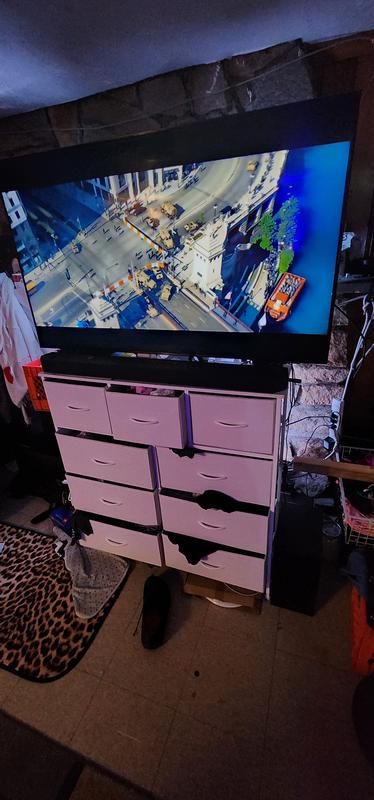
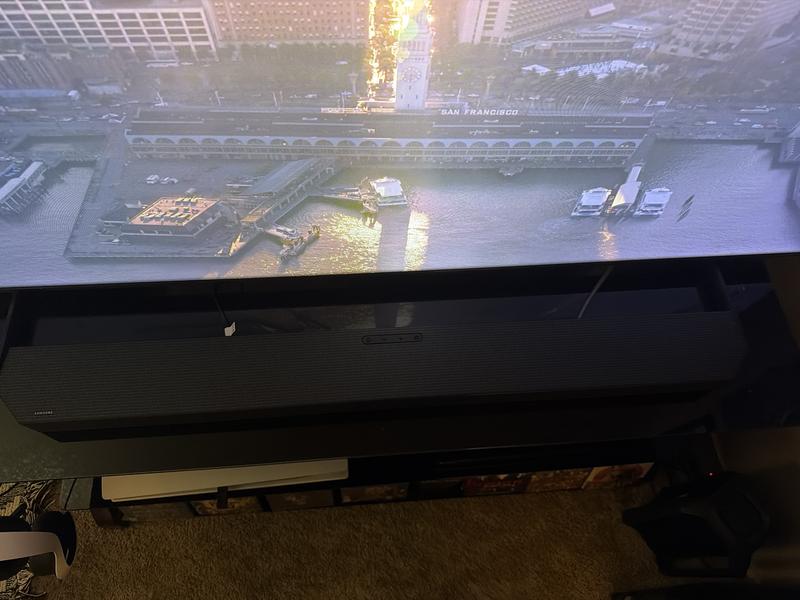
- Los clientes destacan el bajo profundo y potente que mejora películas y videojuegos sin abrumar el diálogo.
- Muchos elogian la claridad excepcional de la voz, que permanece nítida y centrada en escenas complejas.
- Los altavoces orientados hacia arriba crean una experiencia de sonido envolvente con movimiento realista alrededor del oyente.
- La mayoría aprecia la integración fluida y la configuración sencilla con sistemas de entretenimiento existentes.
- Algunos pocos mencionan opciones de personalización limitadas, pero la mayoría considera que ofrece excelente valor.
Reseñas con imágenes y videos
Filtros
El orden por relevancia coloca las mejores reseñas en la parte superior. Consideramos los votos importantes, la reseña más reciente, imágenes y otras características que los lectores buscan en sus reseñas.
Filtros
532 Reseñas
2025-06-18
Erfurt


Samsung Service Team
Hallo, wir danken dir, dass du dir die Zeit genommen hast, diese Bewertung zu schreiben. Wir schätzen deine Begeisterung und wünschen dir noch viel Freude mit deinem Modell.
2025-06-13


Samsung Service Team
Hallo, vielen Dank für dein Feedback. Wie wunderbar zu lesen, dass du von unserem Produkt so begeistert bist. Wenn unsere Kunden zufrieden sind, sind wir es auch.
2025-06-17
Köln


Samsung Service Team
Hallo, wir danken dir für das Teilen deiner Eindrücke mit deinem Modell. Deine Kritik geben wir gerne weiter.
2025-06-16
Köln


Samsung Service Team
Hallo, wir danken dir, dass du dir die Zeit genommen hast, diese ausführliche Rezension zu schreiben und deine Eindrücke zu deiner Q-Serie Soundbar HW-Q610GF mit uns zu teilen. Viel Freude mit deinem Modell wünschen wir dir.
2026-11-12
Nuevo Leon


2025-06-21


Samsung Service Team
Hallo, vielen Dank für die positive Bewertung.
2026-06-16
Pittsburgh PA

2026-07-21
North Las Vegas, NV

2026-10-26
Atlanta GA

2026-04-21
Dallas, Tx

2025-06-12


Service clients Samsung
Bonjour Audrey05, Merci beaucoup ! Nous sommes ravis que vous appréciiez notre Barre de son Q-Series ! Nous vous recommandons de visiter notre site pour découvrir les dernières nouveautés et compléter votre écosystème Samsung : https://www.samsung.com/fr/ Cordialement Charlie, Service clients Samsung
2025-06-29
Flensburg


Samsung Service Team
Hallo Lukas, vielen Dank für die positive Bewertung. Es freut uns, dass du dir die Zeit für das Feedback genommen hast. Wir wünschen dir noch viel Vergnügen mit deiner Q-Serie Soundbar HW-Q610GF.
2025-07-11
Vreden


Samsung Service Team
Hallo, über deine lobende Rezension freuen wir uns sehr. Wie schön, dass du bereits mit Freude einige der neuen Funktionen getestet hast und begeistert bist.
2026-05-18
Lemon Grove, Ca

2026-06-06
Yellville, Arkansas


2025-07-10
Berlin


Samsung Service Team
Hallo, wir freuen uns über deine Begeisterung und wünschen dir noch viel Freude beim Nutzen deiner Soundbar HW-Q610GF.
2026-09-15
Peoria, IL


2026-03-08
Wisconsin

Samsung Solutions
Hello Leah724, Thank you for taking a few moments to review the HW-Q600F Samsung Soundbar. We value your feedback and will share it with our teams. The HW-Q600F soundbar does not support the SmartThings app. You can manually optimize your audio experience by pressing the SOUND MODE button to select the desired pre-equalized sound setting. The choices are SURROUND SOUND – GAME – ADAPTIVE SOUND – DTS VIRTUAL:X – STANDARD. To control the volume of the treble or bass sound, press the TONE CONTROL button and then adjust the volume between -6 to +6 by using the Up/Down buttons. Press and hold the SOUND CONTROL button for about 5 seconds to adjust the sound for each frequency band. 150Hz, 300Hz, 600Hz, 1.2kHz, 2.5kHz, 5kHz, and 10kHz are selectable using the Left/Right buttons and each can be adjusted to a setting between -6 to +6 using the Up/Down buttons. (Make sure the Sound mode is set to “STANDARD”.) Press the CH LEVEL button so you can adjust the volume of each speaker. CENTER LEVEL or TOP LEVEL can be adjusted using the UP/DOWN buttons from -6 to +6. With the optional SWA-9250S Wireless Rear Speaker Kit connected you can adjust the volume by using the provided Soundbar remote. Press CH LEVEL and select REAR LEVEL, then use the Up/Down buttons to adjust the volume within a -6 to +6 range. I hope these tips help you enjoy your new product. You can always contact us for further help at 1-800-SAMSUNG (Ask for Soundbars), 8 AM – 12 AM EST, 7 days a week. Our Live Chat agents are also available by clicking on the ‘Support’ link on our website. ~ Samsung Solutions
2026-01-26


2026-06-10
Spokane Valley Wa


2026-03-05
Fort Worth, texas


2026-06-19
Puyallup, Wa

2026-10-26
Milford Mill Maryland


2026-06-05


2025-05-08
2026-01-28
Hildesheim


Samsung Service Team
Hallo, deine begeisterte Bewertung erfreut uns sehr. Wir danken dir vielmals für das Teilen deine Eindrücke von dem Modell.
2026-10-26
Maryland


2025-12-20


2025-12-20
2025-06-18


Samsung Service Team
Hallo, wir freuen uns über dein zufriedenes Feedback. Gerne haben wir gelesen, welche Aspekte deiner Q-Serie Soundbar dich so richtig begeistern konnten. Viel Spaß wünschen wir dir noch damit.
2026-04-22
Omaha, NE


2026-05-18
Puerto Rico
2026-08-24
Austin, TX
2025-06-20

2026-07-26
Texas
2025-07-27

2026-05-14
2026-05-22
Houston, TX


2026-03-31
El paso, texas

2026-10-08
2026-09-20
Texas


2025-07-11


Samsung Service Team
Hallo, wir freuen uns zu lesen, dass du von deinem Modell so begeistert bist und die Funktionen schätzt.
2025-05-20

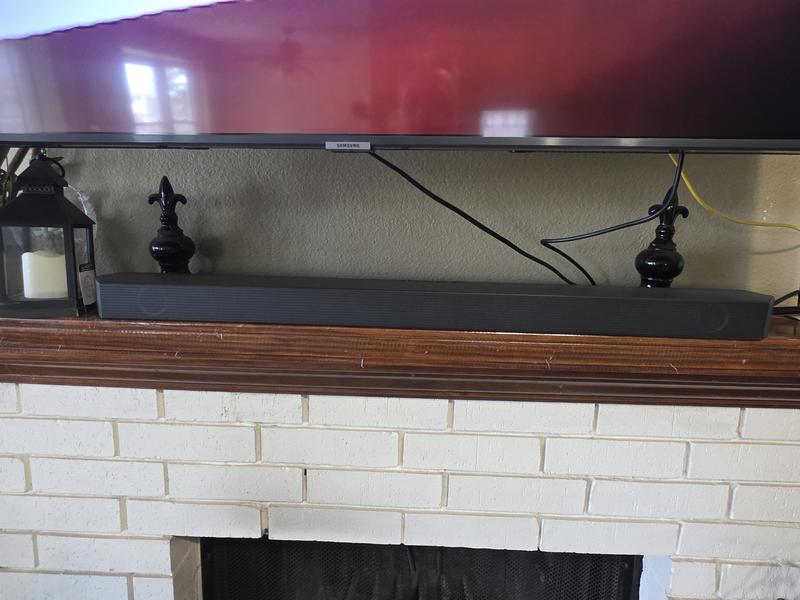
2025-06-20

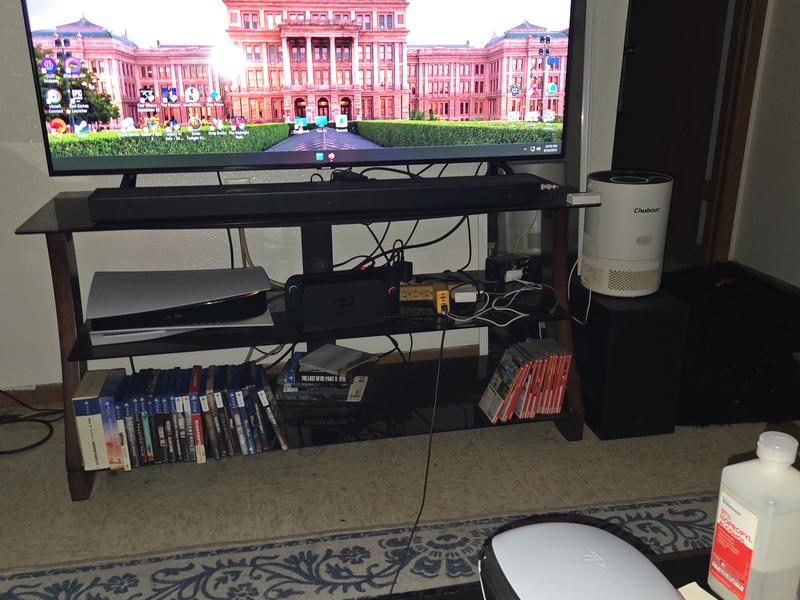
2025-09-02

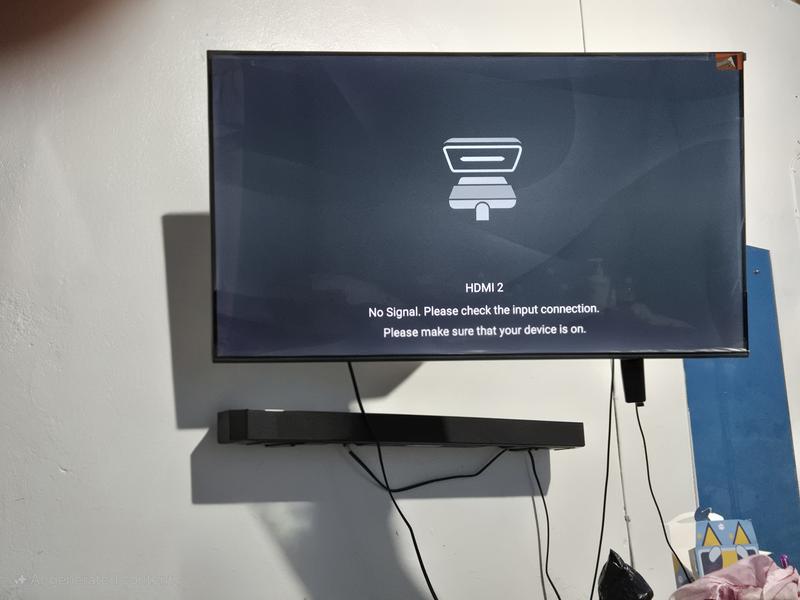
2026-10-17
SAUKVILLE WI


2026-10-26
NEW HAVEN indiana


2026-03-20
Atlanta, GA


2026-11-19
Los Angeles


2025-07-21

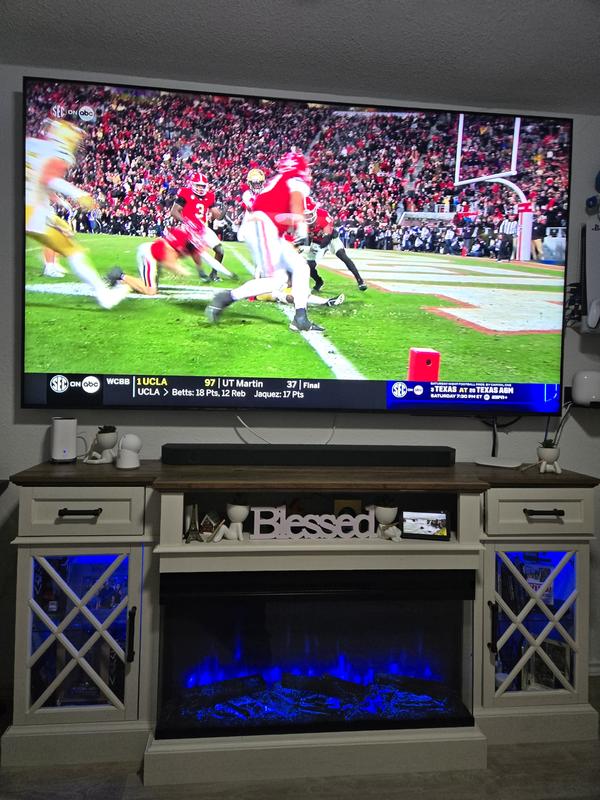
2025-12-17


Samsung Service Team
Hallo, wir haben uns sehr über deine begeisterte Rezension gefreut!
2025-05-05

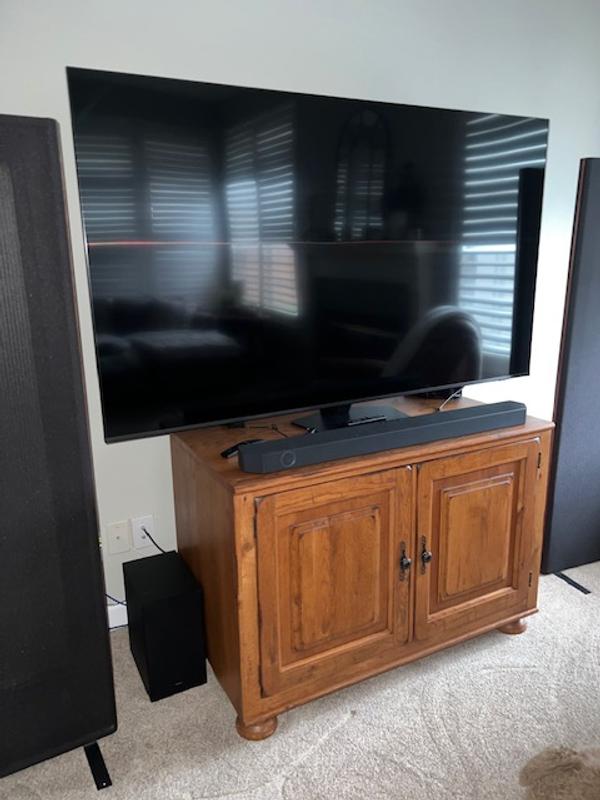
2025-12-31

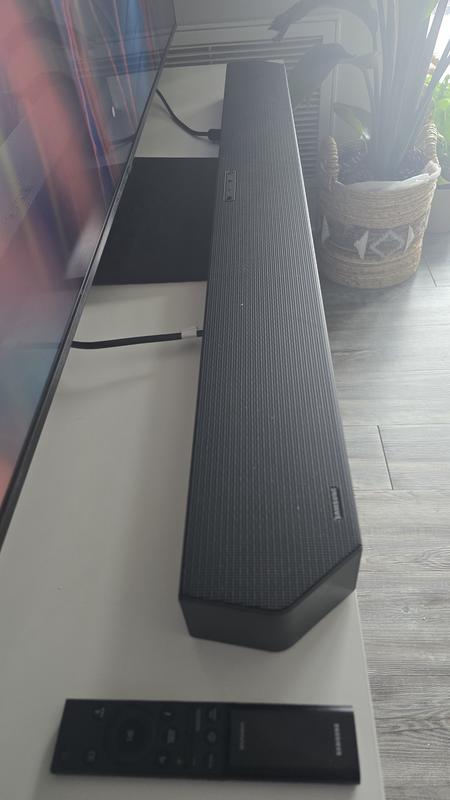
2025-07-14

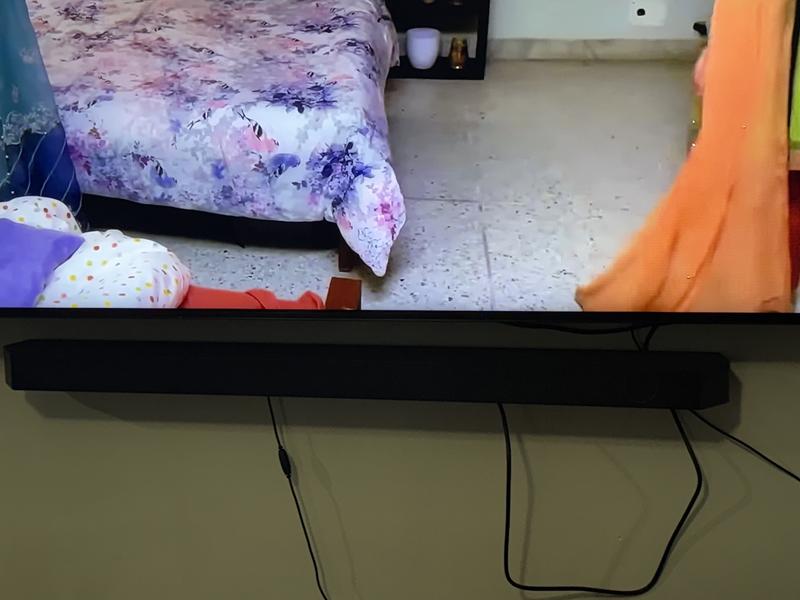
Samsung Solutions
Hello Alipro, Thank you for taking a moment to review the Samsung HW-Q600F Soundbar. Updating the firmware on your soundbar gives you all the benefits of the latest improvements. When an update is available, you can update the Soundbar by connecting the USB drive that contains the update firmware to the SERVICE port of the Soundbar. 1.Go to the Samsung Electronics website (www.samsung.com) → click on the “Support” option in the upper right corner. 2.Click on “Manuals & Software” from the pop-up list > TVs & Home Theater > Home Theater > Select your model 2. Download the firmware file (USB type). 3. Unzip the file to create a folder with the file name. 4. Store the created folder in a USB and then connect it to the Soundbar. 5. A sequence of “UPDATE” > “BYE” > “ON” will appear on the display 3 times. This will take around 6 minutes. - During update, do not turn it off or remove the USB. - If “UPDATE” does not appear on the display window, remove the power cord from the Soundbar and then reconnect it. - When the latest Version is installed, no update is performed. - Depending on the USB type, update may not be supported. 6. After the 3 cycles are complete, the Soundbar will restart and last source used will appear on the display for about 20 seconds and then it will go off (“UPDATE” > “BYE” > “ON”) 3 times “D.IN” > off If you are still experiencing this issue please contact Samsung Support so we can provide further troubleshooting to resolve this issue. . Just give us a call at 1-800-SAMSUNG (Ask for Soundbars), 8AM - 12AM EST, 7 days a week. Our Live Chat agents are also available by clicking on the ‘Support’ link on our website. ~ Samsung Solutions
2025-12-05

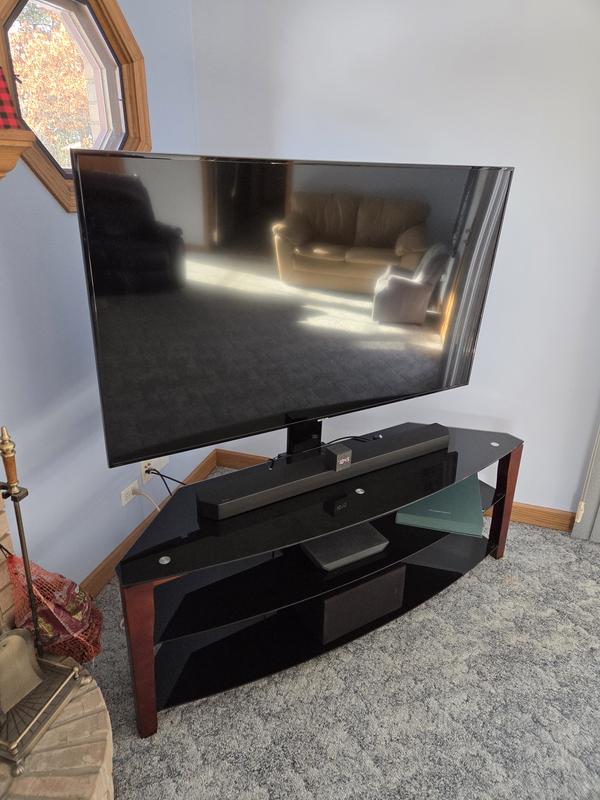
2026-03-07
Kansas City, MO


2025-05-10

2025-07-20

2026-10-26
Texas


2025-10-02

2026-06-19
Texas


2025-09-16
Denver Colorado

2025-12-20

2025-11-23

2025-11-20
Hamburg


Samsung Service Team
Hallo, wir haben uns sehr über deine begeisterte Rezension gefreut! Wir wünschen dir weiterhin viel Freude mit dem Gerät.
2025-12-25

2026-06-15
Overland Park KS


Samsung Solutions
Hi kearneycom, We appreciate you taking a moment to review the Samsung HW-Q600F Soundbar. If the video on the TV and audio from the soundbar are not synchronized, press the SOUND CONTROL button on the soundbar remote, until you see AUDIO SYNC on the display. You can then set the audio delay between 0~300 milliseconds by using the Up/Down buttons. Additionally, please make sure your soundbar is using the latest firmware version. You can update the firmware version of your soundbar by using a USB device. If available, you may also want to update the firmware Version of your TV which may feature audio delay improvements. If you continue to experience audio delay, and are connected wirelessly, please use the included HDMI cable to connect the soundbar to the TV. Using a wired connection instead of wireless often eliminates the audio delay entirely and improves the user experience. If you need more help, Samsung is here for you. Please call us at 1-800-SAMSUNG, Mon – Fri 8 AM – 9 PM EST, Sat & Sun 8 AM – 6 PM EST. Live Chat with an agent as well as manuals, software, creating a service ticket, and warranty info can be found at the ‘Support’ link on our Samsung website. ~ Samsung Solutions
2025-07-05

2025-12-20

2025-12-27

2026-05-18
Bennington Nh


2026-09-09
NJ


2025-09-28

2025-10-22


Service clients Samsung
Bonjour jcdemaret, Merci de partager vos impressions sur notre Barre de son Q-Series. Nous regrettons que votre expérience n'ait pas été à la hauteur de vos attentes. Pour trouver une solution adaptée à votre situation, nous vous invitons à contacter l’un de nos collaborateurs: https://www.samsung.com/fr/support/contact Nous restons à votre disposition. Cordialement Alex, Service clients Samsung
2026-03-10
Edmond, Oklahoma


2026-09-14
Chanhassen MN


2025-05-07

2026-09-14
Pittsburgh Pennsylvania


Samsung Solutions
Hi Samiam12, Thank you for sharing your review of the HW-Q600F Soundbar. We value your feedback and will share it with our teams. There are two adjustments that can be made to maximize bass from the soundbar and subwoofer: 1. Using the WOOFER button on the remote, you can adjust the level between -6 to +6. To set the subwoofer volume level to 0, press the button in. 2. Adjust the bass control by pressing the TONE CONTROL button on the remote control, then select BASS to increase the level. You can adjust the volume between -6 to +6 by using the Up/Down buttons. For precise audio adjustments, you can use the 7-band frequency equalizer to optimize the sound for your room acoustics. I hope this helps. For further assistance with features, settings, adjustments, or functions please contact Samsung Customer Support. Just give us a call at 1-800-SAMSUNG (Ask for Soundbars), Mon – Fri 8 AM – 9 PM EST, Sat & Sun 8 AM – 6 PM EST. Our Live Chat agents are also available by clicking on the ‘Support’ link on our website. ~ Samsung Solutions
2025-09-20

2026-05-20
El Paso, TX


2026-05-21


2025-08-01

2026-10-20


2025-04-27


2025-05-05

2025-12-12


2025-07-04

2025-05-01


2026-06-15
Florida


2025-07-09

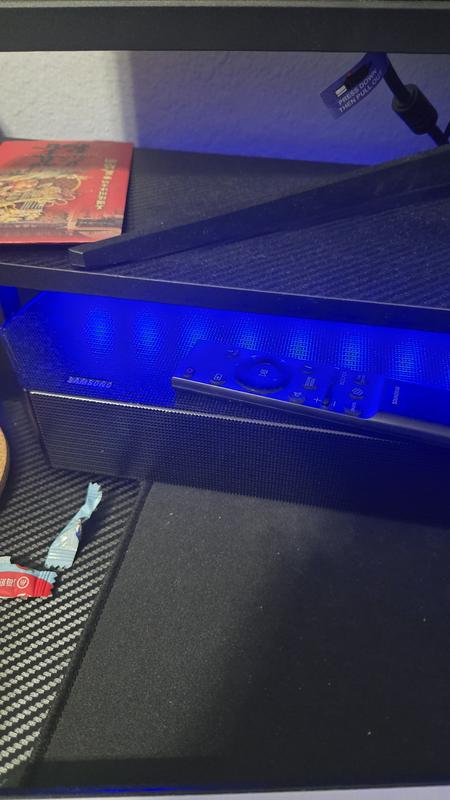
2026-01-08


Service clients Samsung
Bonjour André 14, Merci beaucoup d'avoir choisi un produit Samsung ! Nous sommes ravis de savoir que votre Barre de son Q-Series vous apporte entière satisfaction. Nous vous recommandons de visiter notre site Samsung pour découvrir les nouveautés de cette année: https://www.samsung.com/fr/ Cordialement Alex, Service clients Samsung
2026-08-31


2025-07-20

Samsung Solutions
Hi Beefer79, We appreciate you taking a few moments to review the Samsung HW-Q600F Soundbar. You can manually optimize your audio experience by pressing the SOUND MODE button to select the desired pre-equalized sound setting. The choices are SURROUND SOUND – GAME – ADAPTIVE SOUND – DTS VIRTUAL:X – STANDARD. To control the volume of the treble or bass sound, press the TONE CONTROL button and then adjust the volume between -6 to +6 by using the Up/Down buttons. Press and hold the SOUND CONTROL button for about 5 seconds to adjust the sound for each frequency band. 150Hz, 300Hz, 600Hz, 1.2kHz, 2.5kHz, 5kHz, and 10kHz are selectable using the Left/Right buttons and each can be adjusted to a setting between -6 to +6 using the Up/Down buttons. (Make sure the Sound mode is set to “STANDARD”.) Press the CH LEVEL button so you can adjust the volume of each speaker. CENTER LEVEL or TOP LEVEL can be adjusted using the UP/DOWN buttons from -6 to +6. With the optional SWA-9250S Wireless Rear Speaker Kit connected you can adjust the volume by using the provided Soundbar remote. Press CH LEVEL and select REAR LEVEL, then use the Up/Down buttons to adjust the volume within a -6 to +6 range. If we can help with anything else, please call us at 1-800-SAMSUNG (Ask for Soundbars), 8 AM – 12 AM EST, 7 days a week. Live Chat with an agent as well as manuals, software, creating a service ticket, and warranty info can be found at the ‘Support’ link on our Samsung website. ~ Samsung Solutions
2026-07-29
Pennsylvania
Samsung Solutions
Hi RobD, We appreciate you taking a few moments to review the HW-Q600F Samsung Soundbar. Here are some troubleshooting steps that may help: First, make sure your Soundbar is running the latest firmware. Visit Samsung.com, select Support > Manuals & Software > TVs & Home Audio > Home Audio > Soundbars, then locate your Soundbar model and download the newest firmware version. The update can be installed using a USB flash drive, and Samsung provides step-by-step instructions on the support page. You should also verify that your TV has the latest software installed by navigating to Settings > Support > Software Update on your TV. Next, perform a soft reset by unplugging the Soundbar from power for approximately 30 seconds, then plugging it back in and testing it again. If the issue persists, perform a factory reset. With the Soundbar powered on, press and hold the Volume + and Volume - buttons on the Soundbar itself for at least 5 seconds until "INIT OK" or "INIT" appears on the display. You can also reset the Soundbar using the remote: with the Soundbar powered on, press and hold the Sound Control (Gear) button for about 10 seconds. When "150HZ" appears on the display, continue holding the button until "INIT" appears, then release it. If you need more help, Samsung is here for you. Please call us at 1-800-SAMSUNG, Mon – Fri 8 AM – 9 PM EST, Sat & Sun 8 AM – 6 PM EST. Live Chat with an agent as well as manuals, software, creating a service ticket, and warranty info can be found at the ‘Support’ link on our Samsung website. ~ Samsung Solutions
2025-10-03
Köln


Samsung Service Team
Hallo, vielen Dank für die positive Bewertung. Es freut uns, dass du dir die Zeit für das Feedback genommen hast. Wir wünschen dir noch viel Vergnügen mit deinem Gerät.
2026-05-23


Samsung Service Team
Hallo, vielen Dank, dass du dich für unser Samsung Produkt entschieden hast und dir die Zeit für das positive Feedback genommen hast. Wir sind froh zu lesen, dass du unser Produkt schätzt und es gerne benutzt. Weiterhin viel Freude damit!
2026-11-22
Austin,tx
2026-07-24
Samsung Solutions
Hello PleaseGimme500, Thank you for sharing your review of Samsung’s HW-Q600F Soundbar. We’re sorry your experience didn’t match your expectations. Your feedback is very important to us as we continuously strive for best-in-class product and service. Updating the firmware on your soundbar gives you all the benefits of the latest improvements. When an update is available, you can update the Soundbar by connecting the USB drive that contains the update firmware to the SERVICE port of the Soundbar. 1.Go to the Samsung Electronics website (www.samsung.com) → click on the “Support” option in the upper right corner. 2.Click on “Manuals & Software” from the pop-up list > TVs & Home Theater > Home Theater > Select your model 2. Download the firmware file (USB type). 3. Unzip the file to create a folder with the file name. 4. Store the created folder in a USB and then connect it to the Soundbar. 5. A sequence of “UPDATE” > “BYE” > “ON” will appear on the display 3 times. This will take around 6 minutes. - During update, do not turn it off or remove the USB. - If “UPDATE” does not appear on the display window, remove the power cord from the Soundbar and then reconnect it. - When the latest Version is installed, no update is performed. - Depending on the USB type, update may not be supported. 6. After the 3 cycles are complete, the Soundbar will restart and last source used will appear on the display for about 20 seconds and then it will go off (“UPDATE” > “BYE” > “ON”) 3 times “D.IN” > off If you need more help, Samsung is here for you. Please call us at 1-800-SAMSUNG, Mon – Fri 8 AM – 9 PM EST, Sat & Sun 8 AM – 6 PM EST. Live Chat with an agent as well as manuals, software, creating a service ticket, and warranty info can be found at the ‘Support’ link on our Samsung website. ~ Samsung Solutions
2025-07-28
2026-07-20
Estas reseñas son gestionadas por Bazaarvoice y cumplen la Política de autenticidad de Bazaarvoice, que está respaldada por análisis humano y tecnología contra el fraude.
Más información en
Manual del usuario y Descargas
Soluciones y consejos
Soporte de productos
Encuentra respuestas a las dudas que tienes sobre el producto
* Una característica principal puede diferir de aquella descrita en las especificaciones técnicas


