How to set and manage alarms on your Samsung smart watch
Set an alarm
You can set your watch to ring or vibrate at a set time.
Alarms created on your watch won't appear on your connected phone. On newer models, phone alarms should sync with your watch, but manual additions are still an option.
For Wear OS Galaxy watches:
- Open the Alarm app from the Apps screen.
- Tap Add on watch.

- Set the desired time for the alarm.
- Customize the alarm details, then tap Save. The alarm will now appear in your alarm list.
- You can also create an alarm on your connected smartphone by tapping Add on phone.

For Galaxy Fit series:
- In the Galaxy Wearable app, tap Alarm then + Add alarm.
- Set your time, days, and save. Vibration settings are adjusted in the app's Vibration menu.
Turn alarms on or off
If you want to keep an alarm for later use without it sounding, you can easily toggle it off.
- Open the Alarm app.

- Toggle the switch next to your desired alarm to turn it on or off.
Dismiss or snooze an alarm
When your alarm starts ringing, you can choose to end it or be reminded again in a few minutes.
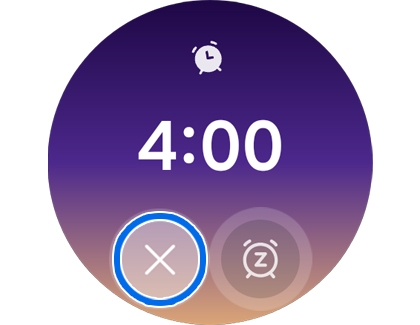
To Dismiss: Touch and hold the X icon and swipe it outside the circle, or rotate the touch bezel clockwise.

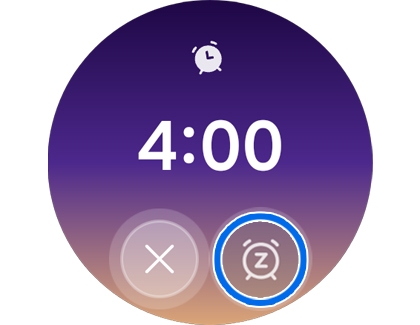
To Snooze: Touch and hold the Snooze icon and swipe it outside the circle, or rotate the touch bezel counterclockwise.

Delete an alarm
Remove old or unnecessary alarms to keep your list organized.
Alarms added to your watch are exclusive to it and won't affect your phone.
For Wear OS:
- Open the Alarm app.
- Touch and hold the alarm you wish to delete.

- Tap Delete.

For Galaxy Fit series:
In the Galaxy Wearable app, tap the trashcan icon, select the alarm(s), and Delete.
Troubleshoot a Galaxy Watch alarm with no sound
On your Watch:
- Open Settings.
- Tap Accessibility.
- Tap Hearing enhancements.

- Ensure that Mute all sounds is disabled.

On your Phone:
- Open the Wearable app.
- Tap Watch settings.
- Tap Accessibility.
- Tap Hearing enhancements.

- Ensure that Mute all sounds is disabled.



