Find the version of your SmartThings Hub
The SmartThings Hub connects to all your smart devices, the SmartThings cloud, and the SmartThings app. But what if you're not quite sure which version of the SmartThings Hub you own? Let's find out which one you have, and all the great features it can offer your home.
Find the version of your SmartThings Hub
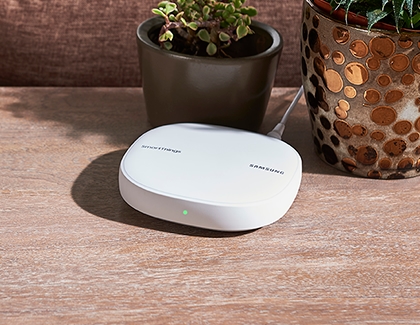
SmartThings Wifi
SmartThings Wifi is a mesh Wi-Fi router with SmartThings and Plume built in. SmartThings will replace your current Wi-Fi router and allow you to increase the strength of your home network by using additional Wi-Fi sub hubs.

Read less
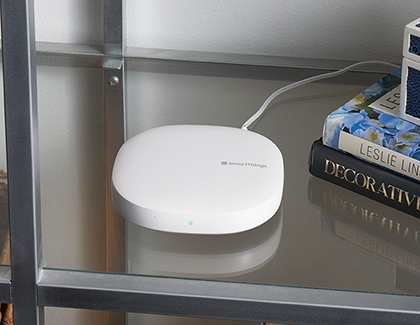
SmartThings Hub (2018)
The SmartThings Hub (2018) is the newest version of SmartThings’ core hardware, released August, 2018.

Some key features include:
- Wi-Fi connection: Connect to SmartThings cloud using either Wi-Fi or hard-wired Ethernet.
- Local processing capabilities: Some functionalities can run locally with the Hub. Some automations powered by Zigbee or Z-Wave devices will not have to make a round trip from the device, to the Hub, up to the Cloud, and back.
- Range: 50-130 feet, depending on your home's construction.
Read less
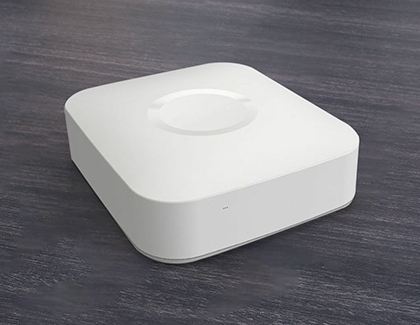
SmartThings Hub v2 (2015)
The SmartThings Hub v2 (2015) is the second generation of the SmartThings' core hardware, released in September 2015.

Some key features include:
- Local processing capabilities: Some functions can run locally with Hub v2. Some automations powered by Zigbee or Z-Wave devices will not have to make a round trip from the device, to the Hub, up to the Cloud, and back.
- Battery backup: Hub v2 comes with 4 AA batteries. This battery backup allows certain automations to continue, even without power, for up to 10 hours.
- USB: To set the groundwork for future expansion, Hub v2 includes two USB ports.
Read less
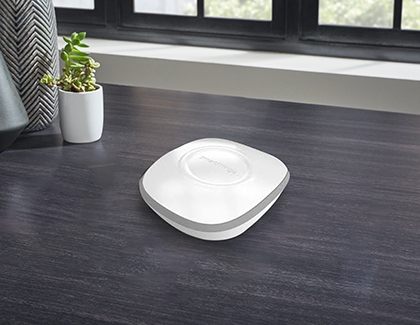
SmartThings Hub v1 (2013)
The SmartThings Hub (Hub v1) is the first-generation Hub. This Hub is no longer manufactured or sold in the official SmartThings Shop, but it may still be found through other vendors.

Read less
Recommended Articles
Factory reset or reboot your SmartThings Hub
Factory reset or reboot your SmartThings Hub When encountering issues with your SmartThings Hub, SmartThings Wifi, Connect Home, or modem, you have the option to either reset or reboot the device. It's important to understand the distinction between the two: Factory Reset returns your hub to its original factory settings, erasing all data, includin
Set up your SmartThings Hub, SmartThings Wifi, or Connect Home
Set up your SmartThings Hub, SmartThings Wifi, or Connect Home Take the first step towards total home connectivity by setting up your SmartThings hub, SmartThings Wifi hub, or Connect Home. Once it's set up, the SmartThings hub will instantly connect to different sensors, locks, light switches, outlets, thermostats, and other compatible devices in
Set up your SmartThings Smart Bulb
Set up your SmartThings Smart Bulb We all forget to turn the lights off sometimes. But with the SmartThings app, you’ll be able to instantly control your lights wherever you are - whether you’re outside or lying in bed. All you need is a SmartThings Smart Bulb and a compatible phone. You can find compatible Galaxy phones on Samsung.com to get the m
We're here for you
Contact Samsung Support
Contact us online through chat and get support from an expert on your computer, mobile device or tablet. Support is also available on your mobile device through the Samsung Members App.


