Galaxy S25 Button
Galaxy S25 Button
Galaxy S25 Button Disassembly
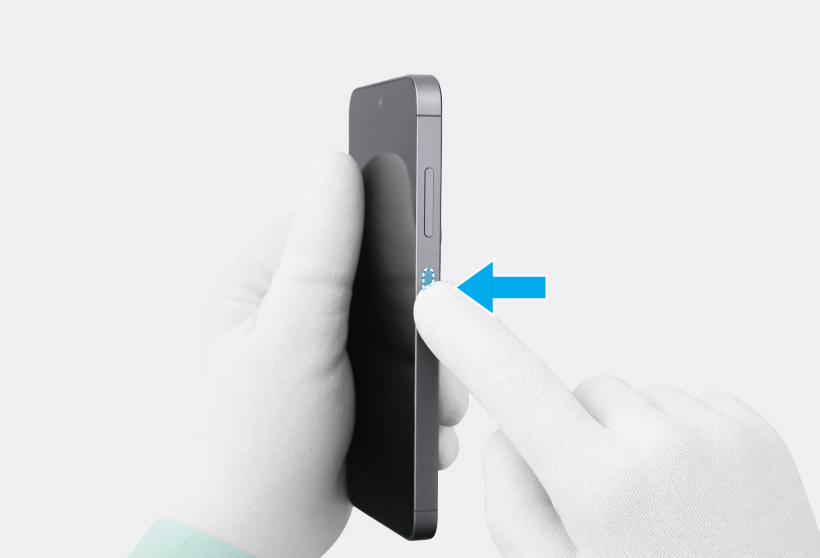
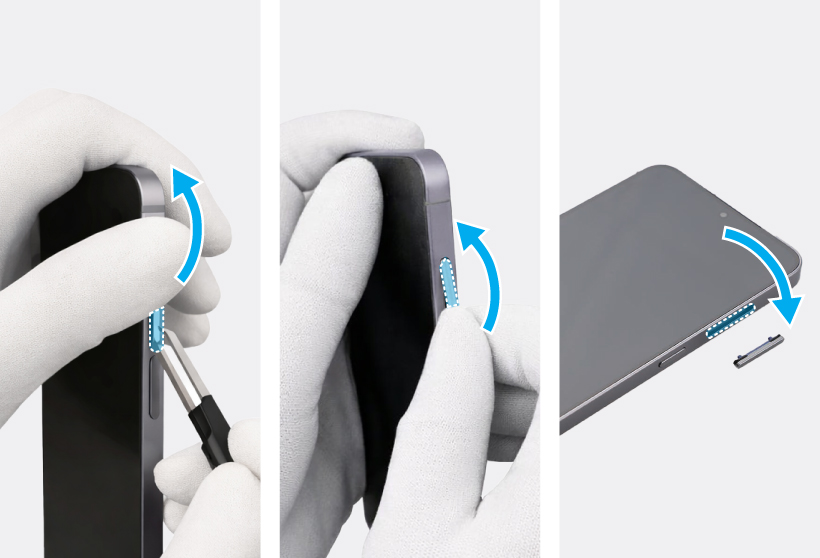
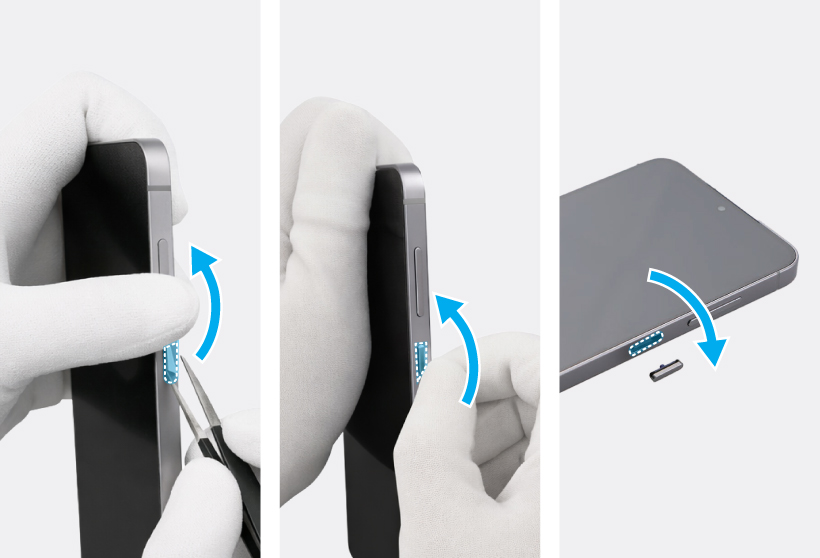
To remove the Volume button or the Side button, lightly press one end of the button with your fingers so that the other end protrudes. Push the tip of the protruding button up carefully with the round-tip metal tweezers and lift it up until you can grab it with your fingers. Grab the button with your fingers and pull it out carefully from the device.
Galaxy S25 Button Reassembly
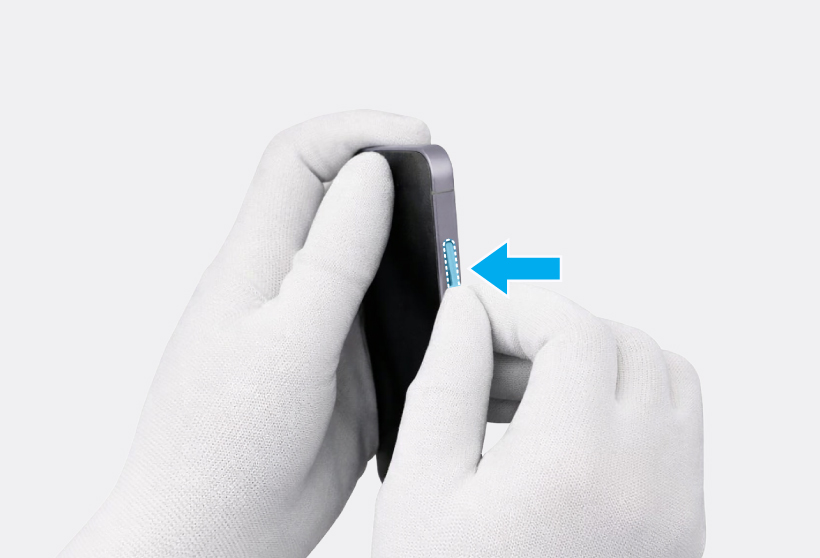
Press down the Volume button softly and evenly so that the button can be completely assembled. Press the Volume button to make sure it clicks. It should have the same sound and feel as before disassembly.
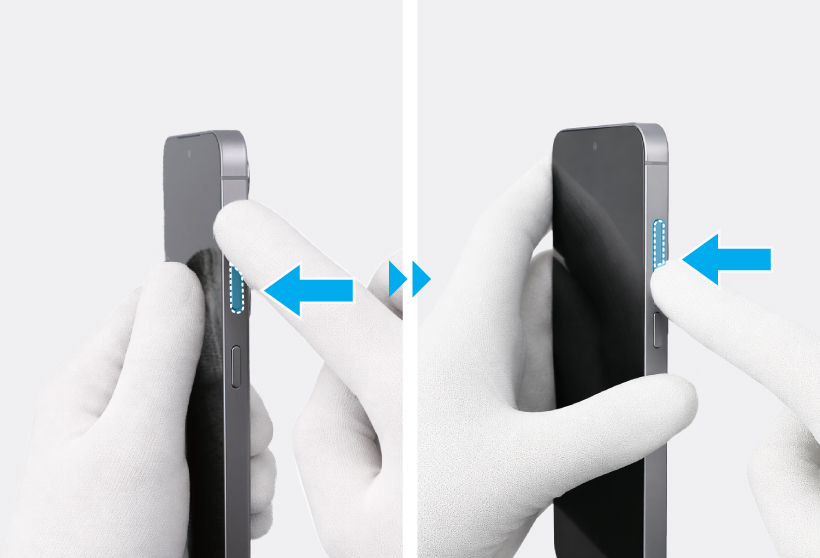
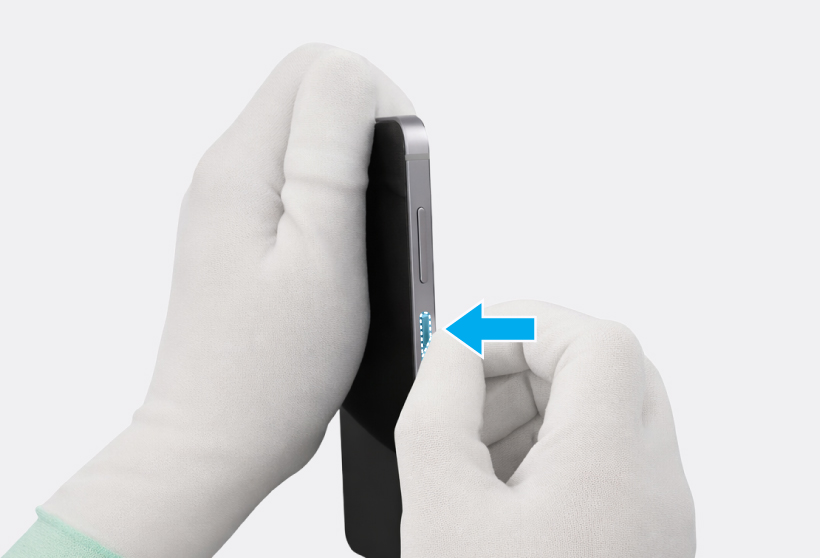
Press down the Side button softly and evenly so that the button can be completely assembled. Press the Side button to make sure it clicks. It should have the same sound and feel as before disassembly.