
Compare Galaxy S26, S26+, and S26 Ultra

Discover the differences between the Galaxy S26 series and find the perfect model for your needs. From cameras and displays to batteries and memory, explore the features that set these devices apart.
Three Galaxy S26 Ultra in purple, blue, and silver stacked diagonally with a stylus pen.

Compare Galaxy S26, S26+, and S26 Ultra

Camera

Close up of three Galaxy S26 Ultra phones in white, light blue, and purple, highlighting their rear cameras.

Galaxy S26

  • 12MP Ultra Wide lens
  • 50MP Wide-angle lens
  • 10MP Telephoto lens with 3x zoom and 30x Space Zoom
  • 12MP Selfie lens
  • FHD/4K @60fps and 8K @30fps video recording

Galaxy S26+

  • 12MP Ultra Wide lens
  • 50MP Wide-angle lens
  • 10MP Telephoto lens with 3x zoom and 30x Space Zoom
  • 12MP Selfie lens
  • FHD/4K @60fps and 8K @30fps video recording

Galaxy S26 Ultra

  • 50MP Ultra Wide lens
  • 200MP Wide-angle lens
  • 10MP Telephoto lens with 3x zoom and 50MP Telephoto lens with 100x Space Zoom
  • 12MP Selfie lens
  • FHD/4K @120fps and 8K @30fps video recording
Read less

Screen

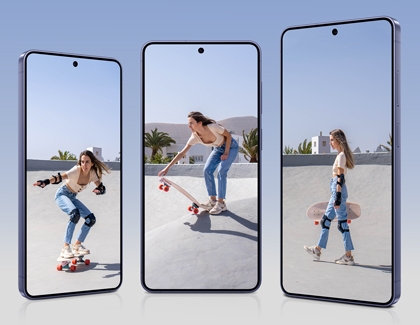
Three Galaxy S26 Ultra phones standing side by side, each showing a woman skateboarding on the screen.

The Galaxy S26 series features Dynamic AMOLED 2X Displays with a 120Hz adaptive refresh rate for stunning visuals and smooth performance.

  • Galaxy S26: 6.3-inch FHD+ screen
  • Galaxy S26+: 6.7-inch QHD+ screen
  • Galaxy S26 Ultra: 6.9-inch QHD+ screen
Read less

Battery

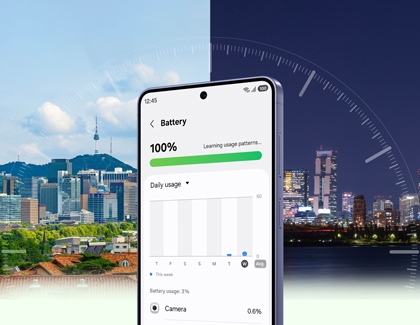
A purple Galaxy S26 Ultra showing the battery settings menu with a city skyline in the background.

The Galaxy S26 line-up is powered by a robust, long-lasting battery, ensuring you stay connected all day. Each model features optimized battery capacity to cater to a variety of usage requirements.


  • Galaxy S26:
    • 4,300mAh battery
    • Wired Super Fast Charging up to 25W
    • Fast Wireless Charging up to 15W
    • Wireless PowerShare
  • Galaxy S26+:
    • 4,900mAh battery
    • Wired Super Fast Charging 2.0 up to 45W
    • Super Fast Wireless Charging up to 20W
    • Wireless PowerShare
  • Galaxy S26 Ultra:
    • 5,000mAh battery
    • Wired Super Fast Charging 3.0 up to 60W
    • Super Fast Wireless Charging up to 25W
    • Wireless PowerShare
Read less

Memory

Note
External SD cards are not supported. For additional storage, consider using cloud services or internal storage options.

A purple Galaxy S26 Ultra with various photos, videos, and files fan out across the screen.

The Galaxy S26 series offers flexible storage options tailored to diverse needs, ensuring seamless performance and ample space for all your digital content, whether you're a casual or power user.

  • Galaxy S26: 12GB RAM with storage options of 256GB or 512GB.
  • Galaxy S26+: 12GB RAM with storage options of 256GB or 512GB.
  • Galaxy S26 Ultra: 12GB RAM with storage options of 256GB or 512GB, or 16GB RAM with a storage option of 1TB.
Read less

S Pen

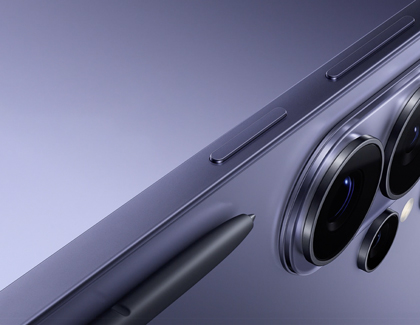
A close up of the top corner of a purple Galaxy S26 Ultra with a black stylus pen resting nearby.

The Galaxy S26 Ultra, featuring an S Pen, is a multifunctional device tailored for productivity, creativity, and ease of use. Discover the S Pen's standout features and capabilities to elevate your experience.


  • Key features
    • Easy Note: Capture ideas or reminders instantly.
    • Durability: IP68 water resistant.
    • Wacom Solution: Ensures precise and smooth writing and drawing.
    • 4096 Pressure Levels & 0.7 Golden Ratio Pen Tip: Delivers fine details and a natural writing feel.
       
  • Air Command
    • Tap the Air command (pen) icon on the right side of the screen or hover the S Pen over the screen and press the S Pen button to access functions such as note-taking, translation, and screen capture.

  • Limitations
    • Lacks BLE (Bluetooth Low Energy) and Air Action support.
       
  • Compatibility
    • Designed for use with the S26 Ultra and S25 Ultra.
Read less
Was this content helpful?
Table of contents
We're here for you

Contact Samsung Support

Contact us online through chat and get support from an expert on your computer, mobile device or tablet. Support is also available on your mobile device through the Samsung Members App.
auto-contact_us-pc-2x auto-contact_us-pc-2x


