Benefits & Cash Rewards

Benefits & Cash Rewards
What rewards do I earn with the Samsung Galaxy Card?
You earn cash rewards based on how you shop:
Earn $200 in bonus cash rewards after spending $2000 on purchases in the first 90 days of account opening.
5% cash rewards on purchases made directly from Samsung.
3% cash rewards on purchases made with Samsung Galaxy Card in Samsung Wallet.
2% cash rewards on eligible streaming service purchases.
1% cash rewards on everything else.
Rewards are earned as cash rewards and are subject to the Samsung Galaxy Card Reward Rules at https://cards.barclaycardus.com/banking/cards/samsung-galaxy-card.
Do I earn 3% cash rewards on online purchases made with Samsung Pay?
Where can I check my cash rewards balance and history?
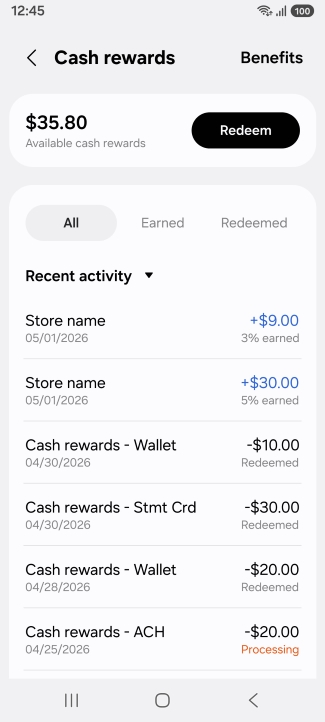
In Samsung Wallet:
- Open the Samsung Wallet app and tap Samsung Galaxy Card.
- You can find your cash rewards balance displayed under 'Cash rewards.'
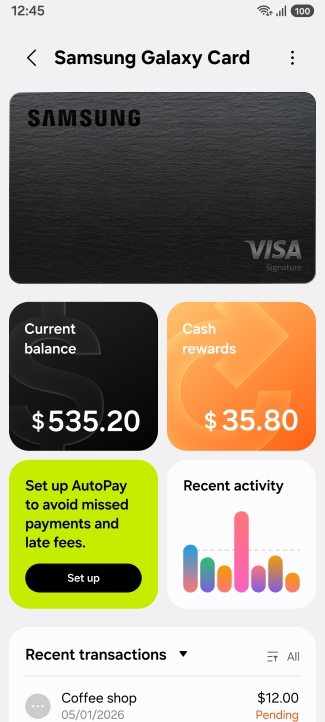
- Tap 'Cash rewards' to see your cash rewards activity.
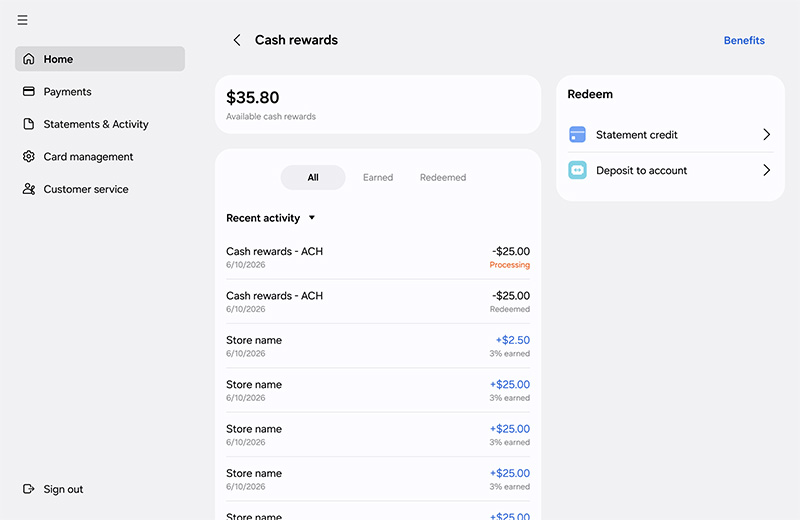
- Sign into your account at https://card.samsung.com.
- You can find your cash rewards balance displayed under 'Cash rewards.'
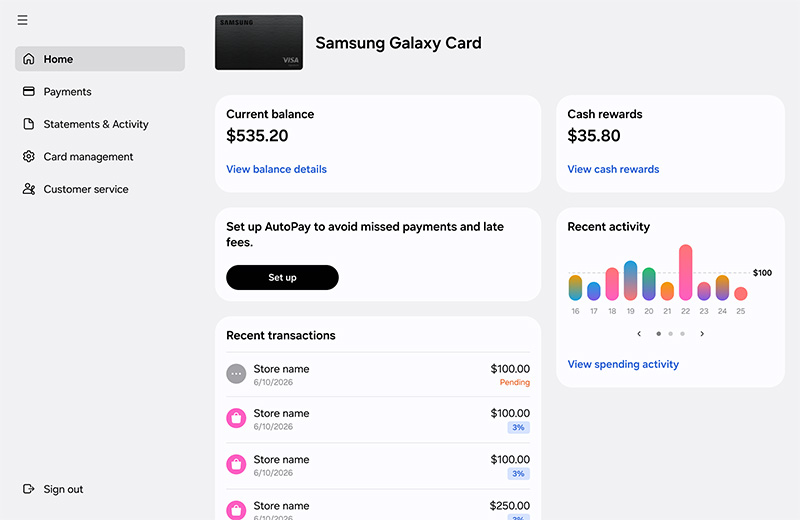
- Click 'View cash rewards' to see your cash rewards activity.
What is the difference between Samsung Pay Cash and Samsung Galaxy Card cash reward?
Samsung Pay Cash is a feature within the Samsung Wallet app that acts as a virtual prepaid debit card.
With Samsung Galaxy Card you earn cash rewards on eligible purchases.
For more details on earning and redeeming these rewards, please refer to the FAQ section under Benefits and Cash Rewards.
How do I redeem my cash rewards?
You can redeem cash rewards in several ways:
Many rewards can be redeemed directly through Samsung Wallet, while others are available through Barclays.
| Reward Type | Samsung Wallet | Samsung Servicing | Samsung.com | Samsung Shop App | Barclays Servicing |
|---|---|---|---|---|---|
| Use Cash rewards towards purchase * | X | X | X | ||
| Statement Credit | X | X | X | ||
| Direct Deposit (ACH) | X | X | X | ||
| Gift Cards & Merchandise | X |
To use cash rewards at checkout on Samsung Wallet, Samsung.com or Samsung Shop app, cardmembers must pay with their Samsung Galaxy Card, and the card must have enough credit available to complete the purchase.
*Cash rewards redemption will not lower the purchase amount at checkout and will post as a statement credit within 2 business days. Customers can redeem up to the purchase amount up to their available credit line.
How do I redeem cash rewards for in-store purchases using the Samsung Wallet app?
In Samsung Wallet:
- Open the Samsung Wallet app and tap 'Quick access'
- Tap the checkbox next to 'Use cash rewards.'
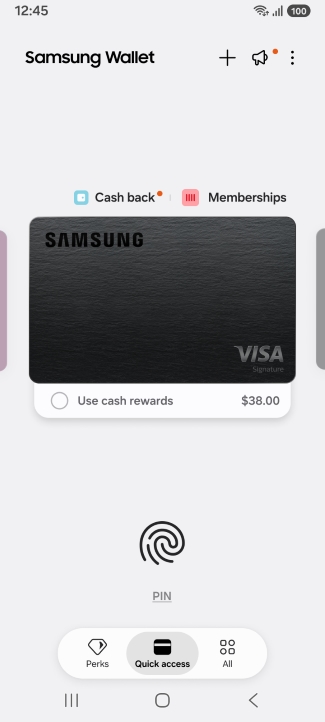
- To edit the amount applied, tap 'Edit' and enter the amount you want to redeem for the purchase. Tap 'Apply.
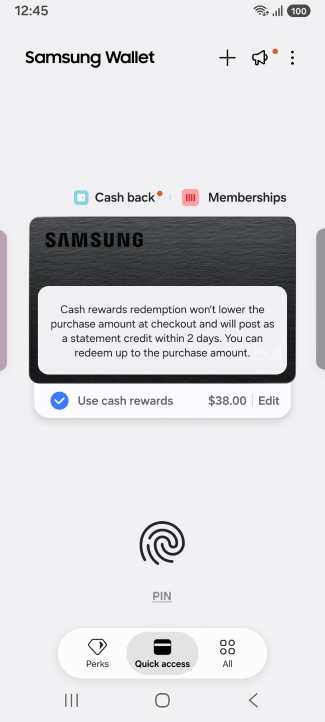
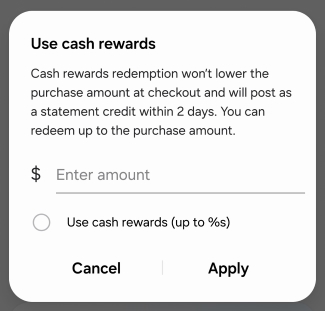
- Complete the purchase as normal. Note that the full purchase amount will be charged to your card and the cash rewards applied will be credited to your account as a statement credit.
- If you apply a cash rewards amount that is higher than the full purchase amount, only the purchase amount will be deducted from your cash rewards and credited to your account as a statement credit.
On Samsung.com:
- In Checkout, select Samsung Galaxy Card as your payment method.
- Select the 'Max cash rewards' checkbox. If you want to change the amount to redeem, enter an amount in the input field next to the checkbox.

