Card Management
Update your personal information, lock your card, request a new card, dispute a transaction, and more.

Card Management
What should I do if my card is lost or stolen?
If your card is lost or stolen, you can lock your card in the Samsung Wallet app or at https://card.samsung.com. For instructions on how to do this, refer to the next section.
You may report a lost or stolen Samsung Galaxy Card 24 hours a day, seven days a week by logging into your online account at visit Barclays US . Please review your account for any purchases you did not make, and report them online or contact customer service by calling 1-866-297-0653.
Read more
Read less
How do I lock or unlock my card?
In Samsung Wallet
- Open the Samsung Wallet app and tap Samsung Galaxy Card.
- Tap the three dots in the upper right corner and tap 'Lock card.'
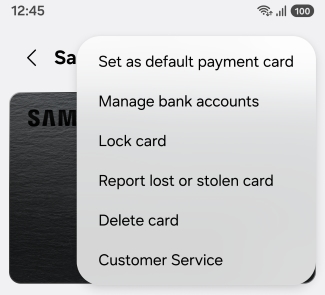
- Tap the 'Lock card' toggle.
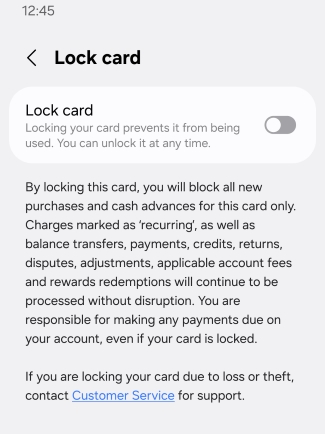
In browser:
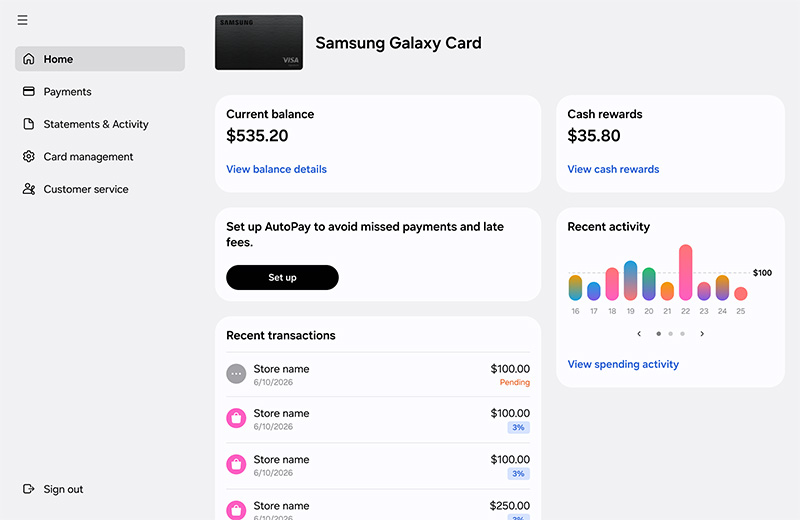
- Sign into your account at https://card.samsung.com.
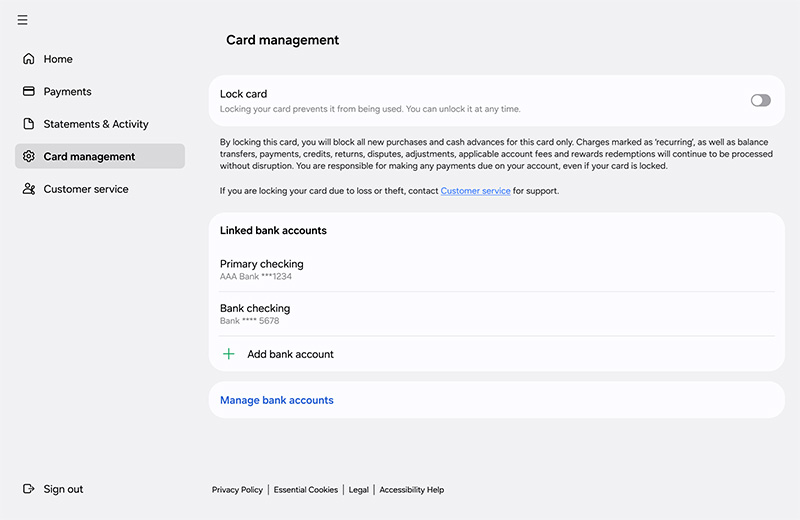
- Click 'Card management' in the sidebar.
- Click the 'Lock card' toggle.
Read more
Read less
How do I update my personal information for billing and payment? (Address, phone number, etc.)
Go to the Barclays US app or website, or contact Barclays to update your information.
Read more
Read less
How do I request a replacement card?
Go to the Barclays US app or website, or contact Barclays to order a replacement card.
Read more
Read less
How do I cancel my card?
How do I dispute a transaction?
Go to the Barclays US app or website, or contact Barclays to dispute a transaction.
Read more
Read less
Recommended Articles
We're here for you
Contact Samsung Support
Contact us online through chat and get support from an expert on your computer, mobile device, or tablet. Support is also available on your mobile device through the Samsung Members App.

