View your warranty and coverage details on your Galaxy device

View your warranty and coverage details on your Galaxy device
- The information provided applies to Samsung Galaxy devices and services available in the United States. Warranty coverage, Samsung Care+ availability, and support options may vary by country or region.
- Images used are simulated for illustrative purposes and the actual UI may vary by OS version, device model, region, etc.
Check your device warranty status
You can check the specific details of your current warranty status, including coverage type, expiration date, and plan details, directly within the Warranty and care menu.
- Open the Settings menu, then tap Warranty and care.
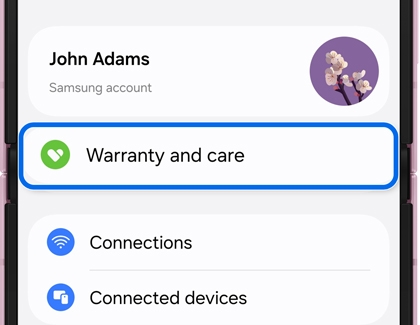
- Your current device appears at the top. Tap View details.
Note: Devices linked to your Samsung account are shown here. Tap each device to view warranty details.
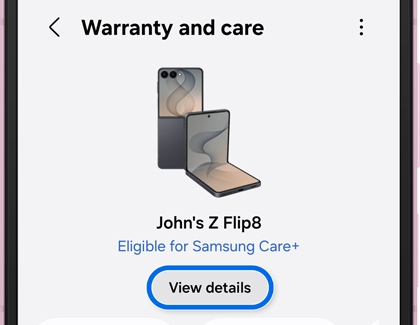
- Tap View warranty details.
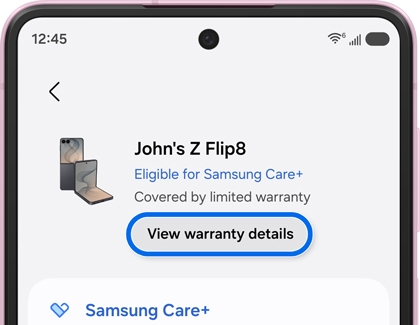
- Review your coverage type, expiration date, and what is included in your plan.
Understanding your warranty status
- Limited warranty: Basic coverage included automatically with your device purchase.
- Samsung Care+: Paid additional coverage that includes protection against accidental damage.
- Warranty expired: The official warranty period has ended, but you can still access all on-device help and troubleshooting features.
Troubleshoot device issues
Ask Bixby
Ask Bixby using plain language. It will automatically read your current device state and can change system settings to resolve issues for you.
- Open Settings.
- Tap Warranty and care.
- Ask Bixby.
- The Ask Bixby feature is currently available only in select countries, with support for additional countries planned in the future.
- Available Ask Bixby features and supported content providers in Warranty and care may vary by country or language.
- This feature requires a Samsung account sign-in and an active network connection (Wi-Fi or mobile data).
Search for an issue
Type a keyword or pick from common symptoms to jump straight to a solution.
- On the Warranty and care main screen, then tap View details.
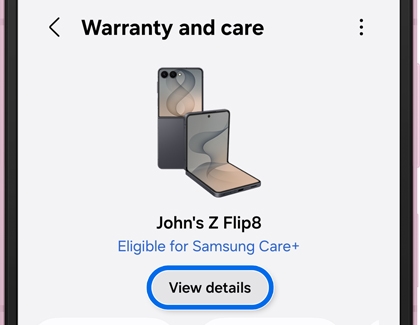
- Tap the search bar.
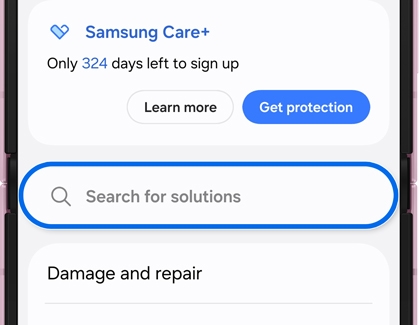
- Type a keyword such as "Battery" or "Camera", and select a common symptom from the automatically generated suggestions.
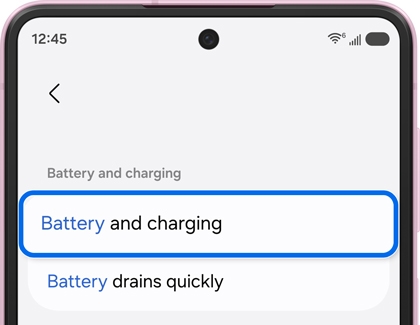
- Select a matching symptom.
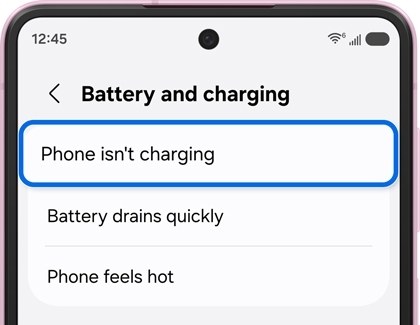
- Instantly view related FAQs, run a dedicated diagnostics test, or get help.
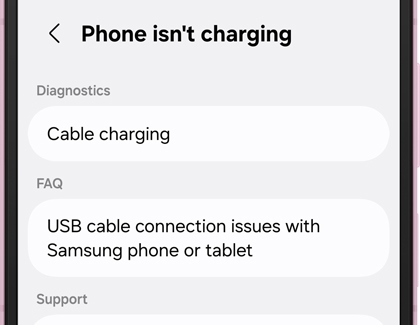
- This feature requires a Samsung account sign-in and an active network connection (Wi-Fi or mobile data).
- Some of the screens shown above may differ in countries where the service is not yet available.
Book a repair and manage repair history
Book a repair
- Open the Settings menu, then tap Warranty and care.
- Tap Request a repair.
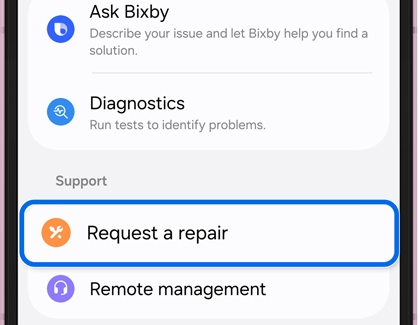
- Estimated repair costs are only available for select issues, and actual pricing may vary based on your device model and region.
- If you have an active Samsung Care+ plan, your total repair cost may be significantly lower than the standard out-of-warranty price.
Track repair status
Once your service is underway, you can monitor the entire process directly from your device. After your booking is confirmed, a service appointment card will appear on the main screen.
If you are using mail-in repair, you can also track your repair status directly from this card. The status of your repair will update from Requested, to Engineer assigned, Under repair, and Repaired and sent.
View your repair history
Past repairs stay securely linked to your Samsung account, allowing you to review your device's service record at any time. To check your history, navigate to the More options icon (three vertical dots) in the top-right corner of the Warranty and care main screen and select Service history. From there, you can view your service dates, ticket numbers, repair status, and the device’s model and serial number.
Run self-diagnostics
Check individual hardware components, including the speaker, battery, touch screen, camera, and sensors, to receive an instant status report alongside next-step troubleshooting guidance. Running self-diagnostics before booking a repair saves time at the service center. If an issue is found during testing, you can proceed to schedule a service.
- On the Warranty and care main screen, locate the Troubleshooting section and tap Diagnostics.
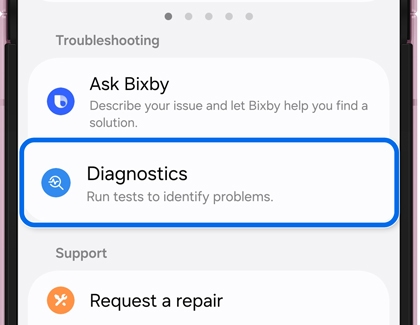
- Choose the specific component you want to test (e.g., Speaker, Battery, Touch, Camera, or Sensors).
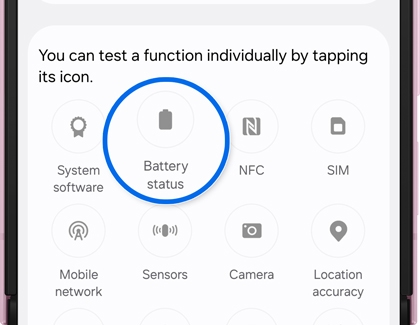
- Follow the on-screen interactive prompts to complete the test. Your final result will display immediately as either Normal or Action required.
Access Samsung Care+ – sign up, claim, and manage your subscription
1. Sign up for Samsung Care+
Samsung Care+ adds dedicated accidental damage protection on top of your standard device limited warranty.
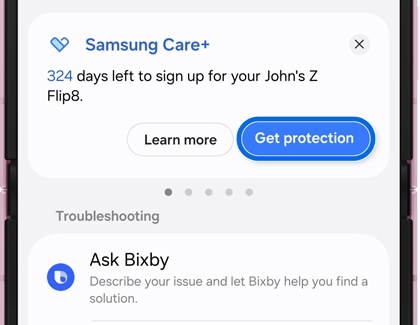
- To enroll in Samsung Care+, navigate to Warranty and care in Settings.
- Tap View details.
- Tap Get protection under your device card. Review your plan options, coverage, and pricing, then confirm your enrollment details to finalize and activate your coverage.
2. File a claim
If your device experiences accidental physical or liquid damage, you can file a service claim and track its resolution progress from your device.
To file a claim, start by navigating to Warranty and care in your Settings and opening your active device card. Tap Make claim under your listed Samsung Care+ plan, then describe the issue in detail, select your preferred service options, and pay any applicable deductible fees. After following the remaining on-screen prompts, submit your claim request. You can then monitor its real-time progress on the Warranty and care main screen under Claim status.
3. Manage your Samsung Care+ subscription
Quickly view your active plan, billing cycles, upcoming renewal dates, or cancel your policy if you no longer require coverage.
To view or manage your coverage, start on the Warranty and care screen and tap the Samsung Care+ badge located under your device card. From there, you can review your active plan details, scheduled billing cycle, and next automatic renewal date.
If you no longer require coverage and wish to end your policy, tap Manage subscription, select Cancel plan, and follow the guided on-screen prompts.
Frequently asked questions
Do I need a Samsung account to use Warranty and care?
Yes. Warranty information and Samsung Care+ require a Samsung account linked to your device.
Can I check the warranty for my Galaxy Watch or Tab here?
Yes. Other Galaxy devices linked to your Samsung account appear under More devices.
What if my device is no longer covered by a warranty?
You can still use Warranty and care to run diagnostics, book a repair, and view past repair history.
Is Warranty and care available in my country?
Warranty and care is available on devices running One UI 9.0 and later. Some features such as repair pricing, repair history, and Samsung Care+ may vary by region.

