Connect your Galaxy Watch9 or Galaxy Watch Ultra2 to your Galaxy Z Fold8 Ultra

Connect your Galaxy Watch9 or Galaxy Watch Ultra2 to your Galaxy Z Fold8 Ultra
Pair your watch with your phone
- Turn on your Galaxy Watch by pressing and holding the Home (Power) button until the Samsung logo appears.
- Select your preferred language and country on your watch.
- On your Galaxy Z Fold8 Ultra, open the Galaxy Wearable app, then tap Start.
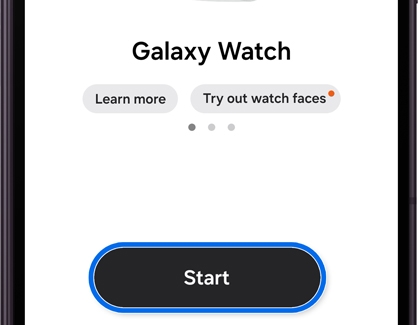
- When prompted, confirm that the numbers displayed on your watch and phone match, then follow the on-screen instructions to complete the setup. For more information on connecting your new watch, check out this guide.
Manage calls from your watch
With your Galaxy Watch9 or Galaxy Watch Ultra2 connected to your Galaxy Z Fold8 Ultra, you can place and answer calls directly from your wrist. This makes it easy to stay connected without interrupting what you're doing or reaching for your phone.
Make a call
- Open the Phone app on your Galaxy Watch.
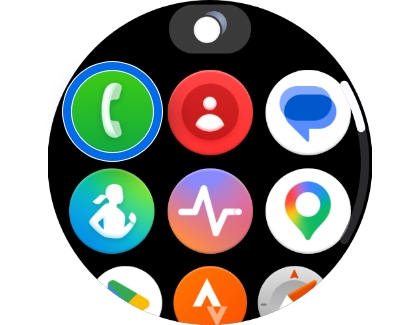
- Choose how you want to make the call:
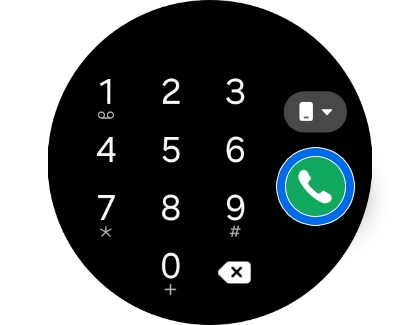
- Tap the green Keypad icon to dial a phone number.
- Tap the red Contacts icon to call someone from your contact list.
- Tap a number from the Recent list to call a recent contact.
- Tap the Phone icon to place the call.
Manage messages from your watch
Your Galaxy Watch9 or Galaxy Watch Ultra2 makes it easy to manage conversations while you're away from your Galaxy Z Fold8 Ultra. You can read incoming messages, send new ones, and reply directly from your watch, helping you stay connected throughout the day.
Send a message
- Open the Messages app on your Galaxy Watch.
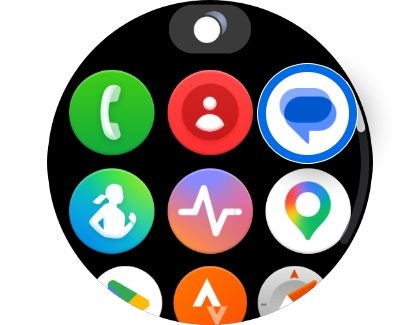
- Tap the New message icon.
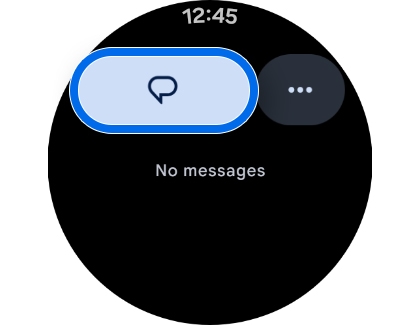
- Select a contact or enter a phone number.
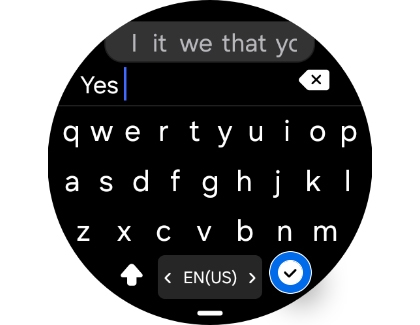
- Enter your message.
Note: Depending on your settings and watch model, you can compose messages using different input methods, such as the keyboard, voice input, or text templates. - Tap the Send icon.
Manage your health and fitness
Samsung Health works with your Galaxy Watch9 or Galaxy Watch Ultra2 to help you monitor your daily activity and overall wellness. Whether you're recording workouts, counting steps, or checking your sleep and heart rate, your watch keeps your health information within easy reach throughout the day.
- Open the Samsung Health app on your Galaxy Watch.
- Select the health or fitness feature you want to use, such as Exercise, Steps, Sleep, Stress, or Heart rate.
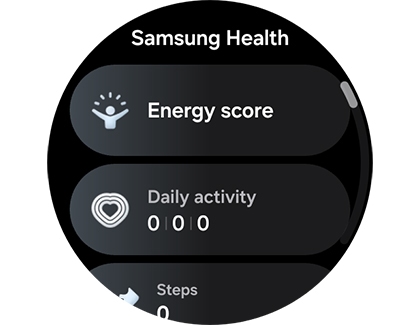
- Follow the on-screen instructions to start tracking or view your latest results.
- For additional details and trends, open the Samsung Health app on your Galaxy Z Fold8.

