Learn to use FlexCam and camera features on your Samsung Galaxy Z Flip8

Learn to use FlexCam and camera features on your Samsung Galaxy Z Flip8
Camera specifications
Your Samsung Galaxy Z Flip8 is equipped with versatile cameras designed for everyday photography, hands-free selfies, ultra-wide landscapes, and high-quality video recording. The specifications below provide an overview of the available cameras, video recording capabilities, and key camera features to help you better understand what your device can do.
- Rear Wide camera: 50 MP with autofocus (AF) and Optical Image Stabilization (OIS).
- Rear Ultra Wide camera: 12 MP.
- Front camera: 10 MP.
- Rear video recording: Up to 4K UHD at 60 fps.
- Front video recording: Up to 4K UHD at 60 fps.
- Key camera features: FlexCam, Dual Preview, Auto Zoom, Super Steady, Portrait, Hyperlapse, Single Take, and more.
Capture hands-free photos and videos with FlexCam
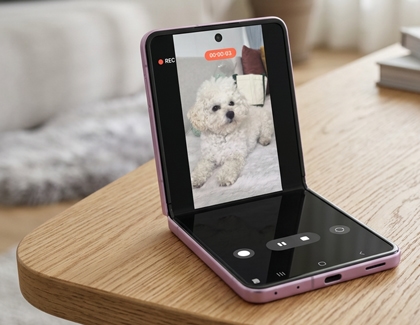
FlexCam lets you capture photos and videos without holding your Samsung Galaxy Z Flip8. Simply partially fold your phone and place it on a stable surface to keep it positioned while you record or take pictures. Whether you're taking a group photo, filming a video, or capturing a selfie, FlexCam gives you more freedom to compose your shot without needing a tripod or someone else to hold the camera.
Take hands-free selfies with FlexCam
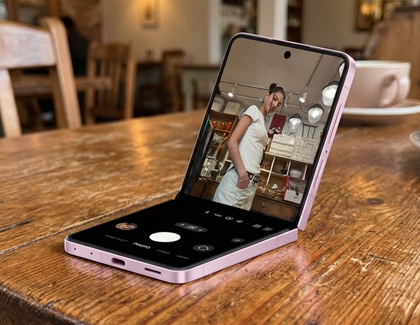
Taking selfies is easier with FlexCam on your Samsung Galaxy Z Flip8. Simply partially fold your phone and place it on a stable surface to capture hands-free photos using the high-resolution rear camera. When you're ready to take the picture, raise your palm toward the camera to start the countdown automatically, or use voice commands if they're enabled. You can also use features like Auto Zoom to help keep everyone in the frame and Dual Preview so everyone can see how they look before you take the picture.
Use Dual Preview to frame the perfect photo
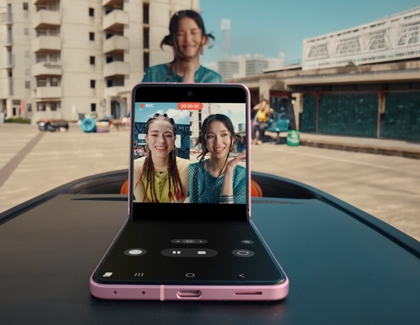
Dual Preview lets both you and your subject see the camera preview at the same time. While you frame the shot on the main screen, the person you're photographing can view themselves on the FlexWindow to adjust their pose before you take the picture. This helps everyone feel more confident that the photo will turn out the way they expect.
Keep everyone in the frame with Auto Zoom
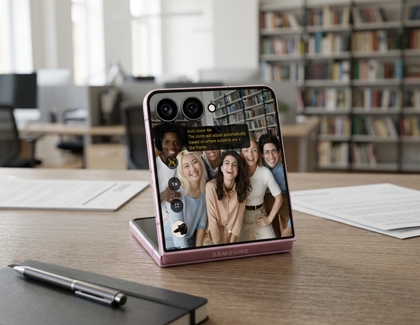
Auto Zoom helps keep you and your subjects centered while recording with FlexCam. As people move closer, farther away, or around the scene, the camera automatically adjusts the framing to help keep everyone in view. This makes it easier to capture videos without having to reposition your Samsung Galaxy Z Flip8, whether you're recording yourself, a group, or a hands-free presentation.
Record smoother videos with Super Steady
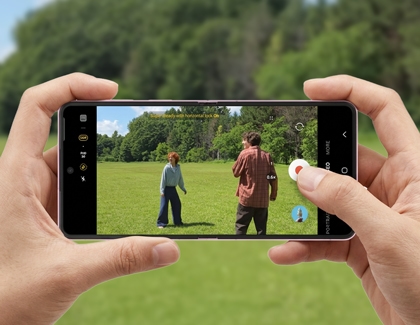
Super Steady helps reduce camera shake when you're recording videos while walking, following the action, or capturing other moments on the move. Together with features like Horizontal Lock, it helps create smoother, more stable footage, even when you're moving, so your videos look more polished without requiring additional equipment.
Create fun selfies with FlipShot
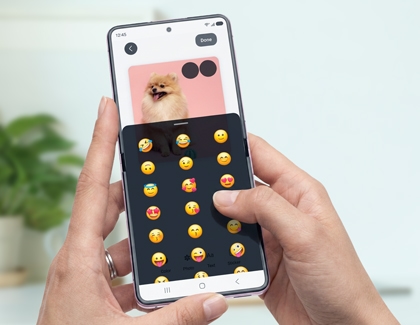
FlipShot is a feature available through MultiStar that lets you personalize the cover screen while taking selfies with the rear cameras. You can display custom images, animations, or messages on the cover screen, making selfies more engaging and adding a personal touch. It's a fun way to express your personality while letting friends and family see a customized display while you capture the perfect selfie.

